
Web UI for icloud-photos-downloader

Project description
icloudpd-web
Release
Overview
- Warning: This is a public software from personal project that comes without any warranties. You may use it for personal usages at your own risk. You can contribute to the project by submitting a feature request or a bug report via Github issues.
- icloud-photos-downloader is a CLI tool for downloading iCloud photos and videos.
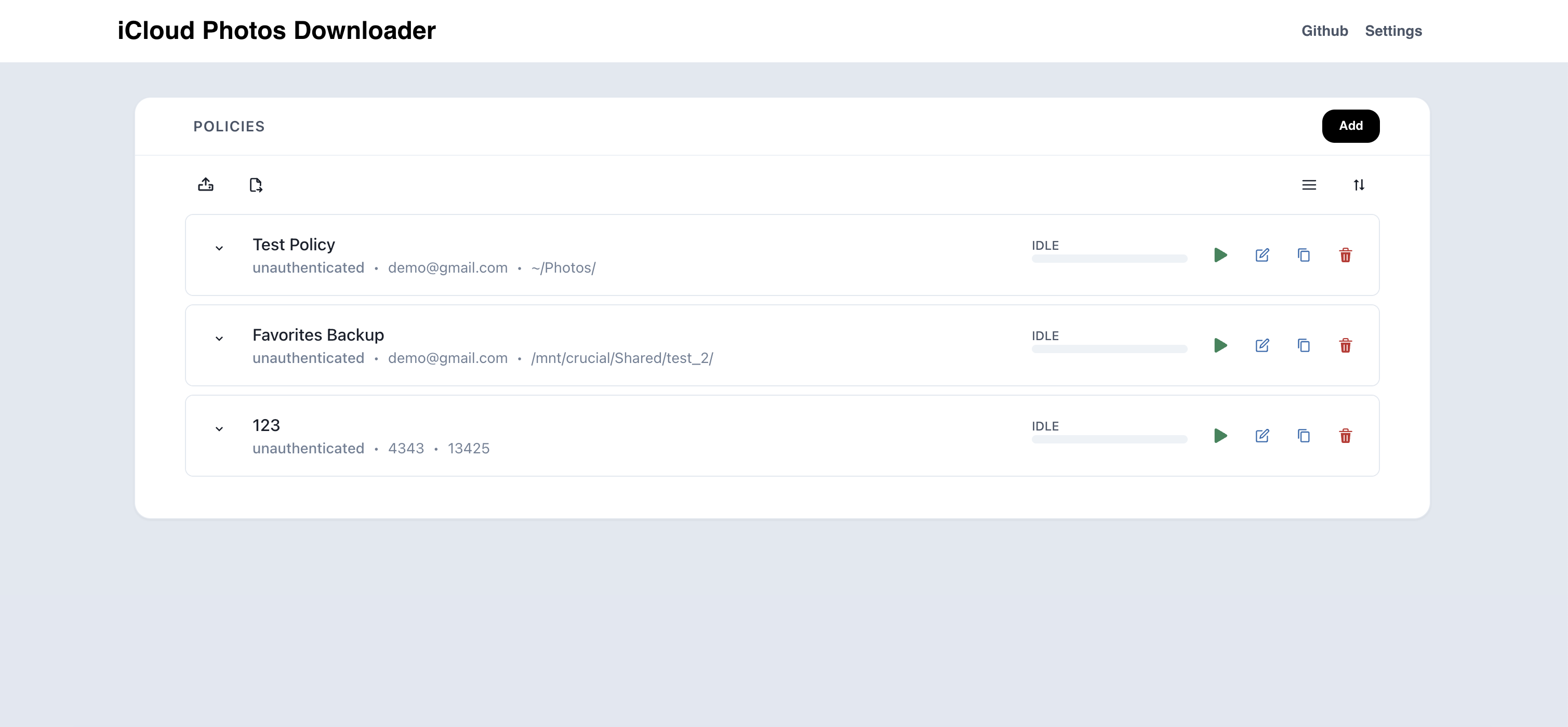
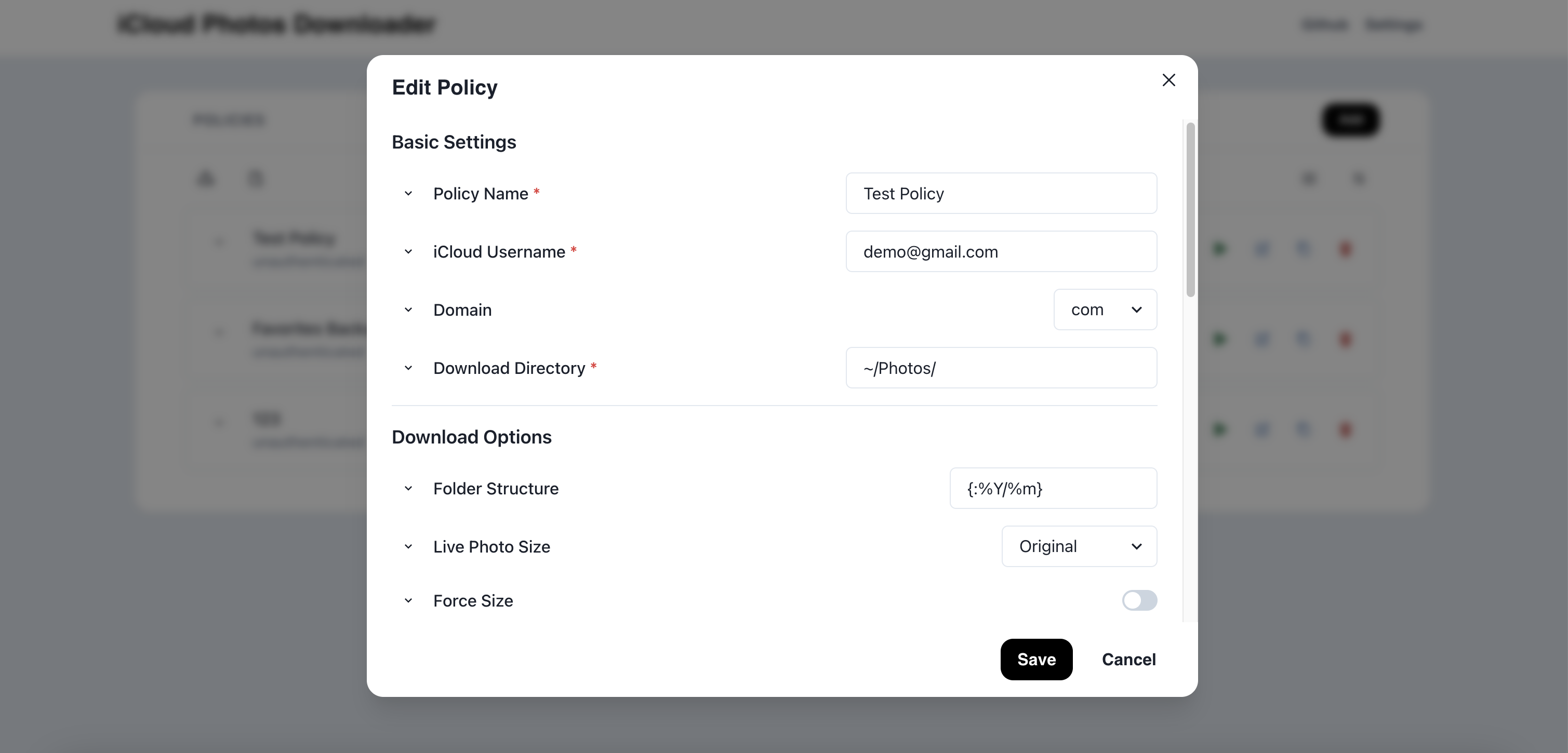
icloudpd-webis an application that provides a web UI wrapper around the icloudpd Python library.- The application allows managing multiple icloudpd settings ("policies" in
icloupd-web) through the web UI and monitoring the progress of the downloads. - The application bundles a static next.js application in a fastapi server. Therefore, you can spin up the server and use the web UI using the python distribution.
Screenshots
Installation
Requires Python 3.12+.
pipx install icloudpd-web
Development
Backend (Python, uv):
uv sync --dev
make dev-backend    # http://127.0.0.1:8000
Frontend (Vite, in another terminal):
make install-web
make dev-web        # http://127.0.0.1:5173 with proxy to :8000
Production build:
make build # builds web into src/icloudpd_web/web_dist and uv-builds the wheel
Once built, icloudpd-web hosts both API and UI on a single port.
First run
Generate a password hash, set the session secret, and start the server:
export ICLOUDPD_WEB_PASSWORD_HASH=$(icloudpd-web init-password yourpassword)
export ICLOUDPD_WEB_SESSION_SECRET=$(openssl rand -hex 32)
icloudpd-web --host 0.0.0.0 --port 8080
Data lives in ~/.icloudpd-web/ by default (override with --data-dir).
Usage
run icloudpd-web --help to see the available options.
User Flow
- Log in with the server password (set via
ICLOUDPD_WEB_PASSWORD_HASH). - View all policies on landing. Policies are TOML files in
~/.icloudpd-web/policies/. - Create, edit, duplicate, or delete policies through the REST API.
- Authenticate a policy with iCloud credentials; handle 2FA when required.
- Start or stop a policy run; stream live logs and progress via SSE.
- Monitor run history; log files are stored at
~/.icloudpd-web/runs/{policy}/{run_id}.log.
Details
- The user can add, edit, duplicate, delete, start and stop a policy.
- Download progress of a policy can be viewed through the SSE log stream or the stored log files.
- Refer to the example_policy/example.toml for the policy format.
- Refer to the icloudpd docs for the underlying CLI options.
Technical Details
Architecture
- Backend: FastAPI (Python 3.12). REST for mutations + SSE for log/progress streaming.
- icloudpd integration: icloudpd is run as a subprocess (not imported). One subprocess per run; logs captured to
~/.icloudpd-web/runs/{policy}/{run_id}.log. - Policies: one TOML file per policy at
~/.icloudpd-web/policies/*.toml, atomic writes. - Scheduler: 1 Hz asyncio tick. Cron expressions per policy; overlapping fires are skipped.
- Auth: single-user server password (scrypt-hashed, set via env var); cookie session.
- Secrets: iCloud passwords in
~/.icloudpd-web/secrets/*.password(file mode 0600, never returned to clients). - 2FA: handled via icloudpd's MFA provider mechanism plus a local file-backed callback.
- Integrations: Apprise (server-wide notifications) and
aws s3 sync(per-policy).
Term of Use
The copyright of icloudpd-web ("the software") fully belongs to the author(s). The software is free to use for personal, educational, or non-commercial purposes only. Unauthorized use to generate revenue is not allowed.
License
This project is licensed under CC BY-NC-4.0. This means:
You can:
- Use this package for personal projects
- Modify and distribute the code
- Use it for academic or research purposes
You cannot:
- Use this package for commercial purposes
- Sell the code or any modifications
- Include it in commercial products
For full license details, see the LICENSE file.
Release history Release notifications | RSS feed


Download files
Download the file for your platform. If you're not sure which to choose, learn more about installing packages.
Source Distribution
Built Distribution
Filter files by name, interpreter, ABI, and platform.
If you're not sure about the file name format, learn more about wheel file names.
Copy a direct link to the current filters
File details
Details for the file icloudpd_web-2026.4.20.post1.tar.gz.
File metadata
- Download URL: icloudpd_web-2026.4.20.post1.tar.gz
- Upload date:
- Size: 488.1 kB
- Tags: Source
- Uploaded using Trusted Publishing? No
- Uploaded via: uv/0.9.18 {"installer":{"name":"uv","version":"0.9.18","subcommand":["publish"]},"python":null,"implementation":{"name":null,"version":null},"distro":{"name":"macOS","version":null,"id":null,"libc":null},"system":{"name":null,"release":null},"cpu":null,"openssl_version":null,"setuptools_version":null,"rustc_version":null,"ci":null}
File hashes
| Algorithm | Hash digest | |
|---|---|---|
| SHA256 |
fb986e65bbb88cdb968c037f57d7ec53f6fc2f54e56b7b40e227d710d4450057
|
|
| MD5 |
1a8574a3fcef7431229a24c334f9b5a9
|
|
| BLAKE2b-256 |
c7397e4bbf2a34598233ef540185642c3c1422c2d156dd6839b75c146674796a
|
File details
Details for the file icloudpd_web-2026.4.20.post1-py3-none-any.whl.
File metadata
- Download URL: icloudpd_web-2026.4.20.post1-py3-none-any.whl
- Upload date:
- Size: 248.0 kB
- Tags: Python 3
- Uploaded using Trusted Publishing? No
- Uploaded via: uv/0.9.18 {"installer":{"name":"uv","version":"0.9.18","subcommand":["publish"]},"python":null,"implementation":{"name":null,"version":null},"distro":{"name":"macOS","version":null,"id":null,"libc":null},"system":{"name":null,"release":null},"cpu":null,"openssl_version":null,"setuptools_version":null,"rustc_version":null,"ci":null}
File hashes
| Algorithm | Hash digest | |
|---|---|---|
| SHA256 |
7c2d093f2a2178ad7f8b3b73121eb83282a2d294f1ccbe5fe6a4ae423b2ac29a
|
|
| MD5 |
f3bcbcd0d87355ca399355d271ec707b
|
|
| BLAKE2b-256 |
209b60a5098058e940dde0b18b894c444dcfac9181a195221726775ee6e03015
|






