
icoft - AI-Powered CLI Icon Generator & Vector Scaler


Icoft is a command-line tool that converts a single image (PNG, JPG, JPEG, WEBP) into app icons for all platforms (Windows, macOS, Linux, Web, iOS, Android). It runs on almost all mainstream operating systems, supports AI image recognition, vectorized lossless scaling, and reverse rasterization. In addition, it can perform simple image preprocessing tasks such as cropping, background transparency based on color recognition and AI recognition, and vectorization. Therefore, it can also be used as a cutout tool or image conversion tool.
Features
- Icon Generation: Generate complete app icon sets for Windows, macOS, Linux, Web, iOS, and Android
- Image Cropping: Remove outer borders by specifying command options, with customizable margins
- Background Removal: Simple background transparency algorithm based on background color sampling and specified thresholds, or AI-based background removal using U²-Net or RMBG-1.4
- Vectorization: High-quality raster to SVG conversion
normalmode: True vector tracing for infinite scaling (best for simple graphics)embedmode: PNG embedded in SVG wrapper (preserves gradients/photos, NOT scalable)- Optional: Install
cairosvgfor high-quality SVG to PNG rendering in icon generation
- Flexible Output: Generate complete icon sets or single processed images
- CLI Friendly: Unix-style composable parameters with Rich terminal output
Background Removal & Vectorization Examples
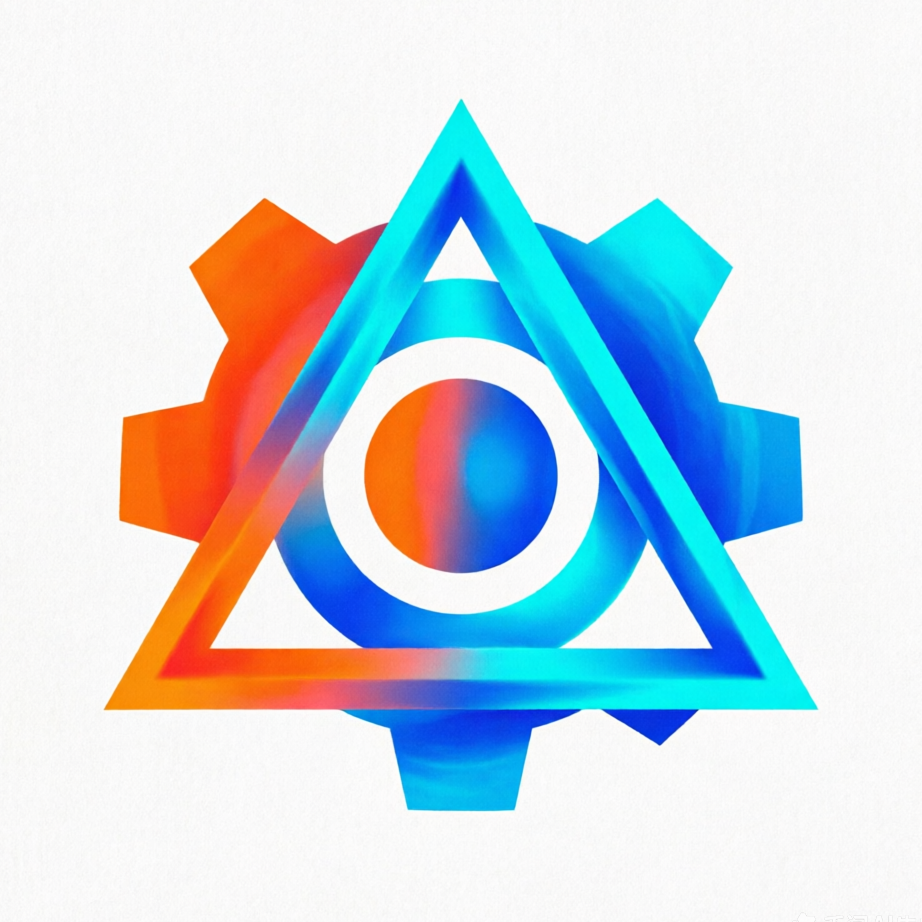
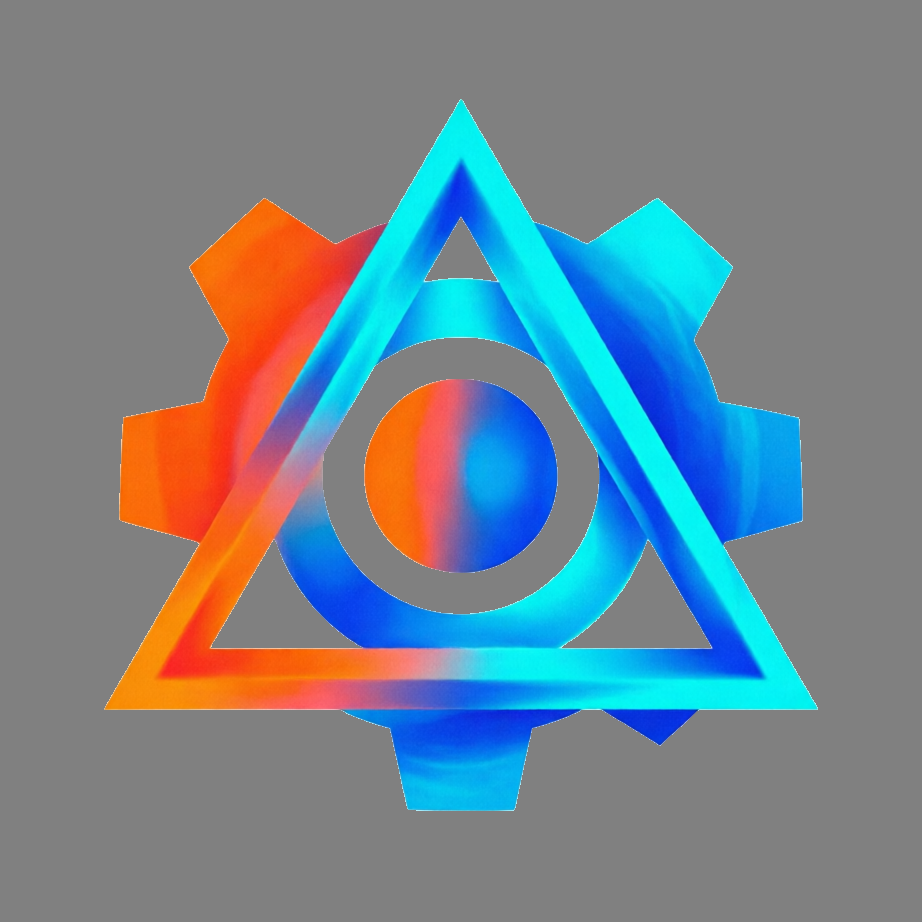
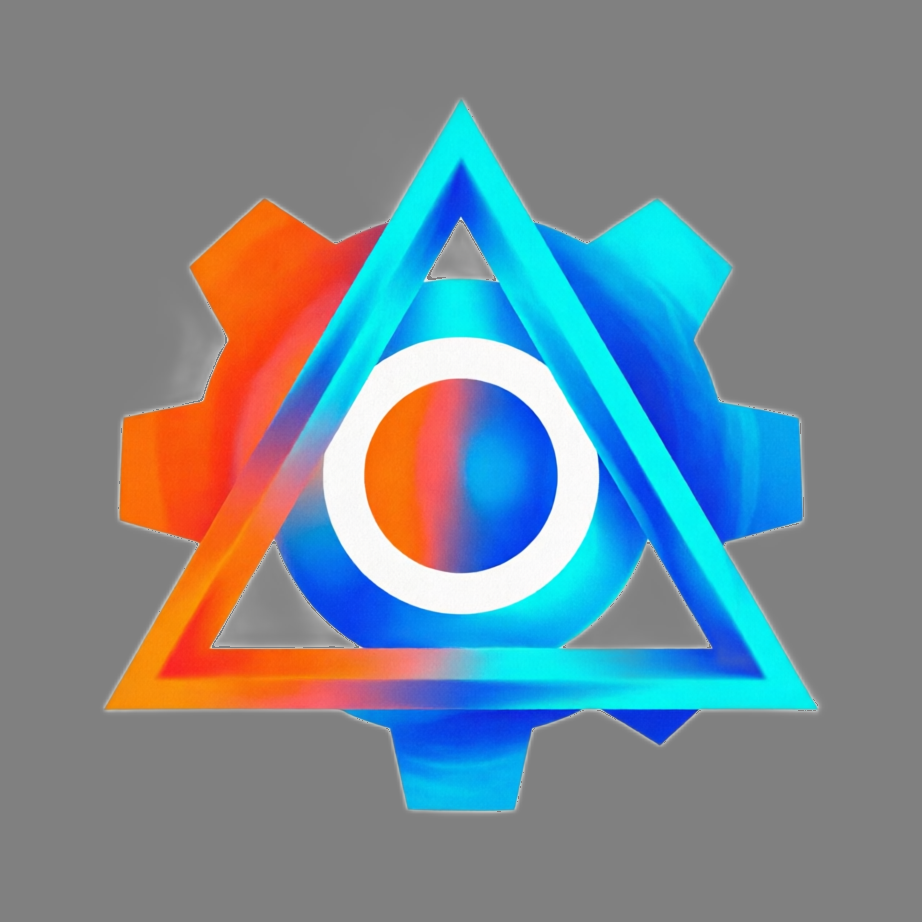
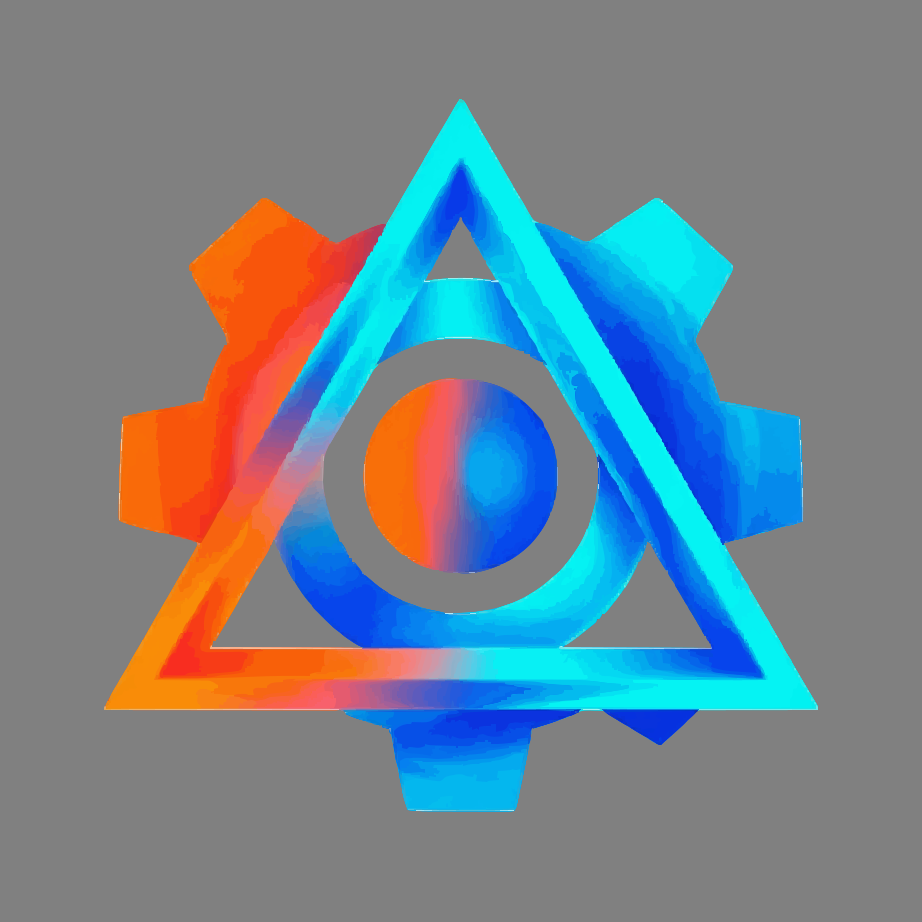
The following examples demonstrate different background removal and vectorization methods using a logo with gradient colors on white background. All examples are displayed on a neutral gray background (#808080) to show transparent areas.
| Original | Color-based (-b 70) | AI-based (-a) | Vectorized (-s normal) | Embedded (-s embed) |
|---|---|---|---|---|
 |
 |
 |
 |
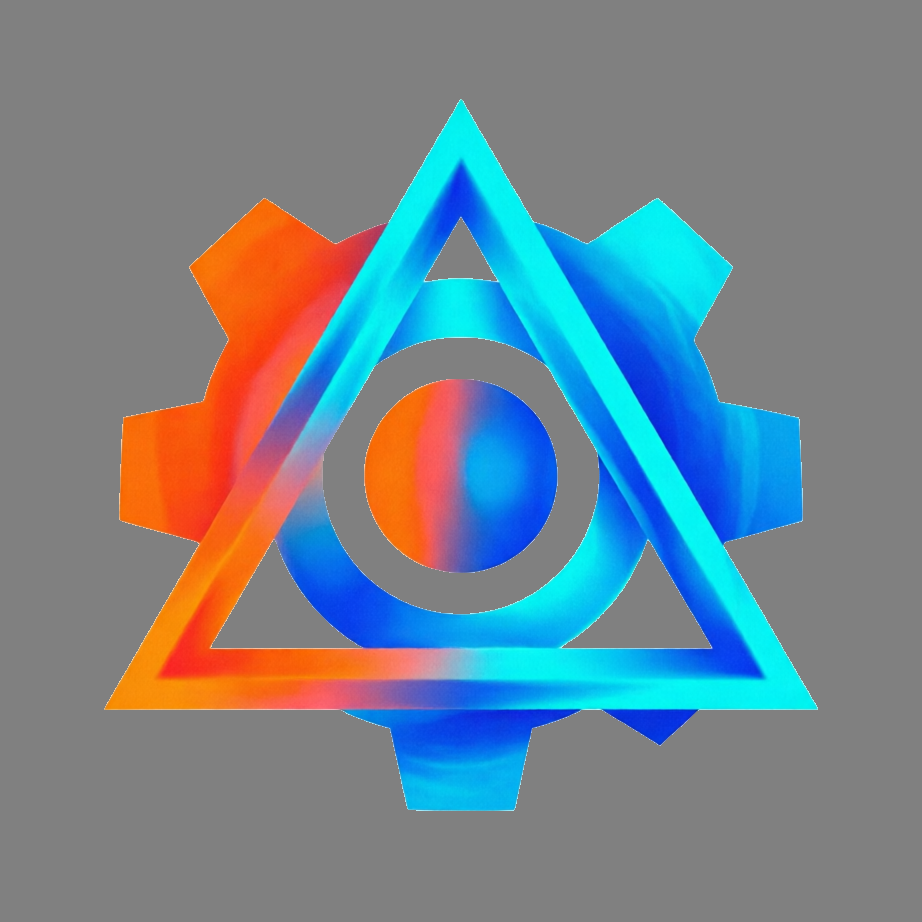 |
| White background with gradient logo | Clean removal of simple background | Cannot handle center cutout | Gradient banding due to SVG limitations | Perfect gradient, NOT scalable |
Example 2: Complex Background (Low Contrast, Shadows, Gradients)
This example shows a logo with low contrast between foreground and background, with shadows and gradient effects:
| Original | Color-based (-b 30) | AI-based (-a) | Vectorized (-s normal) | Embedded (-s embed) |
|---|---|---|---|---|
 |
 |
 |
 |
 |
| Low contrast, shadows, gradients | Cannot preserve foreground | Removes shadows, clear edges | Gradient banding | Perfect gradient, NOT scalable |
Example 3: High Contrast Simple Geometry
This example shows a high-contrast simple geometric shape, ideal for color-based background removal:
| Original | Color-based (-b 100) | AI-based (-a u2net) | Vectorized (-s normal) | Embedded (-s embed) |
|---|---|---|---|---|
 |
 |
 |
 |
 |
| High contrast simple geometry | Perfect removal | Cannot handle center cutout | Perfect vectorization | Perfect, NOT scalable |
Note: All examples above are displayed on a neutral gray background (
#808080) to show transparent areas.
AI Backend Comparison
Icoft supports two AI backends for background removal:
U²-Net (Default)
- Best for: General purpose background removal with smooth edges
- Model size: ~4.7MB (lightweight u2netp)
- Processing: Outputs continuous alpha values for smooth edge transitions
- Parameters: None (uses default settings for best quality)
RMBG-1.4
- Best for: Complex backgrounds requiring aggressive separation
- Model size: ~44MB (quantized)
- Processing: Uses binarization threshold and morphological closing
- Parameters:
-t, --rmbg-threshold: Binarization threshold (0-1, default: 0.997)- Higher values = more aggressive background removal
- Lower values = better foreground preservation
-k, --rmbg-kernel: Morphological closing kernel size (default: 10)- Larger values = better hole filling in foreground
- Smaller values = less aggressive smoothing
Choosing the Right Backend
# For most cases, U²-Net works well
icoft image.png output.png -a u2net

# For complex backgrounds or when you need fine control
icoft image.png output.png -a rmbg -t 0.997 -k 10

# If foreground has holes, increase kernel size
icoft image.png output.png -a rmbg -k 15

# If background is not fully removed, increase threshold
icoft image.png output.png -a rmbg -t 0.999

# Specify reference background color for better results
icoft image.png output.png -a rmbg -B "white" -c 10%
Installation
Install with uv (Recommended)
# Install uv first (if not already installed)
curl -LsSf https://astral.sh/uv/install.sh | sh

# Install icoft to local tool directory
uv tool install icoft

# Or run directly with uvx (no installation required)
uvx icoft --help

# Install with optional cairosvg for high-quality SVG rendering
uv tool install icoft --with cairosvg
Install with pipx
pipx install icoft

# Install with optional cairosvg
pipx install icoft[cairosvg]
Install from Source
# Clone the repository
git clone <repository-url>
cd icoft

# Install with uv
uv sync

# Or install with pip
pip install -e .
Quick Start
# Generate full icon set (default)
icoft source_file.png dest_dir/

# Crop and generate icons
icoft -c 10% source_file.png dest_dir/

# AI background removal with U²-Net
icoft -a u2net source_file.png dest_dir/

# AI background removal with RMBG-1.4 (default parameters)
icoft -a rmbg source_file.png dest_dir/

# AI background removal with RMBG-1.4 (custom parameters)
icoft -a rmbg --rmbg-threshold 0.997 --rmbg-kernel 10 source_file.png dest_dir/

# Color threshold background removal (threshold 30)
icoft -b 30 source_file.png dest_dir/

# AI + color threshold refinement + generate icons
icoft -a u2net -b 30 source_file.png dest_dir/
icoft -a rmbg -b 30 source_file.png dest_dir/

# Output single processed PNG
icoft -c 10% -a u2net source_file.png output.png -o png
icoft -c 10% -a rmbg source_file.png output.png -o png

# Output single SVG (vector tracing)
icoft source_file.png output.svg -o svg

# Output single SVG with embedded PNG (preserves gradients perfectly)
icoft source_file.png output.svg -s embed -o svg

# Crop + AI background removal + output SVG
icoft -c 10% -a u2net source_file.png output.svg -o svg
icoft -c 10% -a rmbg source_file.png output.svg -o svg

# Generate icons for specific platforms only
icoft source_file.png icons/ -p windows,web
icoft source_file.png icons/ -p macos,linux

# Generate iOS icons only
icoft source_file.png icons/ -p ios

# Generate Android icons only
icoft source_file.png icons/ -p android

# Generate mobile platform icons
icoft source_file.png icons/ -p ios,android
Usage Examples
Example 1: Generate Full Icon Set
# Generate icons for all platforms
icoft source_file.png dest_dir/
Output structure:
dest_dir/
├── windows/
│   └── app.ico                              # Windows ICO (8 sizes: 16-256px)
├── macos/
│   ├── app.icns                             # macOS ICNS container
│   ├── icon_16x16.png                       # 16×16 @1x
│   ├── icon_16x16@2x.png                    # 16×16 @2x (32×32)
│   ├── icon_32x32.png                       # 32×32 @1x
│   ├── icon_32x32@2x.png                    # 32×32 @2x (64×64)
│   ├── icon_128x128.png                     # 128×128 @1x
│   ├── icon_128x128@2x.png                  # 128×128 @2x (256×256)
│   ├── icon_256x256.png                     # 256×256 @1x
│   ├── icon_256x256@2x.png                  # 256×256 @2x (512×512)
│   ├── icon_512x512.png                     # 512×512 @1x
│   └── icon_512x512@2x.png                  # 512×512 @2x (1024×1024)
├── linux/
│   └── hicolor/
│       ├── 16x16/apps/app.png
│       ├── 22x22/apps/app.png
│       ├── 24x24/apps/app.png
│       ├── 32x32/apps/app.png
│       ├── 48x48/apps/app.png
│       ├── 64x64/apps/app.png
│       ├── 128x128/apps/app.png
│       ├── 256x256/apps/app.png
│       └── scalable/apps/app.svg
├── web/
│   ├── favicon.ico                          # Browser favicon
│   ├── apple-touch-icon.png                 # iOS home screen icon
│   ├── icon-192x192.png                     # PWA icon
│   ├── icon-512x512.png                     # PWA icon
│   └── manifest.json                        # PWA manifest
├── ios/
│   └── AppIcon.appiconset/
│       ├── Contents.json                    # Asset Catalog configuration
│       ├── Icon-AppStore-1024@1x.png        # App Store icon (1024×1024)
│       ├── Icon-App-60@2x.png               # iPhone app icon (120×120)
│       ├── Icon-App-60@3x.png               # iPhone app icon (180×180)
│       ├── Icon-App-76@1x.png               # iPad app icon (76×76)
│       ├── Icon-App-76@2x.png               # iPad app icon (152×152)
│       ├── Icon-App-83.5@2x.png             # iPad Pro app icon (167×167)
│       └── ...                              # Additional sizes for notifications, settings, etc.
└── android/
    ├── playstore-icon.png                   # Google Play Store icon (512×512)
    ├── AndroidManifest-snippet.xml          # Manifest configuration example
    ├── README.md                            # Installation instructions
    └── res/
        ├── mipmap-mdpi/                     # 48×48 (1x)
        ├── mipmap-hdpi/                     # 72×72 (1.5x)
        ├── mipmap-xhdpi/                    # 96×96 (2x)
        ├── mipmap-xxhdpi/                   # 144×144 (3x)
        ├── mipmap-xxxhdpi/                  # 192×192 (4x)
        └── mipmap-anydpi-v26/               # Adaptive icons (Android 8.0+)
Example 2: Crop and Remove Background
# For images with solid-color borders and backgrounds
icoft -c 10% -b 30 source_file.png dest_dir/
This performs:
- Crop borders with 10% margin
- Make background transparent using color threshold 30
- Generate full icon set
Example 3: Output Single Processed Image
# Crop and save as PNG
icoft -c 10% source_file.png cropped.png -o png

# AI background removal with U²-Net and save as PNG
icoft -a u2net source_file.png transparent.png -o png

# AI background removal with RMBG-1.4 and save as PNG
icoft -a rmbg source_file.png transparent.png -o png

# AI background removal with custom RMBG parameters
icoft -a rmbg --rmbg-threshold 0.999 --rmbg-kernel 12 source_file.png output.png -o png

# Crop + AI background removal + color refinement + save as PNG
icoft -c 10% -a u2net -b 30 source_file.png output.png -o png
icoft -c 10% -a rmbg -b 30 source_file.png output.png -o png

# Crop + AI background removal + vectorization to SVG
icoft -c 10% -a u2net source_file.png output.svg -o svg
icoft -c 10% -a rmbg source_file.png output.svg -o svg
Example 4: CI/CD Pipeline Integration
Icoft is designed for seamless CI/CD integration. Generate icons automatically on every release:
GitHub Actions Example:
# .github/workflows/release.yml
name: Build and Release

on:
  push:
    tags:
      - 'v*'

jobs:
  build:
    runs-on: ubuntu-latest
    steps:
      - uses: actions/checkout@v4

      - name: Install uv
        uses: astral-sh/setup-uv@v3

      - name: Generate icons from logo
        run: |
          uvx icoft assets/logo.png src/resources/icons/ -a rmbg -c 5%

      - name: Build application
        run: |
          # Your build commands here
          # Icons are now ready in src/resources/icons/
Key Benefits for CI/CD:
- Zero Configuration: No config files needed, everything via CLI arguments
- Single Source of Truth: One logo file generates all platform icons
- Consistent Output: Same icons across all builds and team members
- Fast Execution: Optimized for CI environments with minimal dependencies
- Version Controlled: Logo changes trigger automatic icon regeneration
Popular Use Cases:
- Electron Apps: Generate icons before
electron-builder - Tauri Apps: Build icons before
tauri build - Flutter Apps: Create icons before
flutter build - Python GUI Apps: Generate icons before PyInstaller/py2app
- Web Apps: Create favicons and PWA icons on deploy
Command-Line Options
Usage: icoft [OPTIONS] SOURCE_FILE DEST_DIR
       icoft [OPTIONS] SOURCE_FILE OUTPUT_FILE -o FORMAT

Icoft - From Single Image to Full-Platform App Icons.

Output Modes:
  DEST_DIR              Generate full icon set for selected platforms
  OUTPUT_FILE -o png    Save processed image as single PNG
  OUTPUT_FILE -o svg    Save processed image as single SVG (auto-vectorizes)

Options:
  -c, --crop-margin TEXT      Margin for cropping (e.g., 5%, 10px)
  -a, --ai-backend [u2net|rmbg]
                              AI backend for background removal: u2net (U²-Net) or rmbg (RMBG-1.4)
  --rmbg-threshold FLOAT      RMBG-1.4 threshold (0-1, default: 0.997, higher = more aggressive background removal)
  --rmbg-kernel INTEGER       RMBG-1.4 morphological closing kernel size (default: 10, larger = better hole filling)
  --ref-bg-color TEXT         Reference background color for removal (hex: "#RRGGBB", rgb: "R,G,B", or name: white)
  -b, --bg-threshold INTEGER  Enable color-based background removal with threshold (0-255, default: 10 when enabled)
  --new-bg-color TEXT         New background color for output (hex: "#RRGGBB", rgb: "R,G,B", or name: red, gray, etc.)
  -s, --svg [normal|embed]    Enable SVG output: normal (vector tracing) or embed (PNG in SVG)
  -S, --svg-speckle INTEGER   Filter SVG noise (1-100, default: 10, only for 'normal' mode)
  -P, --svg-precision INTEGER SVG color precision (1-16, default: 6, only for normal mode)
  -o, --output [icon|png|svg] Output format: icon (directory), png (single file), svg (single file)
  -p, --platforms TEXT        Platforms: windows, macos, linux, web (default: all)
  -V, --version               Show version
  -h, --help                  Show help message
Contributing
Contributions are welcome! Please feel free to submit a Pull Request.
- Fork the repository
- Create your feature branch (
git checkout -b feature/AmazingFeature) - Commit your changes (
git commit -m 'Add some AmazingFeature') - Push to the branch (
git push origin feature/AmazingFeature) - Open a Pull Request
License
This project is licensed under the MIT License - see the LICENSE file for details.
Dependencies
Core Dependencies
- Click (>=8.1.0) - CLI framework
- Pillow (>=10.0.0) - Image processing
- NumPy (>=1.24.0) - Numerical computing
- Rich (>=13.0.0) - Terminal output
- vtracer (>=0.6.0) - Vector tracing
- ONNX Runtime (>=1.19.0) - AI inference
Optional Dependencies
- cairosvg - For high-quality SVG to PNG rendering in icon generation
- Install with pip:
pip install icoft[cairosvg] - Install with uv:
uv tool install icoft --with cairosvg
- Install with pip:
Icoft = Icon + Forge 🛠️
Made with ❤️ for developers everywhere
1 maintainer

Release files for icoft 0.6.0
For a detailed explanation of source distributions (sdists) and built distributions (wheels), please see the package formats documentation.
Source distribution (sdist)
| File | Size | Uploaded | |
|---|---|---|---|
| icoft-0.6.0.tar.gz | 12.6 MB | Details |
Built distribution (wheel)
| File | Interpreter | ABI | Platform | Reset |
|---|---|---|---|---|
| icoft-0.6.0-py3-none-any.whl | Python 3 | none | any | Details |
Total release size: 12.6 MB
Release files / icoft-0.6.0.tar.gz
| Download URL | icoft-0.6.0.tar.gz |
|---|---|
| Size | 12.6 MB |
| Tags | Source |
|
SHA-256 checksum How to use checksums |
a75b686526c6c02ab0258ac3b5a5e33076e6d3906742487db5e9952458adb86e
|
|
BLAKE2b-256 checksum How to use checksums |
b7fe92500c7dcffee148c0ab1c17f9235852ef9ab7e5879588d2b6085d625a13
|
| Upload date | |
|
Uploaded using Trusted Publishing? What is trusted publishing? |
Yes |
| Uploaded via |
twine/6.1.0 CPython/3.13.12
|
Provenance
Provenance describes where a file came from. On PyPI, provenance is shared via attestations, which provide a verifiable record of the build or publishing details. View details, limitations and caveats.


PyPI Publish Attestation
PyPI verified that this artifact, at this checksum, originated from the publisher listed below.
Signed by GitHub Actions, verified by PyPI on Apr 17, 2026.
Transparency logRelease files / icoft-0.6.0-py3-none-any.whl
| Download URL | icoft-0.6.0-py3-none-any.whl |
|---|---|
| Size | 29.8 kB |
| Tags | Python 3 |
|
SHA-256 checksum How to use checksums |
f1b1ac78d42f5d1b362969391b69c1590706dddc6c440d83fbdf5d9b843fb418
|
|
BLAKE2b-256 checksum How to use checksums |
5a6c2b5695c7f472176f4a98dfa49903e9dd3802e302b2fa07b1b4eda63fc4a4
|
| Upload date | |
|
Uploaded using Trusted Publishing? What is trusted publishing? |
Yes |
| Uploaded via |
twine/6.1.0 CPython/3.13.12
|
Provenance
Provenance describes where a file came from. On PyPI, provenance is shared via attestations, which provide a verifiable record of the build or publishing details. View details, limitations and caveats.
PyPI Publish Attestation
PyPI verified that this artifact, at this checksum, originated from the publisher listed below.
Signed by GitHub Actions, verified by PyPI on Apr 17, 2026.
Transparency log













