
IDMD - Interactive Data Manipulator and Descriptor
Verified details
These details have been verified by PyPIProject links
GitHub Statistics
Maintainers

Project description
Interactive Data Manipulator and Descriptor (IDMD)
Overview
The Interactive Data Manipulator and Descriptor (IDMD) is a Python package designed for interactive data exploration, manipulation, visualization, and reporting. It provides a modular structure for handling datasets, making it easy to extend and maintain. (Scientific Python course at PPCU - project work)

Dependencies
The IDMD package requires the following main dependencies:
- matplotlib
- streamlit
- pandas
For specific version requirements, refer to the requirements.txt file. If you are developing or contributing to the project, additional tools for code quality, formatting, linting, and testing are listed in requirements-dev.txt.
Package Structure
data Module
Handles all data-related operations, such as file uploading, dataset generation, and exporting.
- Submodules:
export.py: Handles exporting datasets to CSV or other formats.generator.py: Generates sample datasets with different distributions.uploader.py: Handles file uploads and loading datasets.
manipulation Module
Provides functionality for manipulating datasets.
- Submodules:
columns.py: Handles column-specific operations like swapping, dropping, and selecting columns.replace.py: Handles value-specific operations like replacing values with mean, median, or other methods.
ui Module
Contains components for rendering the Streamlit interface.
- Submodules:
base.py: Defines the abstractComponentclass for all UI components.columns_ui.py: Provides UI for column manipulation.data_preview.py: Displays a preview of the dataset.data_stats.py: Displays dataset statistics and metadata.exporter_ui.py: Provides UI for exporting data.generator_ui.py: Provides UI for generating data.replace_ui.py: Provides UI for replacing operations.uploader_ui.py: Provides UI for file uploading.visualizer_ui.py: Provides UI for visualizing data, including default and custom plots.
visualization Module
Handles data visualization.
- Submodules:
plots.py: Generates various types of plots (e.g., line plots, bar plots).heatmaps.py: Generates correlation heatmaps.histograms.py: Generates histograms.visualizer.py: Utility class for generating visualizations, including line plots, histograms, and heatmaps.
report Module
Handles report generation.
- Submodules:
report.py: Generates PDF reports with data and visualizations.
app.py
Orchestrates the integration of all components and runs the Streamlit application.
Features
-
Sample Dataset Generation:
- Generate datasets with different distributions (e.g., normal, uniform).
- Easily create synthetic data for testing and exploration.
-
Data Manipulation:
- Swap, drop, and select columns.
- Replace missing values with mean, median, or other methods.
- Normalize or remove outliers.
-
Data Visualization:
- Generate interactive plots, histograms, and heatmaps.
- Explore data visually with Streamlit's interactivity.
-
Data Export:
- Export processed datasets to CSV format.
-
Report Generation:
- Generate PDF reports with data summaries and visualizations.
Example Usage
Run the example application using:
streamlit run example_app.py
You can also explore the interactive example notebook example_app.ipynb that demonstrates:
- Package installation
- Creating a complete dashboard application
- Running the app locally or on Google Colab
- Using all major components of the package
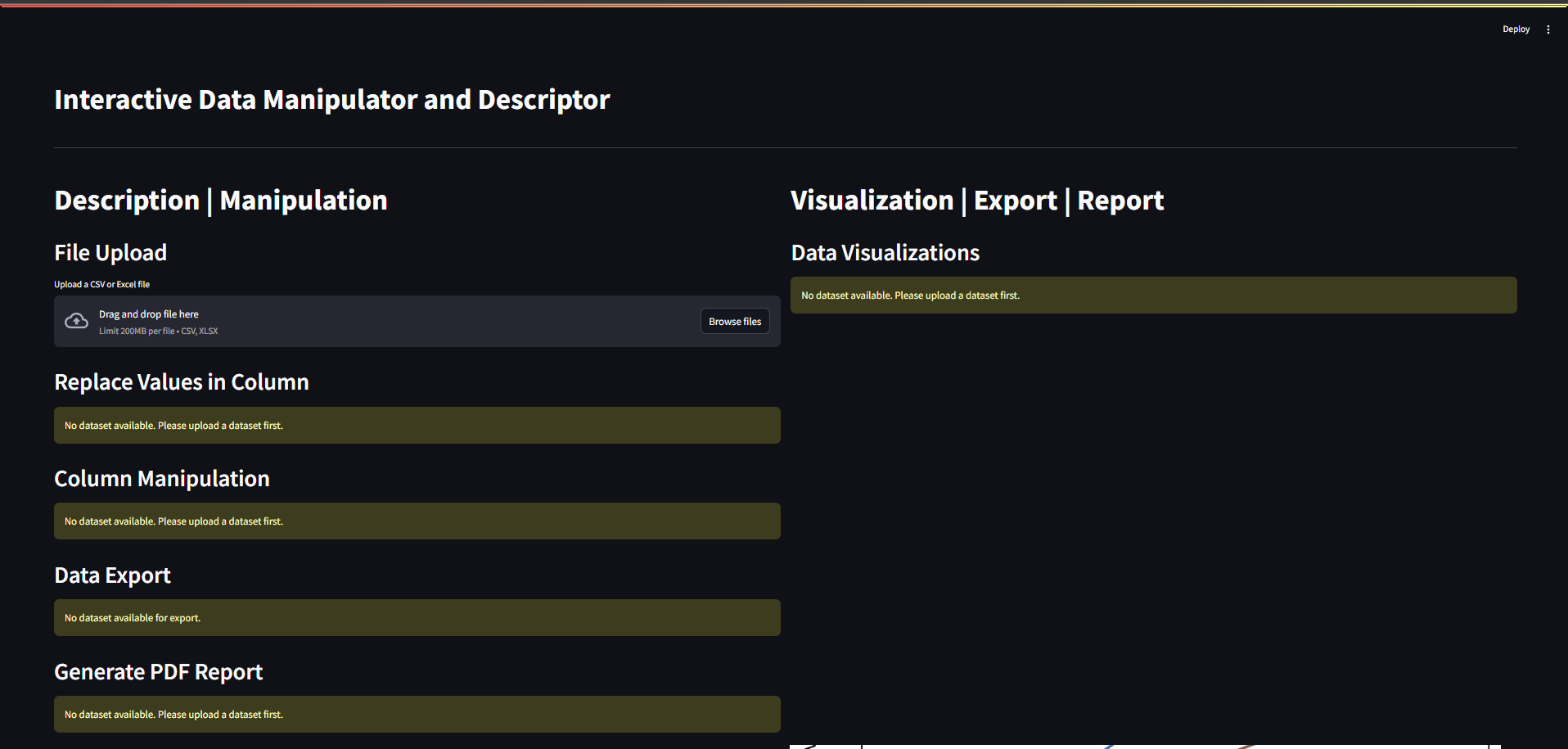
Opening the resulting website, should show a dashboard like this:
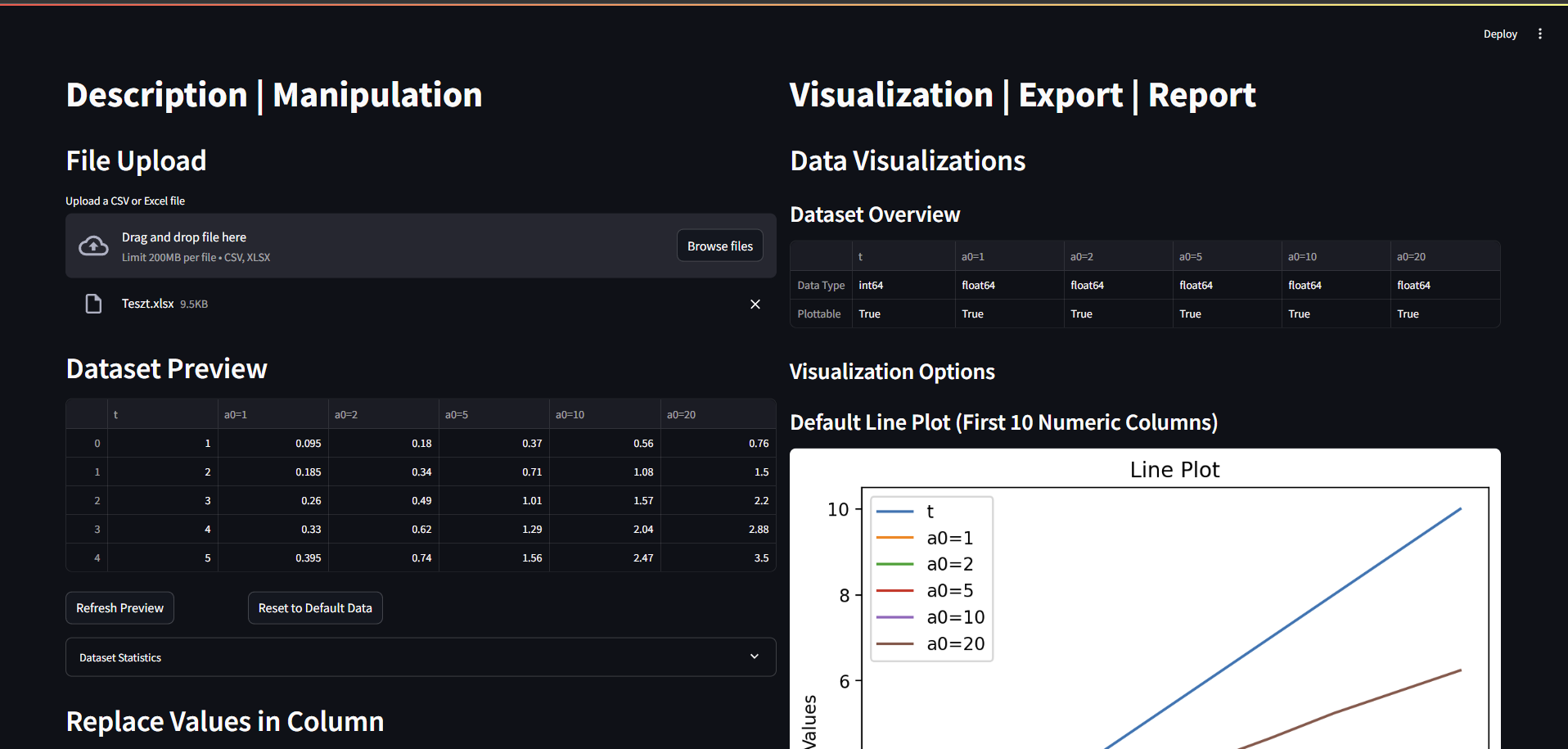
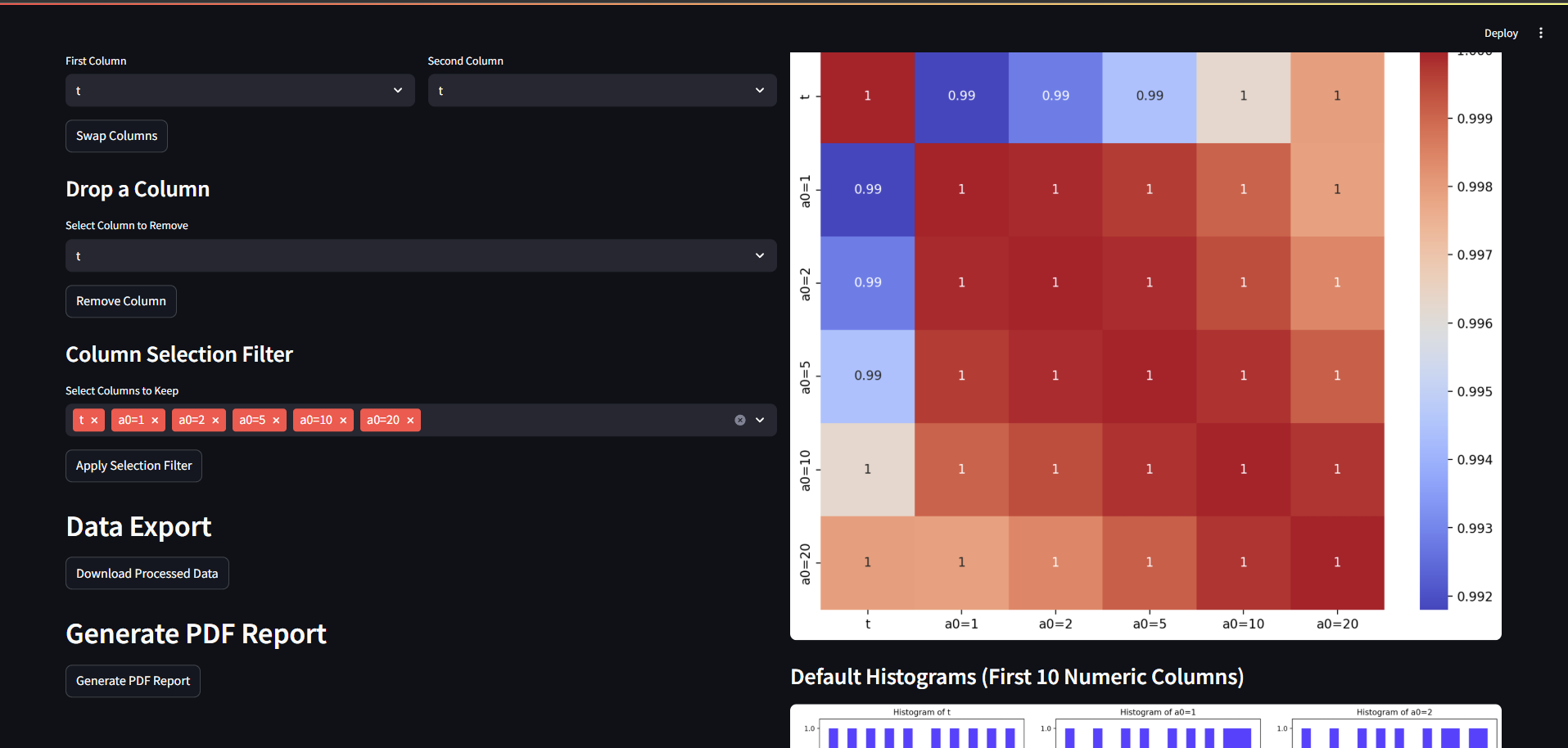
Loading or generating data should show a similar result:
Links
Project details
Verified details
These details have been verified by PyPIProject links
GitHub Statistics
Maintainers
Release history Release notifications | RSS feed


Download files
Download the file for your platform. If you're not sure which to choose, learn more about installing packages.
Source Distribution
Built Distribution
Filter files by name, interpreter, ABI, and platform.
If you're not sure about the file name format, learn more about wheel file names.
Copy a direct link to the current filters
File details
Details for the file idmd-0.0.2.tar.gz.
File metadata
- Download URL: idmd-0.0.2.tar.gz
- Upload date:
- Size: 28.5 kB
- Tags: Source
- Uploaded using Trusted Publishing? Yes
- Uploaded via: twine/6.1.0 CPython/3.12.9
File hashes
| Algorithm | Hash digest | |
|---|---|---|
| SHA256 |
ce0993784d93f41752c1a512241ee0831286c5195ae9e2c56c8fc06f77528595
|
|
| MD5 |
fcb99b3918b23257ebd3059502c53127
|
|
| BLAKE2b-256 |
2a6212ee6bae3af04b1fdfbb63042340254fdaffebc871cc6a0b247e98e1c664
|
Provenance
The following attestation bundles were made for idmd-0.0.2.tar.gz:
Publisher:
publish-to-testpypi.yml on CsongorLaczko/idmd
-
Statement:
-
Statement type:
https://in-toto.io/Statement/v1 -
Predicate type:
https://docs.pypi.org/attestations/publish/v1 -
Subject name:
idmd-0.0.2.tar.gz -
Subject digest:
ce0993784d93f41752c1a512241ee0831286c5195ae9e2c56c8fc06f77528595 - Sigstore transparency entry: 209408907
- Sigstore integration time:
-
Permalink:
CsongorLaczko/idmd@b839eda3deea35cbe50869b826c85a94b981b48d -
Branch / Tag:
refs/tags/release-2025.05.09-4 - Owner: https://github.com/CsongorLaczko
-
Access:
public
-
Token Issuer:
https://token.actions.githubusercontent.com -
Runner Environment:
github-hosted -
Publication workflow:
publish-to-testpypi.yml@b839eda3deea35cbe50869b826c85a94b981b48d -
Trigger Event:
push
-
Statement type:
File details
Details for the file idmd-0.0.2-py3-none-any.whl.
File metadata
- Download URL: idmd-0.0.2-py3-none-any.whl
- Upload date:
- Size: 34.4 kB
- Tags: Python 3
- Uploaded using Trusted Publishing? Yes
- Uploaded via: twine/6.1.0 CPython/3.12.9
File hashes
| Algorithm | Hash digest | |
|---|---|---|
| SHA256 |
db0a46387e9bf7d49ce74350abcbb76671d6b62f375d173e4f0ec1f3ca6b4354
|
|
| MD5 |
4c91fa694485b3abbf4a6c455f337448
|
|
| BLAKE2b-256 |
599dbae283e39257697310dc65e27e237d68f8066c7c7afe9f4411ecdaf8b173
|
Provenance
The following attestation bundles were made for idmd-0.0.2-py3-none-any.whl:
Publisher:
publish-to-testpypi.yml on CsongorLaczko/idmd
-
Statement:
-
Statement type:
https://in-toto.io/Statement/v1 -
Predicate type:
https://docs.pypi.org/attestations/publish/v1 -
Subject name:
idmd-0.0.2-py3-none-any.whl -
Subject digest:
db0a46387e9bf7d49ce74350abcbb76671d6b62f375d173e4f0ec1f3ca6b4354 - Sigstore transparency entry: 209408908
- Sigstore integration time:
-
Permalink:
CsongorLaczko/idmd@b839eda3deea35cbe50869b826c85a94b981b48d -
Branch / Tag:
refs/tags/release-2025.05.09-4 - Owner: https://github.com/CsongorLaczko
-
Access:
public
-
Token Issuer:
https://token.actions.githubusercontent.com -
Runner Environment:
github-hosted -
Publication workflow:
publish-to-testpypi.yml@b839eda3deea35cbe50869b826c85a94b981b48d -
Trigger Event:
push
-
Statement type:






