
Convert IFC BIM models to Neo4j graph database for querying building information

Project description
IFC Graph Database




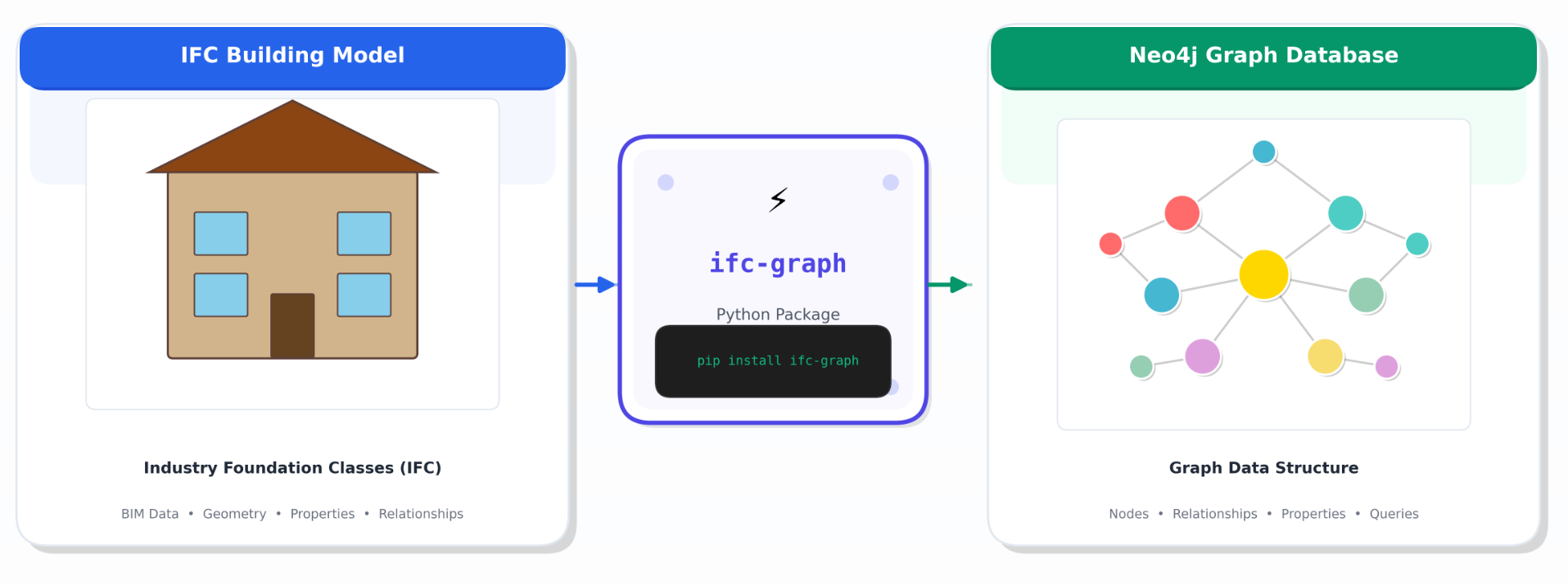
A Python tool that extracts building elements from IFC (Industry Foundation Classes) BIM model files and stores them in a Neo4j graph database. The tool filters physical entities (walls, doors, windows, columns, etc.) to create a structured graph representation of building components and their relationships.
Documentation
Full documentation is available at: https://mugojames254.github.io/ifc-graph-database/
Features
- Batch Processing: Efficiently processes IFC files using batch database operations for improved performance
- Configurable Element Types: Customize which IFC element types to extract via YAML configuration
- Rich Graph Model: Extracts elements, spatial structures, materials, and property sets
- Safe Database Operations: Optional database clearing with
--clear-dbflag (preserves existing data by default) - Robust Error Handling: Graceful handling of invalid files and connection issues
- CLI Interface: Full command-line interface with multiple options
- Dry Run Mode: Preview what would be imported without modifying the database
- Python Library: Use as a library in your own Python projects
Prerequisites
- Python 3.9+
- Neo4j Database (4.x or 5.x)
- An IFC file to process
Installation
From PyPI (Recommended)
pip install ifc-graph
From Source
git clone https://github.com/mugojames254/ifc-graph-database.git
cd ifc-graph-database
pip install -e .
With Development Dependencies
pip install -e ".[dev]"
Configure Environment Variables
Create a .env file in the project root (you can copy from the example):
cp .env.example .env
Edit .env with your Neo4j credentials:
NEO4J_URI=bolt://localhost:7687
NEO4J_USER=neo4j
NEO4J_PASSWORD=your_password_here
IFC_FILE_PATH=./test_model.ifc
Configure Element Types (Optional)
Copy and edit config.yaml.example to customize which IFC element types to extract:
cp config.yaml.example config.yaml
element_types:
  - IfcWall
  - IfcDoor
  - IfcWindow
  - IfcColumn
  - IfcBeam
  - IfcSlab
  # Add or remove types as needed

extraction:
  include_property_sets: true
  include_materials: true
  max_properties_per_element: 50
Usage
As a Command-Line Tool
# Basic usage
ifc-graph --ifc-file path/to/model.ifc

# With all options
ifc-graph --ifc-file model.ifc --clear-db --log-level DEBUG

# Preview what would be imported (no database changes)
ifc-graph --ifc-file model.ifc --dry-run

# Use a custom configuration file
ifc-graph --config custom_config.yaml --ifc-file model.ifc

# Override Neo4j connection (useful for different environments)
ifc-graph --neo4j-uri bolt://production:7687 --neo4j-user admin --neo4j-password secret --ifc-file model.ifc
As a Python Library
from ifc_graph import IFCElementFilter, Neo4jConnection, save_to_neo4j, filter_physical_elements

# Option 1: Using the IFCElementFilter class
filter = IFCElementFilter("path/to/model.ifc")
elements, ifc_file = filter.extract_elements(element_types=['IfcWall', 'IfcDoor'])

# Option 2: Using the function directly
elements, ifc_file = filter_physical_elements(
    "path/to/model.ifc",
    element_types=['IfcWall', 'IfcDoor', 'IfcWindow']
)

# Store in Neo4j
stats = save_to_neo4j(
    elements,
    ifc_file,
    uri="bolt://localhost:7687",
    username="neo4j",
    password="your_password",
    clear_db=False  # Set to True to clear existing data
)

print(f"Created {stats['elements']} elements")
print(f"Created {stats['structures']} structures")
print(f"Linked {stats['materials']} materials")
Full CLI Reference
usage: ifc-graph [-h] [--ifc-file IFC_FILE] [--config CONFIG] [--clear-db]
                 [--neo4j-uri NEO4J_URI] [--neo4j-user NEO4J_USER]
                 [--neo4j-password NEO4J_PASSWORD]
                 [--log-level {DEBUG,INFO,WARNING,ERROR}] [--dry-run]
                 [--version]

Options:
  --ifc-file        Path to the IFC file to process
  --config          Path to configuration file (default: config.yaml)
  --clear-db        Clear database before importing
  --neo4j-uri       Neo4j connection URI
  --neo4j-user      Neo4j username
  --neo4j-password  Neo4j password
  --log-level       Logging level (DEBUG, INFO, WARNING, ERROR)
  --dry-run         Preview import without database changes
  --version         Show version and exit
Project Structure
ifc-graph-database/
├── src/
│   └── ifc_graph/
│       ├── __init__.py            # Package exports
│       ├── cli.py                 # Command-line interface
│       ├── element_filter.py      # IFC file parsing and element extraction
│       ├── neo4j_store.py         # Database operations with batch processing
│       ├── query_loader.py        # Loads Cypher queries from files
│       └── cypher_queries/        # Cypher query files
│           ├── clear_database.cypher
│           ├── create_project.cypher
│           ├── create_elements_batch.cypher
│           └── ...
├── tests/                         # Test files
│   ├── conftest.py
│   ├── test_element_filter.py
│   ├── test_neo4j_store.py
│   └── test_query_loader.py
├── pyproject.toml                 # Package configuration
├── config.yaml.example            # Example configuration
├── .env.example                   # Environment variables template
├── README.md
└── LICENSE
Graph Model
The tool creates the following node types in Neo4j:
- Project: The IFC project container
- Element: Physical building elements (walls, doors, windows, etc.)
- Structure: Spatial structures (sites, buildings, storeys, spaces)
- Material: Material definitions linked to elements
- Metadata: Import metadata with timestamps and statistics
Relationships
(Project)-[:CONTAINS]->(Element)(Structure)-[:CONTAINS]->(Element)(Element)-[:HAS_MATERIAL]->(Material)
Troubleshooting
Connection Issues
If you can't connect to Neo4j:
- Ensure Neo4j is running
- Check that the URI, username, and password are correct
- Verify the port is not blocked by a firewall
IFC File Errors
If the IFC file fails to load:
- Ensure the file exists and is readable
- Verify it has a
.ifcor.ifczipextension - Check that the file is not empty or corrupted
Performance
For large IFC files:
- Increase the batch size in the code if needed
- Consider filtering fewer element types in
config.yaml - Ensure Neo4j has sufficient memory allocated
License
This project is licensed under the MIT License - see the LICENSE file for details.
DISCLAIMER OF LIABILITY: The authors and contributors of this software shall not be held liable for any damages, losses, or consequences arising from the use of this software. Users assume all responsibility for deploying and using this tool in their environments.
AI Disclosure
Note: Portions of this project were revised and enhanced with the assistance of AI tools. This includes code refactoring, implementation of batch processing, error handling improvements, configuration management, and documentation updates. All AI-assisted code has been reviewed for correctness and suitability.


Download files
Download the file for your platform. If you're not sure which to choose, learn more about installing packages.
Source Distribution
Built Distribution
Filter files by name, interpreter, ABI, and platform.
If you're not sure about the file name format, learn more about wheel file names.
Copy a direct link to the current filters
File details
Details for the file ifc_graph-0.1.2.tar.gz.
File metadata
- Download URL: ifc_graph-0.1.2.tar.gz
- Upload date:
- Size: 25.6 kB
- Tags: Source
- Uploaded using Trusted Publishing? No
- Uploaded via: twine/6.2.0 CPython/3.10.16
File hashes
| Algorithm | Hash digest | |
|---|---|---|
| SHA256 |
949972661fd7634fe73fb7377d5d6016d0f89585e65a8277a455708f0b4dc047
|
|
| MD5 |
8e1c5e988f461d27287b4e5791d3d1c2
|
|
| BLAKE2b-256 |
a6eb78c1aed4d102c12b08681a64c0e7baf0c5eed75443a4939b285a87b66d4e
|
File details
Details for the file ifc_graph-0.1.2-py3-none-any.whl.
File metadata
- Download URL: ifc_graph-0.1.2-py3-none-any.whl
- Upload date:
- Size: 22.2 kB
- Tags: Python 3
- Uploaded using Trusted Publishing? No
- Uploaded via: twine/6.2.0 CPython/3.10.16
File hashes
| Algorithm | Hash digest | |
|---|---|---|
| SHA256 |
ee5486d3c38503eb752e842b3c56e25dab0411285ae864eca3fb35602cfde42f
|
|
| MD5 |
fb403afed642f1dea4e72ff9f41b5e3a
|
|
| BLAKE2b-256 |
35a439138643b8198c95d07dc5a2b71acb050ddca9cd29e569fc676fcc77d03a
|






