
MCP Server for Data Exploration
MCP Server is a versatile tool designed for interactive data exploration.
Your personal Data Scientist assistant, turning complex datasets into clear, actionable insights.
🚀 Try it Out
-
Download Claude Desktop
- Get it here
-
Install and Set Up
- On macOS, run the following command in your terminal:
python setup.py -
Load Templates and Tools
- Once the server is running, wait for the prompt template and tools to load in Claude Desktop.
-
Start Exploring
- Select the explore-data prompt template from MCP
- Begin your conversation by providing the required inputs:
csv_path: Local path to the CSV filetopic: The topic of exploration (e.g., "Weather patterns in New York" or "Housing prices in California")
Examples
These are examples of how you can use MCP Server to explore data without any human intervention.
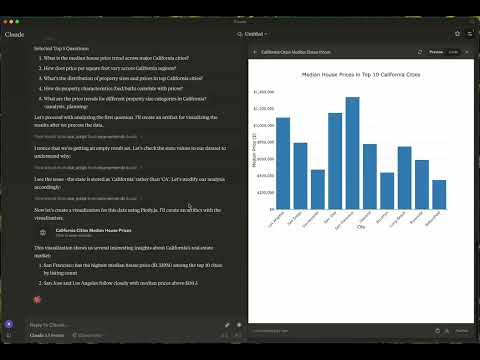
Case 1: California Real Estate Listing Prices
- Kaggle Dataset: USA Real Estate Dataset
- Size: 2,226,382 entries (178.9 MB)
- Topic: Housing price trends in California
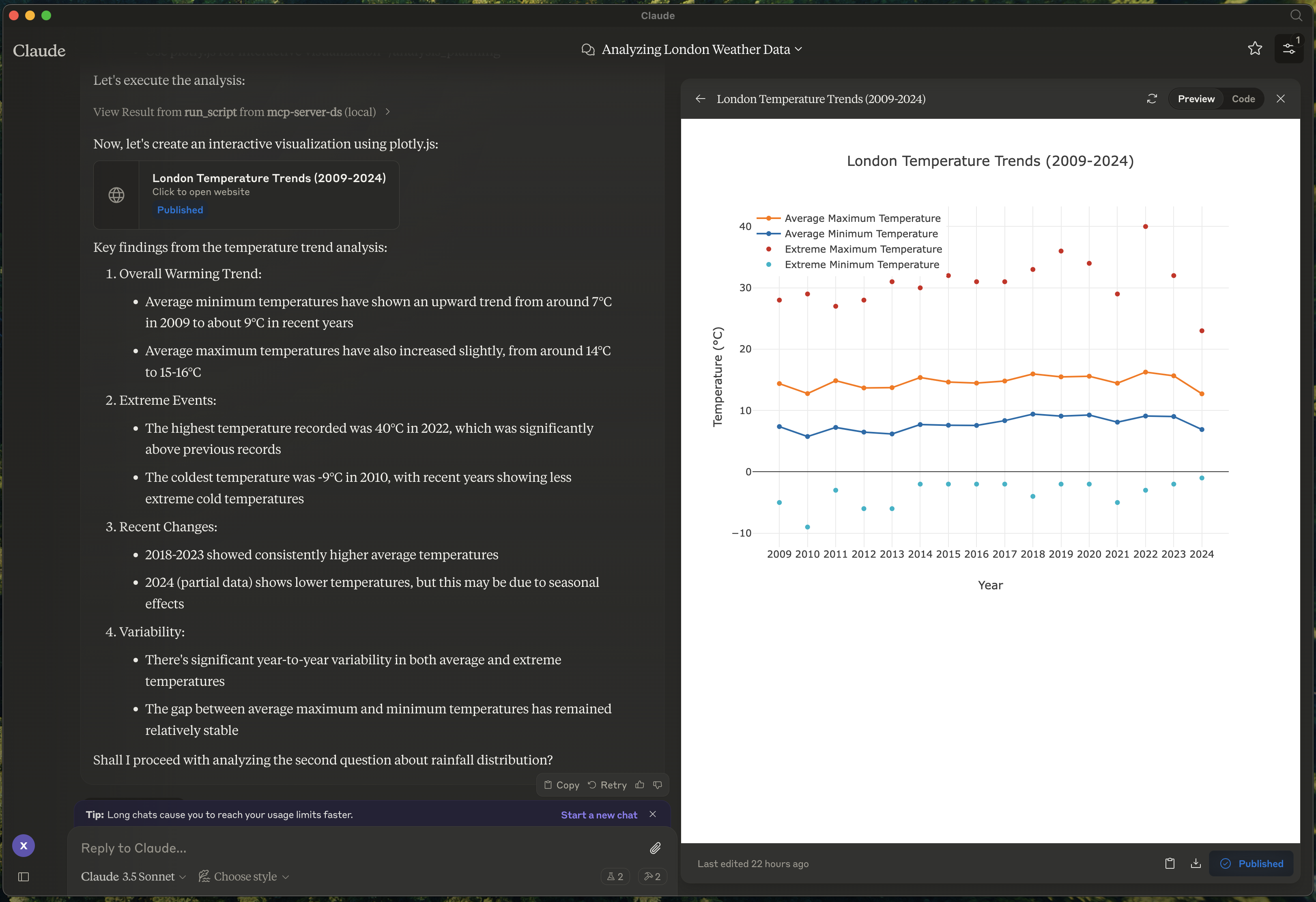
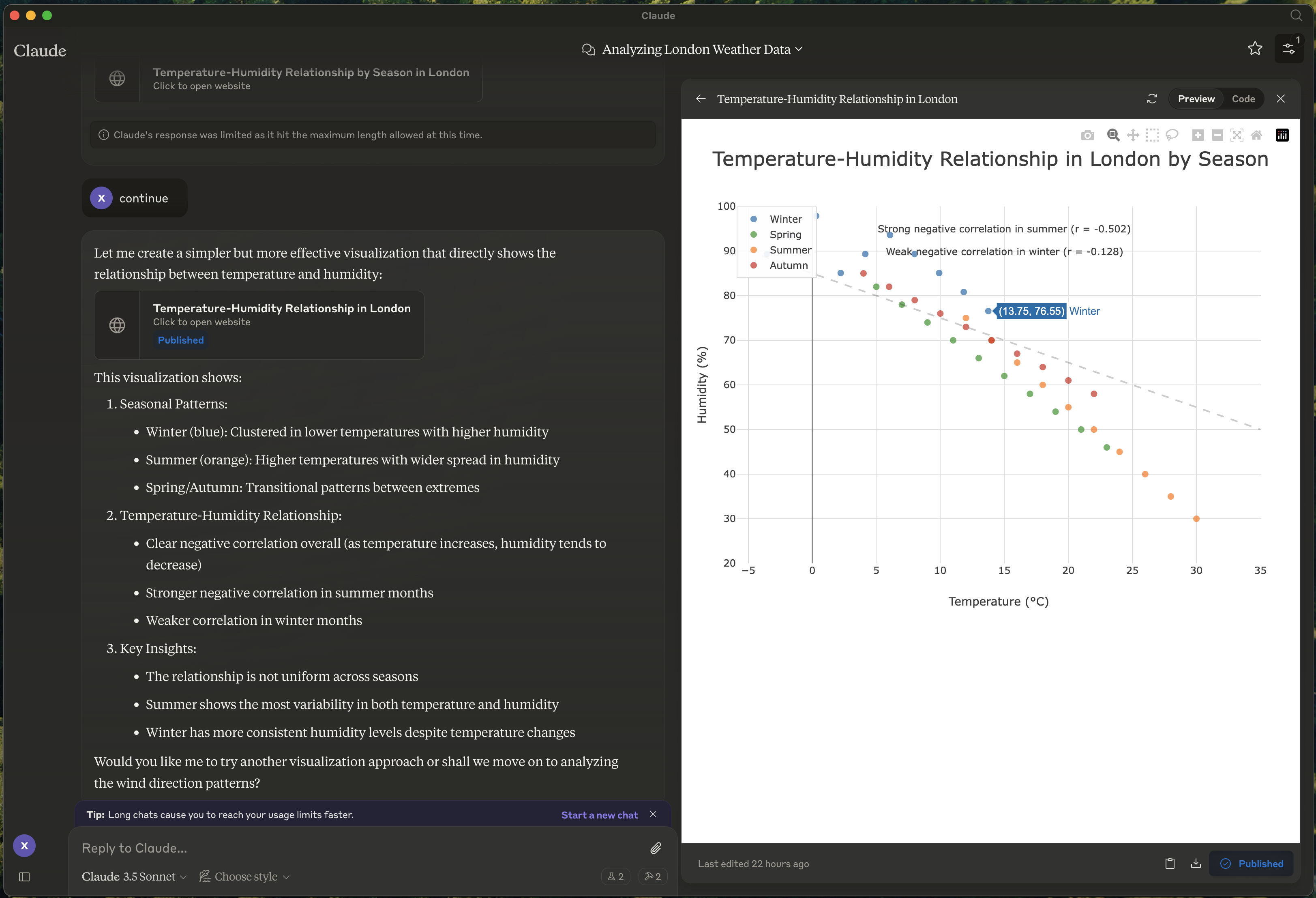
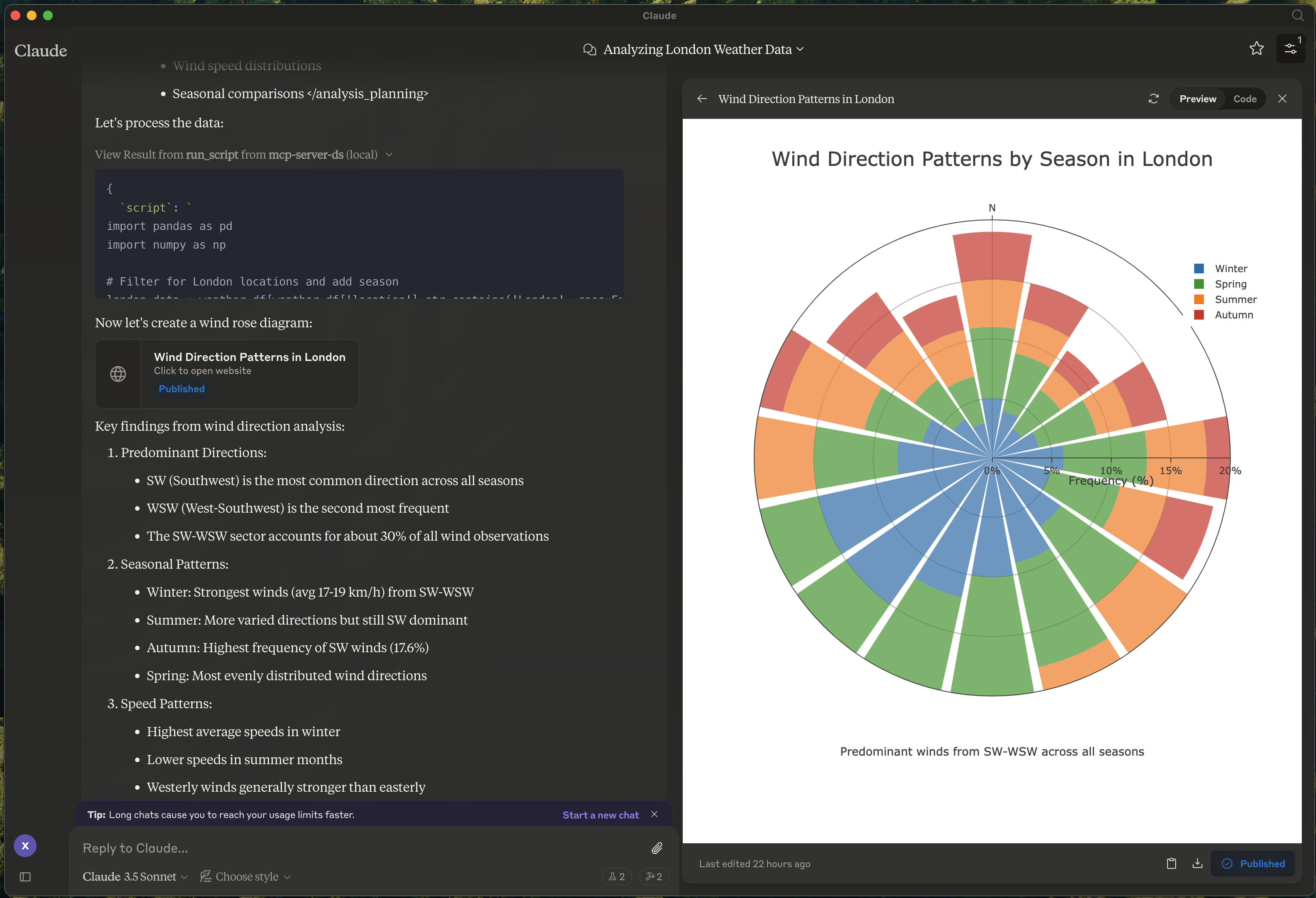
Case 2: Weather in London
- Kaggle Dataset: 2M+ Daily Weather History UK
- Size: 2,836,186 entries (169.3 MB)
- Topic: Weather in London
- Report: View Report
- Graphs:
📦 Components
Prompts
- explore-data: Tailored for data exploration tasks
Tools
-
load-csv
- Function: Loads a CSV file into a DataFrame
- Arguments:
csv_path(string, required): Path to the CSV filedf_name(string, optional): Name for the DataFrame. Defaults to df_1, df_2, etc., if not provided
-
run-script
- Function: Executes a Python script
- Arguments:
script(string, required): The script to execute
⚙️ Modifying the Server
Claude Desktop Configurations
- macOS:
~/Library/Application\ Support/Claude/claude_desktop_config.json - Windows:
%APPDATA%/Claude/claude_desktop_config.json
Development (Unpublished Servers)
"mcpServers": {
  "mcp-server-ds": {
    "command": "uv",
    "args": [
      "--directory",
      "/Users/username/src/mcp-server-ds",
      "run",
      "mcp-server-ds"
    ]
  }
}
Published Servers
"mcpServers": {
  "mcp-server-ds": {
    "command": "uvx",
    "args": [
      "mcp-server-ds"
    ]
  }
}
🛠️ Development
Building and Publishing
-
Sync Dependencies
uv sync -
Build Distributions
uv buildGenerates source and wheel distributions in the dist/ directory.
-
Publish to PyPI
uv publish
🤝 Contributing
Contributions are welcome! Whether you're fixing bugs, adding features, or improving documentation, your help makes this project better.
Reporting Issues
If you encounter bugs or have suggestions, open an issue in the issues section. Include:
- Steps to reproduce (if applicable)
- Expected vs. actual behavior
- Screenshots or error logs (if relevant)
📜 License
This project is licensed under the MIT License. See the LICENSE file for details.
💬 Get in Touch
Questions? Feedback? Open an issue or reach out to the maintainers. Let's make this project awesome together!
About
This is an open source project run by ReadingPlus.AI LLC. and open to contributions from the entire community.
1 maintainer

Metadata
1 maintainer
Release files for iflow-mcp-mcp-server-ds 0.1.6
For a detailed explanation of source distributions (sdists) and built distributions (wheels), please see the package formats documentation.
Source distribution (sdist)
| File | Size | Uploaded | |
|---|---|---|---|
| iflow_mcp_mcp_server_ds-0.1.6.tar.gz | 8.6 kB | Details |
Built distribution (wheel)
| File | Interpreter | ABI | Platform | Reset |
|---|---|---|---|---|
| iflow_mcp_mcp_server_ds-0.1.6-py3-none-any.whl | Python 3 | none | any | Details |
Total release size: 18.1 kB
Release files / iflow_mcp_mcp_server_ds-0.1.6.tar.gz
| Download URL | iflow_mcp_mcp_server_ds-0.1.6.tar.gz |
|---|---|
| Size | 8.6 kB |
| Tags | Source |
|
SHA-256 checksum How to use checksums |
845f91dc869a14e823aa5f4ef769bc61ce1d44074b171732bdaed74b3e321479
|
|
BLAKE2b-256 checksum How to use checksums |
e95189370139d7c266a96fcdded7fb5c86b04e03e6dbd6e8f9b78beb1edef39a
|
| Upload date | |
|
Uploaded using Trusted Publishing? What is trusted publishing? |
No |
| Uploaded via |
uv/0.6.9
|
Release files / iflow_mcp_mcp_server_ds-0.1.6-py3-none-any.whl
| Download URL | iflow_mcp_mcp_server_ds-0.1.6-py3-none-any.whl |
|---|---|
| Size | 9.4 kB |
| Tags | Python 3 |
|
SHA-256 checksum How to use checksums |
6cb3cdf29364d36064520c2e865a3646bdfcf4127f645b4243d39ebed4cd2df0
|
|
BLAKE2b-256 checksum How to use checksums |
1e7a451bcd8967fd9e8da97176c2dc191f293e387fc960901c0ed8ac840b7d89
|
| Upload date | |
|
Uploaded using Trusted Publishing? What is trusted publishing? |
No |
| Uploaded via |
uv/0.6.9
|













