
MCP Server for Airflow

Project description
airflow-mcp-server: An MCP Server for controlling Airflow 3
mcp-name: io.github.abhishekbhakat/airflow-mcp-server
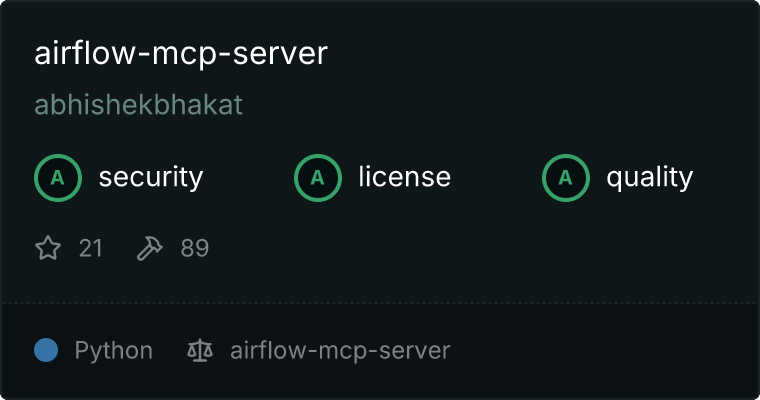
MCPHub Certification
This MCP server is certified by MCPHub. This certification ensures that airflow-mcp-server follows best practices for Model Context Protocol implementation.
Find on Glama
Overview
A Model Context Protocol server for controlling Airflow via Airflow APIs.
Demo Video
https://github.com/user-attachments/assets/f3e60fff-8680-4dd9-b08e-fa7db655a705
Setup
Usage with Claude Desktop
Stdio Transport (Default)
{
    "mcpServers": {
        "airflow-mcp-server": {
            "command": "uvx",
            "args": [
                "airflow-mcp-server",
                "--base-url",
                "http://localhost:8080",
                "--auth-token",
                "<jwt_token>"
            ]
        }
    }
}
See CONFIG.md for IDE-specific configuration examples across popular MCP clients.
HTTP Transport
{
    "mcpServers": {
        "airflow-mcp-server-http": {
            "command": "uvx",
            "args": [
                "airflow-mcp-server",
                "--http",
                "--port",
                "3000",
                "--base-url",
                "http://localhost:8080",
                "--auth-token",
                "<jwt_token>"
            ]
        }
    }
}
Note:
- Set
base_urlto the root Airflow URL (e.g.,http://localhost:8080).- Do not include
/api/v2in the base URL. The server will automatically fetch the OpenAPI spec from${base_url}/openapi.json.- Only JWT token is required for authentication. Cookie and basic auth are no longer supported in Airflow 3.0.
Transport Options
The server supports multiple transport protocols:
Stdio Transport (Default)
Standard input/output transport for direct process communication:
airflow-mcp-server --safe --base-url http://localhost:8080 --auth-token <jwt>
HTTP Transport
Uses Streamable HTTP for better scalability and web compatibility:
airflow-mcp-server --safe --http --port 3000 --base-url http://localhost:8080 --auth-token <jwt>
Note: SSE transport is deprecated. Use
--httpfor new deployments as it provides better bidirectional communication and is the recommended approach by FastMCP.
Operation Modes
The server supports two operation modes:
- Safe Mode (
--safe): Only allows read-only operations (GET requests). This is useful when you want to prevent any modifications to your Airflow instance. - Unsafe Mode (
--unsafe): Allows all operations including modifications. This is the default mode.
To start in safe mode:
airflow-mcp-server --safe
To explicitly start in unsafe mode (though this is default):
airflow-mcp-server --unsafe
Tool Discovery Modes
The server supports two tool discovery approaches:
- Hierarchical Discovery (default): Tools are organized by categories (DAGs, Tasks, Connections, etc.). Browse categories first, then select specific tools. More manageable for large APIs.
- Static Tools (
--static-tools): All tools available immediately. Better for programmatic access but can be overwhelming.
To use static tools:
airflow-mcp-server --static-tools
Command Line Options
Usage: airflow-mcp-server [OPTIONS]

  MCP server for Airflow

Options:
  -v, --verbose      Increase verbosity
  -s, --safe         Use only read-only tools
  -u, --unsafe       Use all tools (default)
  --static-tools     Use static tools instead of hierarchical discovery
  --base-url TEXT    Airflow API base URL
  --auth-token TEXT  Authentication token (JWT)
  --http             Use HTTP (Streamable HTTP) transport instead of stdio
  --sse              Use Server-Sent Events transport (deprecated, use --http
                     instead)
  --port INTEGER     Port to run HTTP/SSE server on (default: 3000)
  --host TEXT        Host to bind HTTP/SSE server to (default: localhost)
  --help             Show this message and exit.
Using Resources
Point the server at a folder of Markdown guides whenever you want agents to reference local documentation:
airflow-mcp-server --base-url http://localhost:8080 --auth-token <jwt> --resources-dir ~/airflow-resources
- Every top-level
.md/.markdownfile becomes a read-only resource (file:///<slug>) visible in your MCP client. - The first
# Headingin each file (if present) is used as the resource title; otherwise the filename stem is used. - Set
AIRFLOW_MCP_RESOURCES_DIR=/path/to/docsif you prefer environment-based configuration. - Update the files on disk and restart the server to refresh the resources list.
Considerations
Authentication
- Only JWT authentication is supported in Airflow 3.0. You must provide a valid
AUTH_TOKEN.
Page Limit
The default is 100 items, but you can change it using maximum_page_limit option in [api] section in the airflow.cfg file.
Transport Selection
- Use stdio transport for direct process communication (default)
- Use HTTP transport for web deployments, multiple clients, or when you need better scalability
- Avoid SSE transport as it's deprecated in favor of HTTP transport
Release history Release notifications | RSS feed

Download files
Download the file for your platform. If you're not sure which to choose, learn more about installing packages.
Source Distribution
Built Distribution
Filter files by name, interpreter, ABI, and platform.
If you're not sure about the file name format, learn more about wheel file names.
Copy a direct link to the current filters
File details
Details for the file iflow_mcp_abhishekbhakat_airflow_mcp_server-0.9.2rc1.tar.gz.
File metadata
- Download URL: iflow_mcp_abhishekbhakat_airflow_mcp_server-0.9.2rc1.tar.gz
- Upload date:
- Size: 26.2 MB
- Tags: Source
- Uploaded using Trusted Publishing? No
- Uploaded via: uv/0.9.27 {"installer":{"name":"uv","version":"0.9.27","subcommand":["publish"]},"python":null,"implementation":{"name":null,"version":null},"distro":{"name":"Debian GNU/Linux","version":"13","id":"trixie","libc":null},"system":{"name":null,"release":null},"cpu":null,"openssl_version":null,"setuptools_version":null,"rustc_version":null,"ci":null}
File hashes
| Algorithm | Hash digest | |
|---|---|---|
| SHA256 |
69eef29e1dbae3b4c1ff6083373983dc37e4bea43073f683dbae1b0fd447dcd8
|
|
| MD5 |
1df37b03c6ba0e01cc7c2b4801cf7ef6
|
|
| BLAKE2b-256 |
eaffa41f3d7b7f957564c025ab097e50c444400c2bf2dcd2acf1882c7b1deed3
|
File details
Details for the file iflow_mcp_abhishekbhakat_airflow_mcp_server-0.9.2rc1-py3-none-any.whl.
File metadata
- Download URL: iflow_mcp_abhishekbhakat_airflow_mcp_server-0.9.2rc1-py3-none-any.whl
- Upload date:
- Size: 20.9 kB
- Tags: Python 3
- Uploaded using Trusted Publishing? No
- Uploaded via: uv/0.9.27 {"installer":{"name":"uv","version":"0.9.27","subcommand":["publish"]},"python":null,"implementation":{"name":null,"version":null},"distro":{"name":"Debian GNU/Linux","version":"13","id":"trixie","libc":null},"system":{"name":null,"release":null},"cpu":null,"openssl_version":null,"setuptools_version":null,"rustc_version":null,"ci":null}
File hashes
| Algorithm | Hash digest | |
|---|---|---|
| SHA256 |
1338c8f113296c45d4a1b0734676f4671ff62b62bb9231039d7e32f7c15d3f91
|
|
| MD5 |
35b451aa069df68a75b8dc63ad942c18
|
|
| BLAKE2b-256 |
c66d6b491da827fa8794eae1f9eb031bc5fd26275eb70632021e6a566e880a47
|






