





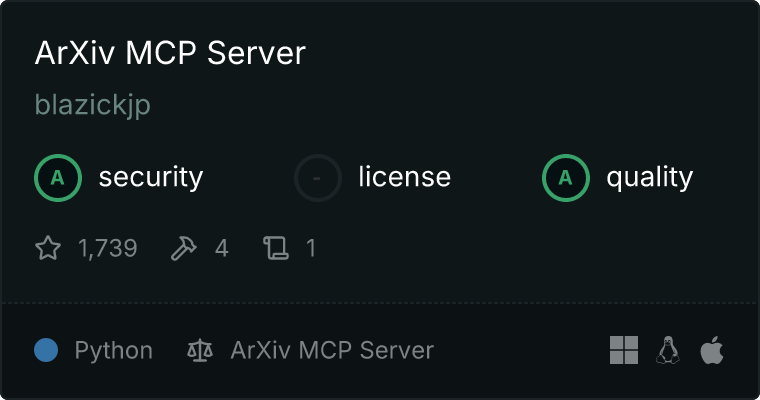
ArXiv MCP Server
🔍 Enable AI assistants to search and access arXiv papers through a simple MCP interface.
The ArXiv MCP Server provides a bridge between AI assistants and arXiv's research repository through the Message Control Protocol (MCP). It allows AI models to search for papers and access their content in a programmatic way.
🤝 Contribute • 📝 Report Bug
✨ Core Features
- 🔎 Paper Search: Query arXiv papers with filters for date ranges and categories
- 📄 Paper Access: Download and read paper content
- 📋 Paper Listing: View all downloaded papers
- 🗃️ Local Storage: Papers are saved locally for faster access
- 📝 Prompts: A Set of Research Prompts
🚀 Quick Start
Installing via Smithery
To install ArXiv Server for Claude Desktop automatically via Smithery:
npx -y @smithery/cli install arxiv-mcp-server --client claude
Installing Manually
Install using uv:
uv tool install arxiv-mcp-server
For development:
# Clone and set up development environment
git clone https://github.com/blazickjp/arxiv-mcp-server.git
cd arxiv-mcp-server

# Create and activate virtual environment
uv venv
source .venv/bin/activate

# Install with test dependencies
uv pip install -e ".[test]"
🔌 MCP Integration
Add this configuration to your MCP client config file:
{
    "mcpServers": {
        "arxiv-mcp-server": {
            "command": "uv",
            "args": [
                "tool",
                "run",
                "arxiv-mcp-server",
                "--storage-path", "/path/to/paper/storage"
            ]
        }
    }
}
For Development:
{
    "mcpServers": {
        "arxiv-mcp-server": {
            "command": "uv",
            "args": [
                "--directory",
                "path/to/cloned/arxiv-mcp-server",
                "run",
                "arxiv-mcp-server",
                "--storage-path", "/path/to/paper/storage"
            ]
        }
    }
}
💡 Available Tools
The server provides four main tools:
1. Paper Search
Search for papers with optional filters:
result = await call_tool("search_papers", {
    "query": "transformer architecture",
    "max_results": 10,
    "date_from": "2023-01-01",
    "categories": ["cs.AI", "cs.LG"]
})
2. Paper Download
Download a paper by its arXiv ID:
result = await call_tool("download_paper", {
    "paper_id": "2401.12345"
})
3. List Papers
View all downloaded papers:
result = await call_tool("list_papers", {})
4. Read Paper
Access the content of a downloaded paper:
result = await call_tool("read_paper", {
    "paper_id": "2401.12345"
})
⚙️ Configuration
Configure through environment variables:
| Variable | Purpose | Default |
|---|---|---|
ARXIV_STORAGE_PATH |
Paper storage location | ~/.arxiv-mcp-server/papers |
🧪 Testing
Run the test suite:
python -m pytest
📄 License
Released under the MIT License. See the LICENSE file for details.
Made with ❤️ by the Pear Labs Team
1 maintainer

Metadata
1 maintainer
Release files for iflow-mcp_arxiv-mcp-server 0.2.6
For a detailed explanation of source distributions (sdists) and built distributions (wheels), please see the package formats documentation.
Source distribution (sdist)
| File | Size | Uploaded | |
|---|---|---|---|
| iflow_mcp_arxiv_mcp_server-0.2.6.tar.gz | 66.7 kB | Details |
Built distribution (wheel)
| File | Interpreter | ABI | Platform | Reset |
|---|---|---|---|---|
| iflow_mcp_arxiv_mcp_server-0.2.6-py3-none-any.whl | Python 3 | none | any | Details |
Total release size: 87.6 kB
Release files / iflow_mcp_arxiv_mcp_server-0.2.6.tar.gz
| Download URL | iflow_mcp_arxiv_mcp_server-0.2.6.tar.gz |
|---|---|
| Size | 66.7 kB |
| Tags | Source |
|
SHA-256 checksum How to use checksums |
1d36cbac3c18f8d89d4fda53641eb8e8b4a87158a6e0ee5ae74c34d3741e8668
|
|
BLAKE2b-256 checksum How to use checksums |
592fec9a2d76cdc7dc2d52d82f5bd3954ab85ce179f2ce55ceee7a98df2c40a1
|
| Upload date | |
|
Uploaded using Trusted Publishing? What is trusted publishing? |
No |
| Uploaded via |
uv/0.6.9
|
Release files / iflow_mcp_arxiv_mcp_server-0.2.6-py3-none-any.whl
| Download URL | iflow_mcp_arxiv_mcp_server-0.2.6-py3-none-any.whl |
|---|---|
| Size | 20.9 kB |
| Tags | Python 3 |
|
SHA-256 checksum How to use checksums |
92226b5544933444a8f04b856dc42cca59f9c60eb903c462d6d53246ab6a5859
|
|
BLAKE2b-256 checksum How to use checksums |
f01932f101f14fe3e401f42b1494e6cce8ccd1ce40261812bf03e501c195fc6f
|
| Upload date | |
|
Uploaded using Trusted Publishing? What is trusted publishing? |
No |
| Uploaded via |
uv/0.6.9
|














