
MCP bridge for exposing Velociraptor DFIR tools to LLMs

Project description
Velociraptor MCP
Velociraptor MCP is a POC Model Context Protocol bridge for exposing LLMs to MCP clients.
Initial version has several Windows orientated triage tools deployed. Best use is querying usecase to target machine name.
e.g
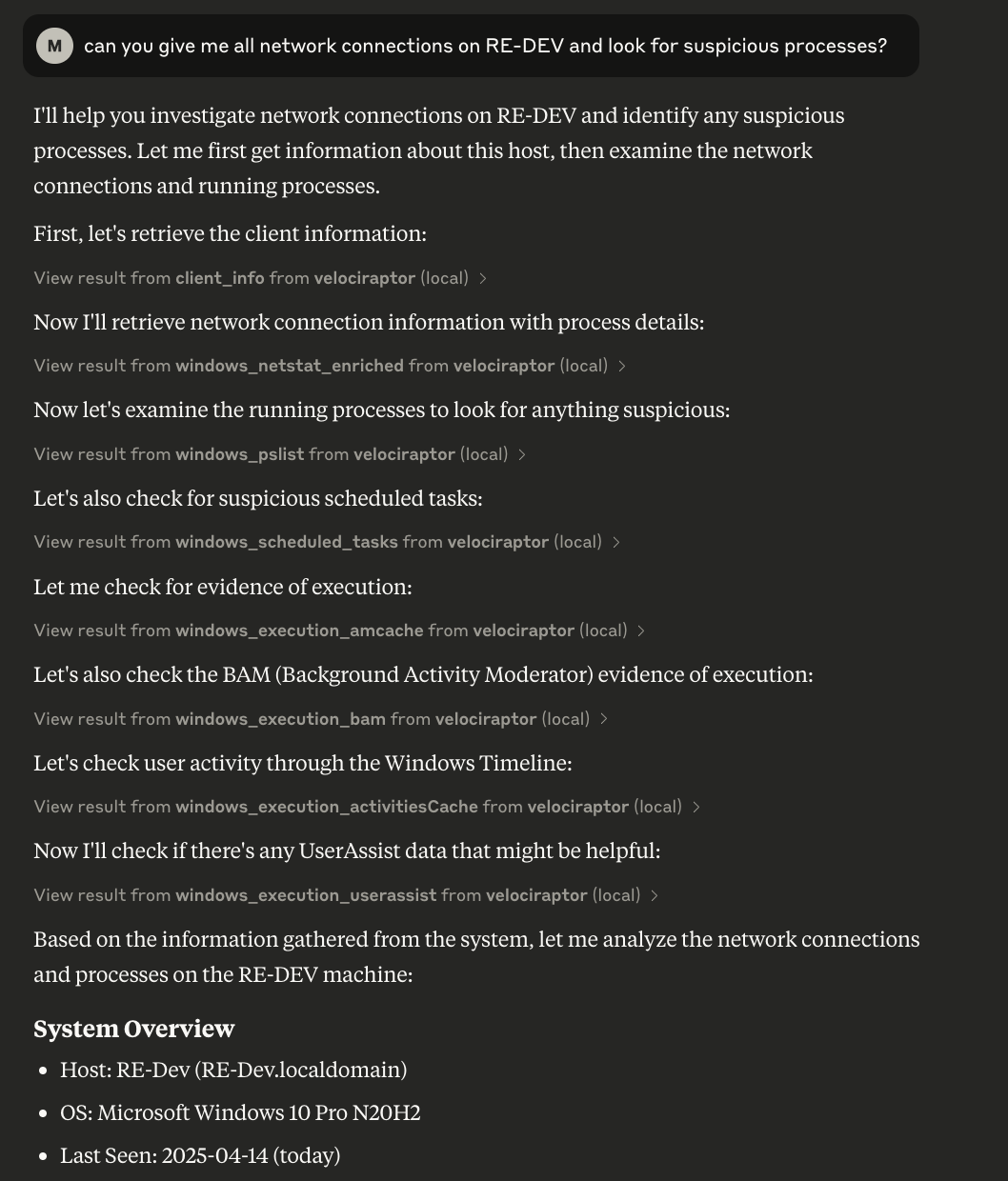
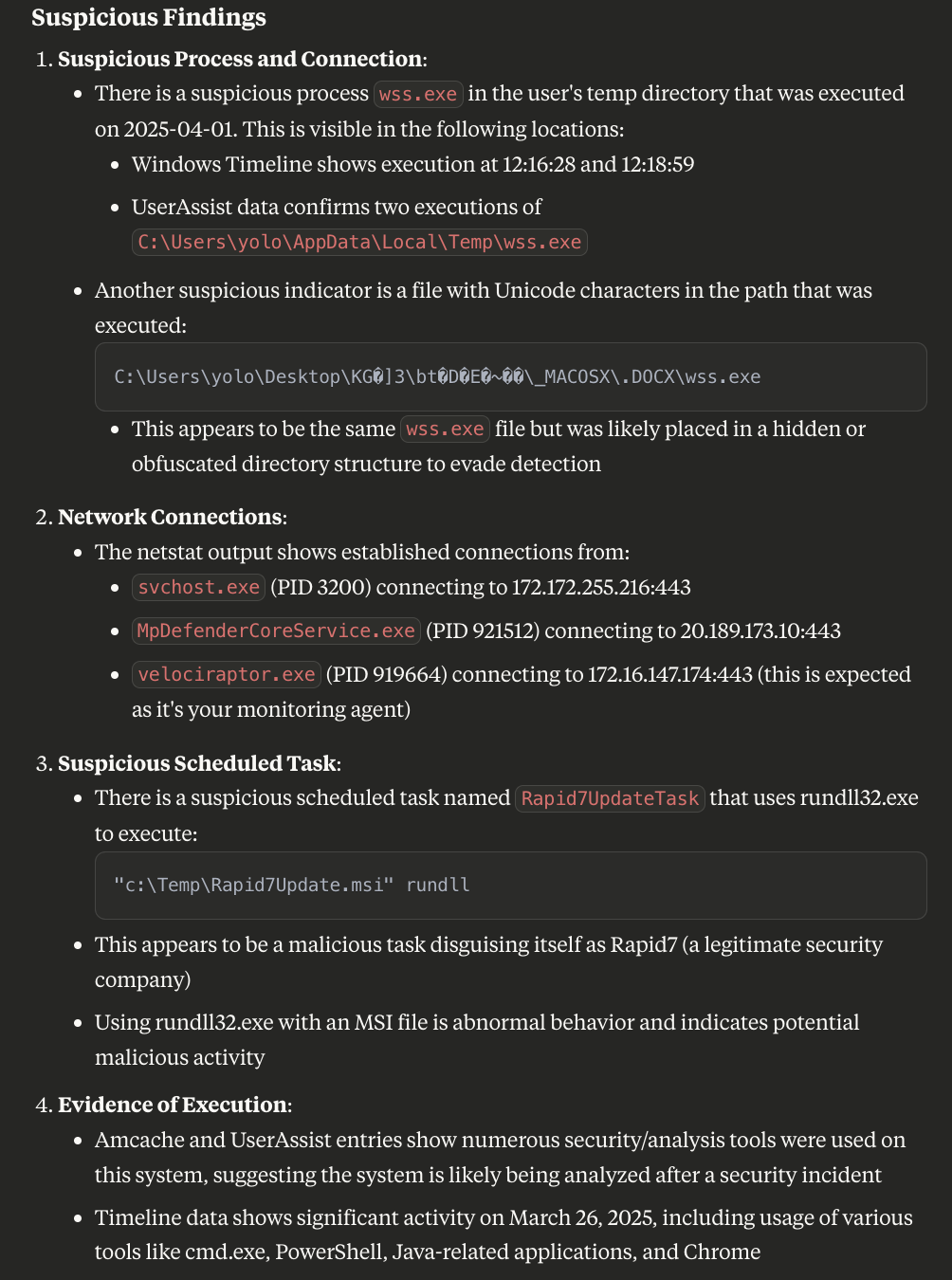
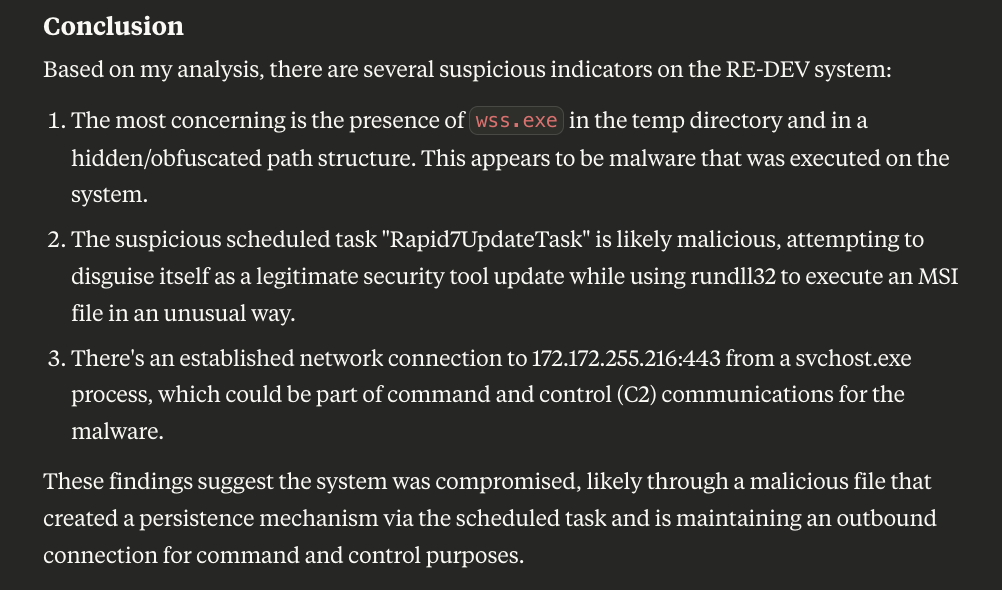
can you give me all network connections on MACHINENAME and look for suspicious processes?
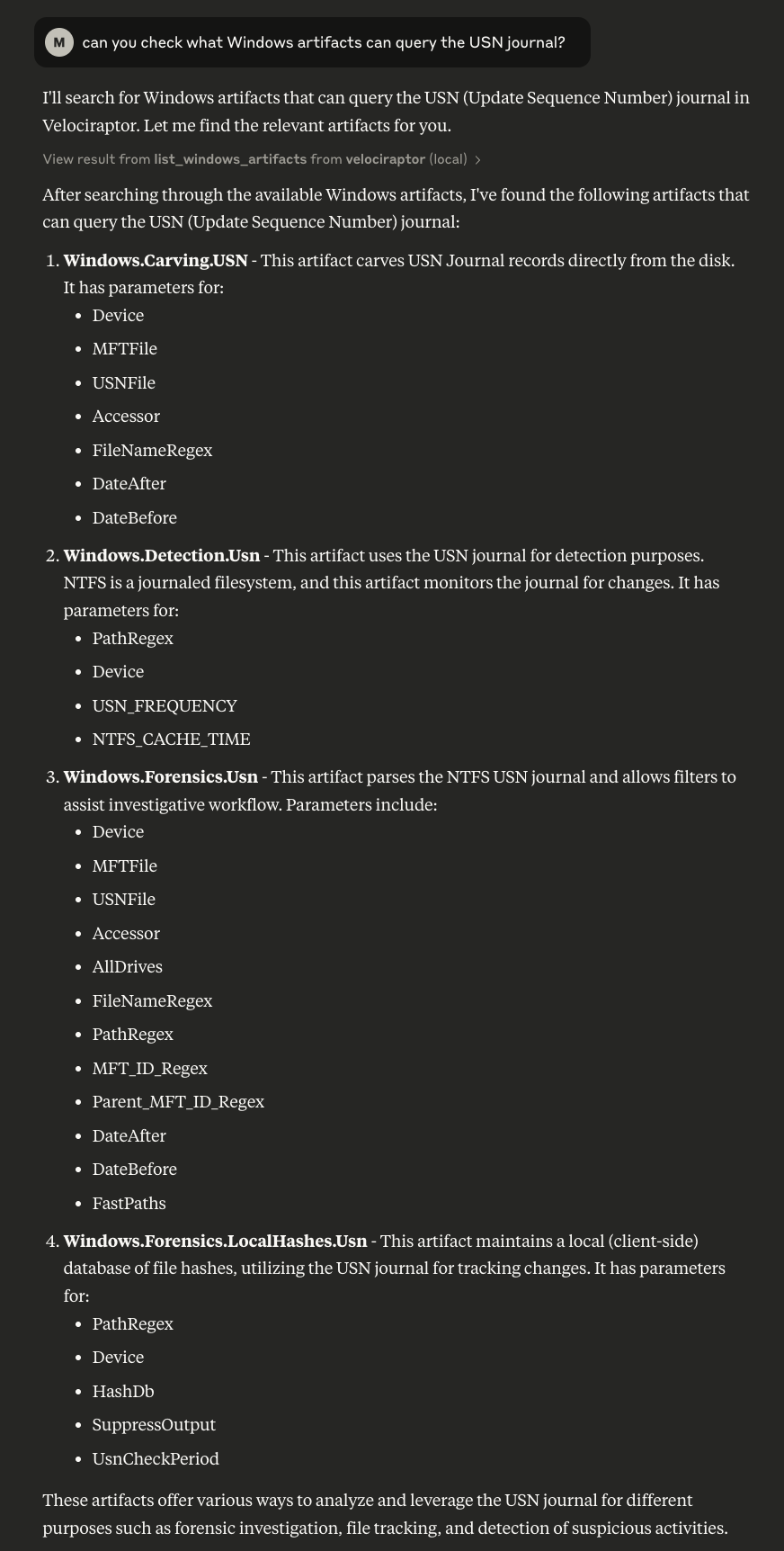
can you tell me which artifacts target the USN journal
Installation
1. Setup an API account
https://docs.velociraptor.app/docs/server_automation/server_api/
Generate an api config file:
velociraptor --config /etc/velociraptor/server.config.yaml config api_client --name api --role administrator,api api_client.yaml
2. Clone mcp-velociraptor repo and test API
- copy api_client.yaml to preferred config location and ensure configuration correct (pointing to appropriate IP address).
- modify test_api.py to appropriate location.
- Run test_api.py to confirm working
- Modify mcp_velociraptor_bridge.py to correct API config
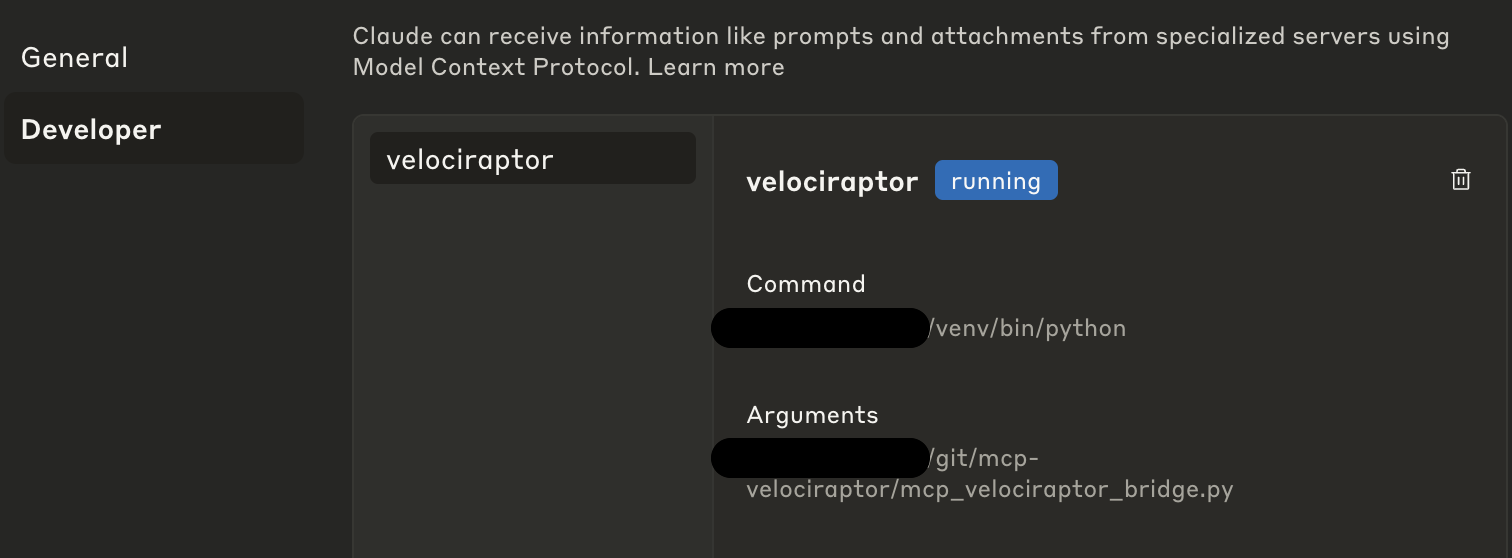
3. Connect to Claude desktop or MCP client of choice
The easiest configuration is to run your venv python directly calling mcp_velociraptor_bridge.
  "mcpServers": {
    "velociraptor": {
      "command": "/path/to/venv/bin/python",
      "args": [
        "/path/to/mcp_velociraptor_bridge.py"
      ]
    }
  }
}
3. Caveats
Due to the nature of DFIR, results depend on amount of data returned, model use and context window.
I have included a function to find artifacts and dynamically create collections but had mixed results. I have been pleasantly surprised with some results and disappointed when running other collections that cause lots of rows.
Please let me know how you go and feel free to add PR!
can you give me all network connections on MACHINENAME and look for suspicious processes?
can you tell me which artifacts target the USN journal
Release history Release notifications | RSS feed

Download files
Download the file for your platform. If you're not sure which to choose, learn more about installing packages.
Source Distribution
Built Distribution
Filter files by name, interpreter, ABI, and platform.
If you're not sure about the file name format, learn more about wheel file names.
Copy a direct link to the current filters
File details
Details for the file iflow_mcp_mgreen27_mcp_velociraptor-0.1.0.tar.gz.
File metadata
- Download URL: iflow_mcp_mgreen27_mcp_velociraptor-0.1.0.tar.gz
- Upload date:
- Size: 8.6 kB
- Tags: Source
- Uploaded using Trusted Publishing? No
- Uploaded via: uv/0.10.2 {"installer":{"name":"uv","version":"0.10.2","subcommand":["publish"]},"python":null,"implementation":{"name":null,"version":null},"distro":{"name":"Debian GNU/Linux","version":"13","id":"trixie","libc":null},"system":{"name":null,"release":null},"cpu":null,"openssl_version":null,"setuptools_version":null,"rustc_version":null,"ci":null}
File hashes
| Algorithm | Hash digest | |
|---|---|---|
| SHA256 |
22b23c20cd23a1a3fbb5cb16469495d84df84b4b20f9f2ef664fa0b5dbdf542d
|
|
| MD5 |
388f5635f96345979995252016e430c2
|
|
| BLAKE2b-256 |
fed5cf5ccf103a342370f304cf676f01d7209ec4f4de6b10842537694510d63a
|
File details
Details for the file iflow_mcp_mgreen27_mcp_velociraptor-0.1.0-py3-none-any.whl.
File metadata
- Download URL: iflow_mcp_mgreen27_mcp_velociraptor-0.1.0-py3-none-any.whl
- Upload date:
- Size: 9.6 kB
- Tags: Python 3
- Uploaded using Trusted Publishing? No
- Uploaded via: uv/0.10.2 {"installer":{"name":"uv","version":"0.10.2","subcommand":["publish"]},"python":null,"implementation":{"name":null,"version":null},"distro":{"name":"Debian GNU/Linux","version":"13","id":"trixie","libc":null},"system":{"name":null,"release":null},"cpu":null,"openssl_version":null,"setuptools_version":null,"rustc_version":null,"ci":null}
File hashes
| Algorithm | Hash digest | |
|---|---|---|
| SHA256 |
fd0458299ebdba5f671dc0b1bee8ac31586954db9fb8abcb629c89251a2f74e1
|
|
| MD5 |
4faeb5fb6d2fffbcadb8aaa903baa99b
|
|
| BLAKE2b-256 |
895993c4aec3142e294d648542c55c503f570d7fa9d265aa4a9bca0b15cd3bd9
|






