
baseball-mcp: An MLB Stats API Wrapper for MCP
This project provides an MCP (Model Context Protocol) that acts as a wrapper for the MLB Stats API. It allows you to easily access and process various MLB data points, including schedules, game results, and team information. This server is designed for efficient data retrieval and processing within an MCP framework.
Demo Videos
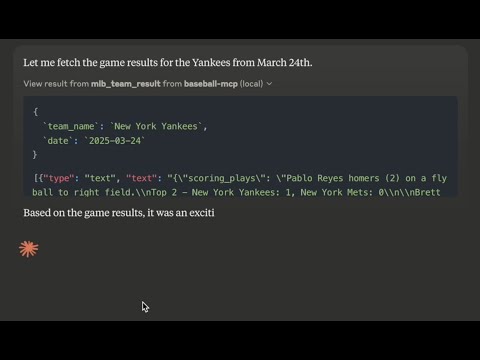
Here are a couple of demo videos showcasing the capabilities of mcp_mlb_statsapi:
- Demo 1: MCP MLB Stats API - Quick Overview
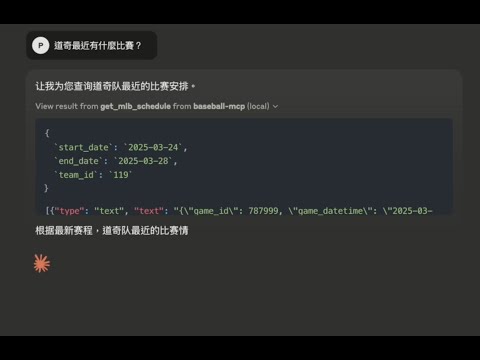
- Demo 2: MCP MLB Stats API - 輸入中文也可以
Features
- Game Schedules: Retrieve MLB game schedules for specified date ranges, optionally filtering by team.
- Game Results: Fetch daily game results, including scores, winning/losing teams, and winning pitcher.
- Team Results: Get detailed results for a specific team's most recent game, including scoring plays and highlights.
- Player Lookup: Look up player IDs using last name, first name, or a combination of both. Supports fuzzy matching.
Installation
Prerequisites
- Python 3.10 or newer
- uv package manager:
If you're on Mac, please install uv as
brew install uv
On Windows
powershell -c "irm https://astral.sh/uv/install.ps1 | iex"
Otherwise installation instructions are on their website: Install uv
Install via PyPI
The mcp_mlb_statsapi package is available on PyPI and can be installed using pip:
pip install mcp_mlb_statsapi
Install via Github
or you can clone this repo, run it with soruce code.
uv venv
source .venv/bin/activate
uv pip install -r requirements.txt
Claude for Desktop Integration
Go to Claude > Settings > Developer > Edit Config > claude_desktop_config.json to include the following:
    {
      "mcpServers": {
        "mcp_mlb_statsapi": {
           "command": "{YOUR_PYTHON_EXECUTABLE_PATH}/python",
            "args": ["-m",
            "mcp_mlb_statsapi"]
          }
        }
    }
If you install it via source code
{
  "mcpServers": {
    "mcp_mlb_statsapi": {
        "command": "{YOUR_UV_EXECUTABLE_PATH}/uv",
        "args": [
            "--directory",
            "{YOUR_PROJECT_PATH}/src/mcp_mlb_statsapi",
            "run",
            "mcp_mlb_statsapi"
        ]
    }
  }
}
Contributing
Contributions are welcome! Please open an issue or submit a pull request.
License
This MCP server is licensed under the MIT License. This means you are free to use, modify, and distribute the software, subject to the terms and conditions of the MIT License. For more details, please see the LICENSE file in the project repository.
References
This project utilizes the following external libraries and resources:
- MLB-StatsAPI: https://github.com/toddrob99/MLB-StatsAPI - A Python library providing access to the MLB Stats API. This project relies heavily on
mlb-statsapifor data retrieval.


1 maintainer

Metadata
1 maintainer
Release files for iflow-mcp_mpizza-mcp_mlb_statsapi 0.2.0
For a detailed explanation of source distributions (sdists) and built distributions (wheels), please see the package formats documentation.
Source distribution (sdist)
| File | Size | Uploaded | |
|---|---|---|---|
| iflow_mcp_mpizza_mcp_mlb_statsapi-0.2.0.tar.gz | 4.8 kB | Details |
Built distribution (wheel)
| File | Interpreter | ABI | Platform | Reset |
|---|---|---|---|---|
| iflow_mcp_mpizza_mcp_mlb_statsapi-0.2.0-py3-none-any.whl | Python 3 | none | any | Details |
Total release size: 11.0 kB
Release files / iflow_mcp_mpizza_mcp_mlb_statsapi-0.2.0.tar.gz
| Download URL | iflow_mcp_mpizza_mcp_mlb_statsapi-0.2.0.tar.gz |
|---|---|
| Size | 4.8 kB |
| Tags | Source |
|
SHA-256 checksum How to use checksums |
346d95b695b27c89a0a7826f8f0769c49e1c859ca8cce0cc37d62762b6b01b5d
|
|
BLAKE2b-256 checksum How to use checksums |
84b7d2ef1f4bcb8e09c5f543a1ec12e080b2ed7b186ea28bc03dd240b6991467
|
| Upload date | |
|
Uploaded using Trusted Publishing? What is trusted publishing? |
No |
| Uploaded via |
uv/0.10.2 {"installer":{"name":"uv","version":"0.10.2","subcommand":["publish"]},"python":null,"implementation":{"name":null,"version":null},"distro":{"name":"Debian GNU/Linux","version":"13","id":"trixie","libc":null},"system":{"name":null,"release":null},"cpu":null,"openssl_version":null,"setuptools_version":null,"rustc_version":null,"ci":null}
|
Release files / iflow_mcp_mpizza_mcp_mlb_statsapi-0.2.0-py3-none-any.whl
| Download URL | iflow_mcp_mpizza_mcp_mlb_statsapi-0.2.0-py3-none-any.whl |
|---|---|
| Size | 6.2 kB |
| Tags | Python 3 |
|
SHA-256 checksum How to use checksums |
905285673c8a0cd52e07c7bb7be1ff1d90463c83140b766439ba491934a25d06
|
|
BLAKE2b-256 checksum How to use checksums |
41e65db8717ccfe165d574d855601b29f29d9c040837c921fd051aa1b2f51c84
|
| Upload date | |
|
Uploaded using Trusted Publishing? What is trusted publishing? |
No |
| Uploaded via |
uv/0.10.2 {"installer":{"name":"uv","version":"0.10.2","subcommand":["publish"]},"python":null,"implementation":{"name":null,"version":null},"distro":{"name":"Debian GNU/Linux","version":"13","id":"trixie","libc":null},"system":{"name":null,"release":null},"cpu":null,"openssl_version":null,"setuptools_version":null,"rustc_version":null,"ci":null}
|













