
简介
fileupload_tool.py为Python语言的开发者提供,可以帮助您快速通过stdio模式调用网盘开放平台提供的文件上传MCP Server。
准备开发环境
我们推荐通过uv构建虚拟环境来运行MCP Server,关于uv你可以在 这里 找到一些说明。
按照 官方流程 ,你会安装Python包管理工具uv。除此之外,你也可以尝试其他方法(如Anaconda)来创建你的Python虚拟环境。
Windows 建议使用 pip 或者 anaconda 来准备运行环境,将 uv run 命令替换为 python。
1. UV安装
安装之后可通过 uv help 命令检查是否安装成功
1. On macOS and Linux.
   curl -LsSf https://astral.sh/uv/install.sh | sh
2. On Windows.
   powershell -ExecutionPolicy ByPass -c "irm https://astral.sh/uv/install.ps1 | iex"
3. With pip.
   pip install uv
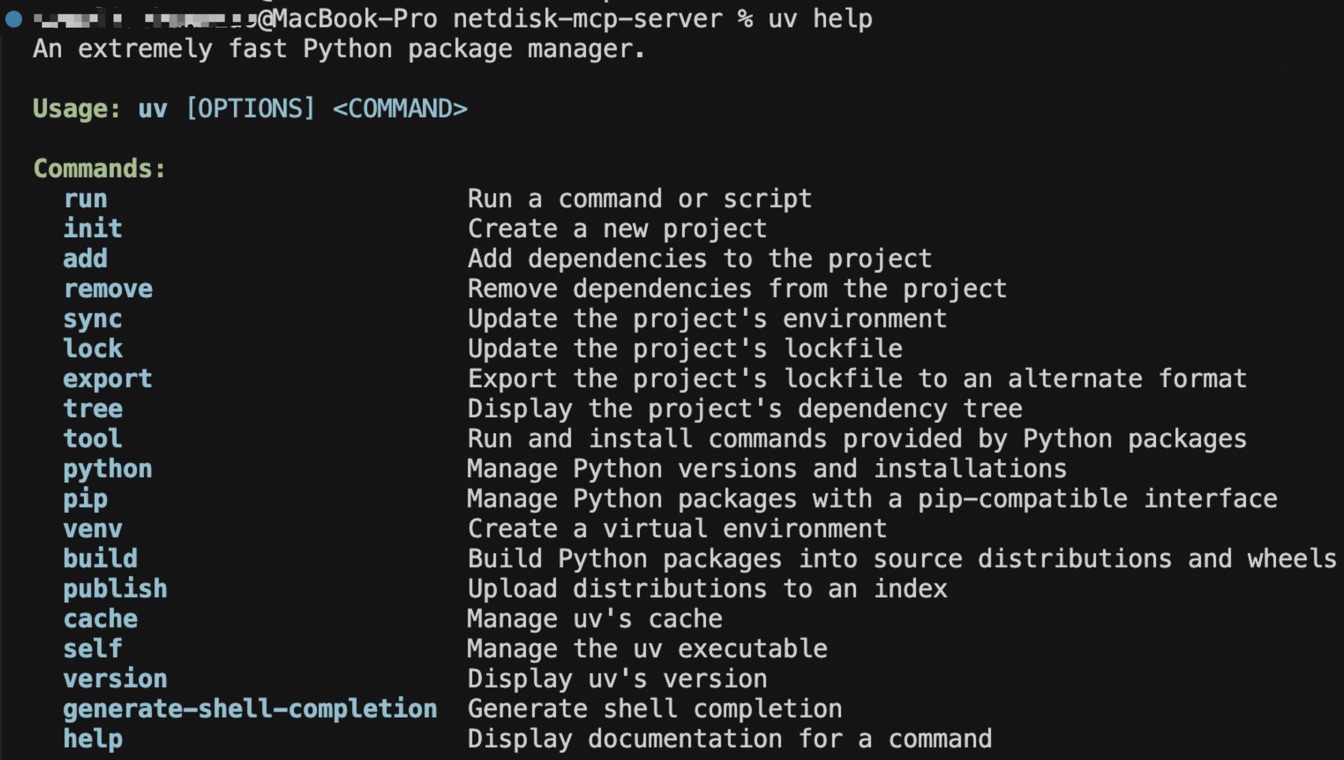
2. 通过uv添加mcp依赖
执行以下命令安装MCP
uv add "mcp[cli]"
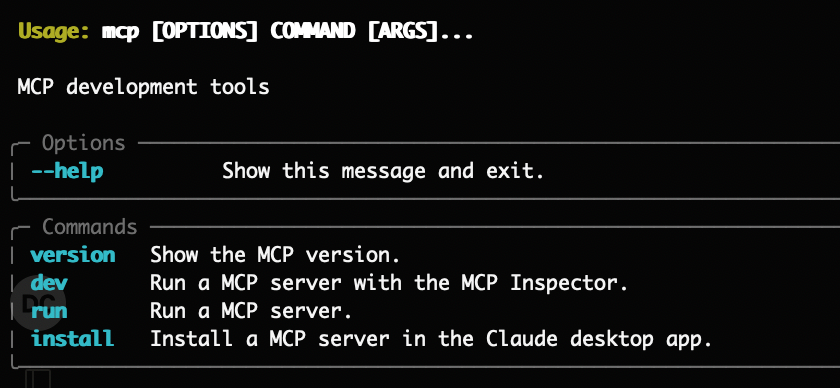
执行如下命令,验证mcp依赖是否安装成功
uv run mcp
当出现下图时代表安装成功
3. 运行环境
执行uv run ./netdisk.py命令会读取当前目录下的 pyproject.toml。
执行后会自动创建虚拟环境和安装依赖,同时在这个环境中运行代码。
你可以验证netdisk.py是否可运行,若无报错则环境依赖均配置完成。
- 推荐运行环境:Python 3.12
- 运行环境要求:python >= 3.12
- 需要依赖的库:见pyproject.toml
运行示例:
- 依赖环境安装中:

- 依赖环境安装完成

使用上传工具
在支持mcp的host中配置如下内容,然后发起上传交互即可。
{
  "mcpServers": {
    "netdisk-fileupload": {
        "command": "<您的uv绝对路径>",
        "args": [
            "--directory",
            "<您的fileupload_tool.py所在父目录绝对路径>",
            "run",
            "fileupload_tool.py"
        ],
        "env": {
          "BAIDU_NETDISK_ACCESS_TOKEN": "<您的AccessToken>"
        }
    }
  }
}
1 maintainer

Metadata
1 maintainer
Release files for iflow-mcp_netdisk-mcp-server 0.1.0
For a detailed explanation of source distributions (sdists) and built distributions (wheels), please see the package formats documentation.
Source distribution (sdist)
| File | Size | Uploaded | |
|---|---|---|---|
| iflow_mcp_netdisk_mcp_server-0.1.0.tar.gz | 47.6 kB | Details |
Built distribution (wheel)
| File | Interpreter | ABI | Platform | Reset |
|---|---|---|---|---|
| iflow_mcp_netdisk_mcp_server-0.1.0-py3-none-any.whl | Python 3 | none | any | Details |
Total release size: 119.1 kB
Release files / iflow_mcp_netdisk_mcp_server-0.1.0.tar.gz
| Download URL | iflow_mcp_netdisk_mcp_server-0.1.0.tar.gz |
|---|---|
| Size | 47.6 kB |
| Tags | Source |
|
SHA-256 checksum How to use checksums |
450f4067d63218707697490c5473ff3ea81d537198b85e04de1c4602a22de2c4
|
|
BLAKE2b-256 checksum How to use checksums |
62a78690f9c8f6d5b973673c976a16904fbc65703344d10b35da29a2c4ffb3dd
|
| Upload date | |
|
Uploaded using Trusted Publishing? What is trusted publishing? |
No |
| Uploaded via |
uv/0.8.3
|
Release files / iflow_mcp_netdisk_mcp_server-0.1.0-py3-none-any.whl
| Download URL | iflow_mcp_netdisk_mcp_server-0.1.0-py3-none-any.whl |
|---|---|
| Size | 71.6 kB |
| Tags | Python 3 |
|
SHA-256 checksum How to use checksums |
812ed1722c122a3bef3b475cfebdde8afd68de8a0d16d9e968ad25c0ee759894
|
|
BLAKE2b-256 checksum How to use checksums |
2a6322e1dd85344e5e39a023e1a1bac32639f452c5dbbc8e2064cab09faf139e
|
| Upload date | |
|
Uploaded using Trusted Publishing? What is trusted publishing? |
No |
| Uploaded via |
uv/0.8.3
|













