
A Production-Ready Penetration Testing Toolkit for AI Agents through MCP

Project description
🛡️ Pentest-MCP
A Production-Ready Penetration Testing Toolkit for AI Agents
Pentest-MCP is a powerful, enterprise-grade framework that exposes penetration testing tools to Large Language Models (LLMs) through both REST API and Model Context Protocol (MCP). Built with Docker containerization, intelligent caching, and comprehensive security policies, it enables AI agents to perform automated security assessments safely and efficiently.


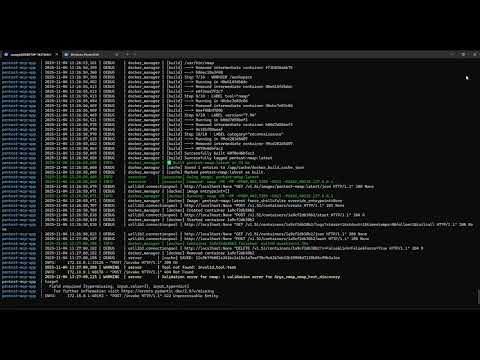
▶️ Demo
🌟 Features
🎯 Dual Protocol Support
- REST API: Traditional HTTP endpoints for maximum compatibility
- MCP Native: First-class support for Claude Desktop, Cline, and other MCP clients
- Unified Core: Single codebase powers both interfaces
🔒 Enterprise Security
- Policy Engine: Network restrictions, rate limiting, and authorization controls
- API Key Authentication: Secure access control for all endpoints
- Network Isolation: Only private RFC 1918 networks allowed by default
- Audit Logging: Complete execution history with JSON logging
🐳 Docker Architecture
- Isolated Execution: Each tool runs in dedicated Kali Linux containers
- Automatic Building: Smart image caching and dependency management
- Shared Resources: Common wordlists and results volumes
- Network Access: Controlled host network mode for scanning
🧠 AI-Optimized Design
- Rich Descriptions: Every tool includes context, examples, and usage hints
- Structured Output: Automatic parsing of tool output (nmap, gobuster, etc.)
- Input Validation: Pydantic models ensure type safety
- Intelligent Caching: Results cached for 1 hour to reduce redundant scans
🛠️ Included Tools
- nmap: Network discovery and vulnerability scanning
- gobuster: Web content and vhost enumeration
- enum4linux: SMB/Active Directory enumeration
- crackmapexec: Post-exploitation and lateral movement testing
📋 Table of Contents
- Quick Start
- Architecture
- Installation
- Configuration
- Usage
- SDK & AI Framework Integration
- Tool Development
- Security
- API Reference
- Contributing
- License
🚀 Quick Start
Prerequisites
- Docker & Docker Compose
- Python 3.11+
- Make (usually pre-installed on Linux/macOS)
- 4GB+ RAM recommended
Installation (Using Makefile - Recommended)
# Clone the repository
git clone https://github.com/sasaga/PentestMCP.git
cd pentest-mcp

# See all available commands
make help

# Complete setup in one command
make setup              # Create directories
cp .env.example .env    # Copy environment template
nano .env               # Configure your API_KEY

# Build all Docker images
make build-all          # Builds base image + all tool images

# Start services
make up                 # Starts REST API + MCP Server

# Verify installation
make test               # Run system tests
Alternative: Manual Installation
# Set up environment
cp .env.example .env
nano .env

# Build images
./build_images.sh

# Start services
docker-compose up -d

# Verify
curl http://localhost:8085/health
First Scan
# List available tools
curl http://localhost:8085/tools | jq

# Run an nmap scan
curl -X POST http://localhost:8085/invoke \
  -H "Content-Type: application/json" \
  -H "x-api-key: YOUR_API_KEY" \
  -d '{
    "name": "nmap",
    "mode": "nmap_host_discovery",
    "args": {"target": "192.168.1.0/24"}
  }' | jq
🎯 Makefile Commands Reference
The Makefile is the central management tool for this project. Key commands:
| Command | Description |
|---|---|
make help |
Show this help message |
make setup |
Create required directories (e.g., wordlists and results) |
make build-base |
Build the base Kali Linux image |
make build-app |
Build the main application image (FastAPI / MCP) |
make build-<tool> |
Build specific tool (e.g., make build-nmap) |
make build-tools |
Build all tool images defined in YAML files |
make build-all |
Build all images (base + app + tools) |
make check-images |
Verify which Docker images are built |
make list-images |
List all Pentest-MCP Docker images |
make clean-images |
Remove all Pentest-MCP Docker images |
make clean-containers |
Remove all Pentest-MCP containers |
make clean |
Perform a full cleanup (containers + images) |
make up |
Start all services using Docker Compose |
make down |
Stop all running services |
make logs |
View logs from all running services |
make restart |
Restart services (rebuild app if changes detected) |
make test |
Run full system tests (uses .env configuration) |
make test-api |
Perform a quick REST API health test |
make validate-yaml |
Validate syntax of all YAML configuration files |
make fix-yaml-paths |
Fix or normalize Docker paths in YAML files |
make show-docker-config |
Display Docker configuration detected in YAMLs |
make dev |
Start the system in development mode |
make dev-mcp |
Run the MCP server in standalone mode |
make info |
Display detailed system and environment information |
See full Makefile documentation below.
🏗️ Architecture
┌─────────────────────────────────────────────────────────────┐
│                        Client Layer                          │
│  Claude Desktop │ Cline │ HTTP Clients │ Custom Integrations│
└────────────┬────────────────────────────────────────────────┘
             │
    ┌────────┴─────────┐
    │                  │
┌───▼────┐      ┌─────▼──────┐
│ MCP    │      │  REST API  │
│ Server │      │  (FastAPI) │
│ :8090  │      │   :8085    │
└───┬────┘      └─────┬──────┘
    │                 │
    └────────┬────────┘
             │
    ┌────────▼─────────┐
    │   Core Engine    │
    │  ┌────────────┐  │
    │  │  Loader    │  │  YAML → Pydantic Models
    │  ├────────────┤  │
    │  │  Policy    │  │  Security Validation
    │  ├────────────┤  │
    │  │  Executor  │  │  Docker Management
    │  ├────────────┤  │
    │  │  Parser    │  │  Output Structuring
    │  └────────────┘  │
    └──────────────────┘
             │
    ┌────────▼─────────┐
    │ Docker Manager   │
    │  - Image Build   │
    │  - Container Run │
    │  - Volume Mount  │
    └────────┬─────────┘
             │
    ┌────────▼─────────┐
    │  Tool Containers │
    │  ┌──────────┐    │
    │  │  nmap    │    │
    │  ├──────────┤    │
    │  │ gobuster │    │
    │  ├──────────┤    │
    │  │enum4linux│    │
    │  ├──────────┤    │
    │  │   cme    │    │
    │  └──────────┘    │
    └──────────────────┘
Key Components
-
Server Layer (
server.py,mcp_server.py)- Dual protocol support (REST + MCP)
- Request validation and routing
- Authentication and rate limiting
-
Core Engine (
core/)- Loader: Converts YAML tool definitions to Pydantic models
- Policy: Enforces network restrictions and security rules
- Executor: Manages Docker containers and command execution
- Parser: Extracts structured data from tool output
-
Docker Manager (
docker_manager.py)- Automatic image building with caching
- Ephemeral container lifecycle
- Volume management for wordlists and results
-
Tool Definitions (
tools/*.yaml)- Declarative tool configuration
- Schema generation for AI agents
- Examples and usage hints
📦 Installation
Option 1: Quick Install with Makefile (Recommended)
# Clone and enter directory
git clone https://github.com/sasaga/PentestMCP.git
cd pentest-mcp

# View all available commands
make help

# Setup directories
make setup

# Configure environment
cp .env.example .env
nano .env  # Set your API_KEY

# Build everything
make build-all

# Start services
make up

# Verify installation
make test
Option 2: Docker Compose (Manual)
# Clone and configure
git clone https://github.com/sasaga/PentestMCP.git
cd pentest-mcp
cp .env.example .env

# Edit configuration
nano .env

# Build and start
docker-compose up -d

# Check logs
docker-compose logs -f
Option 3: Manual Setup (Development)
# Install Python dependencies
pip install -r requirements.txt

# Build Docker images
./build_images.sh

# Download wordlists (optional)
mkdir -p wordlists
cd wordlists
wget https://github.com/danielmiessler/SecLists/raw/master/Discovery/Web-Content/common.txt

# Start services
uvicorn server:app --host 0.0.0.0 --port 8085 &
python mcp_server.py &
💡 Pro Tip: Use make help to see all available commands at any time.
⚙️ Configuration
Environment Variables
Create a .env file:
# Security
API_KEY=your-secret-api-key-here

# Server Ports
REST_PORT=8085
MCP_PORT=8090
MCP_PROXY_PORT=8091

# Paths
TOOLS_DIR=/app/tools
WORDLISTS_DIR=/app/wordlists
RESULTS_DIR=/app/results

# Docker
KALI_IMAGE=pentest-kali-base

# Caching
ENABLE_CACHE=true
CACHE_TTL_HOURS=1

# Logging
LOG_LEVEL=INFO
Network Policies
Edit tools/*.yaml to configure allowed networks:
policy:
  allowed_networks:
    - "10.0.0.0/8"
    - "172.16.0.0/12"
    - "192.168.0.0/16"
  max_hosts: 4096
  blocked_ports: []
🎮 Usage
REST API
List Available Tools
curl http://localhost:8085/tools | jq
Execute a Tool
curl -X POST http://localhost:8085/invoke \
  -H "Content-Type: application/json" \
  -H "x-api-key: YOUR_API_KEY" \
  -d '{
    "name": "nmap",
    "mode": "nmap_tcp_ports_syn_scan",
    "args": {
      "target": "192.168.1.100"
    }
  }' | jq
List Wordlists
curl http://localhost:8085/wordlists | jq
Check Health
curl http://localhost:8085/health | jq
MCP Integration
Claude Desktop
Add to ~/Library/Application Support/Claude/claude_desktop_config.json:
{
  "mcpServers": {
    "PentestMCP": {
      "command": "python3",
      "args": ["/path/to/pentest-mcp/mcp_wrapper.py"],
      "env": {
        "MCP_SERVER_URL": "http://127.0.0.1:8091/mcp",
        "API_KEY": "your-api-key-here"
      }
    }
  }
}
Cline (VSCode Extension)
Add to .vscode/settings.json:
{
  "cline.mcpServers": {
    "PentestMCP": {
      "type": "http",
      "url": "http://127.0.0.1:8091/mcp",
      "headers": {
        "x-api-key": "your-api-key-here"
      }
    }
  }
}
5ire client MCP
{
  "name": "PentestMCP",
  "key": "PentestMCP",
  "url": "http://127.0.0.1:8091/mcp",
  "headers": {
    "x-api-key": "your-api-key-here"
  },
  "approvalPolicy": "always"
}
Warp MCP Config
{
  "PentestMCP": {
    "command": "python3",
    "args": [
      "/path/mcp_wrapper.py"
    ],
    "env": {
      "API_KEY": "your-api-key-here",
      "MCP_SERVER_URL": "http://127.0.0.1:8091/mcp"
    },
    "working_directory": null
  }
}
Cursor MCP Config
{
  "mcpServers": {
    "PentestMCP": {
      "type": "http",
      "url": "http://127.0.0.1:8091/mcp",
      "headers": {
        "x-api-key": "your-api-key-here"
      }
    }
  }
}
Direct MCP Client
# HTTP transport
TRANSPORT=http python mcp_server.py

# stdio transport (for direct integration)
TRANSPORT=stdio python mcp_server.py
🛠️ Makefile - Complete Reference
The Makefile is the central management interface for Pentest-MCP. It provides a unified, user-friendly way to build, test, deploy, and manage the entire system.
Design Philosophy
The Makefile is dynamic and self-discovering:
- Automatically detects tools from YAML definitions
- No hardcoded tool names
- Generates targets on-the-fly
- Color-coded output for better UX
Core Commands
Setup & Installation
# Create required directories (wordlists, results)
make setup

# Show system information
make info
Docker Image Management
# Build everything (recommended for first setup)
make build-all          # Builds base + all tool images

# Build only base image
make build-base         # Kali Linux base

# Build specific tool
make build-nmap         # Just nmap
make build-gobuster     # Just gobuster
make build-enum4linux   # Just enum4linux
make build-crackmapexec # Just crackmapexec

# Verify what's built
make check-images       # Shows ✅/❌ for each image

# List all pentest images
make list-images
Service Management
# Start all services (REST API + MCP Server)
make up

# Stop services
make down

# Restart services (useful after code changes)
make restart

# View live logs
make logs
Testing & Validation
# Run complete system test suite
make test

# Quick API health check
make test-api

# Validate YAML syntax
make validate-yaml

# Show Docker configuration from YAMLs
make show-docker-config
Development
# Start REST API in development mode (with auto-reload)
make dev

# Start MCP server in stdio mode
make dev-mcp

# Fix YAML Docker paths (if needed)
make fix-yaml-paths
Cleanup
# Remove containers
make clean-containers

# Remove all pentest images
make clean-images

# Full cleanup (containers + images)
make clean
Advanced Usage
Building Specific Tool After YAML Changes
# After modifying tools/nmap.yaml
make build-nmap

# After modifying tools/gobuster.yaml
make build-gobuster
Incremental Builds
The Makefile is smart about dependencies:
# This will check if base exists, build it if not, then build nmap
make build-nmap

# This rebuilds base, then all tools
make build-all
Parallel Testing
# Run tests in background, continue working
make test &

# Monitor logs in another terminal
make logs
Makefile Architecture
Makefile
├── Variables
│   ├── PYTHON := python3
│   ├── COMPOSE := docker-compose
│   ├── DOCKER := docker
│   ├── TOOLS_DIR := .
│   └── DOCKERFILES_DIR := ./dockerfiles
│
├── Auto-Discovery
│   └── TOOLS_WITH_DOCKER (scans YAMLs for docker: config)
│
├── Static Targets
│   ├── help, setup, info
│   ├── build-base, build-all
│   ├── up, down, restart, logs
│   ├── test, test-api
│   └── clean, clean-images
│
└── Dynamic Targets
    └── build-% (e.g., build-nmap)
        ├── Validates tool exists in YAML
        ├── Builds base if needed
        └── Builds specific tool image
Color Coding
The Makefile uses colors for better readability:
- 🟢 GREEN: Success messages
- 🟡 YELLOW: Info and warnings
- 🔴 RED: Errors
- 🔵 BLUE: Headers and titles
Environment Integration
The Makefile respects .env variables:
# Example: Change log level for development
echo "LOG_LEVEL=DEBUG" >> .env
make dev
Tips & Tricks
1. Quick Status Check
make info check-images
2. Rebuild After Tool Addition
# After creating tools/mytool.yaml and dockerfiles/Dockerfile.mytool
make build-mytool
make restart
make test-api
3. Development Workflow
# Terminal 1: Development server
make dev

# Terminal 2: Logs
make logs

# Terminal 3: Testing
make test-api
4. Production Deployment
make setup
make build-all
make up
make test
Troubleshooting with Makefile
# Check what images exist
make check-images

# Verify services are running
make up
docker-compose ps

# View detailed logs
make logs

# Full rebuild (if things are broken)
make clean
make build-all
make up
Customization
The Makefile is designed to be extended. Add your own targets:
# Example: Add to Makefile
.PHONY: backup
backup: ## Backup results and wordlists
	@echo "Creating backup..."
	tar -czf pentest-backup-$(shell date +%Y%m%d).tar.gz results/ wordlists/
	@echo "✅ Backup created"
CI/CD Integration
The Makefile works great in CI/CD pipelines:
# Example: GitHub Actions
- name: Build and Test
  run: |
    make setup
    make build-all
    make test
Why Makefile?
Benefits:
- ✅ Single source of truth for all operations
- ✅ Self-documenting with
make help - ✅ Cross-platform (Linux, macOS, WSL)
- ✅ Dependency management (base image before tools)
- ✅ Developer friendly (simple, memorable commands)
- ✅ CI/CD ready (easy to automate)
vs Docker Compose alone:
- Makefile provides higher-level abstractions
- Better error handling and feedback
- Testing and validation built-in
- Dynamic target generation
vs Shell Scripts:
- Better dependency tracking
- Parallel execution support
- Standard, well-known tool
🧩 SDK & AI Framework Integration
Pentest-MCP provides an official SDK (located in sdk/) designed to seamlessly integrate the framework's tools with AI agent frameworks like LangChain, LangGraph, and CrewAI—natively, securely, and fully typed.
The SDK dynamically exposes every tool registered on the server (/tools) as a ready-to-use object for these frameworks (e.g., StructuredTool or BaseTool) without manual parameter definitions or shell invocation boilerplate.
⚙️ Core Class: PentestMCP
The main client abstracts all communication with the server, validates arguments via Pydantic, and manages both catalog loading and remote execution.
from sdk.client import PentestMCP

# Initialize the client
mcp = PentestMCP(
    server_address="http://127.0.0.1:8085",
    api_key="SECURED_API_KEY"
)

# List available tools
print(mcp.get_tool_catalog_text(as_markdown=True))

# Run a specific function (example: Nmap scan)
tool = mcp.build_tool("nmap_host_discovery")
result = tool.run({"target": "192.168.1.0/24"})
print(result)
Key features:
- Automatic tool discovery from
/tools - Dynamic Pydantic schema generation per function
- Secure remote execution via
/invokewith error handling - Direct integration with
LangChain,LangGraph, andCrewAI
🤖 Integration with LangChain / LangGraph
The SDK includes an adapter in sdk/integrations/langchain.py that converts Pentest-MCP functions into StructuredTool objects compatible with LangChain agents or LangGraph tool nodes.
Example
from langchain_ollama import ChatOllama
from langchain.agents import create_agent
from langchain_core.messages import HumanMessage
from sdk.integrations.langchain import MCPToLangChain
import json


def main(target: str):
    #1️⃣ Initialize the connector (use API_KEY and SERVER from the environment)
    connector = MCPToLangChain()
    tools = connector.get_tools()  # obtiene todas las StructuredTools
    catalog_text = connector.get_catalog_text(as_markdown=False)

    # 2️⃣ Crea el modelo LLM (local o remoto)
    llm = ChatOllama(model="qwen3:4b-thinking-2507-q4_K_M", temperature=0.2)

    # 3️⃣ Define el prompt del sistema
    system_prompt = (
        "You are an advanced pentesting agent integrated with the Pentest-MCP framework.\n"
        "You have access to all the tools in the catalog.\n"
        "Your goal is to analyze the target and execute the most appropriate tool.\n"
        "Return clear technical results with findings and mitigations."
    )

    # 4️⃣ Create the agent
    agent = create_agent(model=llm, tools=tools, system_prompt=system_prompt)

    #5️⃣ Prepare the user's message with the complete catalog
    enriched_prompt = (
        f"Objective: {target}\n\n"
        "Here is the complete catalog of tools:\n\n"
        f"{catalog_text}\n\n"
        "Choose the most appropriate tool and run it directly."
    )

    #6️⃣ Run the agent with a structured message
    result = agent.invoke({"messages": [HumanMessage(content=enriched_prompt)]})

    #7️⃣ Display output
    print("\n🧩 Final result\n")
    print(json.dumps(result["messages"][-1].content, indent=2))


if __name__ == "__main__":
    main("Perform a quick scan on scanme.nmap.org")
✅ Highlights:
- Each MCP function (e.g.,
nmap_host_discovery,gobuster_directory_scan) becomes a fully typedStructuredTool. - LangGraph-compatible out of the box (use as
ToolNodein graphs). - Enables multi-agent, tool-augmented reasoning pipelines with minimal setup.
🧠 Integration with CrewAI
Use the CrewAI adapter in sdk/integrations/crewai.py to expose every MCP function as a BaseTool ready for autonomous agents.
Example
from crewai import Agent, Task, Process, Crew, LLM
from sdk.integrations.crewai import MCPToCrewAI
import json


def main(goal: str):
    connector = MCPToCrewAI(
        server_address="http://localhost:8085",
        api_key="SECURED_API_KEY"
    )
    mcp_tools = connector.get_tools()
    catalog_text = connector.mcp.get_tool_catalog_text(as_markdown=False)

    llm = LLM(
        model="ollama/qwen3:30b-a3b-thinking-2507-q4_K_M",
        base_url="http://localhost:11434",
        temperature=0.2,
    )

    pentester = Agent(
        role="Security Pentester",
        goal="Analyze objectives and execute appropriate Pentest-MCP tools.",
        backstory=(
            "You are a cybersecurity expert with access to the following arsenal:\n\n"
            f"{catalog_text}\n\n"
            "Your goal is to analyze the objective and use the most effective tool."
        ),
        tools=mcp_tools,
        llm=llm,
        verbose=True,
    )

    task = Task(
        description=f"{goal} with the right tools.",
        expected_output="Detailed report of identified findings",
        agent=pentester,
    )

    crew = Crew(
        agents=[pentester],
        tasks=[task],
        model="ollama/qwen3:30b-a3b-thinking-2507-q4_K_M",
        process=Process.sequential,
        verbose=True,
        planning=False,
    )

    result = crew.kickoff()
    print("\n🧩 Final result:\n")
    print(json.dumps(result, indent=2) if isinstance(result, (dict, list)) else result)


if __name__ == "__main__":
    main("Perform a quick scan on scanme.nmap.org")
🔹 All tools are injected with type validation and rich descriptions.
🔹 Works with local (Ollama, vLLM) or cloud LLMs (OpenAI, Anthropic, Azure).
🔹 Ideal for autonomous pentesting and reporting pipelines.
📦 Module Overview
| Framework | Integration Module | Tool Class | Status |
|---|---|---|---|
| LangChain | sdk.integrations.langchain |
StructuredTool |
✅ Stable |
| LangGraph | (same adapter) | ToolNode-compatible | ✅ Tested |
| CrewAI | sdk.integrations.crewai |
BaseTool |
✅ Stable |
🧰 Summary
- ✅ Dynamic catalog loading from
/tools - ✅ Automatic Pydantic schema creation
- ✅ Seamless integration with major AI agent frameworks
- ✅ Secure, authenticated remote execution
- ✅ Ready for LangGraph and multi-agent workflows
🔧 Tool Development
Adding a New Tool
- Create YAML Definition (
tools/your_category/tool_name.yaml)
name: mytool
category: reconnaissance
description: |
  Brief description of what the tool does.

  **Use cases:**
  - Use case 1
  - Use case 2

docker:
  image: pentest-mytool:latest
  build:
    context: ./dockerfiles
    dockerfile: Dockerfile.mytool

functions:
  scan:
    description: |
      Detailed description of this function.

    command: "mytool {target} {options}"

    parameters:
      target:
        type: string
        format: ipv4
        description: Target to scan
        examples:
          - "192.168.1.10"
          - "10.0.0.0/24"

      options:
        type: string
        description: Additional options
        default: "-v"

    timeout: 300

    examples:
      - description: "Basic scan"
        input:
          function: scan
          args:
            target: "192.168.1.10"
            options: "-v"

policy:
  allowed_networks:
    - "10.0.0.0/8"
    - "172.16.0.0/12"
    - "192.168.0.0/16"
  max_hosts: 1024

hints:
  - "Start with basic options"
  - "Use verbose mode for debugging"
- Create Dockerfile (
dockerfiles/Dockerfile.mytool)
FROM pentest-kali-base:latest

RUN apt-get update && apt-get install -y \
    mytool \
    && apt-get clean \
    && rm -rf /var/lib/apt/lists/*

WORKDIR /workspace

LABEL tool="mytool"
LABEL category="reconnaissance"
- Build and Test
# Build image
./build_images.sh

# Test via REST API
curl -X POST http://localhost:8085/invoke \
  -H "Content-Type: application/json" \
  -H "x-api-key: YOUR_API_KEY" \
  -d '{
    "name": "mytool",
    "mode": "scan",
    "args": {"target": "192.168.1.10"}
  }' | jq
🔐 Security
Best Practices
- Always use API keys in production
- Restrict networks via policy configuration
- Monitor audit logs (
results/executions.log) - Review Docker privileges (NET_ADMIN/NET_RAW required for scanning)
- Use HTTPS in production with reverse proxy
Network Isolation
By default, tools can only target private networks (RFC 1918):
10.0.0.0/8172.16.0.0/12192.168.0.0/16127.0.0.0/8
Rate Limiting
Configure in your reverse proxy (nginx, traefik) or use FastAPI middleware.
Audit Trail
Every execution is logged:
tail -f results/executions.log
📚 API Reference
REST Endpoints
| Method | Endpoint | Description |
|---|---|---|
| GET | / |
API information |
| GET | /health |
System health check |
| GET | /tools |
List all available tools |
| POST | /invoke |
Execute a tool |
| GET | /wordlists |
List available wordlists |
| POST | /reload |
Reload tool definitions |
| GET | /cache/stats |
Cache statistics |
| DELETE | /cache/clear |
Clear result cache |
MCP Resources
pentest://tools- Tool catalogpentest://wordlists- Wordlist inventory
MCP Tools
All tools are automatically exposed as MCP functions with the format:
{tool_name}_{function_name}
Example: nmap_tcp_ports_syn_scan, gobuster_directory_bruteforce
🤝 Contributing
Contributions are welcome! Here's how:
- Fork the repository
- Create a feature branch (
git checkout -b feature/amazing-tool) - Commit your changes (
git commit -m 'Add amazing tool') - Push to the branch (
git push origin feature/amazing-tool) - Open a Pull Request
Adding New Tools
Please ensure:
- Complete YAML definition with examples
- Dockerfile with minimal dependencies
- Security policy configuration
- Documentation in README
🐛 Troubleshooting
Docker Issues
# Rebuild all images
./build_images.sh

# Check Docker connectivity
docker ps

# View container logs
docker logs pentest-mcp-app
Port Conflicts
# Change ports in .env
REST_PORT=8086
MCP_PORT=8091

# Restart services
docker-compose restart
Permission Errors
# Fix volume permissions
sudo chown -R $(id -u):$(id -g) wordlists results
📄 License
MIT License - see LICENSE file for details.
Copyright (c) 2025 Samir Sanchez Garnica

Permission is hereby granted, free of charge, to any person obtaining a copy
of this software and associated documentation files (the "Software"), to deal
in the Software without restriction, including without limitation the rights
to use, copy, modify, merge, publish, distribute, sublicense, and/or sell
copies of the Software, and to permit persons to whom the Software is
furnished to do so, subject to the following conditions:

The above copyright notice and this permission notice shall be included in all
copies or substantial portions of the Software.

THE SOFTWARE IS PROVIDED "AS IS", WITHOUT WARRANTY OF ANY KIND, EXPRESS OR
IMPLIED, INCLUDING BUT NOT LIMITED TO THE WARRANTIES OF MERCHANTABILITY,
FITNESS FOR A PARTICULAR PURPOSE AND NONINFRINGEMENT. IN NO EVENT SHALL THE
AUTHORS OR COPYRIGHT HOLDERS BE LIABLE FOR ANY CLAIM, DAMAGES OR OTHER
LIABILITY, WHETHER IN AN ACTION OF CONTRACT, TORT OR OTHERWISE, ARISING FROM,
OUT OF OR IN CONNECTION WITH THE SOFTWARE OR THE USE OR OTHER DEALINGS IN THE
SOFTWARE.
👤 Author
Samir Sanchez Garnica
- Email: samir.sanchez@hawktesters.com
- GitHub: @sasaga
🙏 Acknowledgments
- FastMCP - Modern MCP server framework
- FastAPI - High-performance web framework
- Nmap - Network discovery tool
- Gobuster - Directory/DNS busting
- CrackMapExec - Post-exploitation tool
- enum4linux-ng - SMB enumeration
📊 Project Stats



⚠️ Disclaimer: This tool is intended for authorized security testing only. Users are responsible for complying with all applicable laws and regulations. The authors assume no liability for misuse.
Release history Release notifications | RSS feed


Download files
Download the file for your platform. If you're not sure which to choose, learn more about installing packages.
Source Distribution
Built Distribution
Filter files by name, interpreter, ABI, and platform.
If you're not sure about the file name format, learn more about wheel file names.
Copy a direct link to the current filters
File details
Details for the file iflow_mcp_sasaga_pentestmcp-1.0.0.tar.gz.
File metadata
- Download URL: iflow_mcp_sasaga_pentestmcp-1.0.0.tar.gz
- Upload date:
- Size: 141.5 kB
- Tags: Source
- Uploaded using Trusted Publishing? No
- Uploaded via: uv/0.10.2 {"installer":{"name":"uv","version":"0.10.2","subcommand":["publish"]},"python":null,"implementation":{"name":null,"version":null},"distro":{"name":"Debian GNU/Linux","version":"13","id":"trixie","libc":null},"system":{"name":null,"release":null},"cpu":null,"openssl_version":null,"setuptools_version":null,"rustc_version":null,"ci":null}
File hashes
| Algorithm | Hash digest | |
|---|---|---|
| SHA256 |
3deb044b6c14b7bde09874293c4ad2a92f1b9f10b6d8553ac53b9ad73bb6b57d
|
|
| MD5 |
634447ef5cc0d2e0bc27ad28299fe73b
|
|
| BLAKE2b-256 |
8207a96e17ce485a816e03969485250b887452abe7fd8952f5ea2e1819ca52ec
|
File details
Details for the file iflow_mcp_sasaga_pentestmcp-1.0.0-py3-none-any.whl.
File metadata
- Download URL: iflow_mcp_sasaga_pentestmcp-1.0.0-py3-none-any.whl
- Upload date:
- Size: 81.1 kB
- Tags: Python 3
- Uploaded using Trusted Publishing? No
- Uploaded via: uv/0.10.2 {"installer":{"name":"uv","version":"0.10.2","subcommand":["publish"]},"python":null,"implementation":{"name":null,"version":null},"distro":{"name":"Debian GNU/Linux","version":"13","id":"trixie","libc":null},"system":{"name":null,"release":null},"cpu":null,"openssl_version":null,"setuptools_version":null,"rustc_version":null,"ci":null}
File hashes
| Algorithm | Hash digest | |
|---|---|---|
| SHA256 |
67ec0330a4a2ce54b0008a8965f08c03c39debee7a36651c24d11a7d8f291d51
|
|
| MD5 |
24b5e082a012c1b0ff23ae9d82cdc045
|
|
| BLAKE2b-256 |
473f4028695939336412520870c7e71dac67fe97413d635e9eb92aa6bc8f65de
|






