
TG_MCP
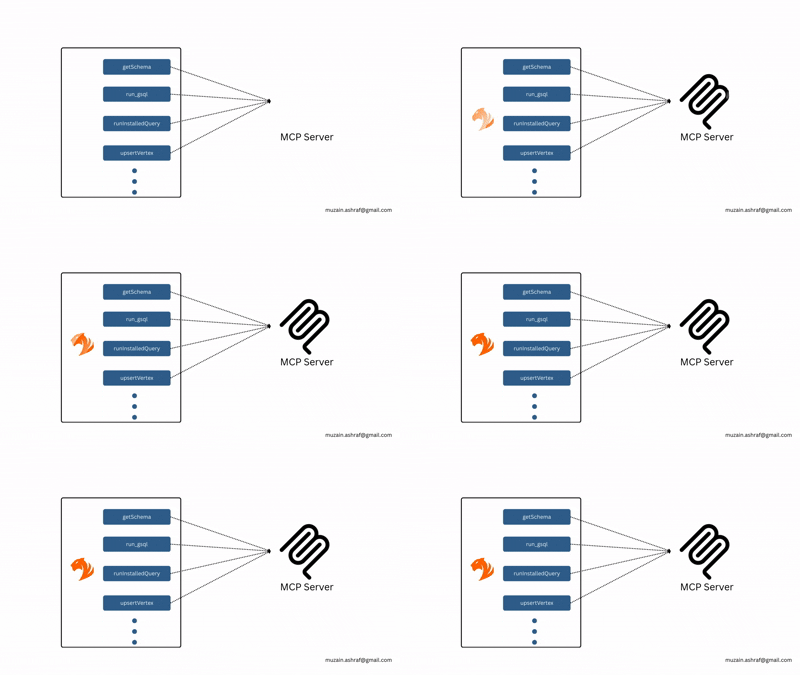
A lightweight Python interface that exposes TigerGraph operations (queries, schema, vertices, edges, UDFs) as structured tools and URI-based resources for MCP agents.
Table of Contents
- Features
- Project Structure
- Installation
- Configuration
- Connecting to Claude
- Examples
- Contributing
- License
Features
-
Schema Introspection
Retrieve full graph schema (vertex & edge types). -
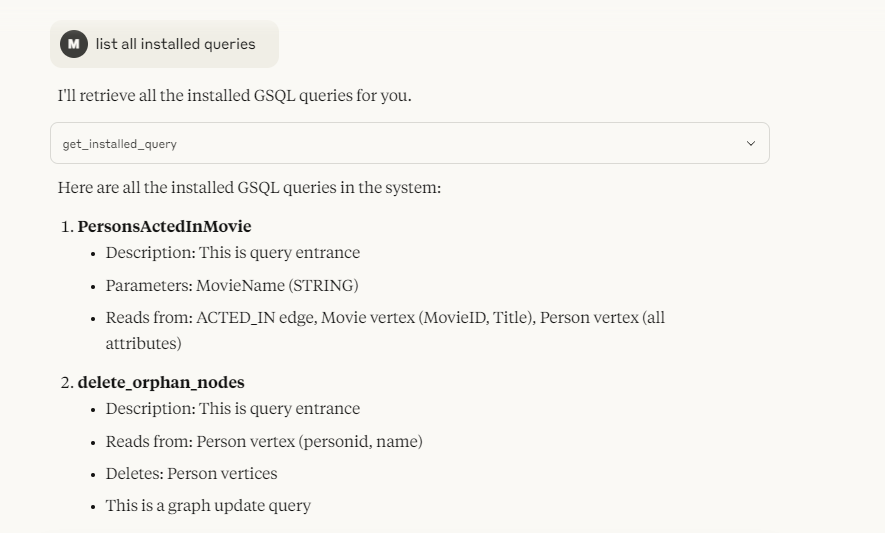
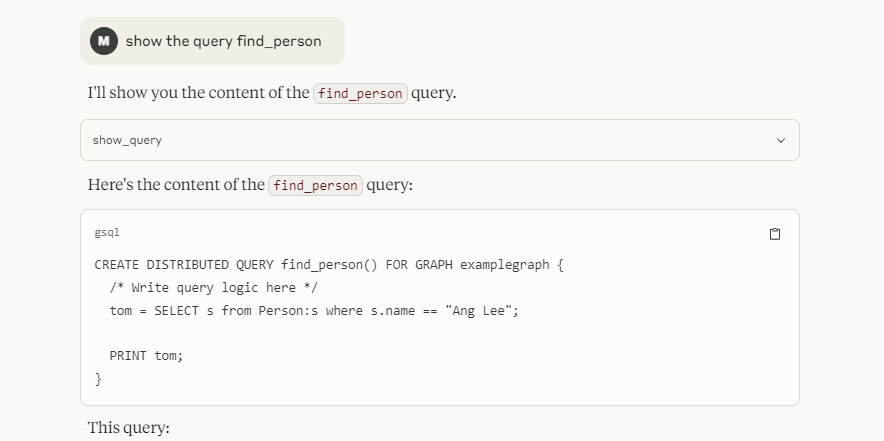
Query Execution
Run installed GSQL queries or raw GSQL strings with parameters. -
Vertex & Edge Upsert
Create or update vertices and edges programmatically. -
Resource URIs
Access graph objects throughtgraph://vertex/...andtgraph://query/...URIs. -
UDF & Algorithm Listing
Fetch installed user-defined functions and GDS algorithm catalogs.
Project Structure
TG_MCP/
├── config.py            # Environment config (HOST, GRAPH, SECRET)
├── tg_client.py         # Encapsulates TigerGraphConnection and core operations
├── tg_tools.py          # `@mcp.tool` definitions exposing client methods
├── tg_resources.py      # `@mcp.resource` URI handlers
├── main.py              # MCP app bootstrap (`mcp.run()`)
├── pyproject.toml       # Project metadata & dependencies
├── LICENSE              # MIT License
└── .gitignore           # OS/Python ignore rules
Installation
-
Clone the repo
git clone https://github.com/Muzain187/TG_MCP.git
cd TG_MCP
-
Create & activate a virtual environment
python3 -m venv venv
source venv/bin/activate
-
Install dependencies
pip install .
Requires
mcp[cli]>=1.6.0andpyTigerGraph>=1.8.6.
Configuration
Set the following environment variables before running:
export TG_HOST=https://<your-tigergraph-host>
export TG_GRAPH=<your-graph-name>
export TG_SECRET=<your-api-secret>
These are read by config.py.
Connecting to Claude
This MCP server can be installed into the Claude Desktop client so that Claude can invoke your TigerGraph tools directly:
uv run mcp install main.py
After running the above, restart Claude Desktop and you’ll see your MCP tools available via the hammer 🛠 icon.
Examples:
Contributing
- Fork the repository
- Create a feature branch
git checkout -b feature/YourFeature
- Commit your changes
git commit -m "Add YourFeature"
- Push to branch
git push origin feature/YourFeature
- Open a Pull Request
Please ensure all new code is covered by tests and follows PEP-8 style.
License
This project is licensed under the MIT License.
1 maintainer

Metadata
1 maintainer
Release files for iflow-mcp_tg-mcp 0.1.0
For a detailed explanation of source distributions (sdists) and built distributions (wheels), please see the package formats documentation.
Source distribution (sdist)
| File | Size | Uploaded | |
|---|---|---|---|
| iflow_mcp_tg_mcp-0.1.0.tar.gz | 5.0 kB | Details |
Built distribution (wheel)
| File | Interpreter | ABI | Platform | Reset |
|---|---|---|---|---|
| iflow_mcp_tg_mcp-0.1.0-py3-none-any.whl | Python 3 | none | any | Details |
Total release size: 11.2 kB
Release files / iflow_mcp_tg_mcp-0.1.0.tar.gz
| Download URL | iflow_mcp_tg_mcp-0.1.0.tar.gz |
|---|---|
| Size | 5.0 kB |
| Tags | Source |
|
SHA-256 checksum How to use checksums |
0c05b35668513ac051406da60e37aeee5b702d513d2ff2ee3be48a5efaed99ce
|
|
BLAKE2b-256 checksum How to use checksums |
1bb53a753cf80ee81c698405a3a540c6efed4a893c1b95285e85e377e1a6a285
|
| Upload date | |
|
Uploaded using Trusted Publishing? What is trusted publishing? |
No |
| Uploaded via |
uv/0.9.10 {"installer":{"name":"uv","version":"0.9.10"},"python":null,"implementation":{"name":null,"version":null},"distro":{"name":"macOS","version":null,"id":null,"libc":null},"system":{"name":null,"release":null},"cpu":null,"openssl_version":null,"setuptools_version":null,"rustc_version":null,"ci":null}
|
Release files / iflow_mcp_tg_mcp-0.1.0-py3-none-any.whl
| Download URL | iflow_mcp_tg_mcp-0.1.0-py3-none-any.whl |
|---|---|
| Size | 6.1 kB |
| Tags | Python 3 |
|
SHA-256 checksum How to use checksums |
3c9b29eca63198652d14e348fc954d0f468546adfe41d79209e7743d3434f5aa
|
|
BLAKE2b-256 checksum How to use checksums |
9808975035d789e93cad11a8f25ead08cc892c61c121482621333641e9626a17
|
| Upload date | |
|
Uploaded using Trusted Publishing? What is trusted publishing? |
No |
| Uploaded via |
uv/0.9.10 {"installer":{"name":"uv","version":"0.9.10"},"python":null,"implementation":{"name":null,"version":null},"distro":{"name":"macOS","version":null,"id":null,"libc":null},"system":{"name":null,"release":null},"cpu":null,"openssl_version":null,"setuptools_version":null,"rustc_version":null,"ci":null}
|













