
Iguape is a Graphical User Interface for X-ray diffraction in situ experiments at Paineira beamline (LNLS/CNPEM).

Project description


Iguape - Paineira Graphical User Interface
Description
Iguape is a graphical user interface designed to help users during in situ experiments at Paineira. Via Iguape the user can visualize the numerous XRD patterns generated throughout the experiments. The program allows for peak fitting at a selected angle interval.
Visuals
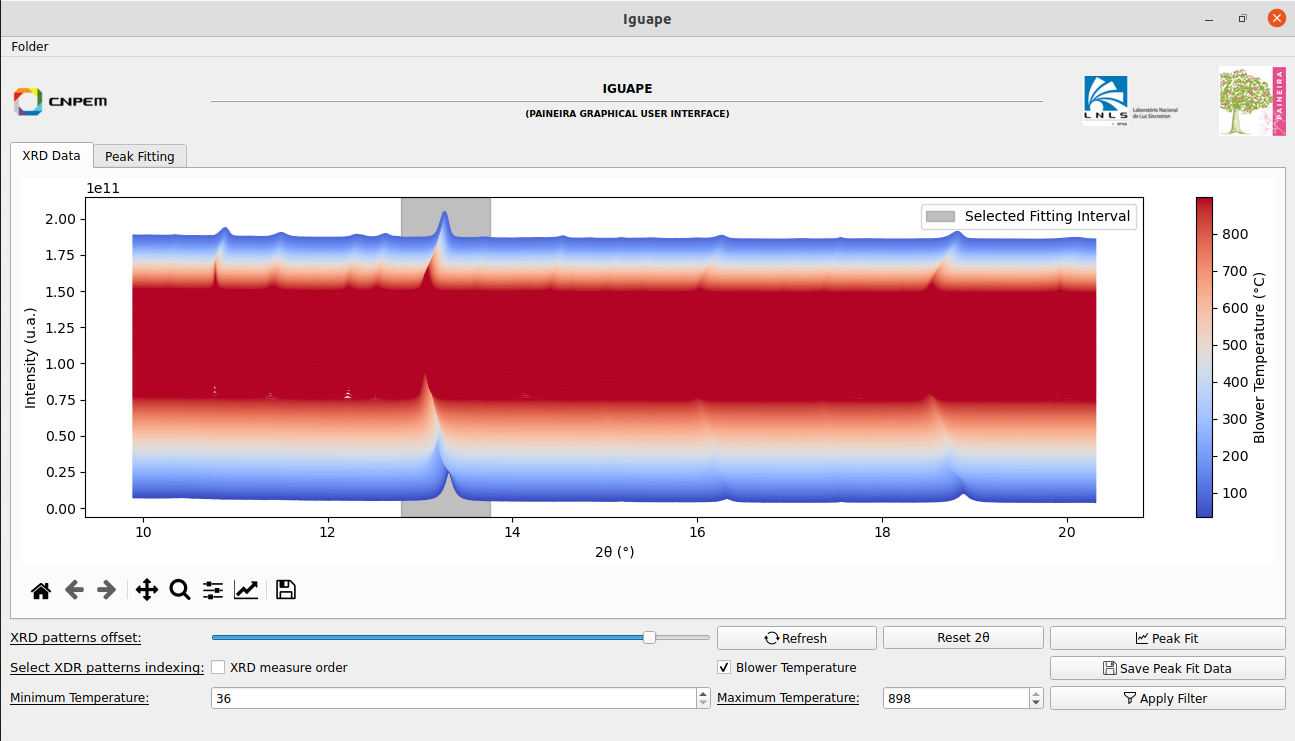
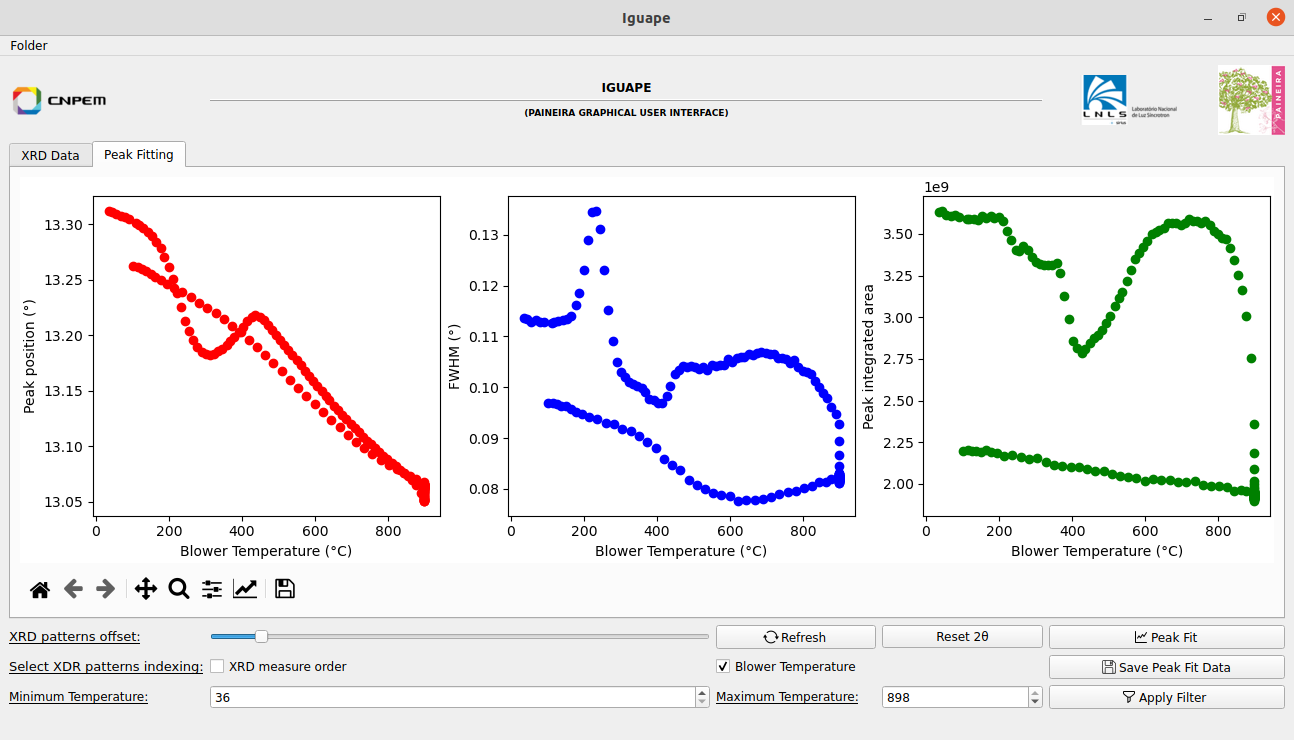
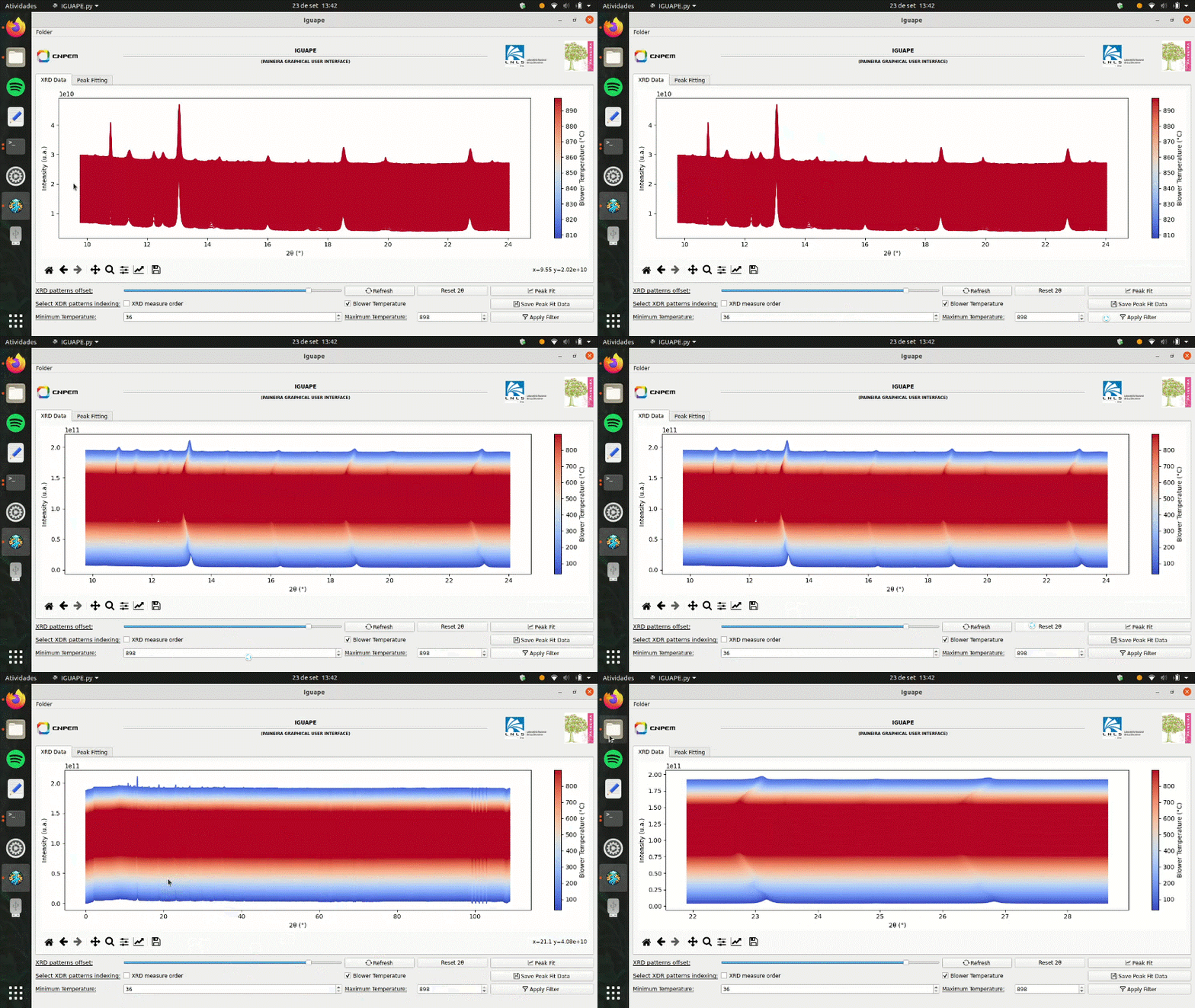
The GUI has two tabs and concentrate its features in a button panel at the bottom of the window. The XRD Data tab displays the diffraction patterns stacked by a user-defined offset. The Peak Fitting tab displays the data obtained through peak fitting of the XRD patterns on the selected 2theta interval.
Installation
When using Linux, you can download Iguape via pip, with the console command:
pip install iguape
iguape #this will open the software, once it's installed
For Windows, a instaler can be found in the following link: Windows Installer
Usage
Initialization
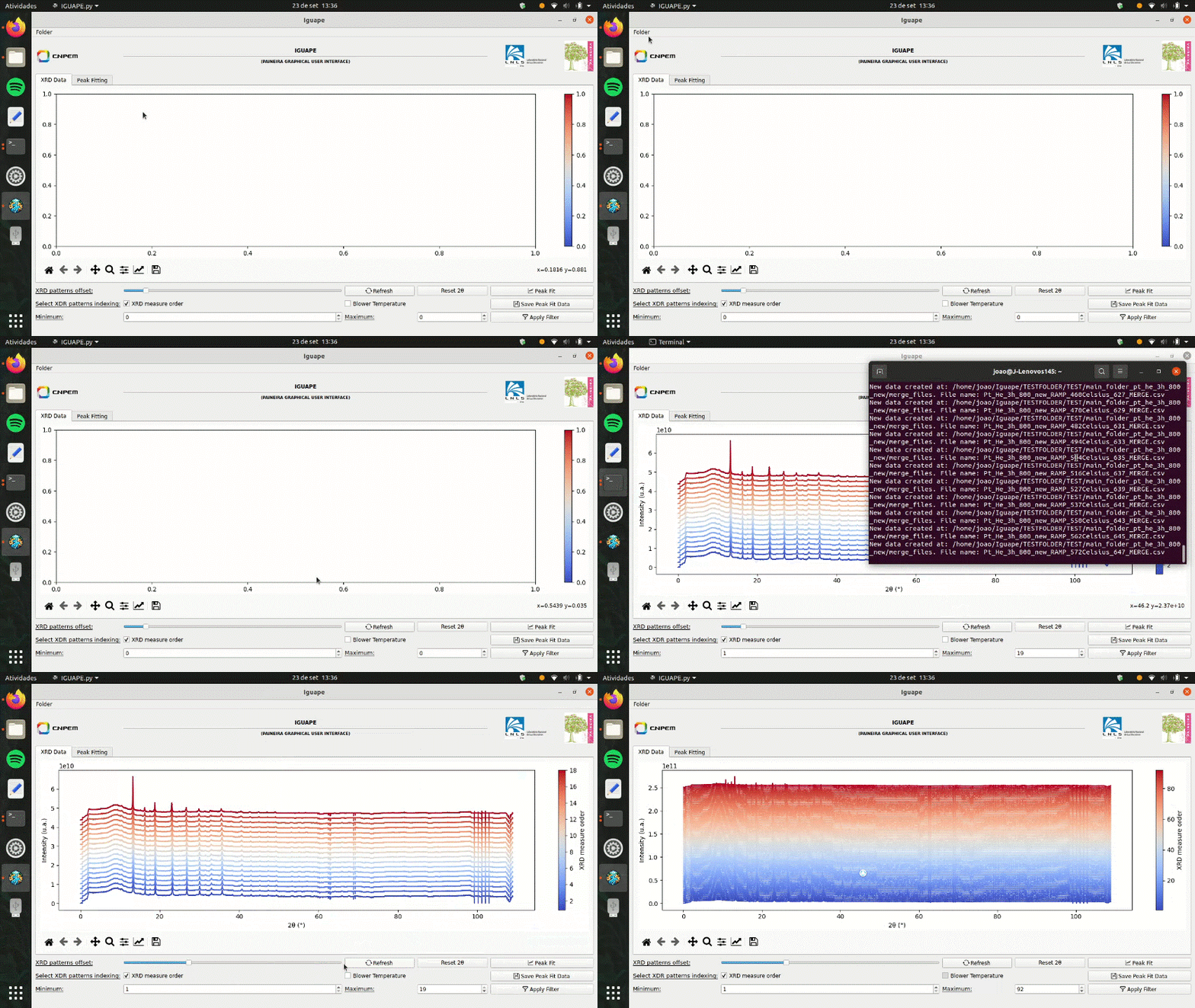
The first step, once Iguape is initialized, is to select a folder to monitor. This can be done by clicking in the Folder option at the upper right corner of the window. It's important that the selected folder contains the iguape_fileslist.txt file. It is though this text document, that Iguape can read the XRD data available at the Folder.
Custom Vizualization
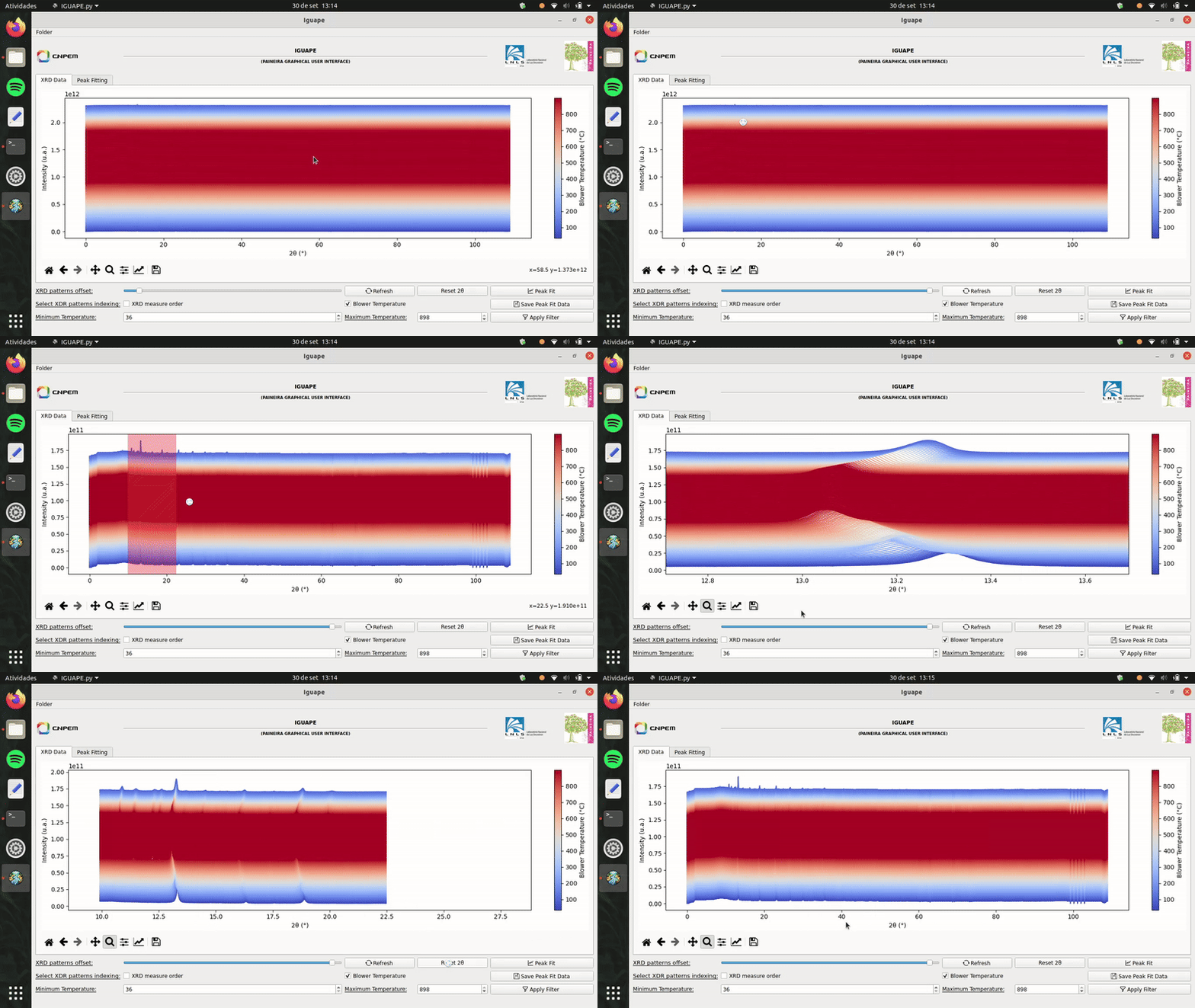
Iguape offers tools for custom visualization of the XRD patterns. These include: XRD patterns offset, 2theta and temperature/measure order masks, zoom, pan and figure saving.
Peak Fit
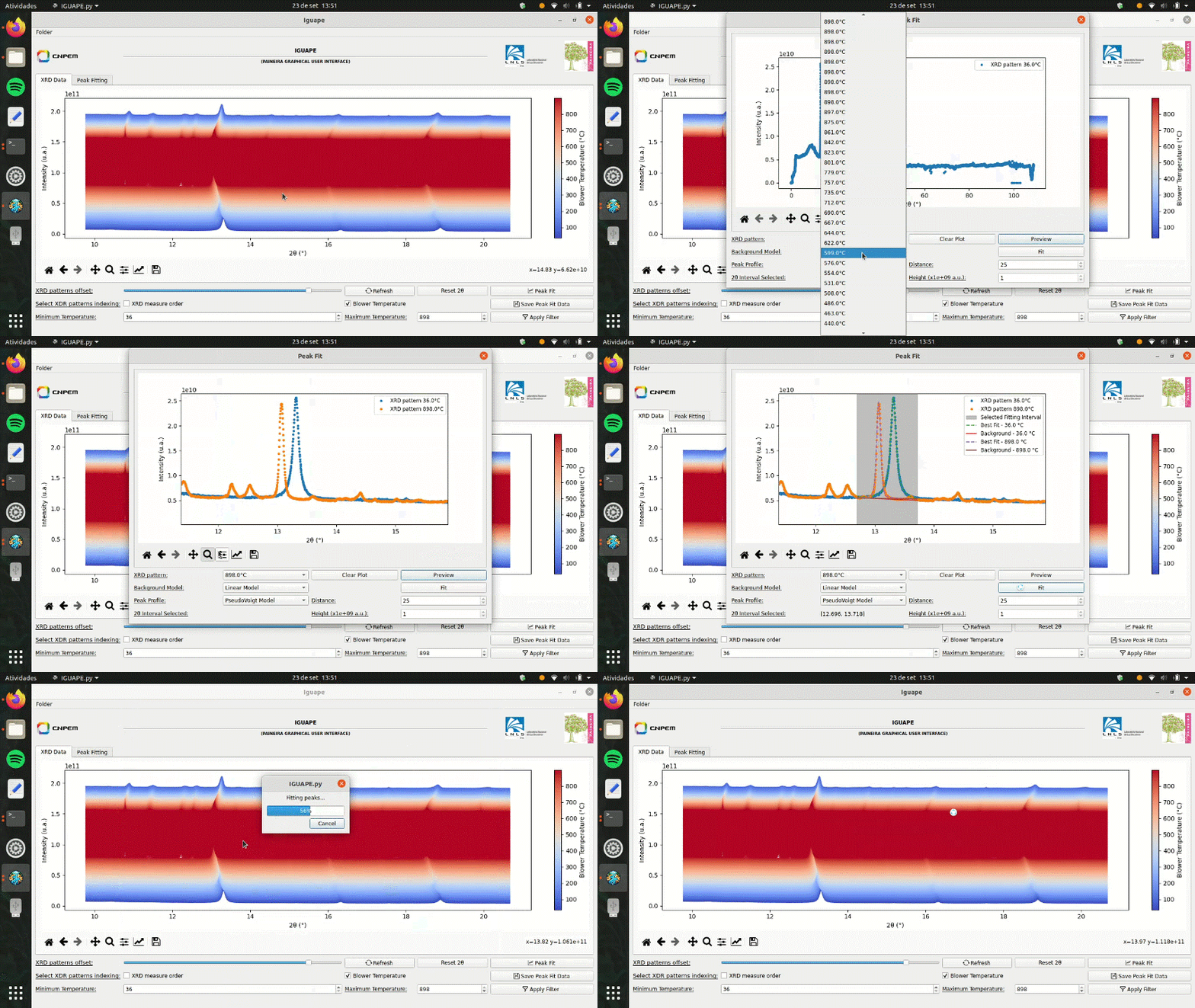
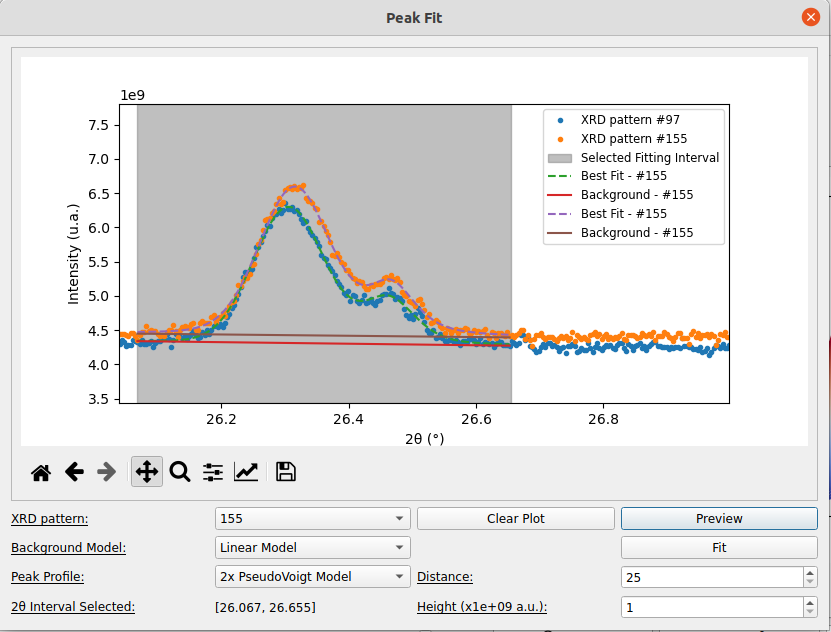
Peak fitting is available in Iguape, helping the analysis of sample evotution during in situ experiments. When the Peak Fit button is pressed, a new window will be opened. The user, then, can configure the fitting model and have a preview of the best fit achieved by Iguape.
Support
Any enquiries can be adressed to joao.neto@lnls.br. Please, fell free to suggest or correct anything.
Authors and acknowledgment
João Luis Biondo Neto; Junior Cintra Mauricio
License
This project is under the GNU-GPL 3.0. For more information, see LICENSE.txt
Citation
Biondo Neto, J. L., Cintra Mauricio, J. & Rodella, C. B. (2025). J. Appl. Cryst. 58, 1061-1067. DOI: https://doi.org/10.1107/S1600576725003309
    @article{BiondoNeto:yr5153,
        author = "Biondo Neto, Jo{\~{a}}o L. and Cintra Mauricio, Junior and Rodella, Cristiane B.",
        title = "{{\it IGUAPE}, a graphical user interface for {\it in situ/operando} X-ray diffraction experiments at the PAINEIRA beamline: development and application}",
        journal = "Journal of Applied Crystallography",
        year = "2025",
        volume = "58",
        number = "3",
        pages = "1061--1067",
        month = "Jun",
        doi = {10.1107/S1600576725003309},
        url = {https://doi.org/10.1107/S1600576725003309},
        abstract = {Synchrotron radiation X-ray diffraction facilities equipped with fast area detectors can generate X-ray diffraction (XRD) patterns in seconds. This capability is fundamental to revealing transient crystalline phases and the structural evolution of samples and devices for technology applications. However, it generates XRD patterns usually faster than the user can process during the experiment. Thus, an open-source and user-friendly software package named {\it IGUAPE} was developed for the PAINEIRA beamline (Sirius, Brazil). It allows visualization of the X-ray diffractograms as soon as the azimuthal integration of the Debye rings is processed and the XRD pattern is created. The software can also perform a single-peak qualitative analysis of the diffraction data. Upon selecting a diffraction peak in the XRD pattern, the peak position, integrated area and full width at half-maximum variation during the {\it in situ} or {\it operando} experiment are given.},
        keywords = {open-source software, <it>IGUAPE</it>, X-ray diffraction, XRD, PAINEIRA beamline, <it>in situ</it> experiments},
    }
Project status
Iguape is fully operational at Paineira. Working on distribution for Paineira users.
Release history Release notifications | RSS feed


Download files
Download the file for your platform. If you're not sure which to choose, learn more about installing packages.
Source Distribution
Built Distribution
Filter files by name, interpreter, ABI, and platform.
If you're not sure about the file name format, learn more about wheel file names.
Copy a direct link to the current filters
File details
Details for the file iguape-1.2.4.tar.gz.
File metadata
- Download URL: iguape-1.2.4.tar.gz
- Upload date:
- Size: 1.8 MB
- Tags: Source
- Uploaded using Trusted Publishing? No
- Uploaded via: twine/6.0.1 CPython/3.12.2
File hashes
| Algorithm | Hash digest | |
|---|---|---|
| SHA256 |
8c61d6addbe593c7826b941e57c940b52a21ab5103ac76cb05bafbdfa0f6d2a1
|
|
| MD5 |
045ec126102a690bb8e40b60b6f765a1
|
|
| BLAKE2b-256 |
214f43f755a6c634b05c745ccafd71064471b07be6a508b87ac68e9f39bfbaf7
|
File details
Details for the file iguape-1.2.4-py3-none-any.whl.
File metadata
- Download URL: iguape-1.2.4-py3-none-any.whl
- Upload date:
- Size: 1.8 MB
- Tags: Python 3
- Uploaded using Trusted Publishing? No
- Uploaded via: twine/6.0.1 CPython/3.12.2
File hashes
| Algorithm | Hash digest | |
|---|---|---|
| SHA256 |
ed838d9211844c5b0874b0da00a5dfff1aef1bd864d1309e6aec7e8164d651f4
|
|
| MD5 |
fd9cea7e679cc2826645574c1e610b88
|
|
| BLAKE2b-256 |
529d625a21b17953b9b9c2bb2949d18ef02c2803277f9077d3a6f3aa6c4b87dd
|






