
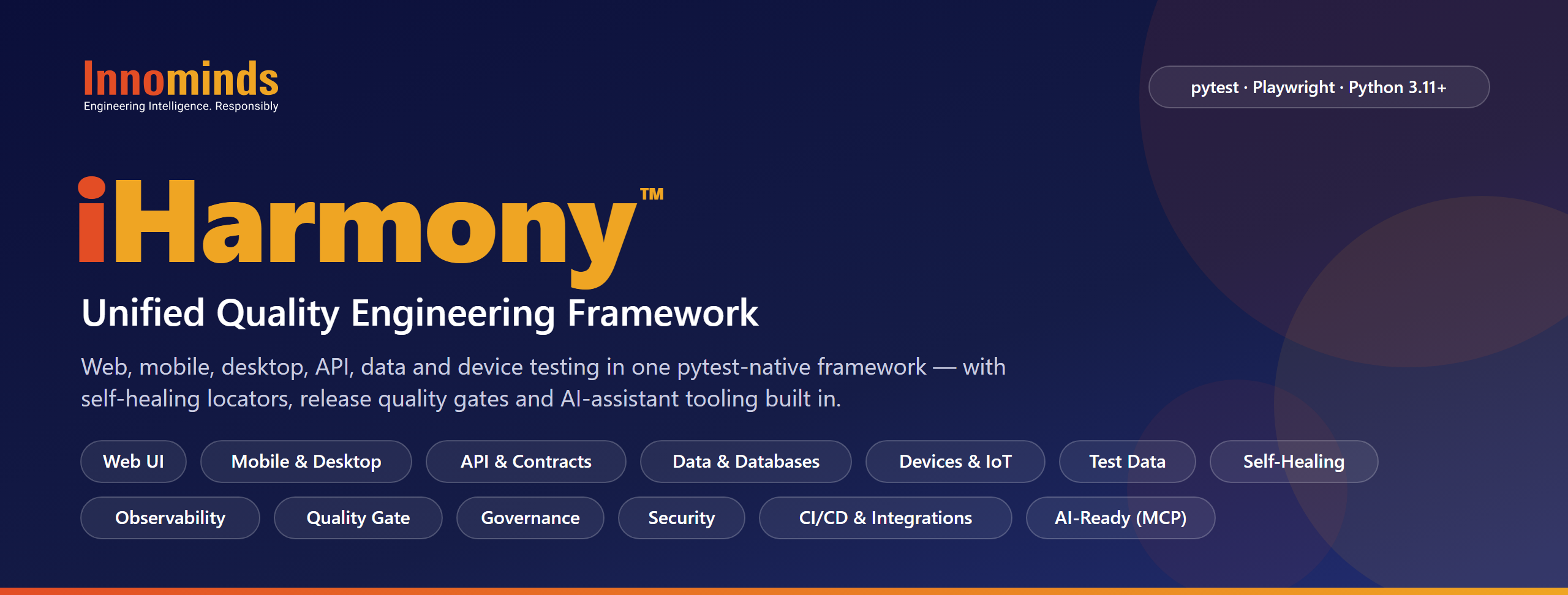






Test the web app, the API behind it, the data it writes, the devices it talks to and the mobile and desktop apps around it —
with one pytest-native framework, one configuration model and one set of reports.
Why iHarmony™
Quality teams usually stitch together a UI tool, an API tool, a data-diff script and a hardware harness, each with its own conventions and reports. iHarmony™ puts all of them on pytest + Playwright with a shared page-object model, YAML configuration, observability and a release quality gate — so a 5-person team and a 100-person programme work the same way.
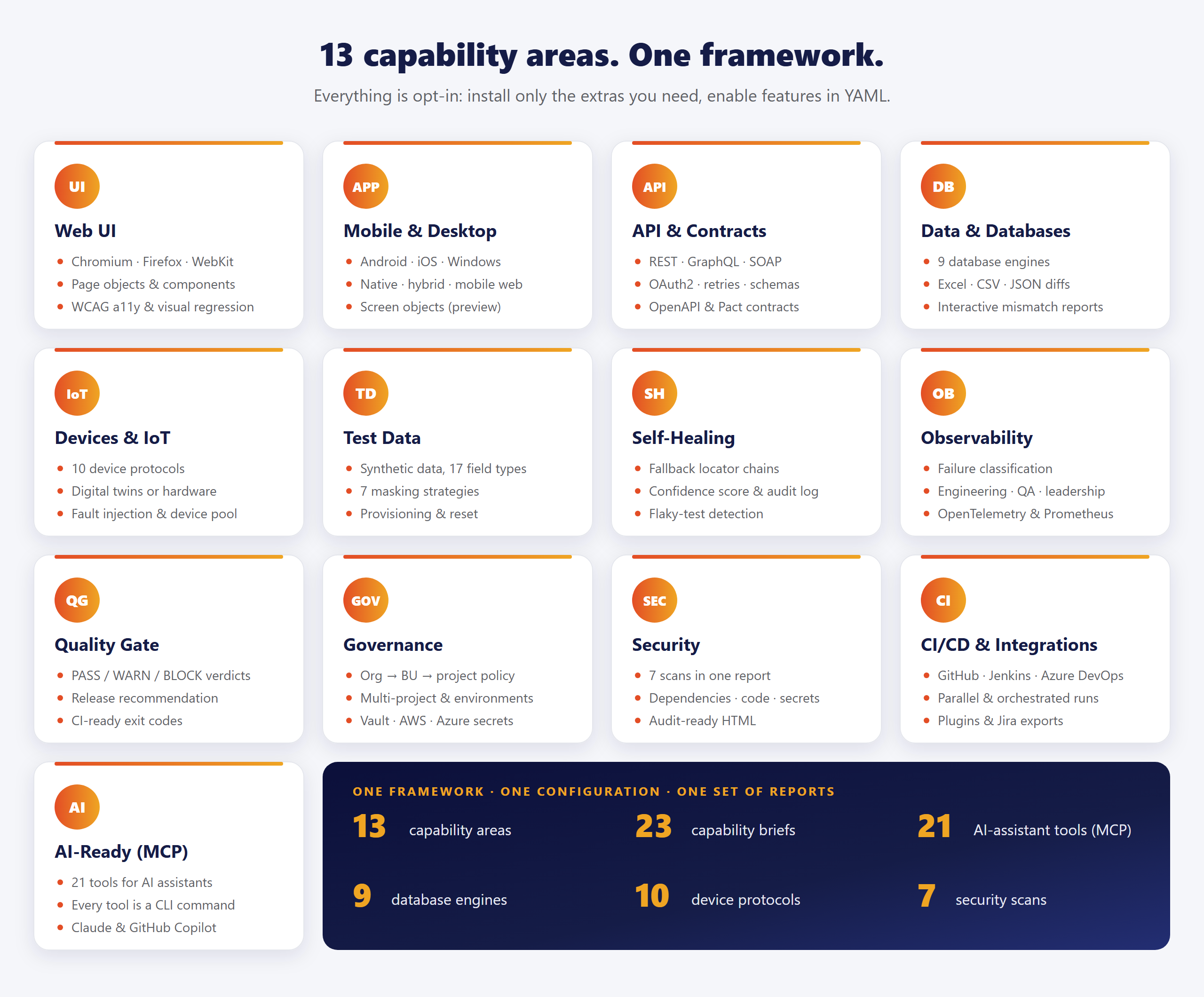
- One workflow — UI, API, database, file, device and mobile / desktop app tests are ordinary pytest tests.
- Enterprise by default — multi-project layouts, environment overlays, org → business-unit → project governance, secrets from environment variables or vaults, never from code.
- Resilient — self-healing locators, retries and flaky-test detection cut maintenance noise.
- Decision-ready — every run ends in reports for engineers, QA and leadership, plus an optional PASS / WARN / BLOCK verdict your pipeline can act on.
- Opt-in everything — install only the extras you need; features are off until enabled in YAML.
Install
pip install iharmony
playwright install chromium        # or: playwright install  (all browsers)
Requires Python 3.11+. Add extras for the capabilities you use:
| Extra | Adds |
|---|---|
iharmony[data-comparison] |
Excel / CSV / JSON comparison and HTML mismatch reports (pandas, openpyxl) |
iharmony[postgresql] · [mysql] · [sqlserver] · [oracle] · [db2] · [informix] · [snowflake] · [mongodb] |
Database drivers (SQLite needs none) — or [all-databases] |
iharmony[graphql-client] · [soap-client] · [contracts] · [pact] |
GraphQL, SOAP, OpenAPI / JSON-Schema and consumer-driven contract testing |
iharmony[accessibility] |
WCAG checks with axe-core |
iharmony[apps] · [apps-android] |
Mobile (Android, iOS) and desktop (Windows) app testing through Appium — preview |
iharmony[devices] |
Every device transport and the simulator (or pick devices-serial, devices-mqtt, devices-can, devices-ble, devices-adb, …) |
iharmony[mcp] |
MCP server for AI assistants |
iharmony[allure-reporting] · [html-reporting] · [dashboard] · [telemetry] · [prometheus] |
Reporting, live dashboard and OpenTelemetry / Prometheus export |
iharmony[vault] · [aws] · [azure] |
HashiCorp Vault, AWS Secrets Manager, Azure Key Vault |
iharmony[all] |
API clients, data comparison, all databases and reporting in one go |
Quick start
iharmony init my-qe-suite       # scaffold a suite with runnable demos
cd my-qe-suite

export IHARMONY_TEST_USERNAME=standard_user    # demo login for saucedemo.com
export IHARMONY_TEST_PASSWORD=secret_sauce

pytest tests/demo/functional/api tests/demo/functional/ui
On Windows PowerShell, set the credentials with:
$env:IHARMONY_TEST_USERNAME = "standard_user"
$env:IHARMONY_TEST_PASSWORD = "secret_sauce"
The scaffold contains configuration, page objects and demo UI, API and database tests.
The data-comparison demos also need pip install "iharmony[data-comparison]".

What tests look like
Web UI — locators live in page objects; tests read like the business flow.
import pytest
from iharmony import BasePage


class LoginPage(BasePage):
    USERNAME = "#user-name"
    PASSWORD = "#password"
    SUBMIT = "#login-button"

    def login(self, user: str, password: str) -> None:
        self.fill(self.USERNAME, user)
        self.fill(self.PASSWORD, password)
        self.click(self.SUBMIT)


@pytest.mark.smoke
def test_login(page, runtime_options, login_test_data):
    login = LoginPage(page, runtime_options["resilience_policy"])
    login.navigate(runtime_options["base_url"])
    user = login_test_data["valid_user"]          # values resolved from ${ENV_VAR} placeholders
    login.login(user["username"], user["password"])
API — an HTTP client with retries, auth and chainable assertions.
from iharmony import ApiClient, ResponseValidator


def test_create_order(base_url):
    api = ApiClient(base_url=base_url, retries=3)
    response = api.post("/orders", json_body={"sku": "A-100", "qty": 2})
    ResponseValidator.assert_status_code(response, 201)
    ResponseValidator.assert_json_has_keys(response, ["id", "status"])
    ResponseValidator.assert_response_time_less_than(response, 800)
Data — compare extracts, files and tables with keys, tolerances and column mappings.
from utils.data_comparison_utils import compare_excel_files


def test_migration_matches_legacy():
    result = compare_excel_files(
        "legacy_extract.xlsx", "new_platform_extract.xlsx",
        key_columns=["employee_id"], float_tolerance=0.01, ignore_fields={"updated_at"},
    )
    assert result.passed, result.summary    # interactive HTML report at result.report_path
Devices — the same test runs against a digital twin or real hardware.
import pytest


@pytest.mark.device
@pytest.mark.requires_dut(capability="thermostat")
def test_heats_up(dut):
    dut.set_target(22)
    dut.wait_until_temperature(22, timeout=900)
pytest -m device                                   # simulated twin
pytest -m device --iharmony-dut-mode hil        # real hardware, same test
Mobile & desktop apps (preview) — Android native, hybrid and mobile web, plus Windows desktop apps, through Appium. Screen objects hold per-platform locators with self-healing fallbacks.
import pytest
from iharmony.apps import BaseScreen, Locator


class LoginScreen(BaseScreen):
    USERNAME = Locator(android="id=com.example.shop:id/username", ios="accessibility_id=username")
    PASSWORD = Locator("accessibility_id=password")
    SIGN_IN = Locator("accessibility_id=sign_in", fallbacks=["xpath=//*[@text='Sign in']"])

    def login(self, user: str, password: str) -> None:
        self.type(self.USERNAME, user)
        self.type(self.PASSWORD, password, secret=True)   # kept out of the logs
        self.tap(self.SIGN_IN)


@pytest.mark.mobile
@pytest.mark.app("shop")
def test_login(app_session, runtime_options):
    LoginScreen(app_session, runtime_options["resilience_policy"]).login("demo", "s3cret")
Apps and targets (emulators, devices, desktops, cloud hubs) live in config/apps.yaml, off until
apps.enabled: true. Failing tests keep a screenshot, the page source and the capabilities used
(iharmony docs app-automation).
Run it your way
| Goal | Command |
|---|---|
| Pick environment and browser | pytest --ih-env qa --ih-browser firefox (or set IHARMONY_ENV=qa) |
| Watch the browser | pytest --ih-headed |
| Emulate a phone | pytest --ih-device "iPhone 13" |
| Run app tests on a target | pytest -m mobile --ih-app api-demos --ih-target android-emulator |
| Run in parallel | pytest -n auto |
| Run a suite by marker | pytest -m smoke · pytest -m regression |
| Check the environment first | pytest --iharmony-readiness-check |
| Gate the release | pytest --iharmony-quality-gate — exits 1 on BLOCK |
| Enforce suite ordering | pytest --iharmony-orchestration |
| Update visual baselines | pytest --iharmony-update-snapshots |
Every --iharmony-<name> option has the short alias --ih-<name>.
CI templates for GitHub Actions, Jenkins and Azure DevOps are included
(iharmony docs ci).
AI-ready: MCP server
iHarmony ships a Model Context Protocol server so AI assistants such as Claude and GitHub Copilot can discover the framework API, list tests and page objects, read resolved configuration and test results, and get a release recommendation. Every tool is also a terminal command.
pip install "iharmony[mcp]"
iharmony-mcp serve                         # MCP server (stdio)
iharmony-mcp search-methods tolerance      # the same tools from the terminal
iharmony-mcp get-release-recommendation
Documentation
Guides are installed with the package — no network or repository access needed:
iharmony docs                  # list every topic
iharmony docs quickstart       # print one
| Topic | Covers |
|---|---|
quickstart · install · cli |
First test in 10 minutes, installation, every command and --iharmony-* option |
multi-project · test-organization · qe-visual-guide |
Suite layout at scale and the page-object model |
api-testing · database · data-validation |
REST / GraphQL / SOAP, database drivers and assertions, data comparison |
app-automation |
Mobile and desktop app testing with Appium (preview) |
architecture · resilience · observability |
How the layers fit, self-healing locators, metrics and persona reports |
secrets-governance · plugins · ci · mcp |
Secrets and org policy, plugin authoring, pipelines, the MCP server |
Support
iHarmony is developed and supported by Innominds. For onboarding, enterprise support or custom integrations, contact iHarmony@innominds.com or visit innominds.com.

iHarmony™ is a trademark of Innominds. © Innominds. Released under the MIT License.
1 maintainer

Metadata
1 maintainer
Release files for iharmony 6.0.3
For a detailed explanation of source distributions (sdists) and built distributions (wheels), please see the package formats documentation.
Source distribution (sdist)
| File | Size | Uploaded | Provenance | |
|---|---|---|---|---|
| iharmony-6.0.3.tar.gz | 1.0 MB | With provenance | Details |
Built distribution (wheel)
| File | Interpreter | ABI | Platform | Reset |
|---|---|---|---|---|
| iharmony-6.0.3-py3-none-any.whl | Python 3 | none | any | Details |
Total release size: 1.8 MB
Release files / iharmony-6.0.3.tar.gz
| Download URL | iharmony-6.0.3.tar.gz |
|---|---|
| Size | 1.0 MB |
| Tags | Source |
|
SHA-256 checksum How to use checksums |
b222b7503910abd657248f99bd47d94b268782038a9cf5aee1a21832cd551658
|
|
BLAKE2b-256 checksum How to use checksums |
9ff6392a732ce5c0dcd2cf8f262a8fe8a8de2024f059dfa07faa4434f0d9d2a6
|
| Upload date | |
|
Uploaded using Trusted Publishing? What is trusted publishing? |
Yes |
| Uploaded via |
twine/7.0.0 CPython/3.13.16
|
Provenance
Provenance describes where a file came from. On PyPI, provenance is shared via attestations, which provide a verifiable record of the build or publishing details. View details, limitations and caveats.


PyPI Publish Attestation
PyPI verified that this artifact, at this checksum, originated from the publisher listed below.
Signed by GitHub Actions, verified by PyPI on Oct 22, 2026.
Transparency logRelease files / iharmony-6.0.3-py3-none-any.whl
| Download URL | iharmony-6.0.3-py3-none-any.whl |
|---|---|
| Size | 750.1 kB |
| Tags | Python 3 |
|
SHA-256 checksum How to use checksums |
03b75006b10713eecaa4c601cd5b7f6ffc93b2c8fad04b7ba5828961335d6d0f
|
|
BLAKE2b-256 checksum How to use checksums |
b95f22b9eaf2f7da2566eb91bf5c735c1987c6fccc4c8ba0d1ee071cc0b4e39a
|
| Upload date | |
|
Uploaded using Trusted Publishing? What is trusted publishing? |
Yes |
| Uploaded via |
twine/7.0.0 CPython/3.13.16
|
Provenance
Provenance describes where a file came from. On PyPI, provenance is shared via attestations, which provide a verifiable record of the build or publishing details. View details, limitations and caveats.
PyPI Publish Attestation
PyPI verified that this artifact, at this checksum, originated from the publisher listed below.
Signed by GitHub Actions, verified by PyPI on Oct 22, 2026.
Transparency logSecurity for iharmony 6.0.3
Provenance
Provenance describes where a file came from. On PyPI, provenance is shared via attestations, which provide a verifiable record of the build or publishing details. View details, limitations and caveats.
Full provenance
All 2 files in this release have been uploaded with provenance metadata.
Attestation for iharmony-6.0.3.tar.gz
PyPI Publish Attestation
PyPI verified that this artifact, at this checksum, originated from the publisher listed below.
Signed by GitHub Actions, verified by PyPI on Oct 22, 2026.
Transparency logA note on package security
PyPI is a repository for distributing packages, not a service for auditing them. While third-party security researchers and our staff do their best to detect and remove malicious packages, PyPI cannot guarantee the quality, security or suitability of any given package.














