
ILTpy 1.1.0






Introduction
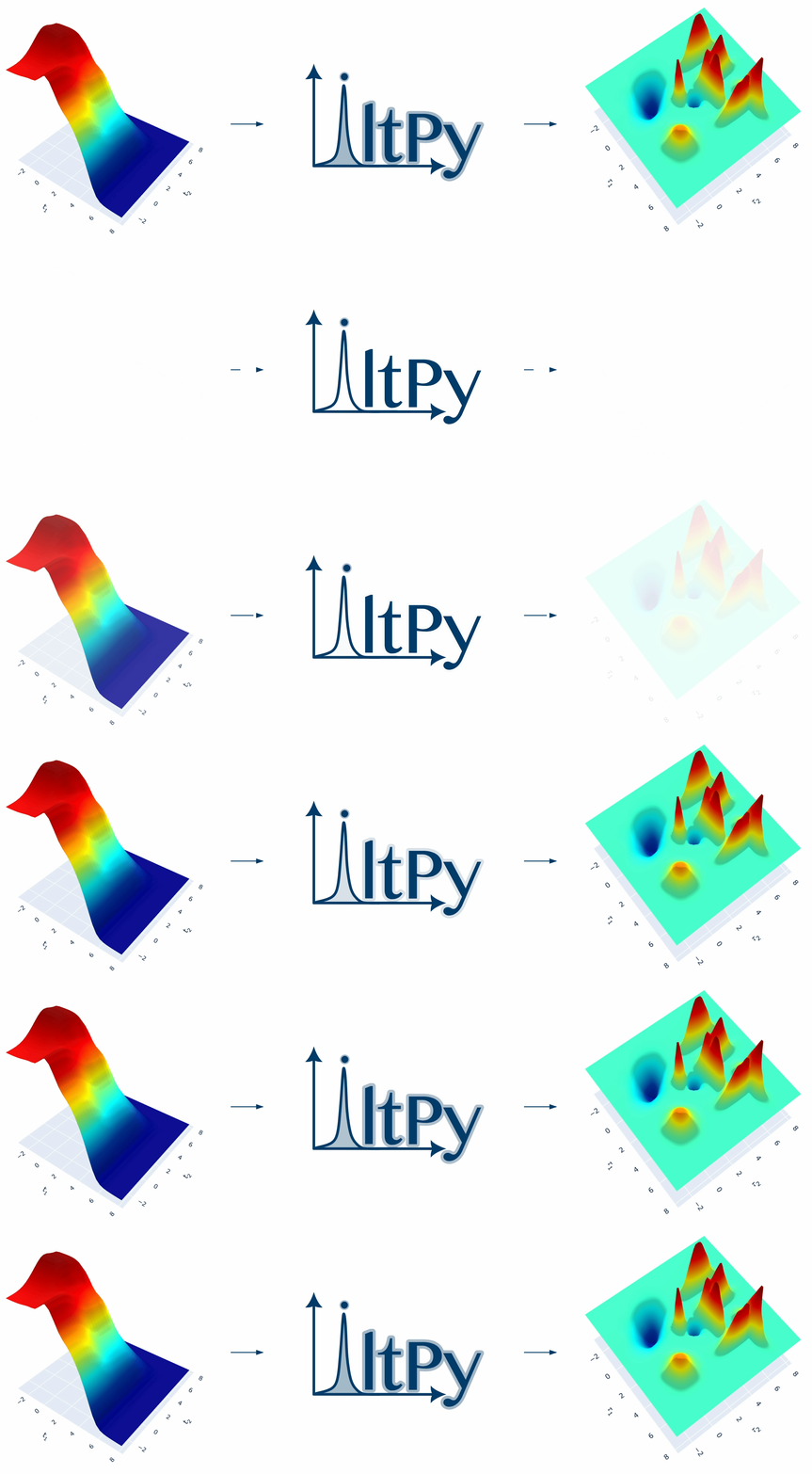
ILTpy (/ɪltˈpaɪ/) is a python library for performing regularized inversion of one-dimensional or multi-dimensional data without non-negativity constraint. Contributions to respective distributions with both positive and negative sign are determined. Primary applications include magnetic resonance (NMR, EPR), and electrochemical impedance spectroscopy (distribution of relaxation times; DRT). Algorithmic details and parametrization are described in : J. Granwehr, P.J. Roberts, J. Chem. Theory Comput. 8, 34733482 (2012)
Documentation
Visit ILTpy's documentation for detailed installation instructions and usage.
Demo
Try ILTpy in your web browser or jump to quick start.
Installation
Prerequisites
- To install and use ILTpy, Python must be installed on your device and be available on system PATH.
- ILTpy is compatible with Python 3.9, 3.10, 3.11, 3.12, 3.13 and 3.14.
- ILTpy can be installed using python's package manager, pip.
Installing from PyPi
- Run the following command in a terminal:
python -m pip install ilt-py-lib
Installing from FZJ's app server
- Run the following command in a terminal:
python -m pip install --index-url https://apps.fz-juelich.de/iltpy/packages --extra-index-url https://pypi.org/simple ilt-py-lib
Installing from source
- Clone this repository.
- Navigate to the local directory where ILTpy was downloaded/extracted. The ILTpy directory should contain a
setup.pyfile along with other folders. - While inside the ILTpy directory, run the following command in a terminal (or command prompt) :
python -m pip install .
More information on using ILTpy can be found here.
⚡ Quick-start
A workflow using ILTpy and synthetic exponential decay data wth noise is shown below. First, we generate some synthetic data for analysis :
Click to show
# --- Simulate synthetic data ---

import numpy as np

def kww(t, taus, betas, amps):

    """Kohlrausch–Williams–Watts function"""

    return sum(a * np.exp(-(t / tau) ** b) for tau, b, a in zip(taus, betas, amps))

# Time vector (input sampling points)
t_syn = np.linspace(0, 1024,1024)

# Simulate data with two components at 10 and 100 with different amplitudes
data_syn = kww(t_syn, taus=[10,100], betas=[1, 1], amps=[1, 0.5])

# Add noise to the simulated data
noise_level = 0.01
data_syn = data_syn + np.random.randn(t_syn.size)*noise_level

# scale data so that noise variance is 1 before analysis using ILTpy
data_syn = data_syn/noise_level
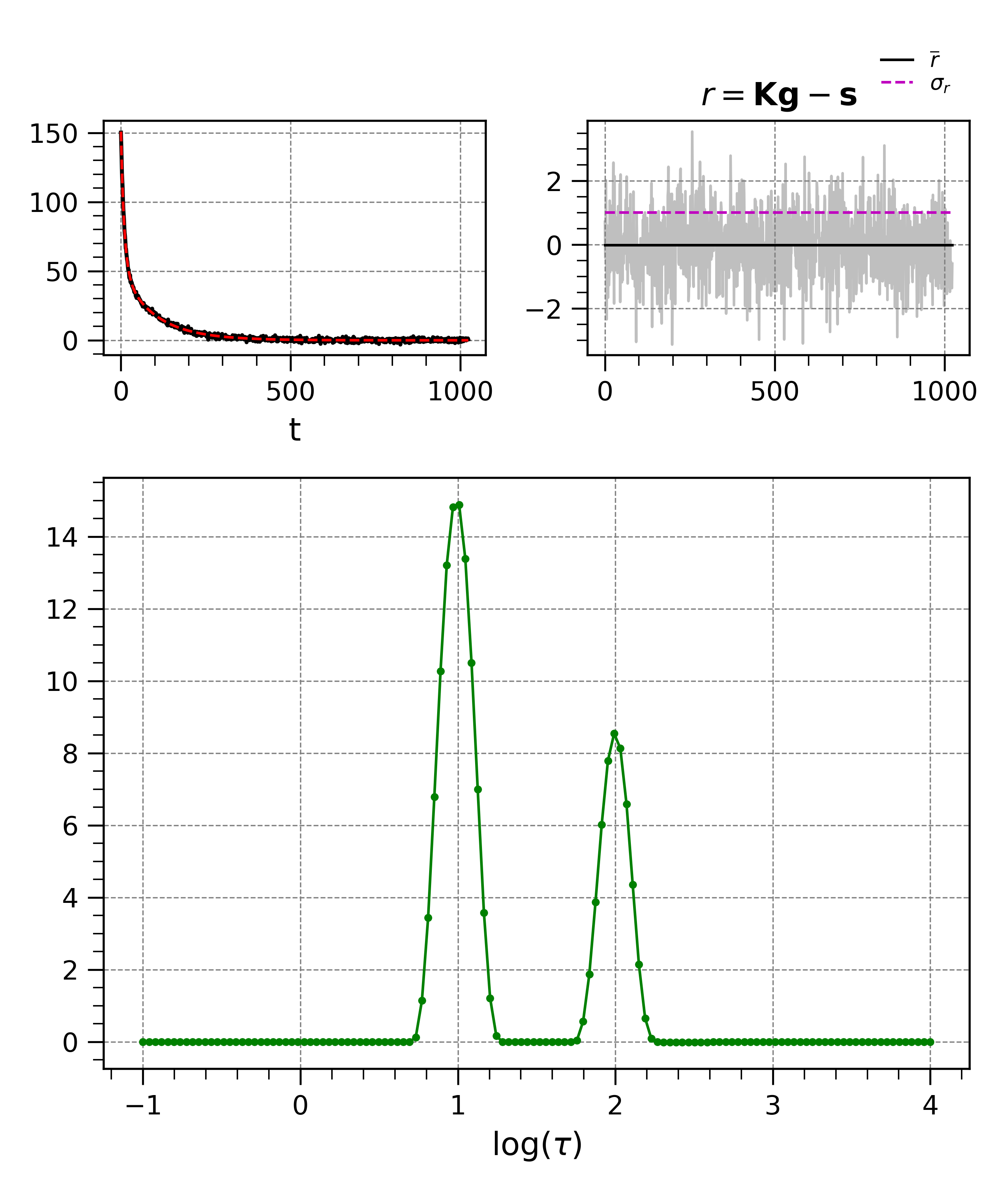
The synthetic data consists of two components with time constants 10 and 100, which is reproduced in the distribution after inversion. The residuals obtained after inversion are random and devoid of systematic features, indicating a good fit to the data and a compatible kernel.
ILTpy Workflow
# --- ILTpy workflow ---
# assuming data_syn and t_syn are numpy arrays with the data and the sampling vector.

# Import ILTpy
import iltpy as ilt

# Load the data into iltpy using iltload
synILT = ilt.iltload(data=data_syn, t=t_syn)

# Specify parameters and  initialize inversion
tau = np.logspace(-1, 4, 100) # output sampling points
synILT.init(tau=tau, kernel=ilt.Exponential())

# Perform inversion
synILT.invert()
Starting iterations ...
100%|██████████| 100/100 [00:00<00:00, 423.44it/s]
Done.
## Reporting

# Save the results
synILT.report(filepath='syn_data_ILT.txt')

# Plot the results
from iltpy.output.plotting import iltplot
iltplot(synILT)
Forum
Got more questions abouts ILTpy? Visit the ILTpy forum.
Team
- Dr. Davis Thomas Daniel (Lead developer)
- Christian Bartsch
- Franz Philipp Bereck
- Dr. Simone Köcher
- Dr. Christoph Scheurer
- Prof. Dr. Josef Granwehr (Project lead)
License
Copyright (c) 2025 Davis Thomas Daniel, Josef Granwehr and other contributors.
ILTpy is licensed under the GNU Lesser General Public License v3.0. See the LICENSE file for details.
Citation
If you use ILTpy in your work, please cite it (using the appropriate version):
@software{iltpy,
  author       = {Davis Thomas Daniel and Christian Bartsch and Franz Philipp Bereck and Simone Köcher and Christoph Scheurer and Josef Granwehr},
  title        = {ILTpy},
  year         = {2025},
  version      = {1.1.0},
  url          = {https://apps.fz-juelich.de/iltpy/},
  doi          = {10.1021/ct3001393}
}
2 maintainers


Metadata
2 maintainers
Release files for ilt-py-lib 1.1.0
For a detailed explanation of source distributions (sdists) and built distributions (wheels), please see the package formats documentation.
Source distribution (sdist)
| File | Size | Uploaded | |
|---|---|---|---|
| ilt_py_lib-1.1.0.tar.gz | 78.5 kB | Details |
Built distribution (wheel)
| File | Interpreter | ABI | Platform | Reset |
|---|---|---|---|---|
| ilt_py_lib-1.1.0-py3-none-any.whl | Python 3 | none | any | Details |
Total release size: 139.3 kB
Release files / ilt_py_lib-1.1.0.tar.gz
| Download URL | ilt_py_lib-1.1.0.tar.gz |
|---|---|
| Size | 78.5 kB |
| Tags | Source |
|
SHA-256 checksum How to use checksums |
7582f26c4352da62b3422bdab1bb8ce1f7339c471ca2cebccb130b2530534686
|
|
BLAKE2b-256 checksum How to use checksums |
7d7ac9d2fdb9d5d6aae26b00b5dc9df16d58f1ef872ca64650e08a2862d113e4
|
| Upload date | |
|
Uploaded using Trusted Publishing? What is trusted publishing? |
No |
| Uploaded via |
uv/0.10.2 {"installer":{"name":"uv","version":"0.10.2","subcommand":["publish"]},"python":null,"implementation":{"name":null,"version":null},"distro":{"name":"macOS","version":null,"id":null,"libc":null},"system":{"name":null,"release":null},"cpu":null,"openssl_version":null,"setuptools_version":null,"rustc_version":null,"ci":null}
|
Release files / ilt_py_lib-1.1.0-py3-none-any.whl
| Download URL | ilt_py_lib-1.1.0-py3-none-any.whl |
|---|---|
| Size | 60.8 kB |
| Tags | Python 3 |
|
SHA-256 checksum How to use checksums |
4579b613370ebd6739dd80af948e8314e70d0e7d2cf92156666dd6a8329af3e0
|
|
BLAKE2b-256 checksum How to use checksums |
c2c4560ca1b07e5ee6aba3b1eef14c1c99fcfdae2d9db304637e48eb119c4e52
|
| Upload date | |
|
Uploaded using Trusted Publishing? What is trusted publishing? |
No |
| Uploaded via |
uv/0.10.2 {"installer":{"name":"uv","version":"0.10.2","subcommand":["publish"]},"python":null,"implementation":{"name":null,"version":null},"distro":{"name":"macOS","version":null,"id":null,"libc":null},"system":{"name":null,"release":null},"cpu":null,"openssl_version":null,"setuptools_version":null,"rustc_version":null,"ci":null}
|














