
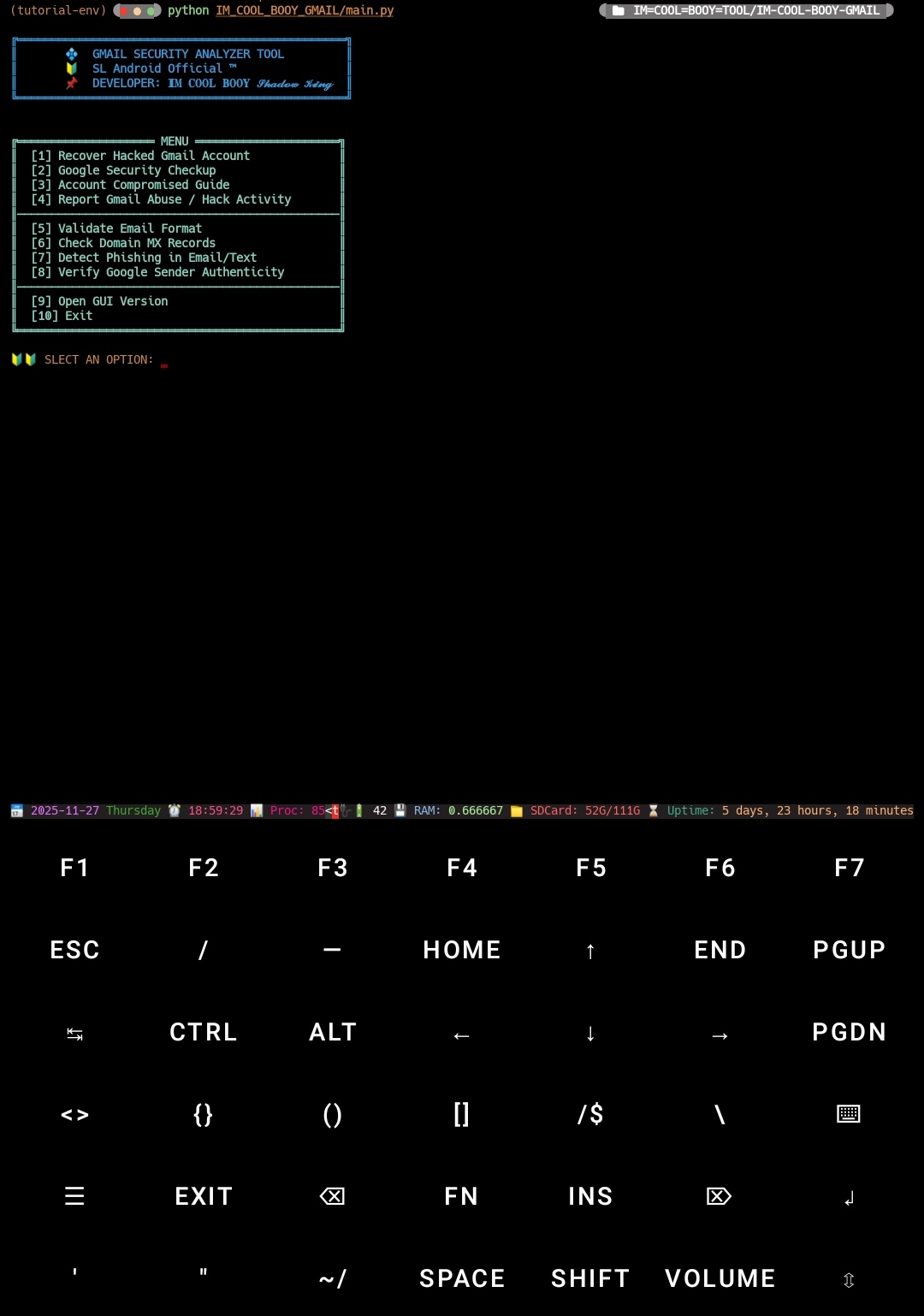
♻️ GMAIL SECURITY ANALYZER TOOL
🔰 SL Android Official ™ 🇱🇰
👨💻 Developer: 𝐈𝐌 𝐂𝐎𝐎𝐋 𝐁𝐎𝐎𝐘 𝓢𝓱𝓪𝓭𝓸𝔀 𝓚𝓲𝓷𝓰
🔥 Gmail Security Reporter — FULL TOOL CLI
A safe and powerful Gmail security assistant built for Android Termux & PC. This tool does not perform hacking — it only helps users protect their Gmail accounts safely and recover hacked accounts using official Google methods.
Python CLI mode Termux, Windows, Linux, Android support.


🎉 Tool Features
Feature Status
• Gmail hacked recovery ✅
• Google security checkup ✅
• Account compromised guide ✅
• Report abuse / hacked activity ✅
• CLI interface ✅
• Username & Public Social Scan ✅
🎉 All Functions Now Included in One Tool.
✔️ Hacked Gmail recovery
✔️ Google security check
✔️ Fake Google email detector
✔️ Scam/phishing analyzer
✔️ Email format validator
✔️ Domain MX checker
✔️ Username & Public Social Scan
⚡ Gmail Security & Recovery Toolkit — Option Descriptions
🔐 [1] Recover Hacked Gmail Account
Quickly guide users through Google’s official account‑recovery system.
This option explains:
✔ Identity verification
✔ Last valid password check
✔ Trusted device confirmation
✔ Recovery email/phone verification
✔ Securing device access
Perfect for users who suspect their account has been hijacked.
🛡 [2] Google Security Checkup
Launches Google’s full security audit panel to review:
Login attempts from unknown locations
Signed‑in devices
Third‑party apps with sensitive permissions
Recovery methods (email/phone)
This option ensures the account is fully locked down and protected.
🚨 [3] Account Compromised Guide
A complete walkthrough explaining how to identify a compromised Gmail account. Includes:
Warning signs of hacking
Suspicious activity detection
Immediate actions to take
Long‑term security recommendations
🎭 [4] Username Generator & Public Social Scan
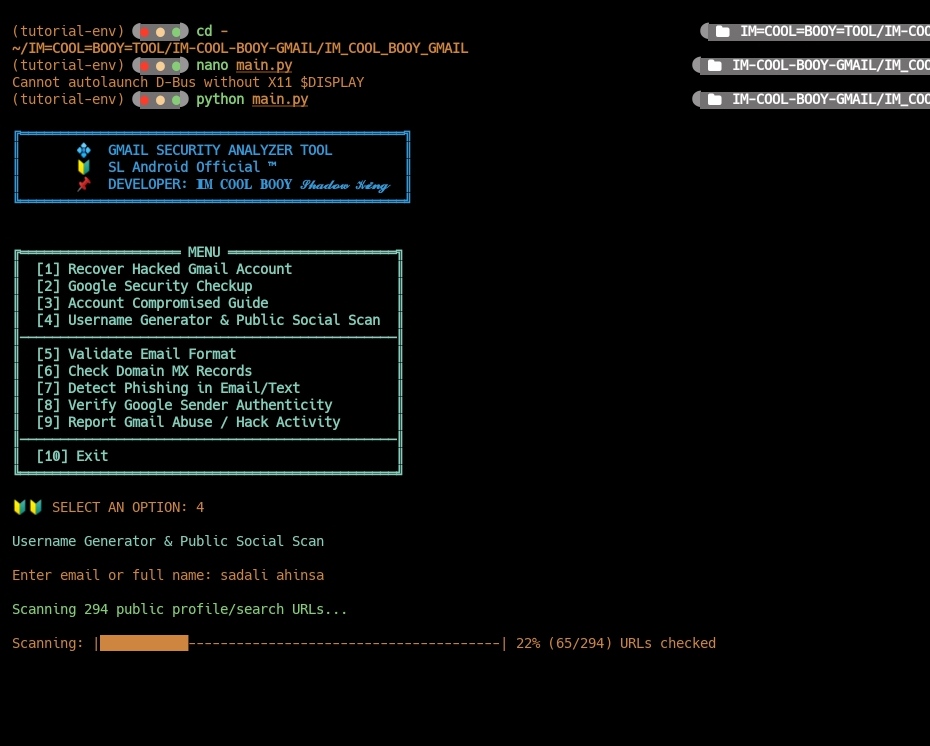
Generates fresh, creative usernames and checks where the username is publicly exposed. Useful for:
✔ Privacy protection
✔ Rebranding
✔ Preventing impersonation
✔ Identity consistency check
✉️ [5] Validate Email Format
A smart validator that checks whether an email follows the correct RFC‑based email format. Quick way to detect fake or mistyped emails.
Example supported format: username@domain.com
🌐 [6] Check Domain MX Records
Inspects the domain’s MX (Mail Exchange) DNS records to confirm mail server authenticity. Helps detect:
Fake domains used for phishing
Misconfigured email servers
Untrustworthy organizations pretending to be Google
🕵️♂️ [7] Detect Phishing in Email/Text
AI‑powered analysis of suspicious messages.
Scans for:
✔ Malicious or shortened URLs
✔ Scam keywords and patterns
✔ Spoofed sender names
✔ High‑risk triggers commonly used by attackers
This option acts as a mini security expert inside your script.
✅ [8] Verify Google Sender Authenticity
Checks whether a message claiming to be from Google is truly legitimate. Analyzes indicators like:
SPF validation
DKIM signature
DMARC policy compliance
Header authenticity clues
Provides a clear “Real or Fake” verdict.
🚔 [9] Report Gmail Abuse / Hack Activity
Guides the user to report malicious Gmail activity directly to Google’s official abuse system. Covers:
Hacking attempts
Account hijacking
Impersonation
Spam or phishing
Unauthorized account access Includes direct reporting links + clear instructions.
🔚 [10] Exit
Safely closes the toolkit and terminates the script.
🛠️ Installation
1. Install Python (Android Termux or PC)
Python 3.10+ required.
2. Install dependencies
pip install dnspython
(Other modules like webbrowser, os, time, re, sys, and tkinter are built‑in for most systems.)
🚀 Usage
01 pip install IM-COOL-BOOY-GMAIL
02 IM-COOL-BOOY-GMAIL
📌 Notes
- This tool is 100% safe — no hacking, no brute‑forcing.
- Works on Android Termux, Windows, and Linux.
- All recovery and checking systems redirect to official Google pages only.
📌 License
MIT License © 2025 𝐈𝐌 𝐂𝐎𝐎𝐋 𝐁𝐎𝐎𝐘 𝓢𝓱𝓪𝓭𝓸𝔀 𝓚𝓲𝓷𝓰
1 maintainer

Release files for IM-COOL-BOOY-GMAIL 1.1.1
For a detailed explanation of source distributions (sdists) and built distributions (wheels), please see the package formats documentation.
Source distribution (sdist)
| File | Size | Uploaded | |
|---|---|---|---|
| im_cool_booy_gmail-1.1.1.tar.gz | 8.7 kB | Details |
Built distribution (wheel)
| File | Interpreter | ABI | Platform | Reset |
|---|---|---|---|---|
| im_cool_booy_gmail-1.1.1-py3-none-any.whl | Python 3 | none | any | Details |
Total release size: 18.2 kB
Release files / im_cool_booy_gmail-1.1.1.tar.gz
| Download URL | im_cool_booy_gmail-1.1.1.tar.gz |
|---|---|
| Size | 8.7 kB |
| Tags | Source |
|
SHA-256 checksum How to use checksums |
7ffab0dbd037a59397e89f9ace7365b5af2423dd2c7c7f4eefa9155ebfaeff6a
|
|
BLAKE2b-256 checksum How to use checksums |
b69e8005aede3bbdadd325b937f479bb0d9ea20542e5b90f1d16898b406c6132
|
| Upload date | |
|
Uploaded using Trusted Publishing? What is trusted publishing? |
No |
| Uploaded via |
twine/6.1.0 CPython/3.12.12
|
Release files / im_cool_booy_gmail-1.1.1-py3-none-any.whl
| Download URL | im_cool_booy_gmail-1.1.1-py3-none-any.whl |
|---|---|
| Size | 9.4 kB |
| Tags | Python 3 |
|
SHA-256 checksum How to use checksums |
27eac91804b3b56bf539623c1199fa599f8293039d309403704a2e318d606f23
|
|
BLAKE2b-256 checksum How to use checksums |
12a50eba031132670313786053979aa48a35205b1f3cb0119852aa07ef8fd6b2
|
| Upload date | |
|
Uploaded using Trusted Publishing? What is trusted publishing? |
No |
| Uploaded via |
twine/6.1.0 CPython/3.12.12
|













