
This project is completely created by A.I. As they upgrade, so does the program.






Ⓐ Image Anarchy Ⓐ
Android Image Swiss Army Knife
https://imageanarchy.com
Break free from restrictive tools. Extract, create, and manipulate Android images with anarchic freedom.
🏴 Our Philosophy: True Device Ownership
You bought it. You own it.
Image Anarchy is a digital rights tool designed to restore control of your devices to YOU - the owner. We believe that when you purchase a device, you should have complete freedom to:
- Install any software you choose
- Repair and modify your own hardware
- Access your own data
- Understand how your device works
⚠️ Responsible Use Policy
Image Anarchy includes powerful tools that must be used responsibly:
- ✅ DO use on devices you legally own
- ✅ DO comply with all laws in your jurisdiction
- ✅ DO use for device recovery, repair, and customization
- ❌ DON'T use on stolen devices
- ❌ DON'T use for fraud or illegal purposes
- ❌ DON'T modify IMEI for malicious purposes
IMEI modification is illegal in many countries. We provide these tools for legitimate repair and recovery purposes only. You are solely responsible for knowing and following your local laws.
📜 Read our full Acceptable Use Policy
🔥 What's New in v3.2 - REVOLUTIONARY RELEASE
💬 Integrated Community Chat (NEW!)
Real-time chat system built right into the app — never leave Image Anarchy to get help:
- 🏠 Chat Rooms - Create public or private rooms for any topic
- 📨 Invite System - Invite users by username or email; auto-creates accounts for new users
- 📎 File Attachments - Share images and files directly in chat with inline previews
- 🛡️ Moderation Tools - Admin controls: delete messages, mute, kick, and ban users
- 📜 Chat History - Loads last 50 messages on connect via REST API
- 🔔 Toast Notifications - Desktop notifications when messages arrive while chat is minimized
- 👥 Online Users - Real-time user count and online members list
- 🪟 Dock/Undock - Pop chat out into its own floating window or dock it back
- 🔗 Unified Auth - Same account for app, chat, forum, and plugin store
🛠️ Professional Remote Support (NEW!)
Let verified professionals remotely assist with your device — the world's first integrated remote Android repair system:
- 🔌 Host Mode - Share your device tools with a Professional via session code
- 🎮 Professional Mode - Connect to a Host's session and operate their tools remotely
- 🖥️ Master Console - Terminal-style raw command interface (
IA$prompt) for Professionals - 🔐 Trust Modes - 3 tiers: Ask Every Time, Auto-approve READ operations, Trust All
- 🚫 Blocked Operations - Dangerous operations (write_flash, erase_rpmb, etc.) are NEVER allowed remotely
- 📡 Relay Server - Secure Socket.IO relay through Cloudflare Zero Trust tunnel
- 🔧 Auto-routing - Commands prefixed with
adb,fastboot,mtkauto-route to the correct plugin - 📊 Capabilities - Professionals can view all available operations on the Host's device
📺 Remote Screen Share (NEW!)
Zero-persistence screen sharing for remote device assistance — nothing is ever recorded:
- 🖼️ Live Screen Capture - ADB-based device screen streaming through relay server
- 👆 Touch Injection - Professionals can tap, swipe, and interact with the Host's device
- ⌨️ Keyboard Input - Send keystrokes to the remote device
- 🔒 Permission System - Host approves with granular permissions: View Only, View+Touch, View+Touch+Keyboard
- ⚡ Configurable Quality - FPS (1-15), JPEG quality (20-90), max resolution (240-1080)
- 🛡️ Zero Persistence - No frames stored to disk, all RAM-only, metadata purged after session ends
💬 Community Hub Tab (NEW!)
Dedicated tab in the main window for all community features:
- Feature Panel - Quick access buttons: Chat, Invites, Files, Members, Share Device, Settings
- 📱 Remote Play - "Connect as Professional" with session code input
- ⚙️ Settings Dialog - Notification preferences, appearance (compact mode, timestamps), trust settings
📋 Community Forum (v3.0)
- Dedicated Forum Tab - Full phpBB forum embedded in the app
- Unified Login - Same account across app, chat, and forum
- Device-Specific Sections - Get targeted help for your exact device
💾 IAABS - Android Backup Solution (v3.0)
WORLD FIRST: Live root filesystem backup:
- Live Backup - Backup your entire device while it's running
- No Recovery Needed - No TWRP or custom recovery required
- Multiple Profiles - Full, Apps, User Data, System
- SELinux Preservation - Contexts preserved and restored
- 3-Phase Backup - tar-based with progress tracking
🔓 Root Patcher Plugin (v3.0)
- Magisk - Fully automated patching on device
- KernelSU - Support for GKI kernels
- APatch - KernelPatch support
- Direct Extract - Pull boot.img directly from device
- Bundled APKs - Latest Magisk, KernelSU, APatch included
🗄️ Backend Overhaul (v3.0)
- MySQL Migration - Scalable database replacing SQLite3
- Redis Integration - Lightning-fast caching and sessions
- Unified Auth - JWT-based authentication across all services
- Cloudflare Zero Trust - Enterprise-grade security on all endpoints
🔥 MTK Toolkit Enhancements
- 🔓 Network Unlock - Modem patch method (md1img RSA key replacement + ARM patching + SIMMELOCK neutralization) — confirmed working on real devices
- 📡 META Mode Switch v4 - Complete rewrite using BROM hardware register method for universal reliability
- 🎛️ Mode-Aware Buttons - UI buttons auto-enable/disable based on device mode (BROM/Preloader/DA/META)
- 📖 IMEI Read/Write - Direct nvdata partition access with encryption support
- 🔐 RPMB Operations - Read, write, erase, and auth RPMB
- 📊 eFuse Reader - Hardware fuse register inspection
- 💾 Memory Dumps - BROM, DRAM, eFuse, SRAM regions
- 🌐 Remote-Capable - Full Remote Play support with 30+ operations
🛡️ Plugin Security System
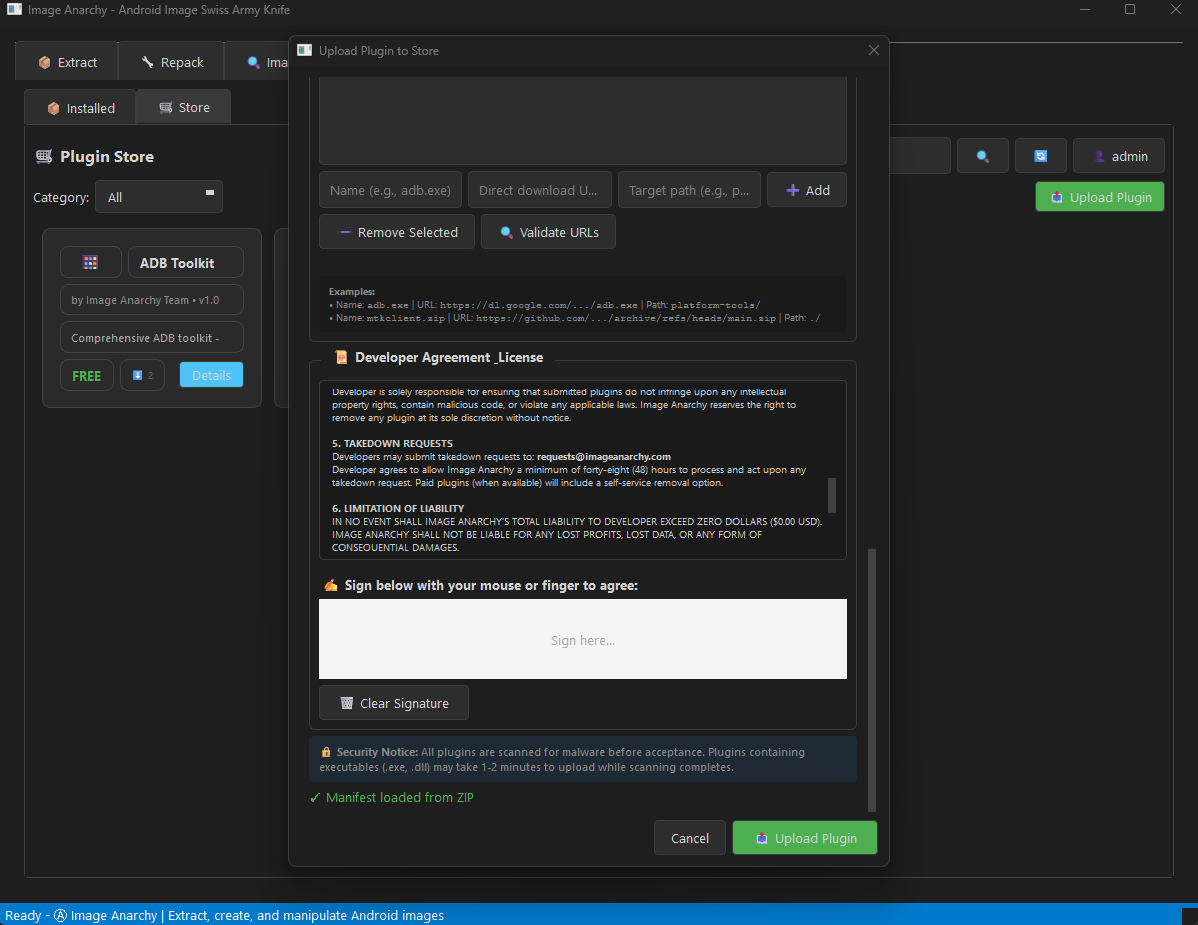
- Virus Scanning - Automatic security scanning of uploaded plugins
- Threat Dashboard - View and filter security events
- Quarantine - Suspicious files isolated and manageable
- Upload Blocking - Malicious plugins blocked at upload
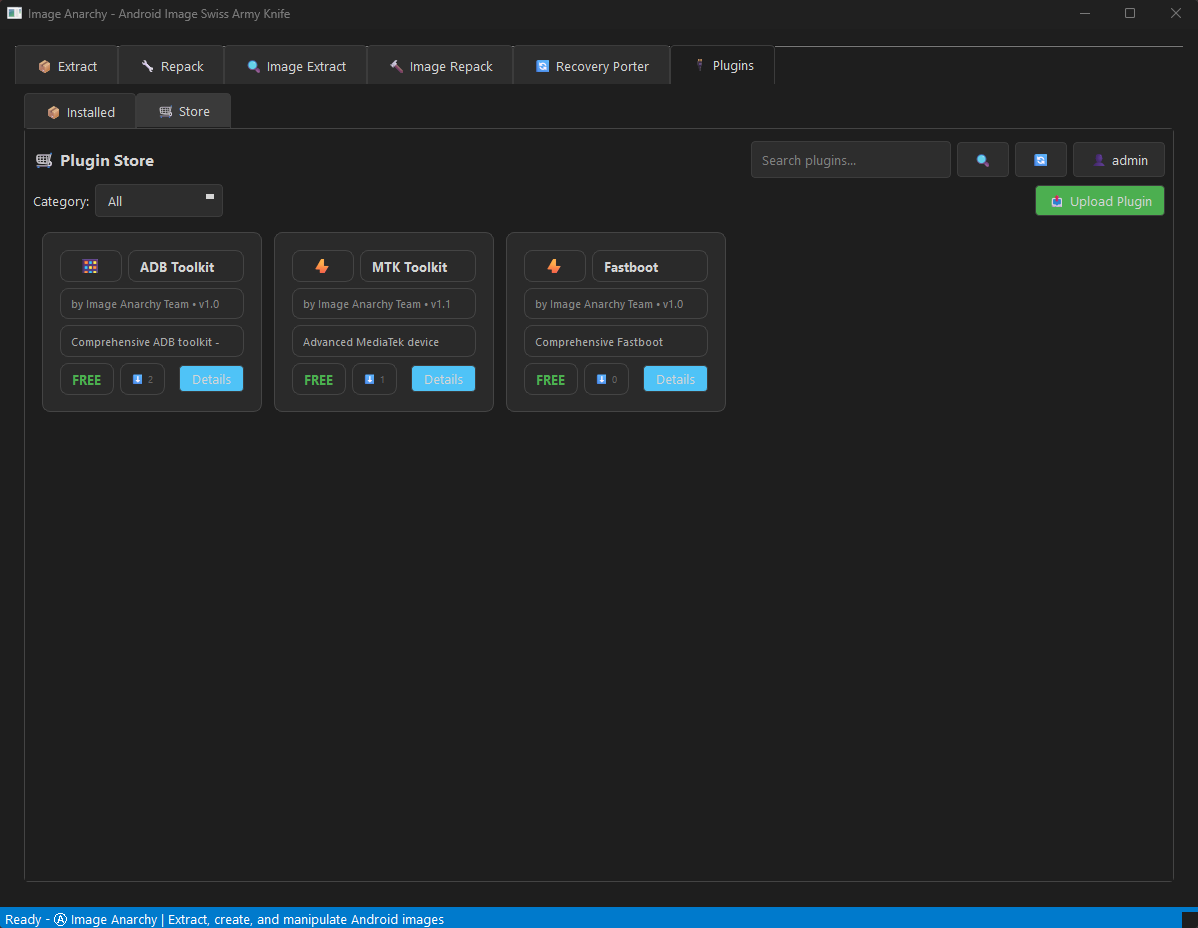
🛒 Online Plugin Store
- Browse & Download - Discover plugins directly from the app
- One-Click Install - Download, extract, and activate plugins instantly
- Plugin Ratings & Reviews - See what the community thinks
- Version Management - Check for updates to installed plugins
- Featured Plugins - Curated selection of the best tools
🔌 Premium Plugins & Features
- 💬 Community Chat - Real-time chatrooms with rooms, invites, file sharing, and moderation
- 🛠️ Remote Play - Host/Professional remote device support with screen sharing
- 📋 Community Forum - Full phpBB forum integration
- 💾 IAABS - Live root filesystem backup (world first!)
- 🔓 Root Patcher - One-click Magisk/KernelSU/APatch patching
- 📱 ADB Toolkit - Complete Android Debug Bridge management (7 tools + Run as Root + Remote Play)
- ⚡ Fastboot Toolkit - Comprehensive bootloader operations (8 tools + vbmeta patching + Remote Play)
- 🔥 MTK Toolkit - MediaTek device support with BROM exploit, network unlock, META mode + Remote Play
- 📺 Scrcpy Toolkit - Screen mirroring, screenshots, and recording
📦 Bundled Platform Tools
- ADB & Fastboot Included - No need to install Android SDK separately
- Zero Configuration - Works out of the box
- Driver Pack - Common USB drivers bundled for Windows
🔥 Features
📦 Payload Operations
- Extract partitions from
payload.binOTA files - Create new
payload.binfrom partition images - Support for differential OTA (incremental updates)
- Multiple compression: ZSTD, XZ, BZ2, Brotli
- Remote file support: HTTP, HTTPS, S3, Google Cloud Storage
🔍 Image Extraction
| Format | Capabilities |
|---|---|
| Sparse | Convert to raw images |
| Boot/Recovery/Vendor Boot | Extract kernel, ramdisk, DTB (v0-v4) |
| Super (Dynamic) | Extract all logical partitions |
| vbmeta | Parse, patch (disable verity/verification), re-sign |
| ABL (Android Bootloader) | Deep analysis, unlock checks, LG LAF mode |
| ext4 | Extract filesystem contents |
| EROFS | Extract Android 13+ read-only filesystem (LZ4/LZMA) |
| FAT | Extract filesystem contents |
| ELF/Bootloader | Analyze XBL, TZ, firmware |
🔨 Image Repacking
- Boot/Recovery images (v0, v1, v2, v3, v4) - custom kernel/ramdisk
- Vendor boot images (v3, v4)
- Sparse images from raw (for faster flashing)
- EROFS images from directory (LZ4/LZ4HC/LZMA compression)
- vbmeta images with AVB disabled
- Ramdisk from directory (cpio + compression)
🔄 Recovery Porter
- Analyze TWRP, OrangeFox, SHRP, PitchBlack, LineageOS recovery
- Extract kernel, DTB, ramdisk, cmdline
- Browse ramdisk contents (view fstab, init scripts)
- Swap kernel/DTB from another device
- Modify cmdline and rebuild
- Port custom recoveries between devices
- Educational comments explaining recovery internals
🔐 Security Features
- vbmeta patching: Disable dm-verity and AVB verification
- Custom AVB signing: Re-sign with your own keys
- Key generation (RSA-2048/4096/8192)
🎨 User Experience
- Modern dark-themed GUI (PyQt6)
- Drag & drop support
- Non-blocking threaded operations
- Real-time progress and logging
- CLI mode for scripting/automation
🔌 Available Plugins (from Store)
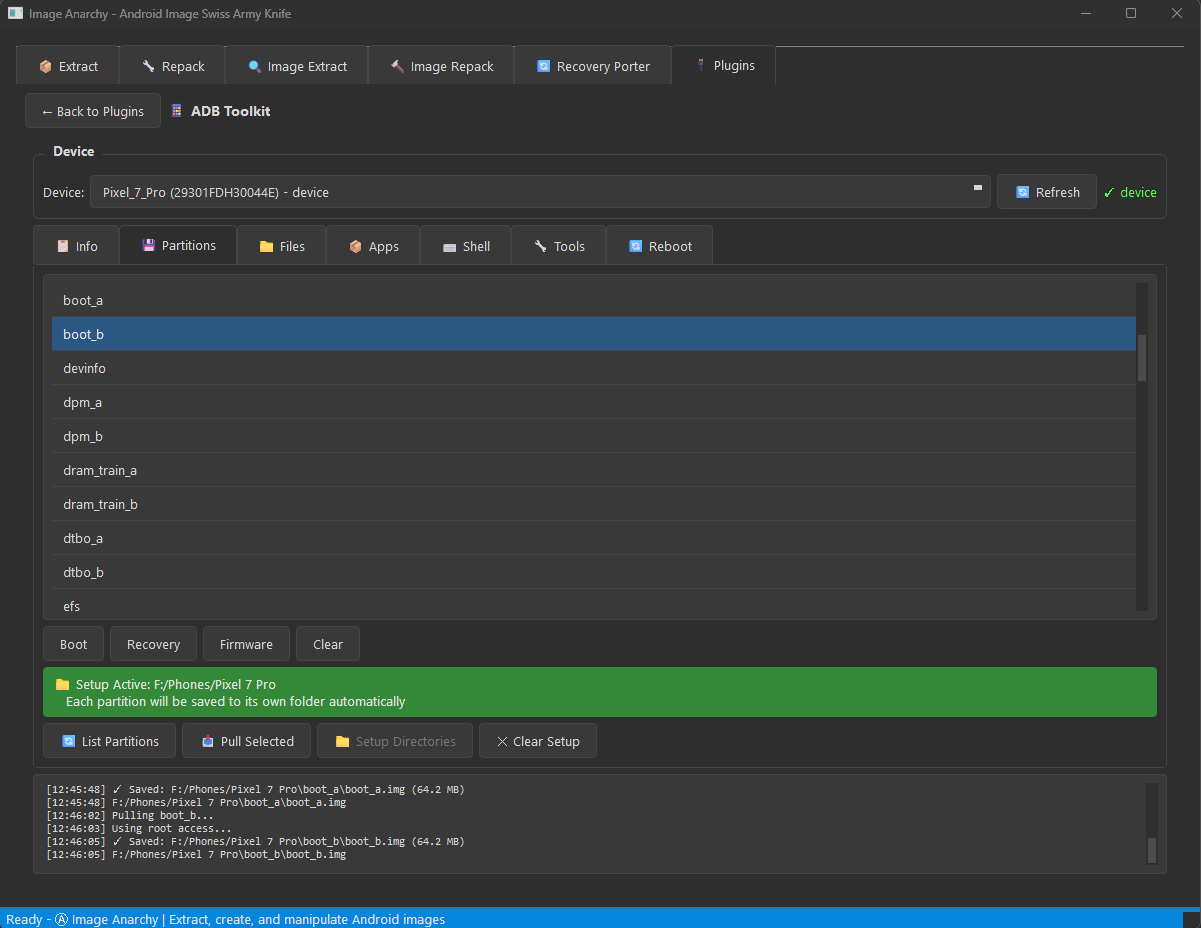
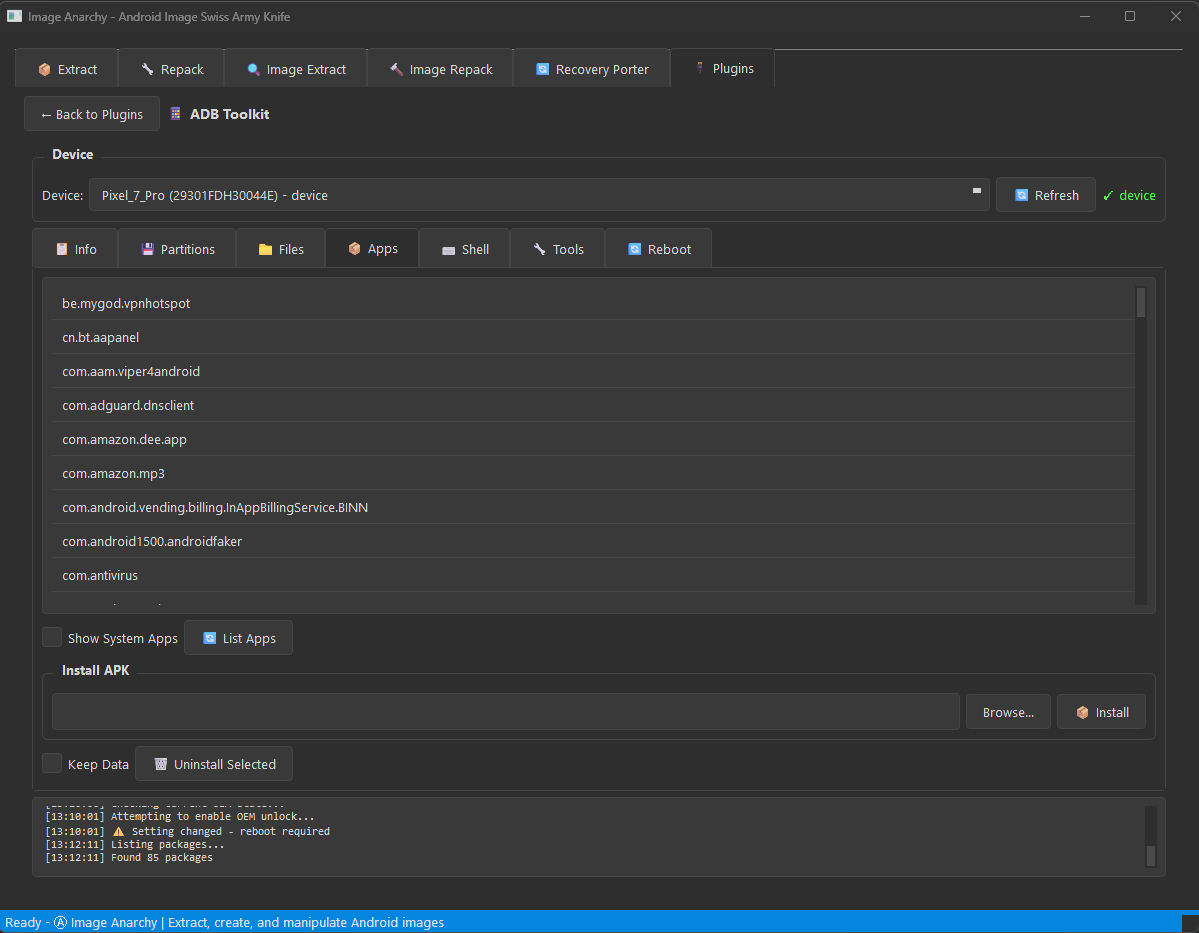
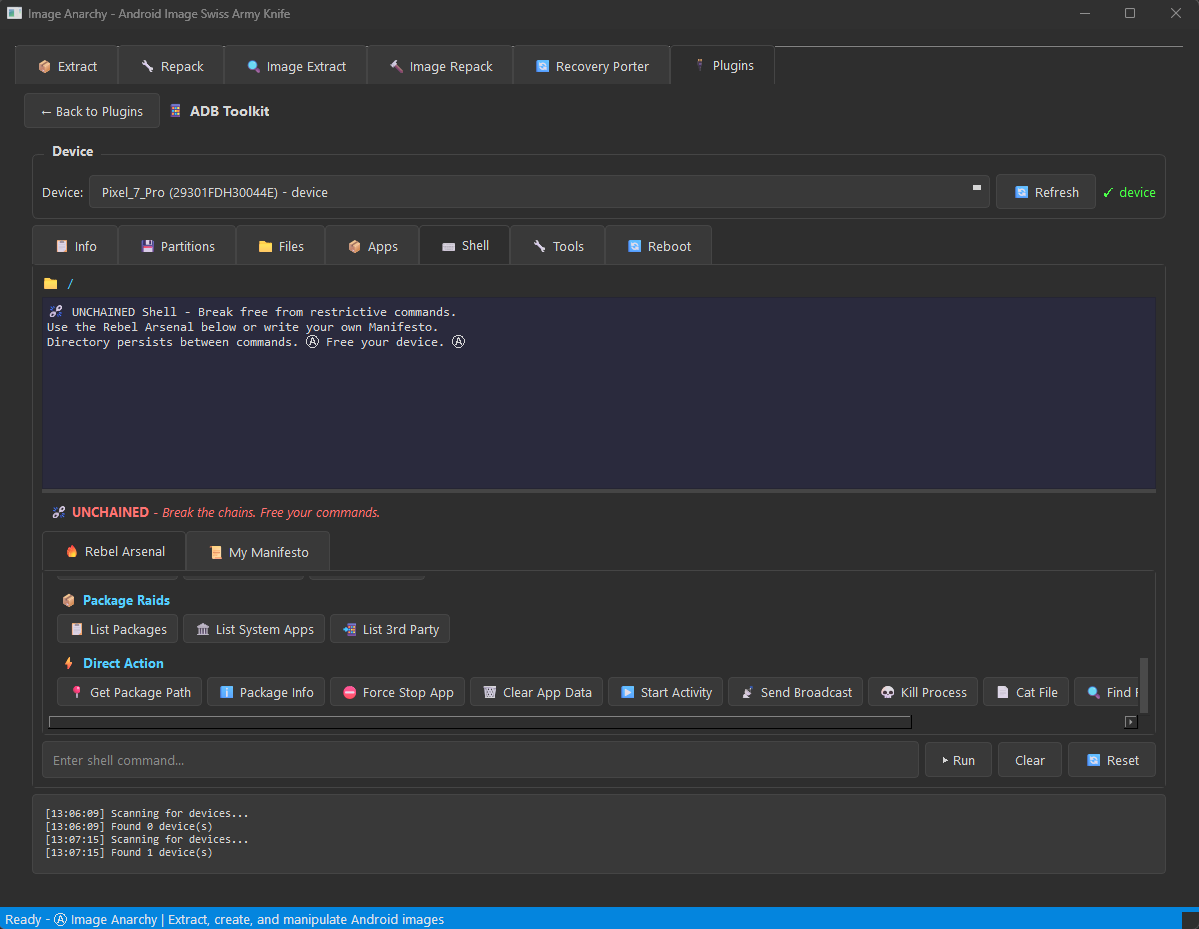
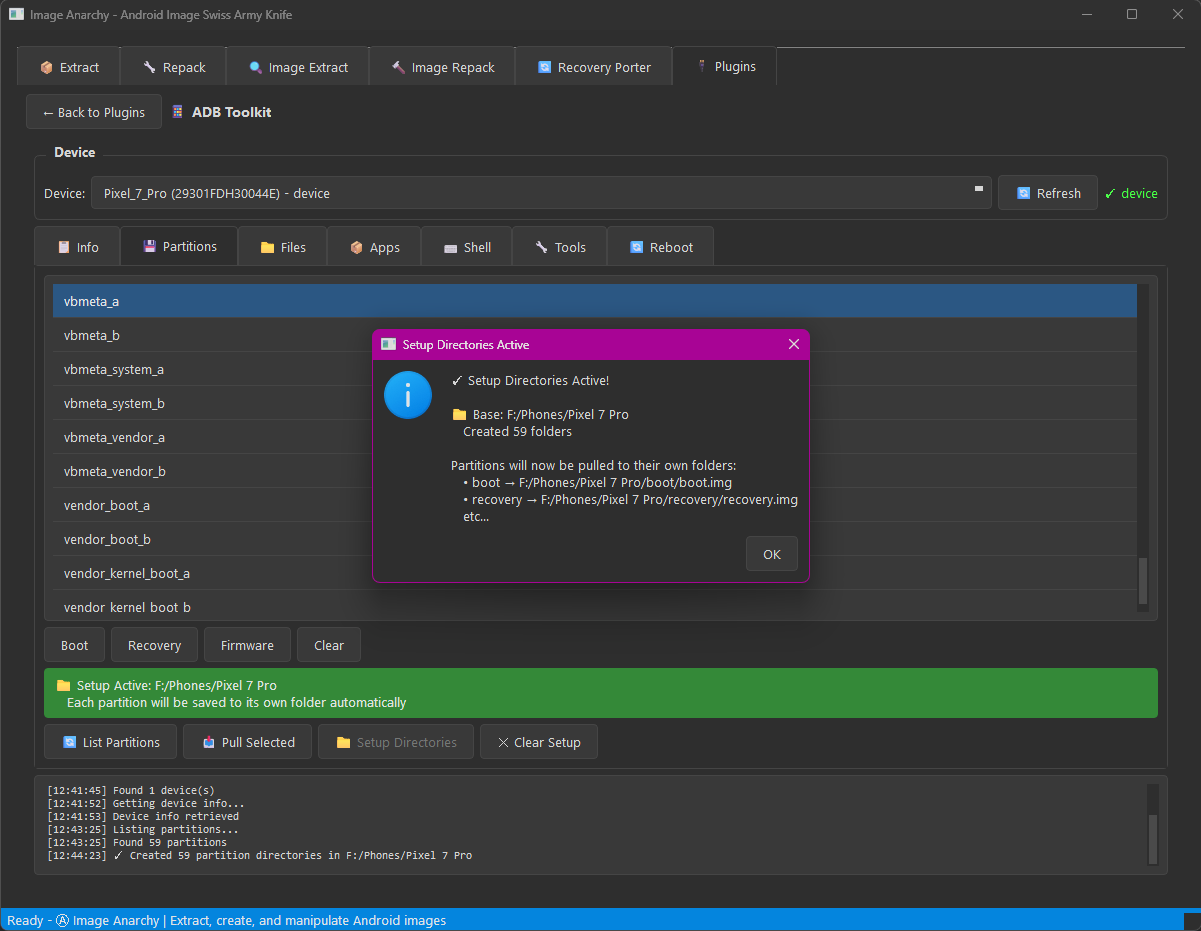
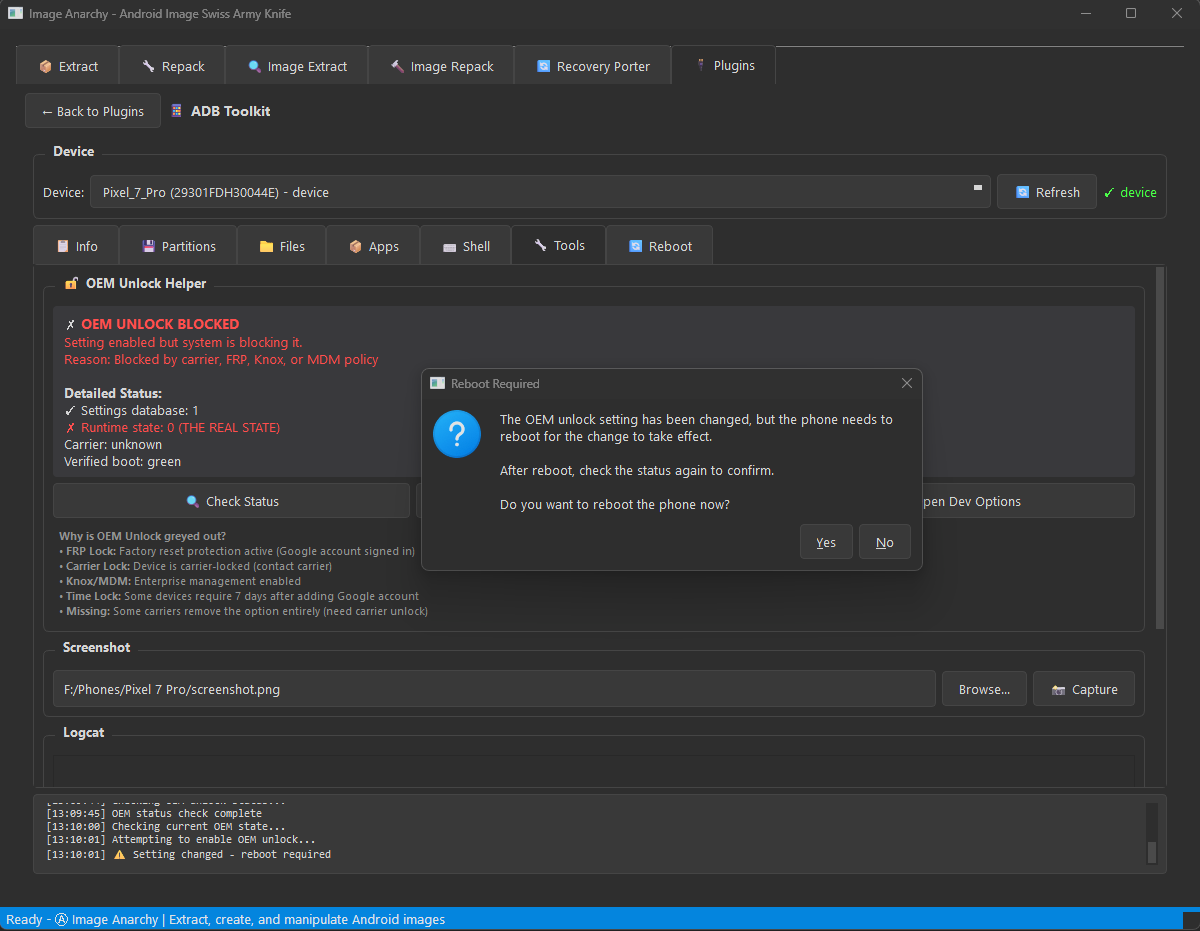
ADB Toolkit
Complete Android Debug Bridge management with 7 specialized tabs:
| Tab | Features |
|---|---|
| 📱 Info | Device details, properties, battery status, display info |
| 💾 Partitions | List, pull, and backup device partitions |
| 📁 Files | Browse, push, pull, and delete files on device |
| 📦 Apps | List, install, uninstall, backup, and restore APKs |
| 🖥️ Shell | Interactive ADB shell with command history |
| 🛠️ Tools | Screenshots, screen recording, logcat, reboot options |
| 🔄 Reboot | System, recovery, bootloader, fastboot, EDL modes |
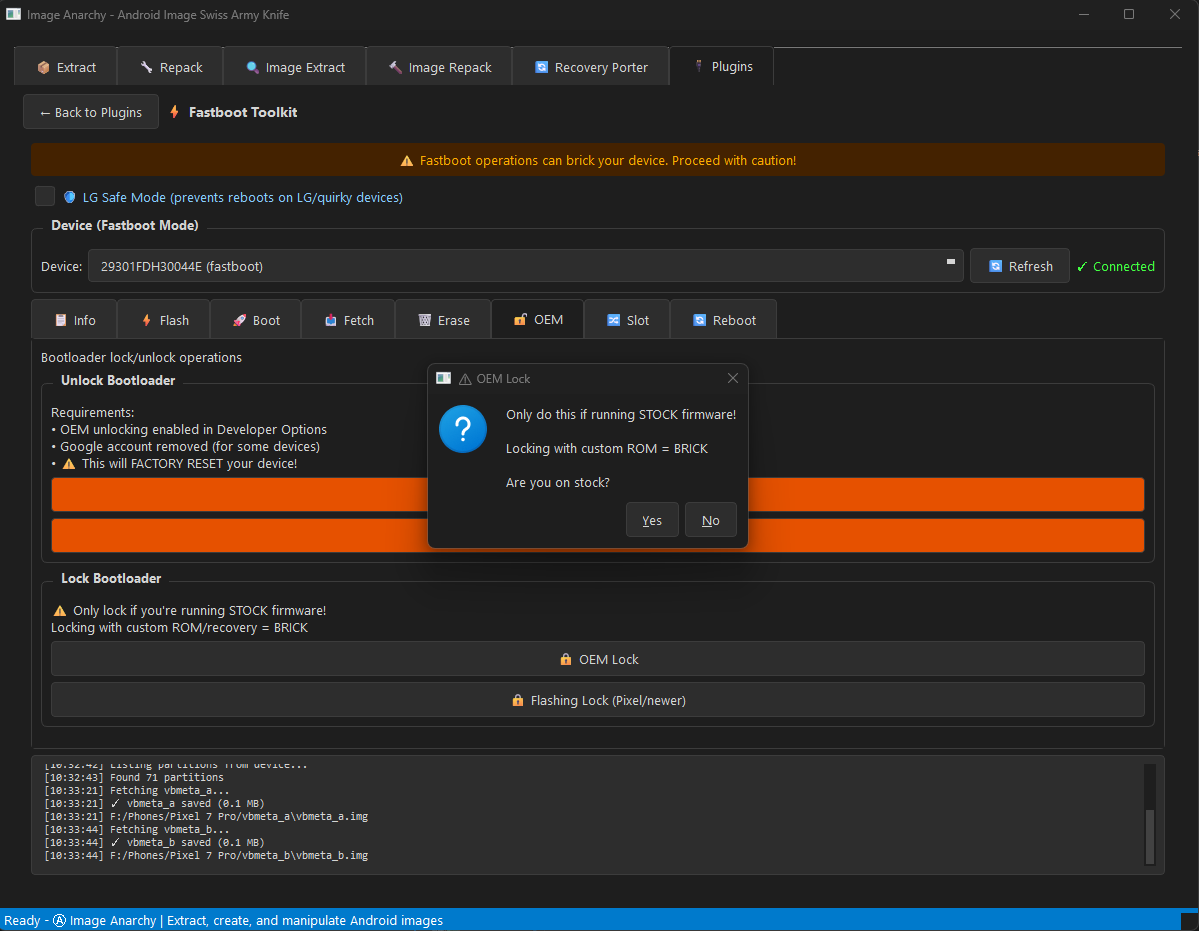
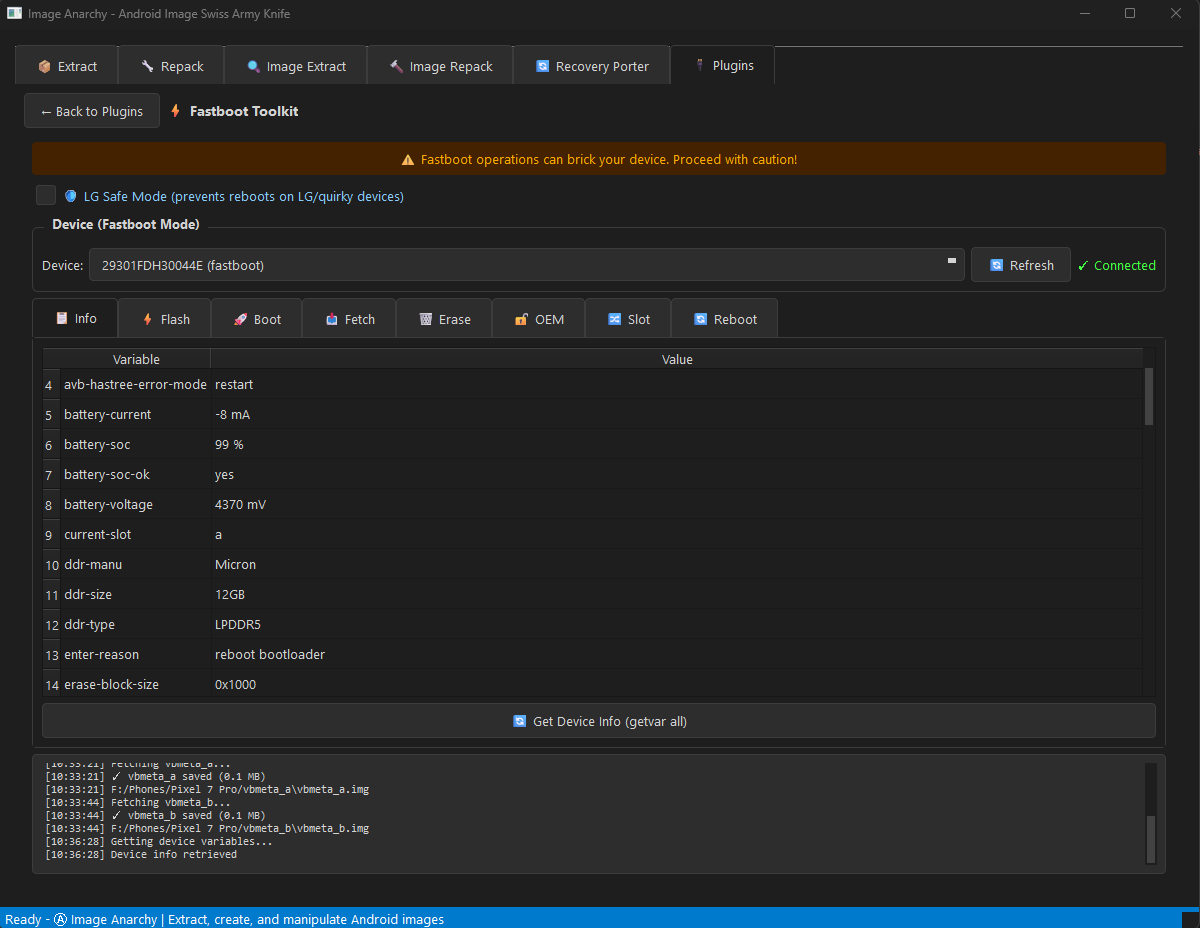
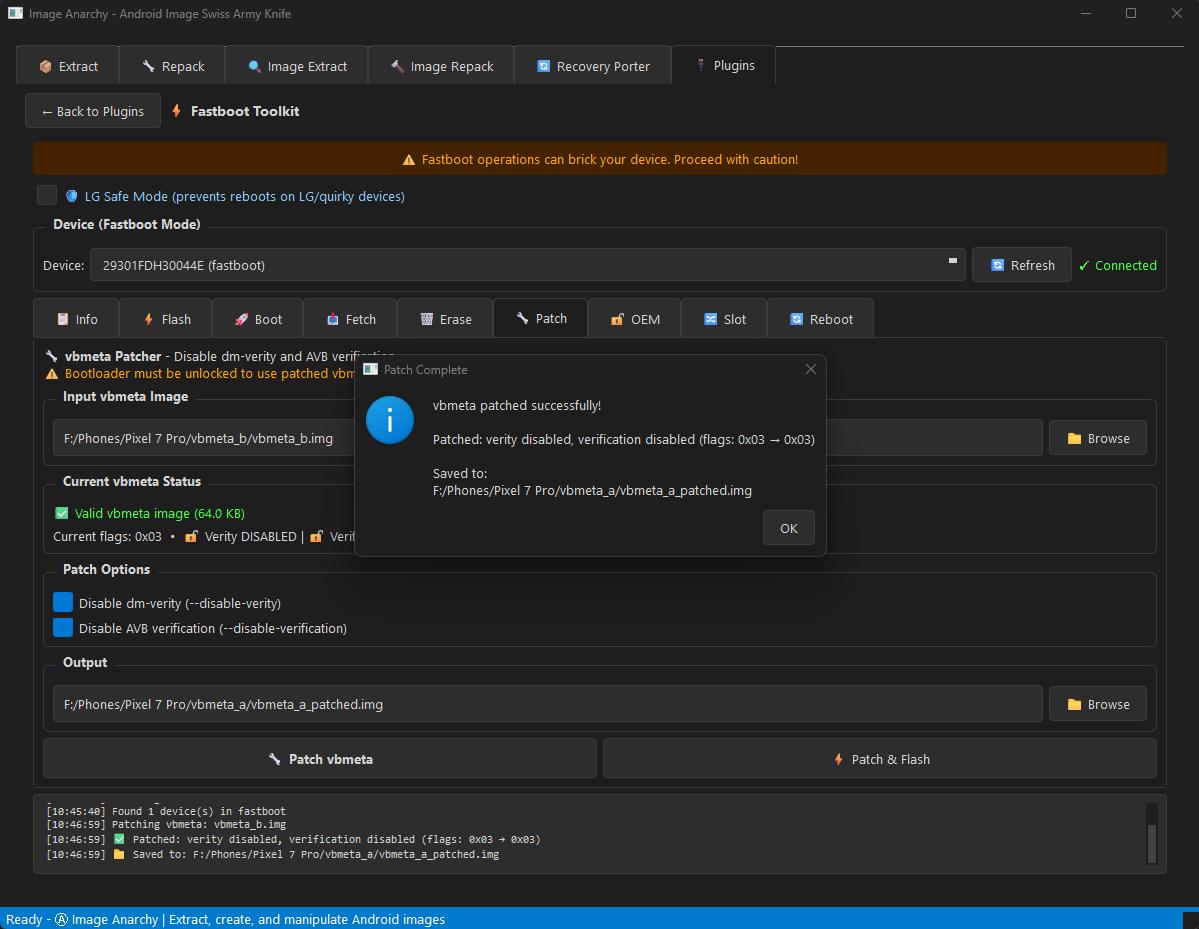
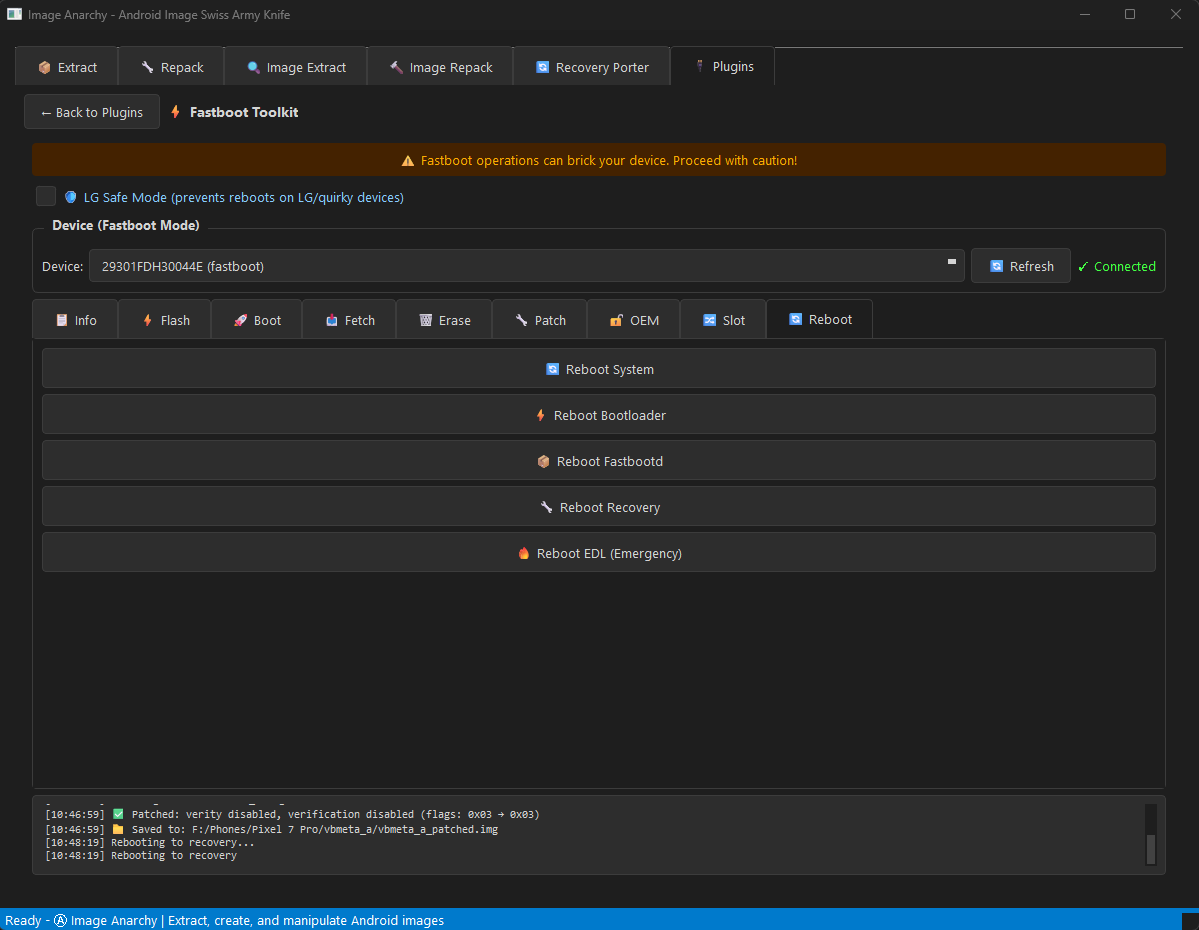
Fastboot Toolkit
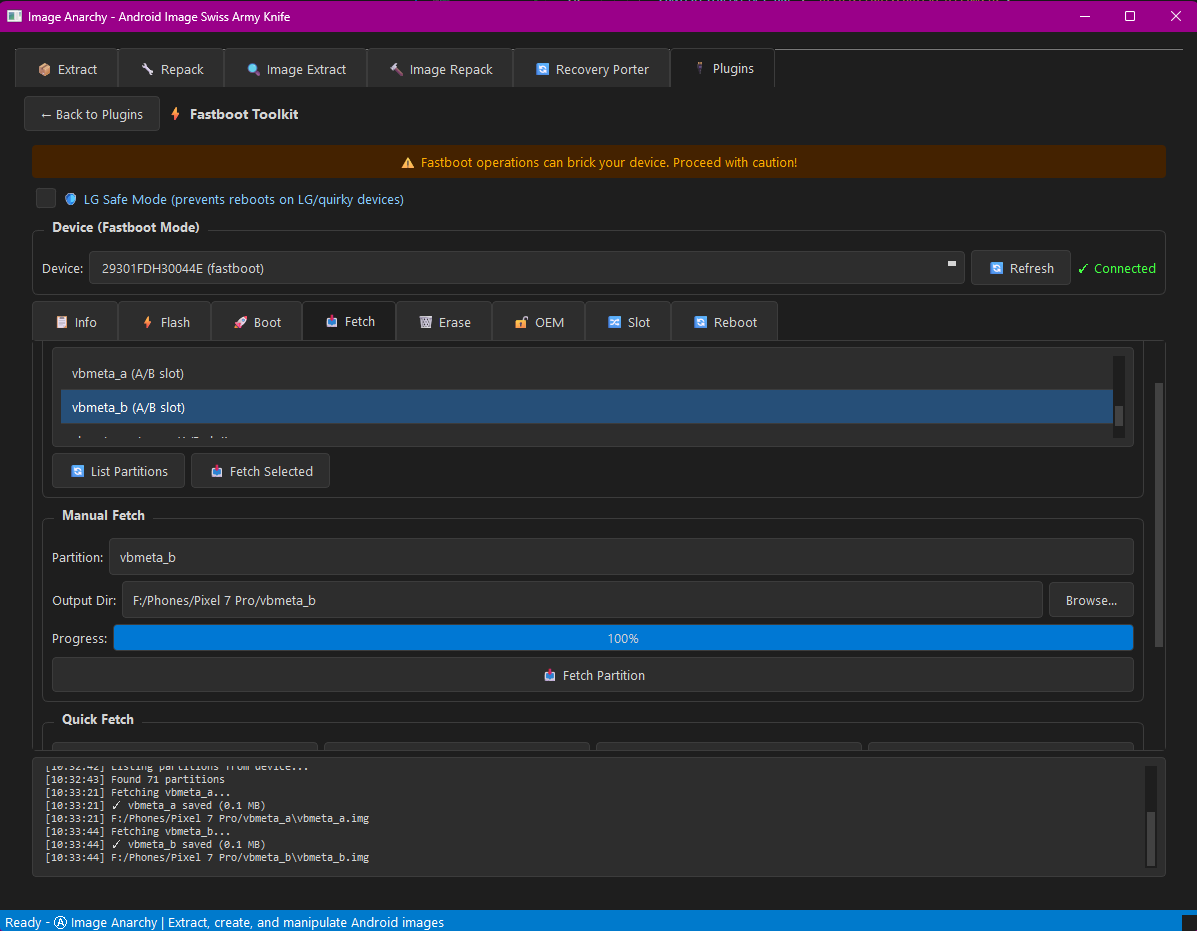
Complete bootloader operations with 8 specialized tabs:
| Tab | Features |
|---|---|
| 📱 Info | Device info, all variables, partition list |
| ⚡ Flash | Flash any image to any partition with safety checks |
| 🚀 Boot | Temporarily boot images without flashing |
| 📥 Fetch | Pull partitions from device (device support required) |
| 🗑️ Erase | Erase partitions with confirmation dialogs |
| 🔐 OEM | OEM unlock/lock, critical operations |
| 🔀 Slot | A/B slot management for dual-slot devices |
| 🔄 Reboot | Bootloader, recovery, system, EDL modes |
🆕 NEW in v2.3 - mtkclient 2.1.2 Integration
- 📡 META Mode Switching - Full BROM → META/Preloader transitions
- 🚀 Advanced META Mode - ADVEMETA for factory-level device access
- ⚡ FASTBOOT Mode - Direct boot to fastboot from BROM
- 🏭 Factory Modes - FACTFACT, FACTORYM, AT+NBOOT support
- 🔐 SLA Authentication - Infinix/Tecno/itel device unlock support
- ⏱️ Watchdog Reset - Reliable mode switching via hardware watchdog
- 🔧 BROM Register Access - Low-level CMD 0xDA for META flag control
🔄 Mode Switching (NEW!)
- FASTBOOT - Boot directly to fastboot mode
- METAMETA - Standard META mode for SP Flash Tool compatibility
- ADVEMETA - Advanced META with extended capabilities
- FACTFACT - Factory menu mode
- FACTORYM - ATE Signaling Test mode
- AT+NBOOT - AT command boot mode
✨ v2.2 Features
- ✍️ IMEI Write - Restore YOUR device identity (read AND write!)
- 📡 Modem Patching - Unlock IMEI operations on restricted devices
- 🔐 Full RPMB Control - Read, Write, Erase, and Authenticate RPMB
- ⚡ VBMeta Patching - Disable Android Verified Boot with one click
- 📱 IMEI Read - Decrypt and display device IMEI values
- 🔐 eFuse Dump - Expose the OEM's deepest secrets
- 🧠 Memory Dump - Extract BROM, DRAM, SRAM, and eFuses
- 🔍 Security Analysis - Check SBC, SLA, DAA status
- 📡 IoT Device Support - MT6261/MT2301 compatibility
🏴 Anarchy Mode
- Persistent connection - no reconnecting between operations
- Auto-detects A/B partition slots
- Supports BROM and Preloader modes
- Rebellious terminal with real-time logging
- PyQt6 compatibility with PySide6 shim layer
📱 Supported Devices
Works with MediaTek (MTK) devices including Helio, Dimensity, and legacy chipsets.
| Protocol | Chipsets |
|---|---|
| V6 (Latest) | MT6781, MT6789, MT6855, MT6886, MT6895, MT6983, MT8985 |
| XFLASH | MT6765, MT6768, MT6771, MT6785, MT6833, MT6853, MT6873, MT6877 |
| Legacy | MT6572, MT6580, MT6582, MT6592, MT6735, MT6737, MT6739, MT6750 |
| IoT | MT6261, MT2301, MT2503, MT2625 |
🔌 USB Device IDs
- 0x0E8D:0x0003 - BROM mode (connect while holding Vol Down)
- 0x0E8D:0x2000 - Preloader VCOM / META mode
- 0x0E8D:0x2001 - Preloader VCOM (alternate)
- 0x0E8D:0x1887 - Special META mode (no READY handshake)
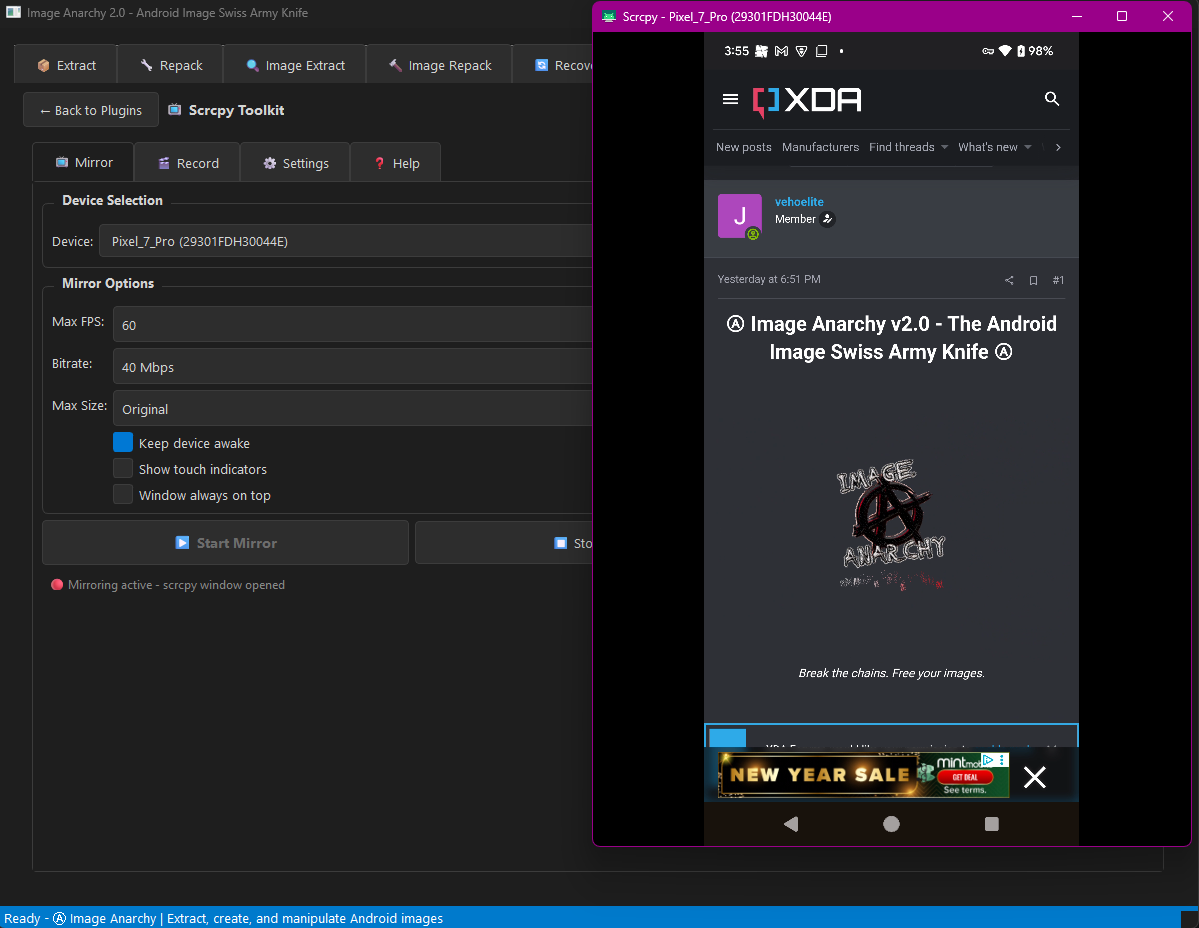
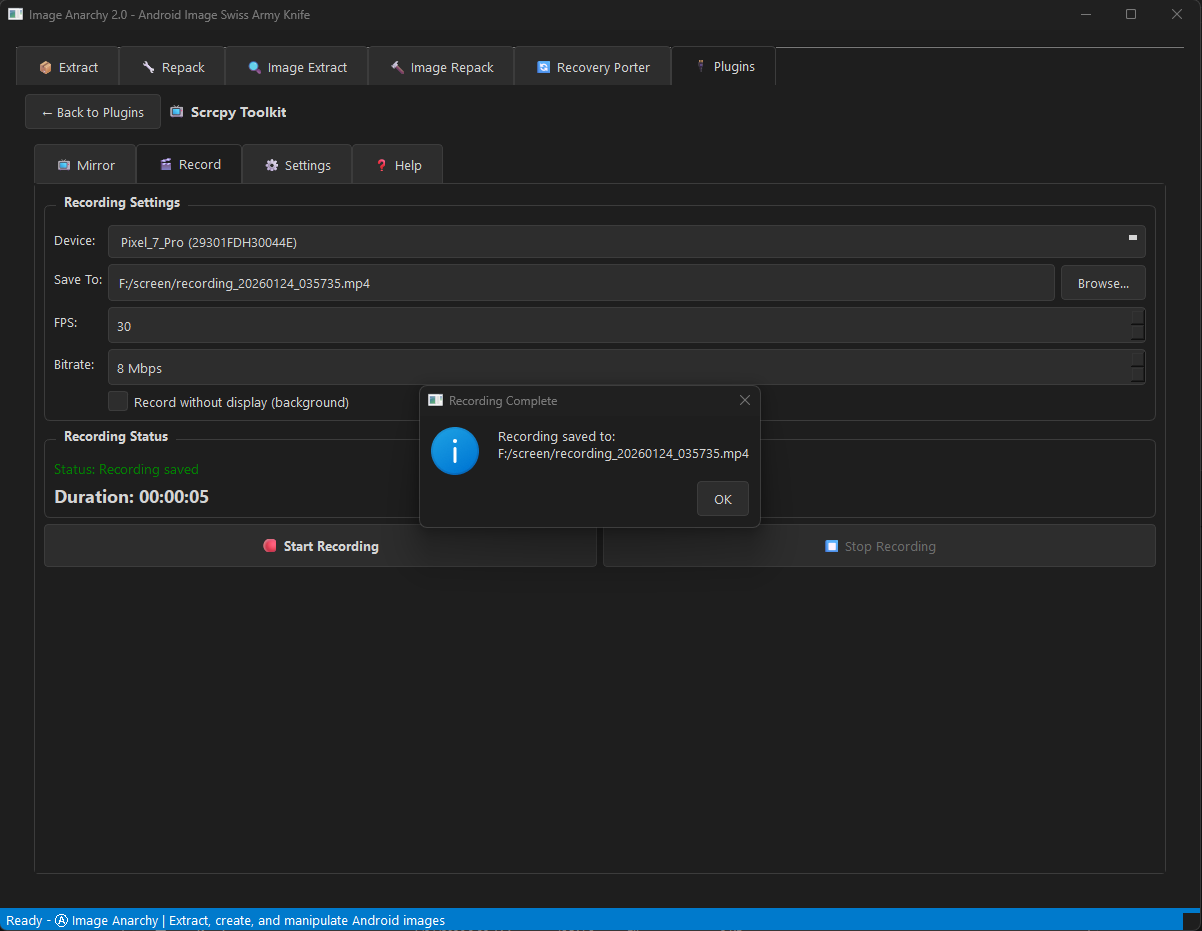
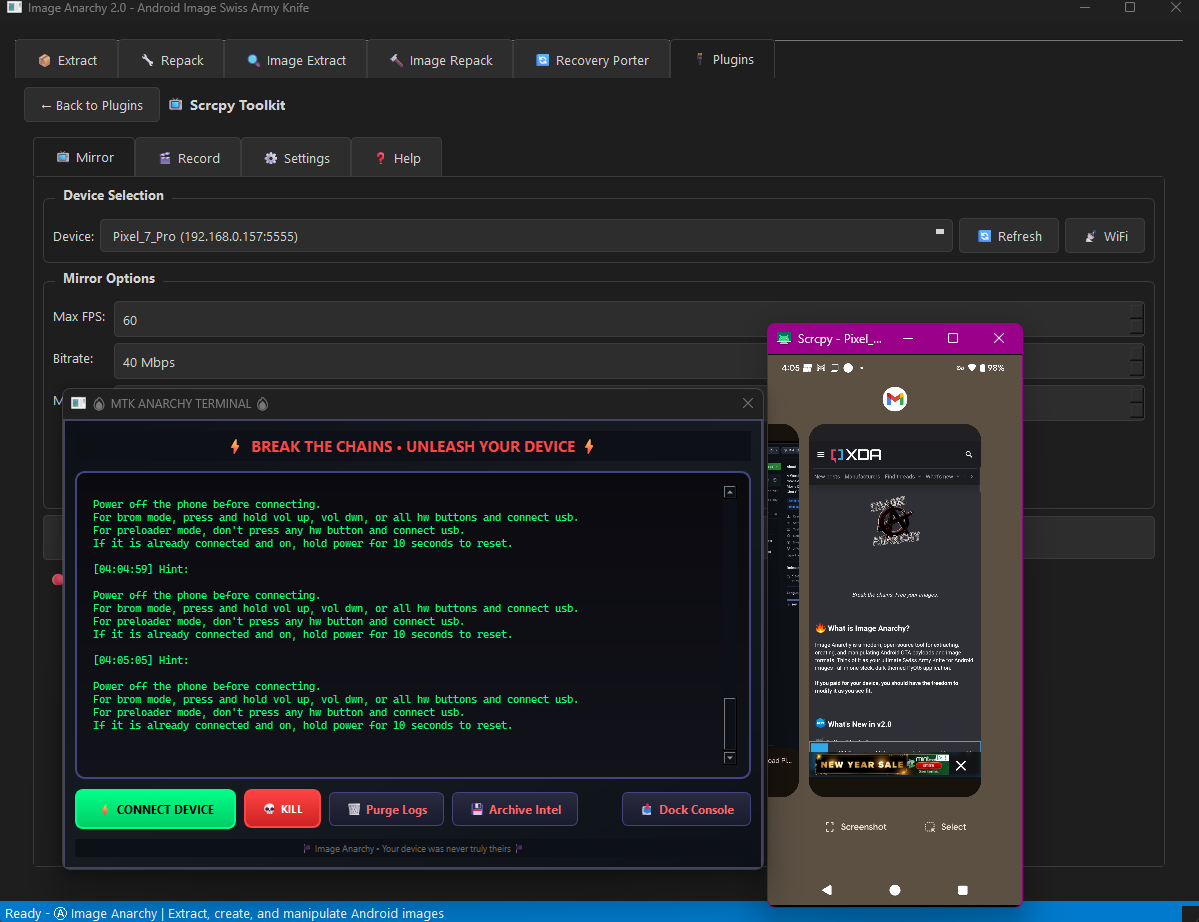
Scrcpy Toolkit
Real-time screen mirroring and capture for Android devices:
| Feature | Description |
|---|---|
| 📺 Screen Mirror | Live mirroring with customizable quality settings |
| 📸 Screenshot | Capture device screen as PNG with timestamp |
| 🎬 Screen Record | Record screen with adjustable bitrate and duration |
| 📶 WiFi Mode | Connect wirelessly for untethered mirroring |
| ⚙️ Quality Control | Adjust resolution, bitrate, and framerate |
| 📌 Always-On-Top | Keep mirror window visible (default: enabled) |
Plugin Developer Guide
Interactive tutorial showing how to create your own plugins with:
- Plugin structure and manifest format
- Monetization options (free, paid, donation)
- GUI integration examples
- Best practices and tips
📥 Installation
Prerequisites
- Python 3.9 or higher
- pip (Python package manager)
Quick Install
# Clone the repository
git clone https://github.com/vehoelite/image-anarchy.git
cd image-anarchy

# Create virtual environment (recommended)
python -m venv .venv

# Activate virtual environment
# Windows:
.venv\Scripts\activate
# Linux/macOS:
source .venv/bin/activate

# Install dependencies
pip install -r requirements.txt
Dependencies
Required:
pip install PyQt6 bsdiff4 brotli zstandard fsspec protobuf
Optional (for AVB signing & LZ4 ramdisks):
pip install cryptography lz4
requirements.txt
PyQt6>=6.4.0
bsdiff4>=1.2.0
brotli>=1.0.9
zstandard>=0.19.0
fsspec>=2023.1.0
protobuf>=4.21.0
cryptography>=40.0.0  # Optional: for AVB key signing
lz4>=4.0.0            # Optional: for LZ4 ramdisk compression
🚀 Usage
GUI Mode (Default) (Build from Windows)
You need Microsoft Visual C++ Redis pack https://imageanarchy.com/VC_redist.x64.exe
You need the Microsoft C++ Build Tools. (or bsdiff4 will fail during pip install) https://imageanarchy.com/vs_BuildTools.exe
Select Desktop development with C++ --> Goto Individual components Tab and select --> MSVC Build Tools for x64/x86 (Latest)
Windows 11 SDK (10.0.26100.7175)
C++ CMake tools for Windows
MTesting tools core features - Build Tools
MSVC AddressSanitizer
vcpkg package manager
Confirm version here*
Windows 11 SDK (10.0.22621.0)
Then select Install
python -m venv venv
venv/Scripts/activate.ps1
pip install -r requirements.txt
python image_anarchy.py
The GUI provides 8+ tabs:
- 📦 Extract - Extract partitions from payload.bin
- 🔧 Repack - Create new payload.bin from images
- 🔍 Image Extract - Analyze and extract Android images
- 🔨 Image Repack - Create boot, sparse, vbmeta images
- 🔄 Recovery Porter - Port/modify custom recoveries
- 🔌 Plugins - ADB Toolkit, Fastboot Toolkit, and more
- 🌞 Allwinner - Allwinner firmware unpack/repack
- 🪨 Rockchip - Rockchip firmware unpack/repack
- 📱 OPPO/OnePlus - OPPO/Realme/OnePlus firmware decryption
CLI Mode
Extract Payload
# Extract all partitions
python image_anarchy.py --extract payload.bin

# Extract specific partitions
python image_anarchy.py --extract payload.bin -i boot,system,vendor

# Extract from OTA zip
python image_anarchy.py --extract ota_update.zip -o ./extracted/

# Extract from URL
python image_anarchy.py --extract https://example.com/payload.bin
Create Payload
# Create payload from images directory
python image_anarchy.py --create ./images/ -o new_payload.bin

# With compression
python image_anarchy.py --create ./images/ -o payload.bin --compression zstd --level 9

# With block size
python image_anarchy.py --create ./images/ -o payload.bin --block-size 262144
Process Images
# Convert sparse to raw
python image_anarchy.py --image system.img

# Extract boot image components
python image_anarchy.py --image boot.img

# Extract super partition
python image_anarchy.py --image super.img

# Analyze only (don't extract)
python image_anarchy.py --image vbmeta.img --analyze
📖 Examples
Extract and Modify Boot Image
# 1. Extract boot.img from payload
python image_anarchy.py --extract payload.bin -i boot

# 2. Extract boot image components (GUI: Image Extract tab)
#    This gives you: kernel, ramdisk.cpio.gz, dtb, etc.

# 3. Modify ramdisk contents
#    Unpack: gunzip ramdisk.cpio.gz && cpio -idv < ramdisk.cpio
#    Make changes...
#    Repack using GUI: Image Repack tab -> Ramdisk

# 4. Create new boot.img (GUI: Image Repack tab -> Boot Image)
Disable AVB for Custom ROM
# Using GUI:
# 1. Image Extract tab -> Load vbmeta.img
# 2. Check "Disable dm-verity" and "Disable AVB verification"
# 3. Optionally check "Re-sign with custom key"
# 4. Extract

# Or create fresh disabled vbmeta:
# Image Repack tab -> vbmeta Image -> Check both disable options -> Create
Port TWRP to Another Device
# GUI: Recovery Porter tab
# 1. Load source TWRP recovery.img (working on similar device)
# 2. Click "Analyze" to see recovery structure
# 3. Replace kernel with target device's kernel
# 4. Replace DTB if needed (device tree for hardware)
# 5. Click "Extract All" to extract ramdisk
# 6. Edit fstab to match target device partitions
# 7. Set output path and click "Build Recovery"
# 8. Flash: fastboot flash recovery recovery_ported.img
🔌 Creating Plugins
Plugin Structure
plugins/
└── my_plugin/
    ├── manifest.json    # Plugin metadata (ALL 15 fields required!)
    └── plugin.py        # Plugin code
⚠️ STRICT manifest.json Format
All 15 fields are REQUIRED in the exact order shown below. Missing fields will cause your plugin to be rejected.
{
    "id": "my_plugin",
    "name": "My Awesome Plugin",
    "version": "1.0.0",
    "description": "What my plugin does",
    "author": "Your Name",
    "icon": "🔧",
    "license_type": "free",
    "website": "https://example.com",
    "support_url": "https://example.com/issues",
    "min_version": "2.0",
    "git_clone": null,
    "requirements": [],
    "bundled_binaries": [],
    "setup_commands": [],
    "enabled": true
}
Manifest Fields Reference (All 15 Required)
| Field | Type | Description |
|---|---|---|
id |
string | MUST match folder name. Lowercase letters, numbers, underscores only. Start with letter. |
name |
string | Human-readable display name |
version |
string | Format: X.Y or X.Y.Z (e.g., "1.0" or "1.0.0") |
description |
string | Brief description shown in plugin list |
author |
string | Developer or team name |
icon |
string | Single emoji (🔧, ⚡, 📱, etc.) |
license_type |
string | Must be: "free", "paid", or "donation" |
website |
string | Project homepage URL (can be empty "") |
support_url |
string | Issues/support URL (can be empty "") |
min_version |
string | Minimum Image Anarchy version required |
git_clone |
object/null | Repository to clone, or null if not needed |
requirements |
array | Pip packages to install (can be empty []) |
bundled_binaries |
array | Binary URLs to download (can be empty []) |
setup_commands |
array | Shell commands to run (can be empty []) |
enabled |
boolean | true or false |
Dependency Installation Flow
When a plugin is installed, dependencies are set up in this order:
- Git Clone (
git_clone) - Clone repository to plugin directory - Download Binaries (
bundled_binaries) - Download any required files - Pip Packages (
requirements) - Install Python dependencies - Setup Commands (
setup_commands) - Run in cloned repo directory
git_clone Object
"git_clone": {
    "repo": "https://github.com/user/repo.git",
    "target": "local_folder_name"
}
When not using git_clone, set to null:
"git_clone": null
setup_commands Array
["pip install .", "python setup.py build"]
- Commands run inside the git_clone target directory
- Use
pip install .to install a cloned Python package - Supports any shell command
bundled_binaries Array
[
    "https://example.com/simple.exe",
    {
        "url": "https://example.com/tool.zip",
        "target_path": "tools/tool.zip",
        "sha256": "checksum_for_verification"
    }
]
- Simple string: URL downloaded to plugin root
- Object: Allows custom path and optional SHA256 verification
License Types
| Type | Description |
|---|---|
free |
Completely free to use |
donation |
Free with optional donation |
paid |
Requires purchase |
plugin.py Template
from PyQt6.QtWidgets import QWidget, QVBoxLayout, QLabel

class Plugin(QWidget):
    """Your plugin must export a 'Plugin' class"""

    def __init__(self, parent=None):
        super().__init__(parent)
        self.setup_ui()

    def setup_ui(self):
        layout = QVBoxLayout(self)
        layout.addWidget(QLabel("Hello from my plugin!"))
Example: Plugin with Git Clone (Complete Manifest)
For plugins that wrap existing Python libraries, here's a complete manifest with all 15 required fields:
{
    "id": "mtk_toolkit",
    "name": "MTK Toolkit",
    "version": "1.2",
    "description": "Advanced MediaTek device toolkit - BROM exploit, flash read/write, unlock bootloader",
    "author": "Image Anarchy Team",
    "icon": "⚡",
    "license_type": "free",
    "website": "https://github.com/bkerler/mtkclient",
    "support_url": "https://github.com/vehoelite/image-anarchy/issues",
    "min_version": "2.0",
    "git_clone": {
        "repo": "https://github.com/bkerler/mtkclient.git",
        "target": "mtkclient"
    },
    "requirements": ["pyusb", "pycryptodome", "pycryptodomex", "colorama", "pyserial", "capstone", "unicorn"],
    "bundled_binaries": [],
    "setup_commands": ["pip install ."],
    "enabled": true
}
Flow:
- Clone mtkclient repo →
plugins/mtk_toolkit/mtkclient/ - Install pip requirements
- Run
pip install .inside the cloned repo - Plugin ready to use!
See the Plugin Developer Guide in the Plugins tab for a complete tutorial!
🏗️ Project Structure
image-anarchy/
├── image_anarchy.py       # Main application (single file, batteries included)
├── requirements.txt       # Python dependencies
├── README.md              # This file
├── LICENSE                # MIT License
├── platform-tools/        # Bundled ADB & Fastboot
│   ├── adb.exe
│   ├── fastboot.exe
│   └── ...
├── tools/                 # CLI tools
│   ├── *.erofs.exe        # EROFS utilities
│   ├── Allwinner/         # imgRePacker for Allwinner
│   └── Rockchip/          # imgRePackerRK for Rockchip
└── plugins/               # Plugin directory
    ├── adb_toolkit/       # ADB Toolkit plugin
    ├── fastboot_toolkit/  # Fastboot Toolkit plugin
    └── developer_guide/   # Plugin development tutorial
The entire application is contained in a single Python file with embedded protobuf definitions - no external proto files needed!
📜 Changelog
v3.2 - REVOLUTIONARY RELEASE: Community & Remote Play
- 🔥 New: Integrated Community Chat with real-time Socket.IO rooms, invites, file attachments, and moderation
- 🔥 New: Community Hub tab with feature panel (Chat, Invites, Files, Members, Share Device, Settings)
- 🔥 New: Professional Remote Support — Host/Professional system with relay server and session codes
- 🔥 New: Remote Screen Share — zero-persistence ADB screen capture with touch and keyboard injection
- 🔥 New: Master Console — raw command terminal for Professionals with auto-routing to plugins
- 🔥 New: 3-tier Trust Mode system for remote command approval (Ask, Auto-read, Trust all)
- 🔥 New: Chat dock/undock — pop chat into floating window or dock it back
- 🔥 New: Toast notification system (info, success, error, chaos styles)
- 🔥 New: Plugin Security dashboard with virus scanning, quarantine, and threat filtering
- 🔥 New: ADB, Fastboot, and MTK Toolkit all support Remote Play operations
- ⚡ New: MTK Network Unlock via modem patch (md1img RSA + ARM + SIMMELOCK) — confirmed effective
- ⚡ New: MTK META Mode Switch v4 — BROM hardware register method for universal reliability
- ⚡ New: MTK mode-aware button system — auto-enable/disable based on device mode
- ⚡ New: MTK IMEI Read/Write, RPMB operations, eFuse reader, memory dumps
- 🔧 Improved: Unified authentication across app, chat, forum, and plugin store (JWT + Cloudflare Zero Trust)
- 🔧 Improved: Cloudflare Zero Trust security on all API endpoints
- 🔧 Improved: Blocked dangerous operations list for remote sessions (write_flash, erase_rpmb, poke_memory)
v3.0 - Backend Overhaul & Live Backup
- 🔥 New: Community Forum tab with embedded phpBB
- 🔥 New: IAABS — world's first live root filesystem backup (no recovery needed)
- 🔥 New: Root Patcher plugin — one-click Magisk/KernelSU/APatch patching
- 🔥 New: MySQL migration replacing SQLite3 for scalability
- 🔥 New: Redis integration for caching and sessions
- 🔥 New: Unified auth system across all services
- 🔥 New: Email-based invite system with auto account creation
- 🔧 Improved: Plugin store performance with Redis caching
- 🔧 Improved: Enterprise-grade infrastructure on Cloudflare
v2.5 - Visual Plugin Maker & Firmware Support
- ✨ New: Visual Plugin Maker v1 & v2 — drag-and-drop plugin creation
- ✨ New: Plugin Playground — sandbox testing with 20-point validation
- ✨ New: Auto-Update system with one-click download
- ✨ New: OPPO/OnePlus/Realme firmware decryption
- ✨ New: Allwinner firmware unpack/repack
- ✨ New: Rockchip firmware unpack/repack
- ✨ New: EROFS support (Android 13+)
- ✨ New: Scrcpy Toolkit plugin
v2.1 - HOT UPDATE: Multi-Platform Firmware Support
- 🔥 New: OPPO/Realme .ofp firmware decryption (Qualcomm & MediaTek)
- 🔥 New: OnePlus .ops firmware decryption
- 🔥 New: Allwinner firmware unpack/repack (LiveSuit, PhoenixSuit)
- 🔥 New: Rockchip firmware unpack/repack (RKFW, RKAF)
- 🔥 New: Full EROFS filesystem extraction (Android 13+ system/vendor/product images)
- 🔥 New: EROFS image creation from directories with LZ4/LZ4HC/LZMA compression
- 🔥 New: EROFS superblock analysis (UUID, block size, features, compression)
- ✨ New: Scrcpy Toolkit plugin for screen mirroring
- ✨ New: Screenshot capture with one-click save
- ✨ New: Screen recording with audio support
- ✨ New: WiFi mirroring mode for wireless connection
- ✨ New: "Run as Root" checkbox in ADB Shell tab
- ✨ New: Password-protected OPPO/Realme ZIP extraction
- 🔧 Improved: Shell prompt shows # for root mode, $ for normal
- 🔧 Improved: Scrcpy defaults to always-on-top and half-size window
- 🔧 Improved: Better error handling for EROFS compressed blocks
- 🔧 Improved: Auto-detect QC vs MTK firmware variants
v2.0 - Plugin Store & Advanced Dependencies
- ✨ New: Online Plugin Store with browse, install, ratings & reviews
- ✨ New: One-click plugin installation with automatic dependency setup
- ✨ New: Git clone support for plugins (
git_clonemanifest field) - ✨ New: Setup commands for complex installations (
setup_commandsfield) - ✨ New: Bundled binary downloads (
bundled_binariesfield) - ✨ New: Post-install actions for drivers & commands (
post_installfield) - ✨ New: MTK Toolkit plugin with BROM exploit support
- ✨ New: System tray with minimize-to-tray functionality
- ✨ New: 4-phase plugin setup progress with clear "Step X/N" display
- 🔧 Improved: Plugin dependencies work in frozen exe (PyInstaller)
- 🔧 Improved: Better plugin manifest validation
- 🔧 Improved: Proper application quit from system tray
v1.1 - Plugin System Release
- ✨ New: Extensible plugin system with folder-based discovery
- ✨ New: Plugin monetization support (free/paid/donation)
- ✨ New: Auto pip requirements installation for plugins
- ✨ New: ADB Toolkit plugin with 7 comprehensive tools
- ✨ New: Fastboot Toolkit plugin with 8 comprehensive tools
- ✨ New: Plugin Developer Guide with complete tutorial
- ✨ New: Bundled platform-tools (ADB & Fastboot) - zero setup needed
- 🔧 Improved: Expanded window size (1200x900 default)
- 🔧 Improved: Better error handling throughout
v1.0 - Initial Release
- 📦 Payload extraction from OTA files
- 📦 Payload repacking with multiple compression formats
- 🖼️ Sparse/raw image extraction and conversion
- 🖼️ Boot/recovery image extraction (v0-v4)
- 🖼️ Super partition extraction
- 🖼️ vbmeta parsing, patching, and re-signing
- 🖼️ ABL/bootloader analysis
- 🔨 Boot/recovery image repacking
- 🔨 Sparse image creation
- 🔨 vbmeta image creation
- 🔄 Recovery porting between devices
- 🎨 Dark-themed PyQt6 GUI
- 🚀 Multi-threaded operations
- 📡 Remote file support (HTTP, S3, GCS)
🤝 Contributing
Contributions are welcome! Feel free to:
- 🐛 Report bugs
- 💡 Suggest features
- 🔧 Submit pull requests
- 🔌 Create and share plugins
Plugin Contributions
Want to share your plugin?
- Create your plugin following the structure above
- Test thoroughly
- Submit a PR adding your plugin to the
plugins/directory
⚠️ Disclaimer
This tool is provided for educational and development purposes.
- Modifying device images may void your warranty
- Always backup your data before flashing modified images
- Disabling AVB/dm-verity reduces device security
- Use at your own risk
💖 Support
If you find Image Anarchy useful, consider supporting development:
Bitcoin: bc1qula4hmlv0qqpf9wwpzwwa0m8w3z00appn9rrq3
Or star ⭐ the repository to show your appreciation!
📜 License
MIT License - See LICENSE for details.
🙏 Acknowledgments
- Android Open Source Project
- Chromium OS update_engine
- The Android modding community
Ⓐ Break the chains. Free your images. Ⓐ
Made with ☕ and rebellion
1 maintainer

Metadata
1 maintainer
Release files for image-anarchy 3.2.0
For a detailed explanation of source distributions (sdists) and built distributions (wheels), please see the package formats documentation.
Source distribution (sdist)
| File | Size | Uploaded | Provenance | |
|---|---|---|---|---|
| image_anarchy-3.2.0.tar.gz | 471.2 kB | With provenance | Details |
Built distribution (wheel)
| File | Interpreter | ABI | Platform | Reset |
|---|---|---|---|---|
| image_anarchy-3.2.0-py3-none-any.whl | Python 3 | none | any | Details |
Total release size: 927.8 kB
Release files / image_anarchy-3.2.0.tar.gz
| Download URL | image_anarchy-3.2.0.tar.gz |
|---|---|
| Size | 471.2 kB |
| Tags | Source |
|
SHA-256 checksum How to use checksums |
325a2eb867c9385718c2fd36ff668670f9045ff6c77021c9dc19ea7e1a791974
|
|
BLAKE2b-256 checksum How to use checksums |
c035809841f75492c88cec3ad7fe77d3690f77c7a556117c79b3fe84826286b9
|
| Upload date | |
|
Uploaded using Trusted Publishing? What is trusted publishing? |
Yes |
| Uploaded via |
twine/6.1.0 CPython/3.13.7
|
Provenance
Provenance describes where a file came from. On PyPI, provenance is shared via attestations, which provide a verifiable record of the build or publishing details. View details, limitations and caveats.


PyPI Publish Attestation
PyPI verified that this artifact, at this checksum, originated from the publisher listed below.
Signed by GitHub Actions, verified by PyPI on Feb 11, 2026.
Transparency logRelease files / image_anarchy-3.2.0-py3-none-any.whl
| Download URL | image_anarchy-3.2.0-py3-none-any.whl |
|---|---|
| Size | 456.6 kB |
| Tags | Python 3 |
|
SHA-256 checksum How to use checksums |
2fd75b7378a465126b21a1f1d10a9ece4378b3d1659db2302a804e55989e0d00
|
|
BLAKE2b-256 checksum How to use checksums |
a5922ed7432ebd867c847fcfd3ec52ae6a6a2d1bc7282ffbea899d4a69d822c8
|
| Upload date | |
|
Uploaded using Trusted Publishing? What is trusted publishing? |
Yes |
| Uploaded via |
twine/6.1.0 CPython/3.13.7
|
Provenance
Provenance describes where a file came from. On PyPI, provenance is shared via attestations, which provide a verifiable record of the build or publishing details. View details, limitations and caveats.
PyPI Publish Attestation
PyPI verified that this artifact, at this checksum, originated from the publisher listed below.
Signed by GitHub Actions, verified by PyPI on Feb 11, 2026.
Transparency logSecurity for image-anarchy 3.2.0
Provenance
Provenance describes where a file came from. On PyPI, provenance is shared via attestations, which provide a verifiable record of the build or publishing details. View details, limitations and caveats.
Full provenance
All 2 files in this release have been uploaded with provenance metadata.
Attestation for image_anarchy-3.2.0.tar.gz
PyPI Publish Attestation
PyPI verified that this artifact, at this checksum, originated from the publisher listed below.
Signed by GitHub Actions, verified by PyPI on Feb 11, 2026.
Transparency logA note on package security
PyPI is a repository for distributing packages, not a service for auditing them. While third-party security researchers and our staff do their best to detect and remove malicious packages, PyPI cannot guarantee the quality, security or suitability of any given package.
To learn more about protecting yourself from malicious actors, visit our package security documentation.













