
Rename the picture by looking through the human eye and typing. (you don’t need to open the file by yourself)
INTRODUCTION
In response to the vigorous development of machine learning, label data often processed in supervised learning, so how to quickly name it manually has become a topic. The purpose of this tool: I hope that users can quickly name tag data.
Install
pip install image-rename
USAGE
open your CMD, and then:
img_rename "PATH OF YOUR SETTING.PY"
get help:
img_rename -h
DEMO
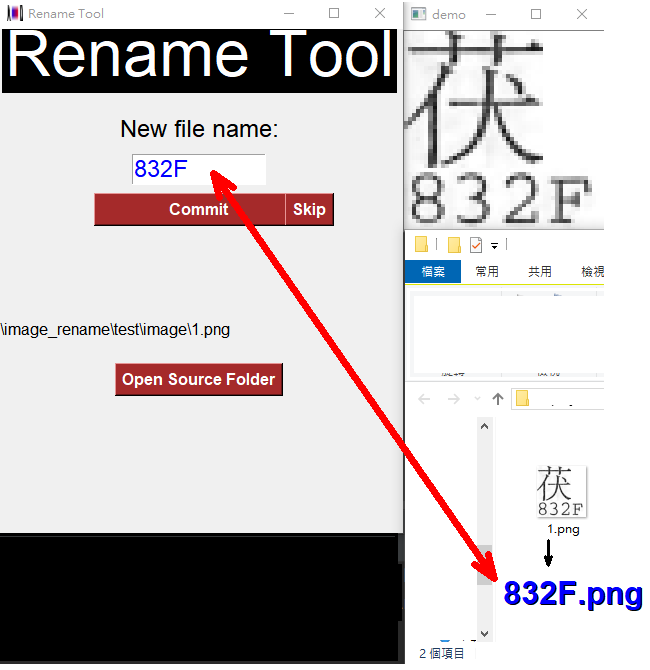
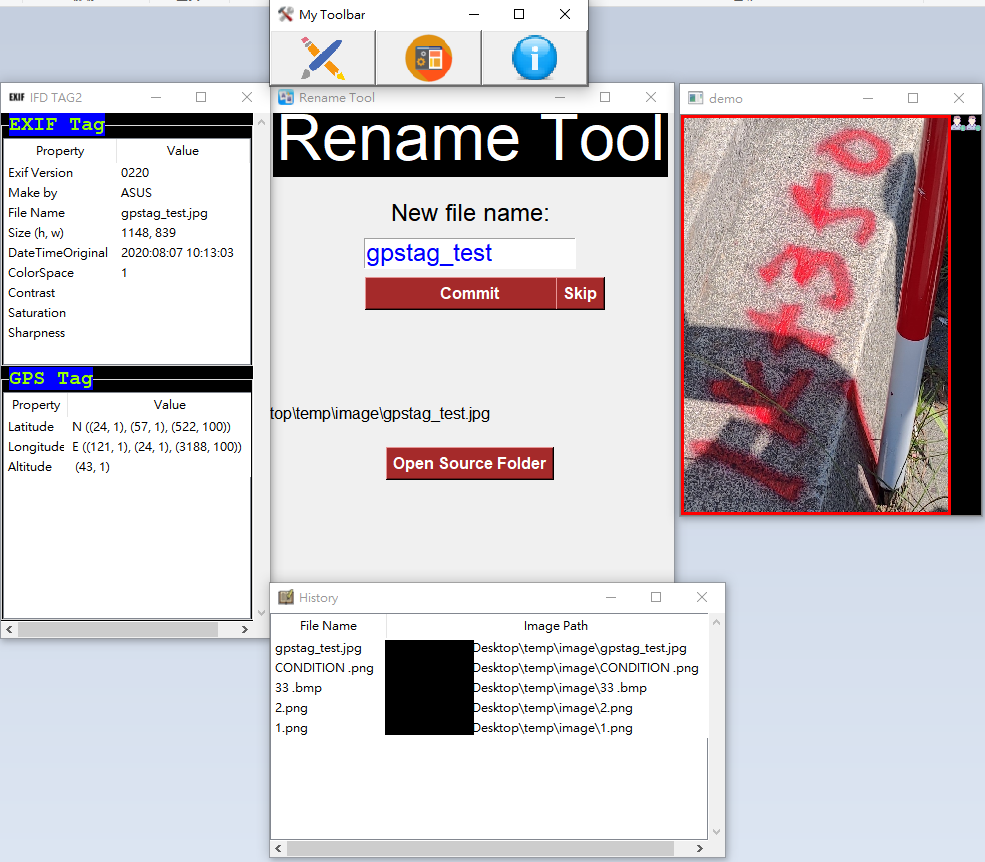
you can add other plugins to see more information {[IFD], [EXIF] [GPS], …}, like below:
REFERENCE
FOOTNOTES
1 maintainer

Metadata
1 maintainer
Release files for image-rename 0.2.0
For a detailed explanation of source distributions (sdists) and built distributions (wheels), please see the package formats documentation.
Built distribution (wheel)
| File | Interpreter | ABI | Platform | Reset |
|---|---|---|---|---|
| image_rename-0.2.0-py3-none-any.whl | Python 3 | none | any | Details |
Release files / image_rename-0.2.0-py3-none-any.whl
| Download URL | image_rename-0.2.0-py3-none-any.whl |
|---|---|
| Size | 149.4 kB |
| Tags | Python 3 |
|
SHA-256 checksum How to use checksums |
9f55279504161b79dd88d5fe47d90568167c25c67c5594bc5b7f804337783b5d
|
|
BLAKE2b-256 checksum How to use checksums |
1976c1192cbc129224d4705d03203ac8521739e304f0594633d8493882c6beb3
|
| Upload date | |
|
Uploaded using Trusted Publishing? What is trusted publishing? |
No |
| Uploaded via |
twine/3.2.0 pkginfo/1.5.0.1 requests/2.22.0 setuptools/50.3.0 requests-toolbelt/0.9.1 tqdm/4.50.2 CPython/3.7.4
|














