
Image Cropping and Text Extraction
This code is designed to crop images and extract text from them using Optical Character Recognition (OCR). It is particularly useful for processing images of documents or forms where specific information needs to be extracted. Please install tesseract ocr first!
Installation
pip install image-trimmer
Usage
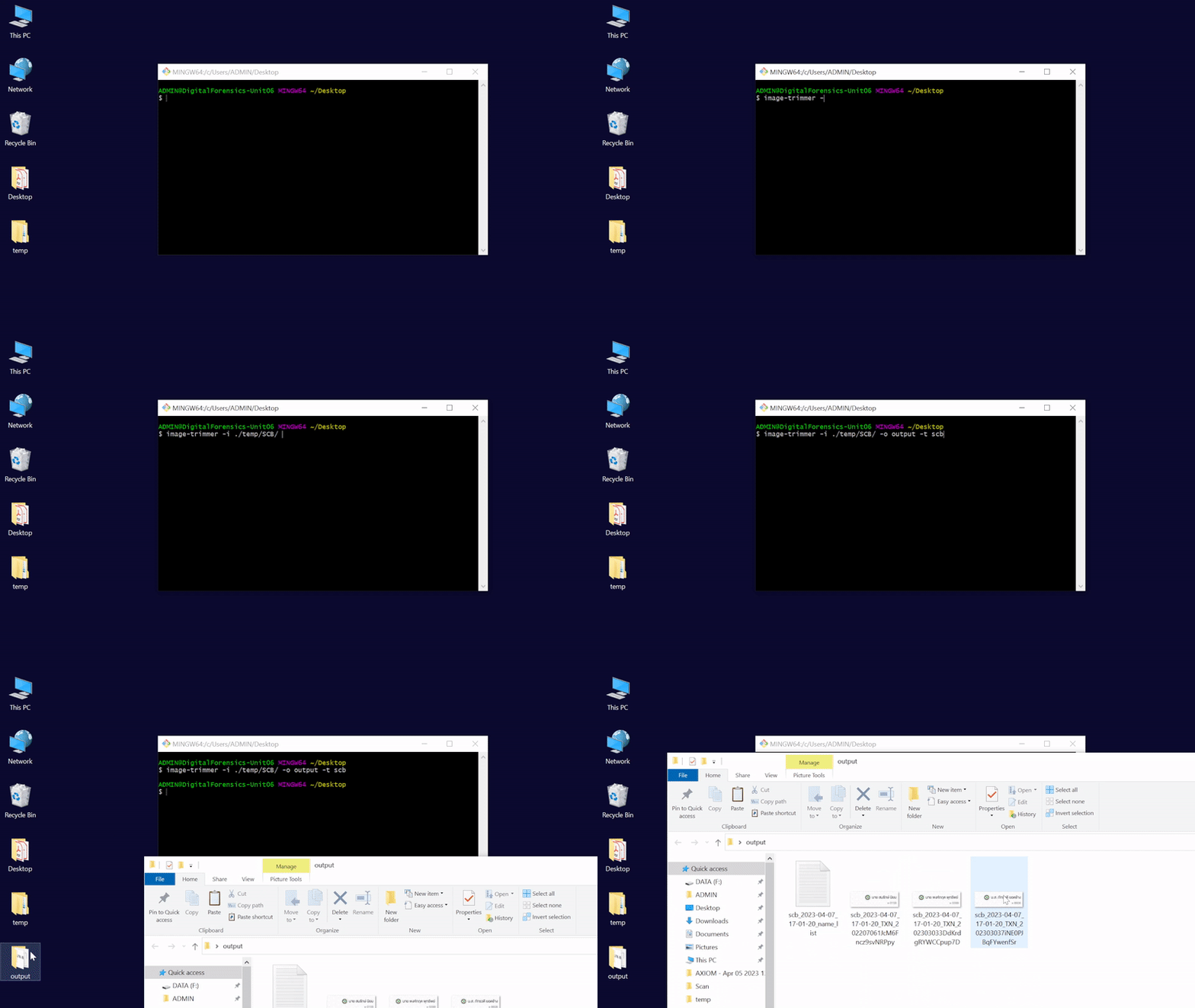
The code can be run from the command line using the following syntax:
image-trimmer -i ./path/to/folder -o ./path/to/output -t scb
Example
1 maintainer

Release files for image-trimmer 0.0.10
For a detailed explanation of source distributions (sdists) and built distributions (wheels), please see the package formats documentation.
Source distribution (sdist)
| File | Size | Uploaded | |
|---|---|---|---|
| image-trimmer-0.0.10.tar.gz | 2.9 kB | Details |
Built distribution (wheel)
| File | Interpreter | ABI | Platform | Reset |
|---|---|---|---|---|
| image_trimmer-0.0.10-py3-none-any.whl | Python 3 | none | any | Details |
Total release size: 6.3 kB
Release files / image-trimmer-0.0.10.tar.gz
| Download URL | image-trimmer-0.0.10.tar.gz |
|---|---|
| Size | 2.9 kB |
| Tags | Source |
|
SHA-256 checksum How to use checksums |
64d32010cac9ac041fd7edb3b29e8557ef38dd826680cc9be05536d4b02a079d
|
|
BLAKE2b-256 checksum How to use checksums |
b09df566a7f15928d6a5d1406c7d244270ccf74365ce5b80488b8b879fbe8b93
|
| Upload date | |
|
Uploaded using Trusted Publishing? What is trusted publishing? |
No |
| Uploaded via |
twine/4.0.2 CPython/3.11.1
|
Release files / image_trimmer-0.0.10-py3-none-any.whl
| Download URL | image_trimmer-0.0.10-py3-none-any.whl |
|---|---|
| Size | 3.4 kB |
| Tags | Python 3 |
|
SHA-256 checksum How to use checksums |
743a24af7dd09014b85c44a7b29dd26e3badf5bf1b7118d04ba1ac01b20ecefe
|
|
BLAKE2b-256 checksum How to use checksums |
a64df750ef77f3391a741e7d097e877903bf53f62c619fc654256f0c56b7f1bf
|
| Upload date | |
|
Uploaded using Trusted Publishing? What is trusted publishing? |
No |
| Uploaded via |
twine/4.0.2 CPython/3.11.1
|














