
Image Effects
A Simple Library to add effects to images written in python using Pillow.
Quick Example
# import the EffectsCreator class
from ImageEffects import EffectsCreator

# initialize it
EC = EffectsCreator()

# use functions to add effects to images

# this functions overlays an image with an emoji
# the functions returns a PIL.Image.Image object
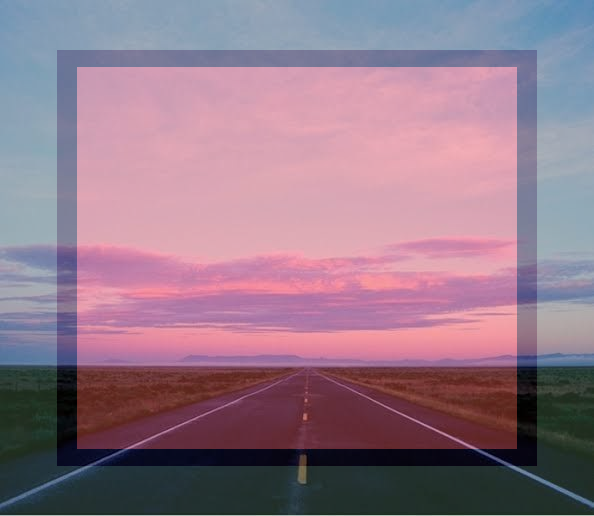
output = EC.emojioverlay('input.png', '🟥')

# save the resulted image
output.save('output.png')

# or add effects and save them.
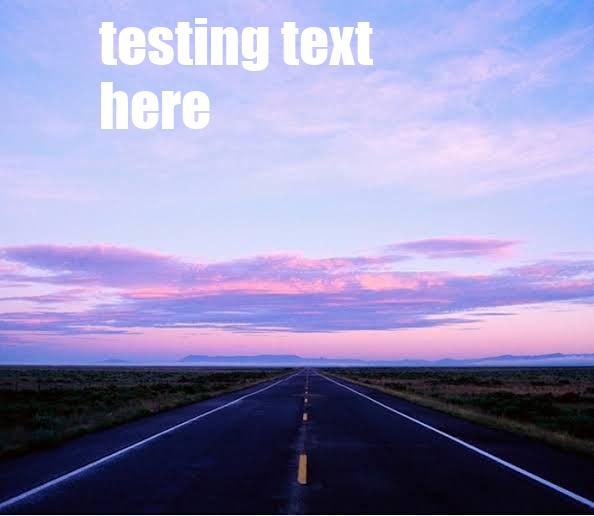
EC.caption1('input.png', 'testing text here').save('result_two.jpg')
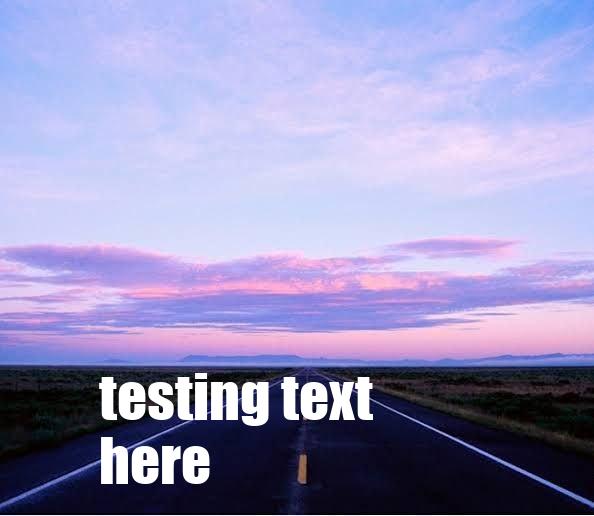
EC.caption2('input.png', 'testing text here').save('result_three.jpg')
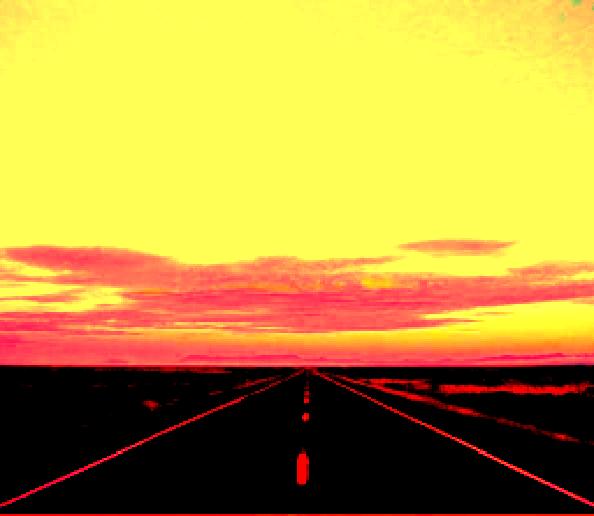
EC.deepfry('input.png').save('result_four.jpg')
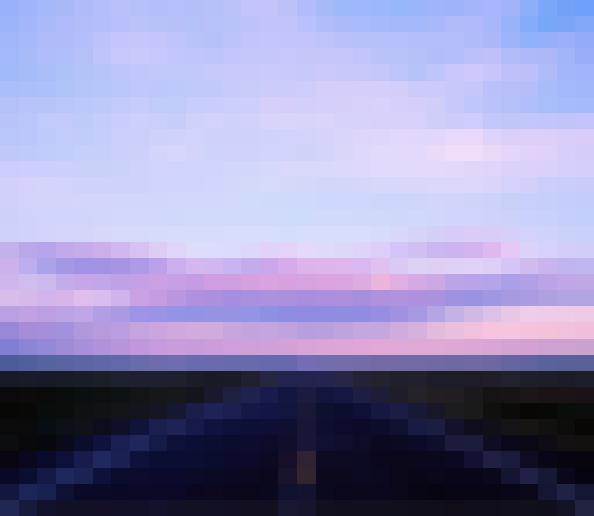
EC.pixelate('input.png', 2).save('result_five.jpg')
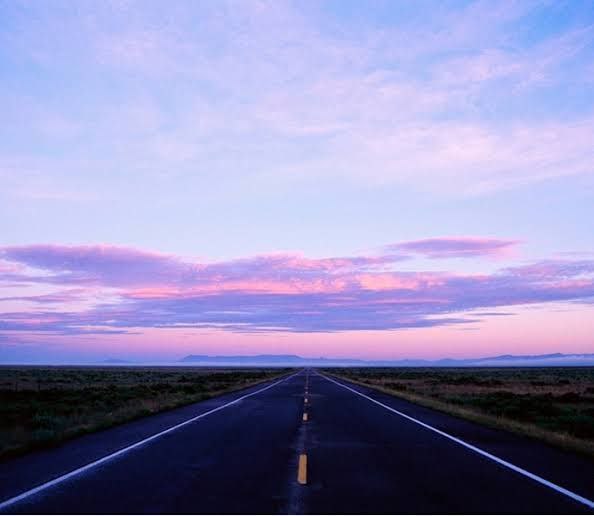
input file:
emojioverlay:
caption1:
caption2:
deepfry:
pixelate:
Index
Functions
- emojioverlay
- deepfry
- caption1
- caption2
- pixelate
- triggered
- cropcircle
- blur
- rotate
- ascify
- crop
- resize
- saturate
- grayscale
- flip
- mirror
- invert
More Information
Installation
Install using pip.
pip install ImageEffects
Functions
emojioverlay
Overlays an image with an emoji.
emojioverlay(image: str, emoji: str, alpha: int = 100) -> Image
deepfry
makes deepfry meme from image.
deepfry(image: str) -> Image
caption1
adds given text to the image on the top side.
caption1(image: str, text: str = 'text here', _font_size_ratio_mul: float = 1.0, _border: bool = False) -> Image
caption2
adds given text to the image on the bottom side.
caption2(image: str, text: str = 'text here', _font_size_ratio_mul: float = 1.0, _border: bool = False) -> Image
pixelate
adds pixelate effect.
scale should be between 0 to 6 ( including 0 and 6)
pixelate(image: str, scale: int = 0) -> Image
triggered
makes triggered meme.
triggered(self, image: str) -> Image
cropcirlce
crops image in circle.
cropcircle(image: str) -> Image
blur
blurs the image using box blur for performance.
radius int value for the radius of blur.
blur(image: str, radius: int = 1) -> Image
rotate
rotates the image according to the radius given.
rotation_angle int value in angles.
rotate(image: str, rotation_angle: int = 90) -> Image
ascify
makes ascii art from given text.
str string text,
asicfy(text: str = 'ascify') -> str
crop
crops image automactically in 1:1 ratio.
crop(image: str) -> Image
resize
resize image according to given width and height.
width amd height should be atleast 1 and smaller than the original image's width and height.
resize(image: str, width: int = 0, height: int = 0) -> Image
saturate
changes saturation of image.
scale int should be between 0 ( being grayscale ) and 10 ( 10 being 10 times more saturated ).
saturate(image: str, scale: int = 0) -> Image
grayscale
grayscales an image.
grayscale(image: str) -> Image
flip
flips image vertically.
flip(image: str) -> Image
mirror
mirrors the image.
mirror(image: str) -> Image
invert
inverts the colors of an image.
invert(image: str) -> Image
What's Next?
I am planing to add a lot more effects to the library, and feel free to contribute to the project with new effects or improvements.
1 maintainer

Metadata
1 maintainer
Release files for ImageEffects 0.0.13
For a detailed explanation of source distributions (sdists) and built distributions (wheels), please see the package formats documentation.
Source distribution (sdist)
| File | Size | Uploaded | |
|---|---|---|---|
| ImageEffects-0.0.13.tar.gz | 6.5 MB | Details |
Built distribution (wheel)
| File | Interpreter | ABI | Platform | Reset |
|---|---|---|---|---|
| ImageEffects-0.0.13-py3-none-any.whl | Python 3 | none | any | Details |
Total release size: 14.3 MB
Release files / ImageEffects-0.0.13.tar.gz
| Download URL | ImageEffects-0.0.13.tar.gz |
|---|---|
| Size | 6.5 MB |
| Tags | Source |
|
SHA-256 checksum How to use checksums |
f9deba70db850da45fe929aae3b1220a88676dd817605c1e8003554a4ee985e3
|
|
BLAKE2b-256 checksum How to use checksums |
fb2b2e6ba570cebbaf3a8d87367288a2fa05ffb06a5c453e85ab405921696fe4
|
| Upload date | |
|
Uploaded using Trusted Publishing? What is trusted publishing? |
No |
| Uploaded via |
twine/4.0.2 CPython/3.10.8
|
Release files / ImageEffects-0.0.13-py3-none-any.whl
| Download URL | ImageEffects-0.0.13-py3-none-any.whl |
|---|---|
| Size | 7.8 MB |
| Tags | Python 3 |
|
SHA-256 checksum How to use checksums |
55bc8e036925df3b9507383f25dba5a86aafb57d64b167d41dc24f5f60da7e71
|
|
BLAKE2b-256 checksum How to use checksums |
0d02f2d8e35155535d3c05ca79f8c701a20057e1e4f805624ee6051110a997e3
|
| Upload date | |
|
Uploaded using Trusted Publishing? What is trusted publishing? |
No |
| Uploaded via |
twine/4.0.2 CPython/3.10.8
|














