
Export and analyze iMessage conversations from macOS SQLite database

Project description
iMessage Wrapped
Export and analyze your iMessage conversations from the macOS SQLite database.
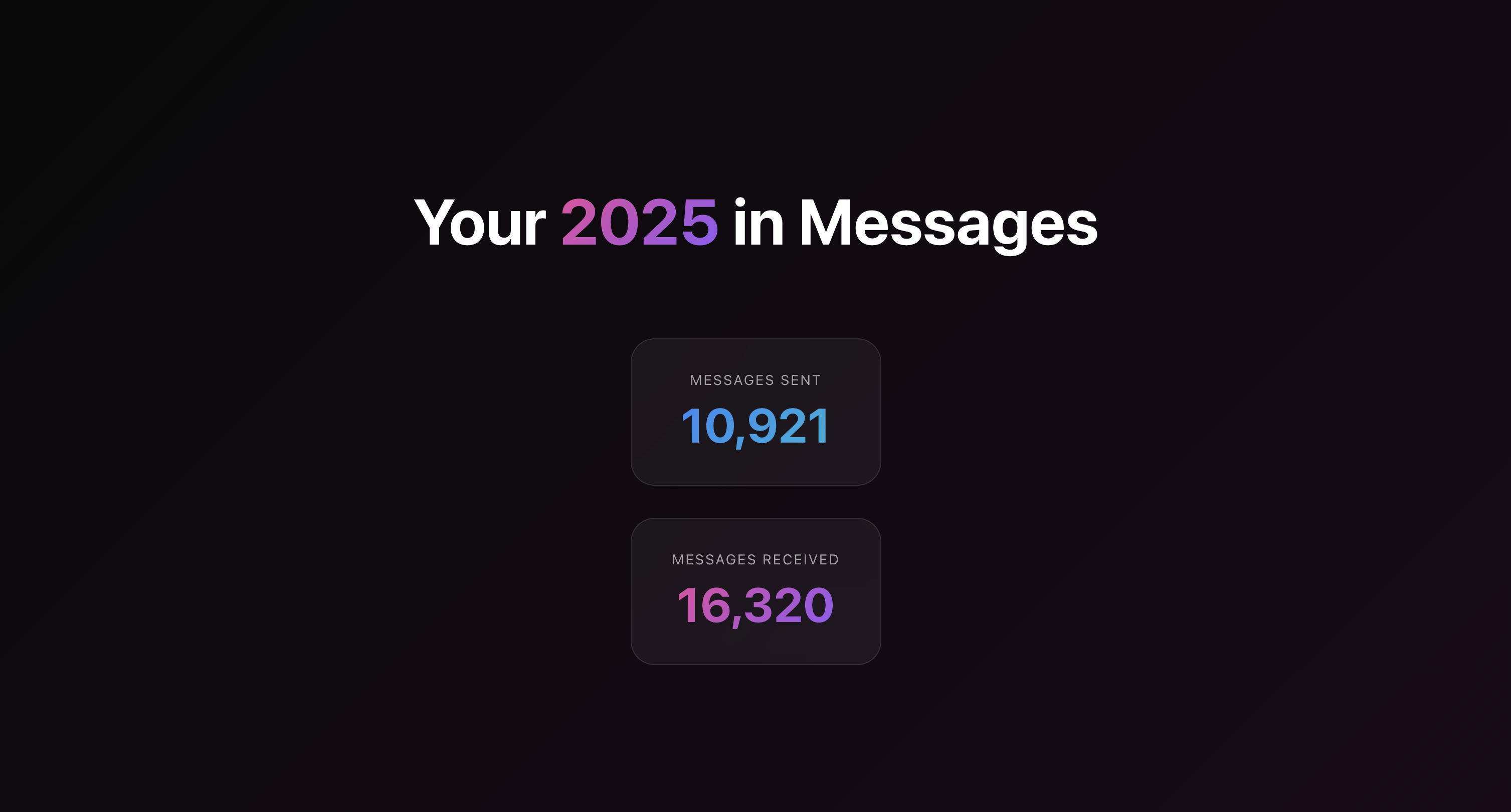
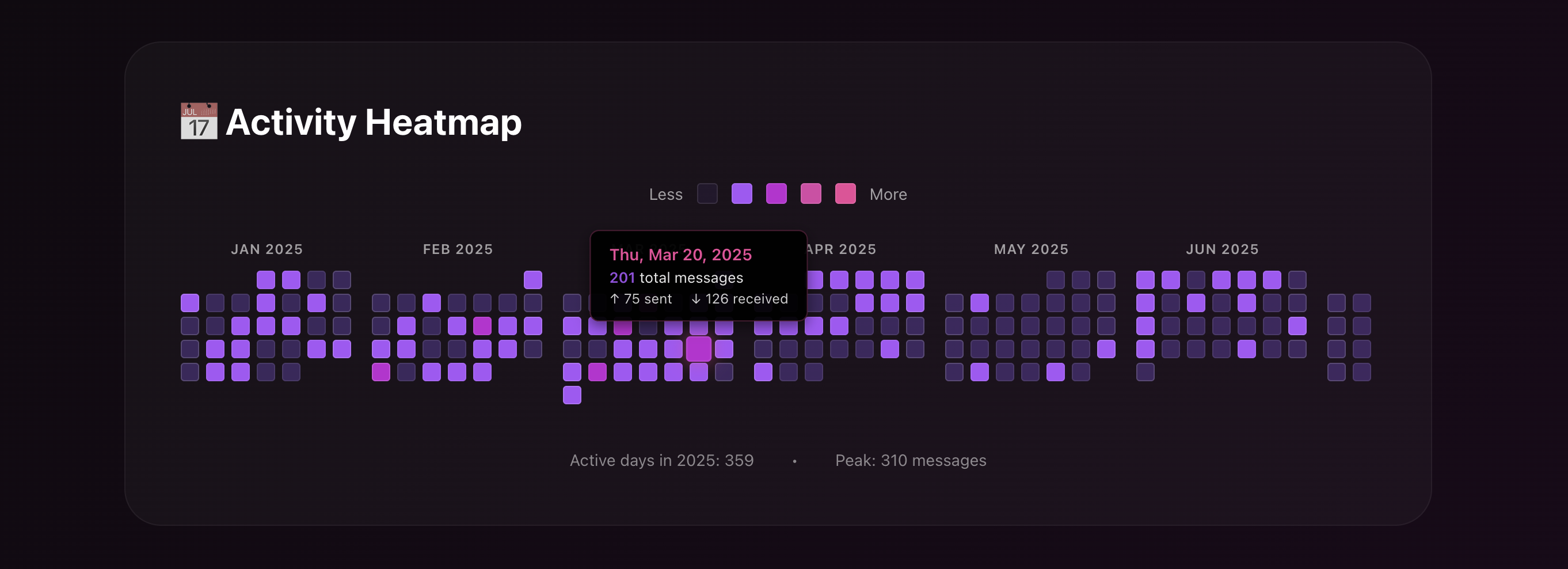
Quick Start
🖥️ Desktop App (No Terminal Required!)
- Download and open
iMessage-Wrapped.dmg - Drag to Applications folder
- Launch the app
- Click "Analyze My Messages"
- Your wrapped opens in browser automatically
See desktop/ for building from source.
💻 Command Line
pip install imessage-wrapped
imexport
That's it! By default, the command will:
- 🔄 Auto-export your messages (if not already exported)
- 📊 Analyze your messaging patterns
- ☁️ Upload anonymized statistics
- 🔗 Give you a shareable URL like:
https://imessage-wrapped.fly.dev/2025/abc123xyz
Want to see full details in the terminal instead? Use imexport --no-share
Features
✅ Dashboard - Interactive visualizations of your messaging patterns
✅ Easy Sharing - One command to upload and get a shareable link
✅ Secure - HTTPS, encrypted database
✅ Favorite Phrases - Automatically surfaces the sayings you repeat most
✅ Deploy Anywhere - Fly.io ready (free tier available)
🔒 Data Privacy
Your message content NEVER leaves your computer.
By default, we only upload aggregated statistics to create your shareable link. Here's exactly what is and isn't uploaded:
✅ What IS Uploaded (Statistics Only)
- Counts: Total messages sent/received, tapbacks given/received, attachments, etc.
- Averages: Message length, response times, punctuation usage
- Distributions: Hour of day, day of week, month patterns
- Emojis: Which emojis you used and how often
- Dates: Your busiest messaging days, streak lengths
- Anonymized Identifiers: Contact identifiers are SHA256-hashed (e.g.,
phone_a3b2c1d4e5f6)
❌ What is NOT Uploaded (Stays Private)
- Message Text: No actual message content is ever sent
- Contact Names: All names are stripped out before upload
- Phone Numbers/Emails: Original identifiers are one-way hashed
- Conversation Content: No snippets, samples, or quotes
- Attachments: No photos, videos, or file content
- Personal Info: Nothing that could identify you or your contacts
Usage
As a Library
from imessage_wrapped import MessageService, Exporter

service = MessageService()
data = service.export_year(2025)

exporter = Exporter()
exporter.export_to_file(data, "messages_2025.json")
See example_usage.py for a complete working example.
As a CLI
After installation, use the imexport command:
# Analyze and share (default behavior)
imexport

# Analyze with full terminal output (no sharing)
imexport --no-share

# Export specific year
imexport --year 2024

# Replace cached export
imexport --replace-cache

# Use local dev server
imexport --dev

# Custom database path
imexport --database /path/to/test/chat.db

# Save statistics to file
imexport --output stats.json

# Show help
imexport --help
Alternatively, run without installation:
python -m imessage_wrapped --year 2024
Requirements
- Python 3.10+
- macOS with Full Disk Access permission
richlibrary for terminal output
Installation
From PyPI
pip install imessage-wrapped
imexport
From Source (Development)
git clone https://github.com/gtarpenning/imessage-wrapped.git
cd imessage-wrapped
pip install -e .

# Install git hooks (recommended for contributors)
./scripts/install-git-hooks.sh
Git Hooks:
- pre-commit: Automatically runs linting and type checking on staged Python/web files
- pre-push: Validates that the web build compiles before pushing to
main
macOS Permissions
Requires Full Disk Access to read the iMessage database:
- Open System Settings
- Go to Privacy & Security → Full Disk Access
- Add Terminal (for CLI) or the Desktop App
- Restart the application
Deployment
See RELEASE-GUIDE.md for deploying the CLI, Desktop App, or Web App.
Release history Release notifications | RSS feed


Download files
Download the file for your platform. If you're not sure which to choose, learn more about installing packages.
Source Distribution
Built Distribution
Filter files by name, interpreter, ABI, and platform.
If you're not sure about the file name format, learn more about wheel file names.
Copy a direct link to the current filters
File details
Details for the file imessage_wrapped-0.1.17.tar.gz.
File metadata
- Download URL: imessage_wrapped-0.1.17.tar.gz
- Upload date:
- Size: 48.8 kB
- Tags: Source
- Uploaded using Trusted Publishing? No
- Uploaded via: twine/6.2.0 CPython/3.11.4
File hashes
| Algorithm | Hash digest | |
|---|---|---|
| SHA256 |
da6f6ecc37b39882d3946dbc177214f5aa8b5b169f53f5745df13b6cc0184d60
|
|
| MD5 |
09b3582fef42aeaf93a1b57a03217898
|
|
| BLAKE2b-256 |
d3bd0808f5a7c4492a34e9a8ff619600b3a77fd99f1273acbe84ac2e89194382
|
File details
Details for the file imessage_wrapped-0.1.17-py3-none-any.whl.
File metadata
- Download URL: imessage_wrapped-0.1.17-py3-none-any.whl
- Upload date:
- Size: 54.7 kB
- Tags: Python 3
- Uploaded using Trusted Publishing? No
- Uploaded via: twine/6.2.0 CPython/3.11.4
File hashes
| Algorithm | Hash digest | |
|---|---|---|
| SHA256 |
5c3ca6efcc73c823e3bf2a00e6673b73697d6399db388c67212f244b6dced43c
|
|
| MD5 |
85b85ff1bd8ce7403af8f293480864b2
|
|
| BLAKE2b-256 |
68bcbc9f28b9284fc772dc68cb5780559498b5af240dce9b88ed4beb4e49dc12
|






