
Wrapper package for img2img-turbo with python API

Project description
img2img-turbo
This repository is a pip-installable Python package + CPU/GPU compatibility wrapper for the original img2img-turbo project by Gaurav Parmar et al.
Original project & code:
https://github.com/GaParmar/img2img-turbo
Please star the original repo if you find this work useful!
Paper: One-Step Image Translation with Text-to-Image Models
Authors: Gaurav Parmar, Taesung Park, Srinivasa Narasimhan, Jun-Yan Zhu
Hugging Face Demo: gparmar/img2img-turbo-sketch
This packaged version (pip + CPU support):
https://github.com/HamedDaneshvar/img2img-turbo
Contributions welcome: issues, PRs, new models, better docs, etc.
Quick start: Running Locally · Gradio Demo · Training
Quick start: Running Locally | Gradio (locally hosted) | Training
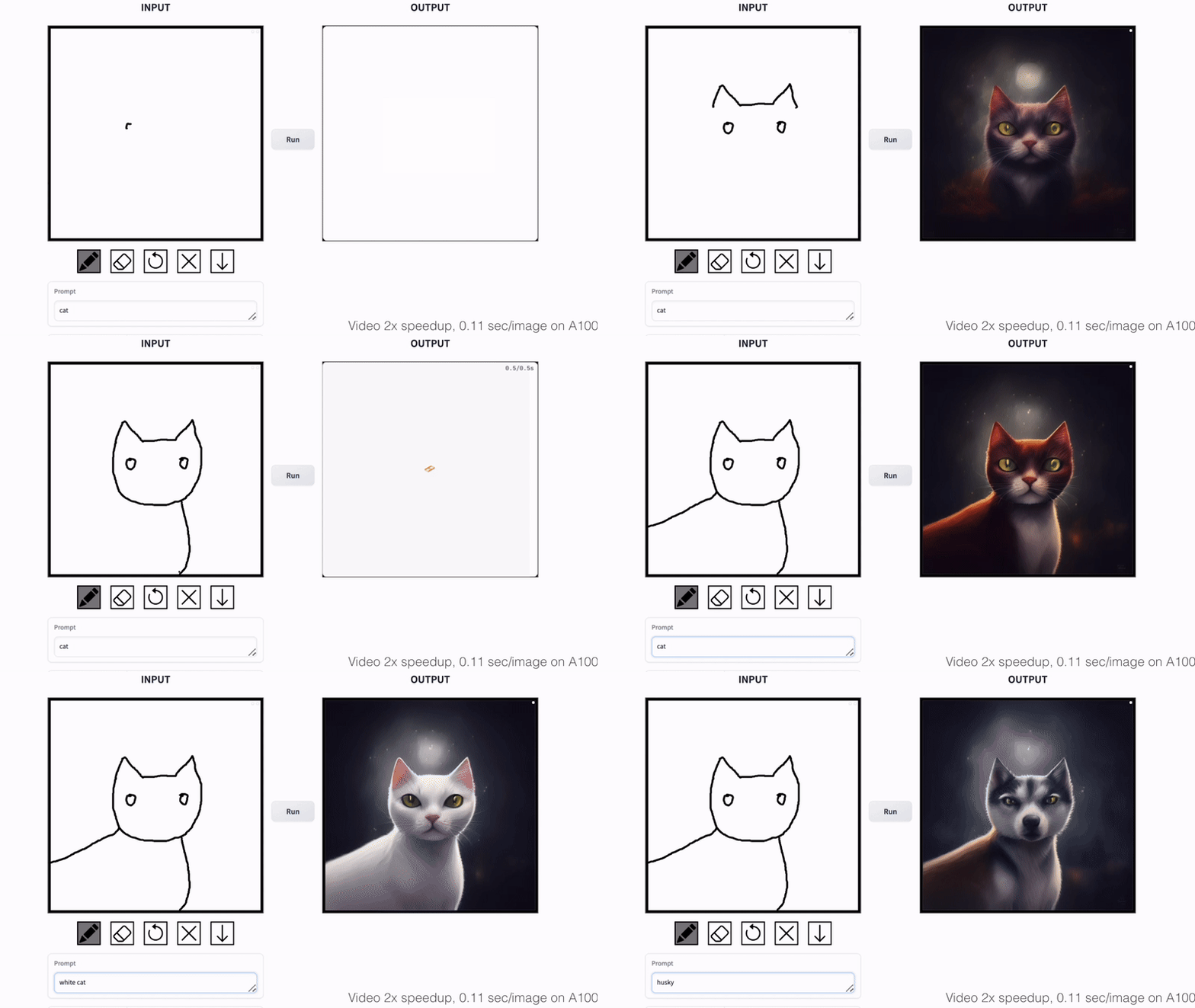
Cat Sketching
Fish Sketching
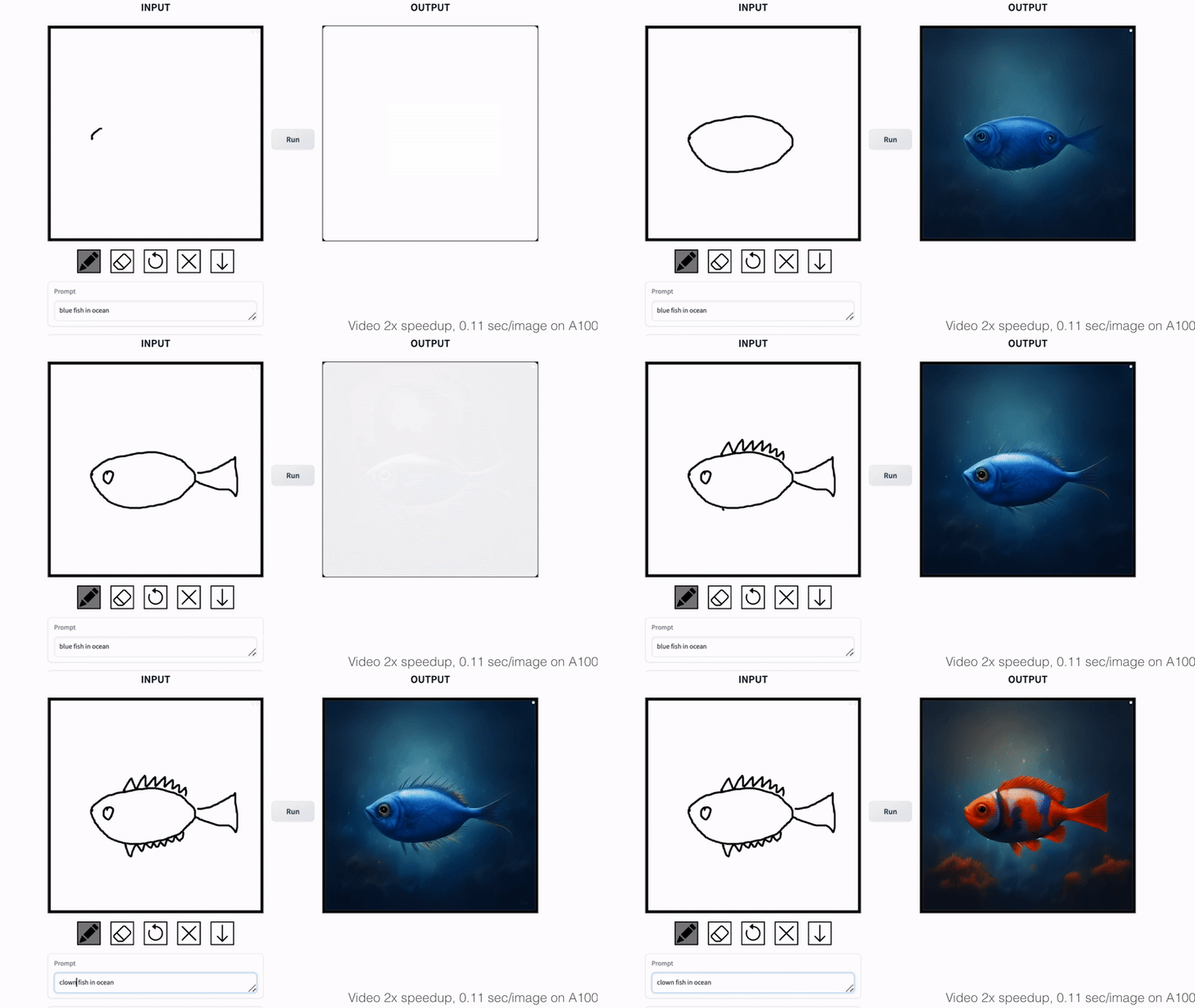
We propose a general method for adapting a single-step diffusion model, such as SD-Turbo, to new tasks and domains through adversarial learning. This enables us to leverage the internal knowledge of pre-trained diffusion models while achieving efficient inference (e.g., for 512x512 images, 0.29 seconds on A6000 and 0.11 seconds on A100).
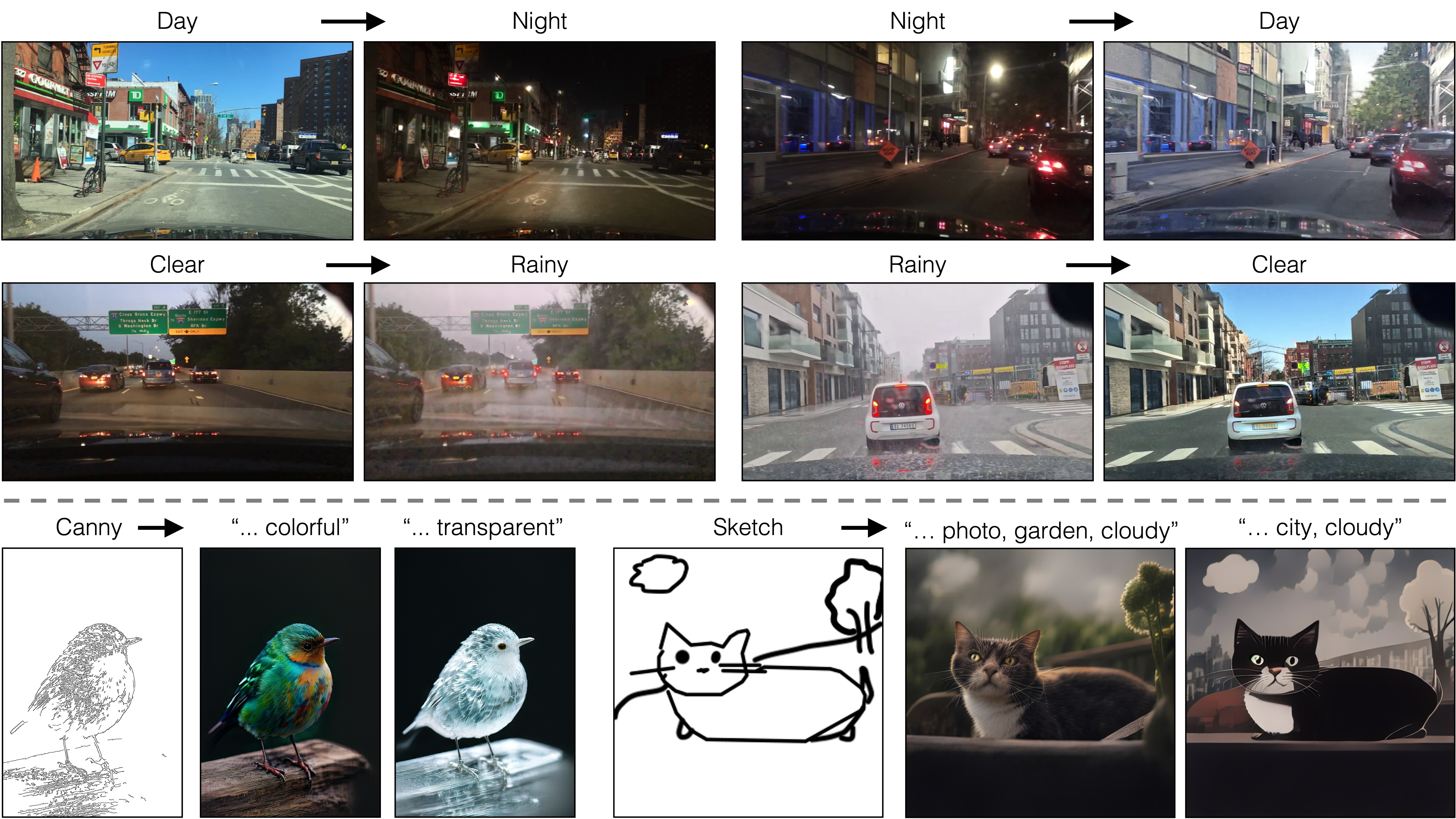
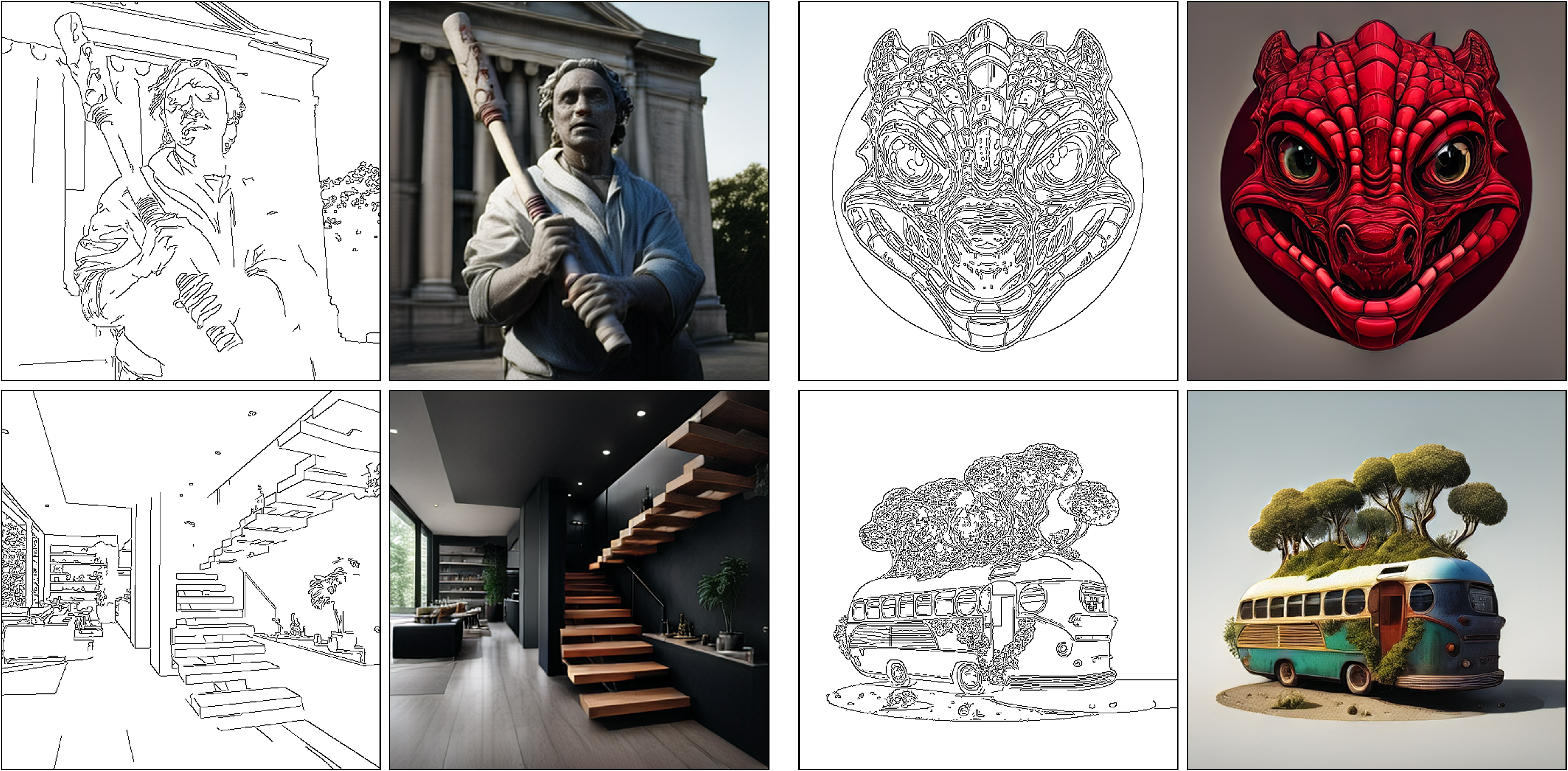
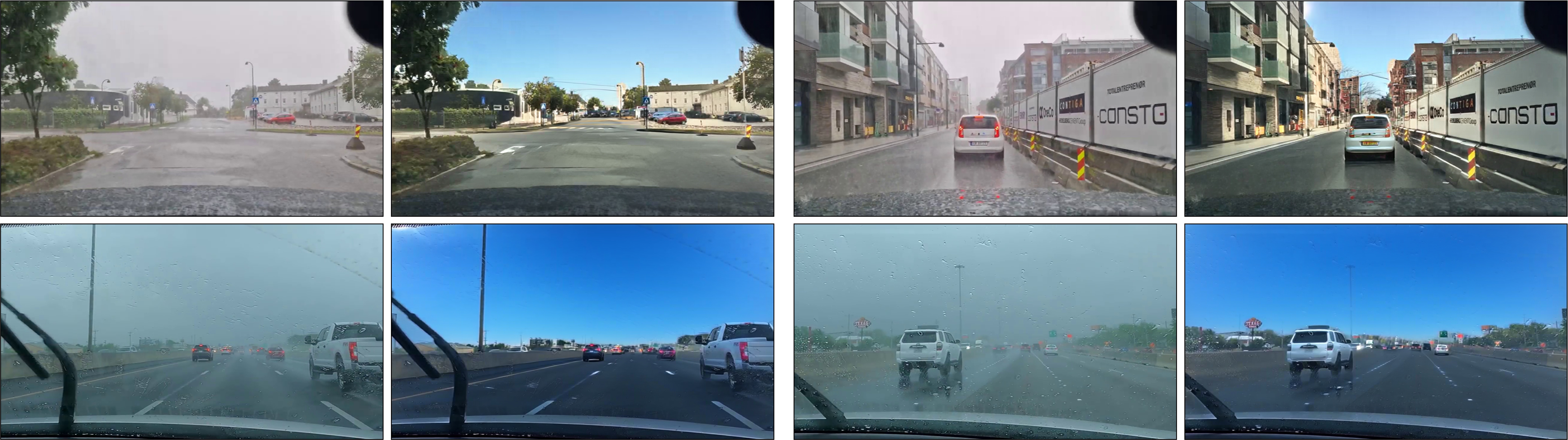
Our one-step conditional models CycleGAN-Turbo and pix2pix-turbo can perform various image-to-image translation tasks for both unpaired and paired settings. CycleGAN-Turbo outperforms existing GAN-based and diffusion-based methods, while pix2pix-turbo is on par with recent works such as ControlNet for Sketch2Photo and Edge2Image, but with one-step inference.
One-Step Image Translation with Text-to-Image Models
Gaurav Parmar, Taesung Park, Srinivasa Narasimhan, Jun-Yan Zhu
CMU and Adobe, arXiv 2403.12036
Results
Paired Translation with pix2pix-turbo
Edge to Image
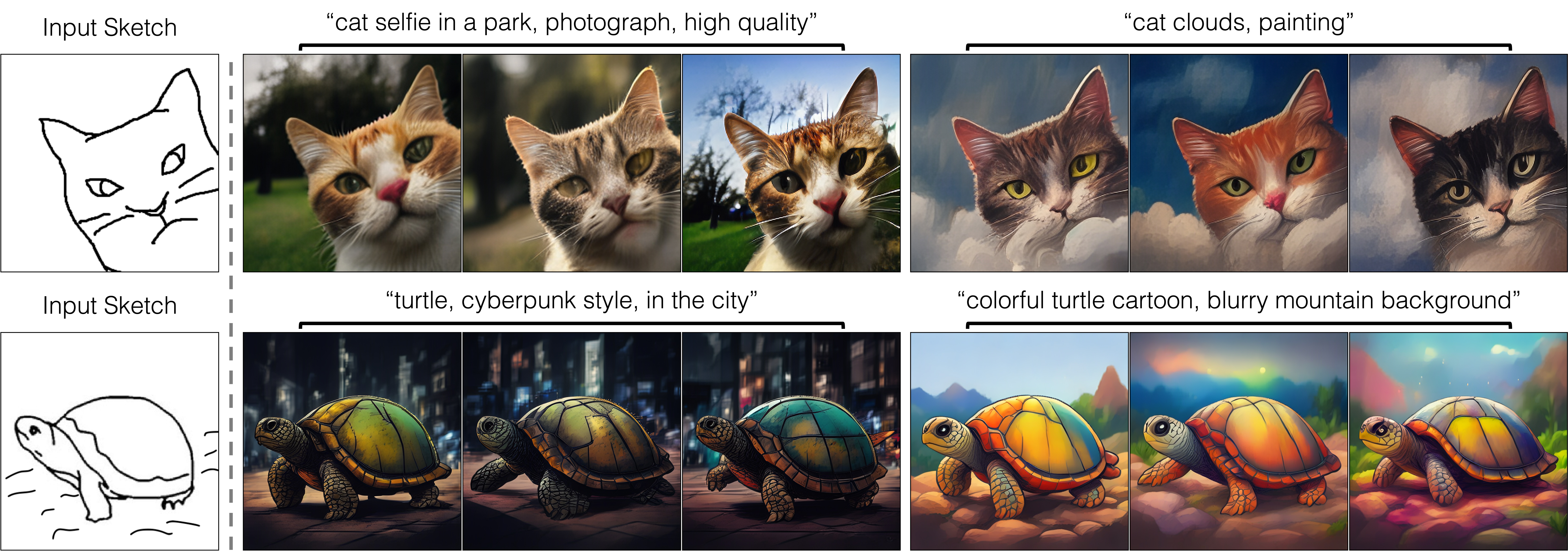
Generating Diverse Outputs
By varying the input noise map, our method can generate diverse outputs from the same input conditioning. The output style can be controlled by changing the text prompt.
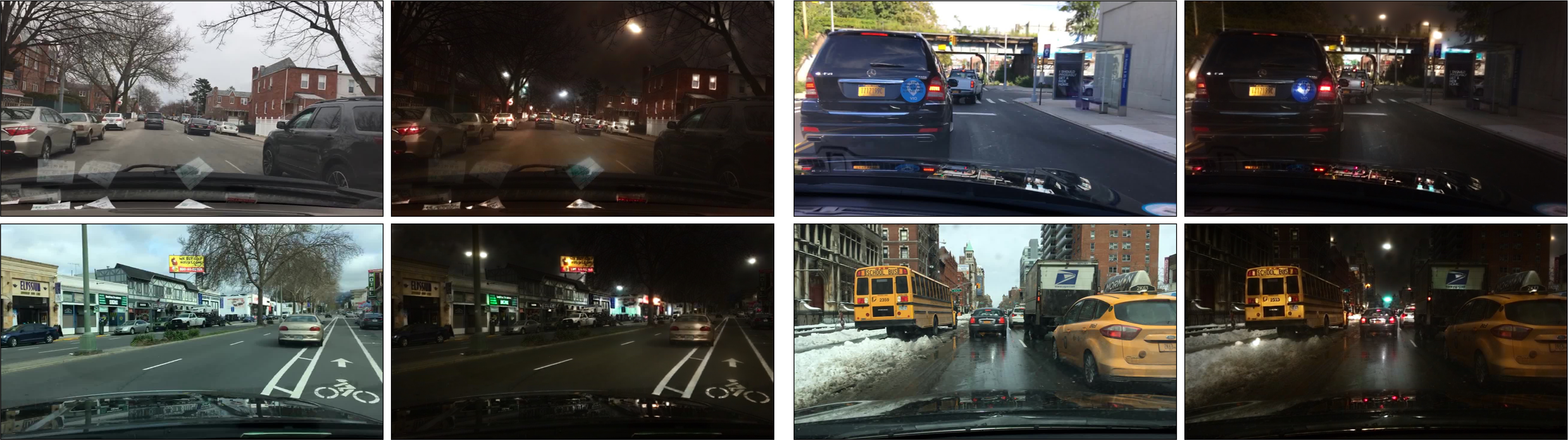
Unpaired Translation with CycleGAN-Turbo
Day to Night
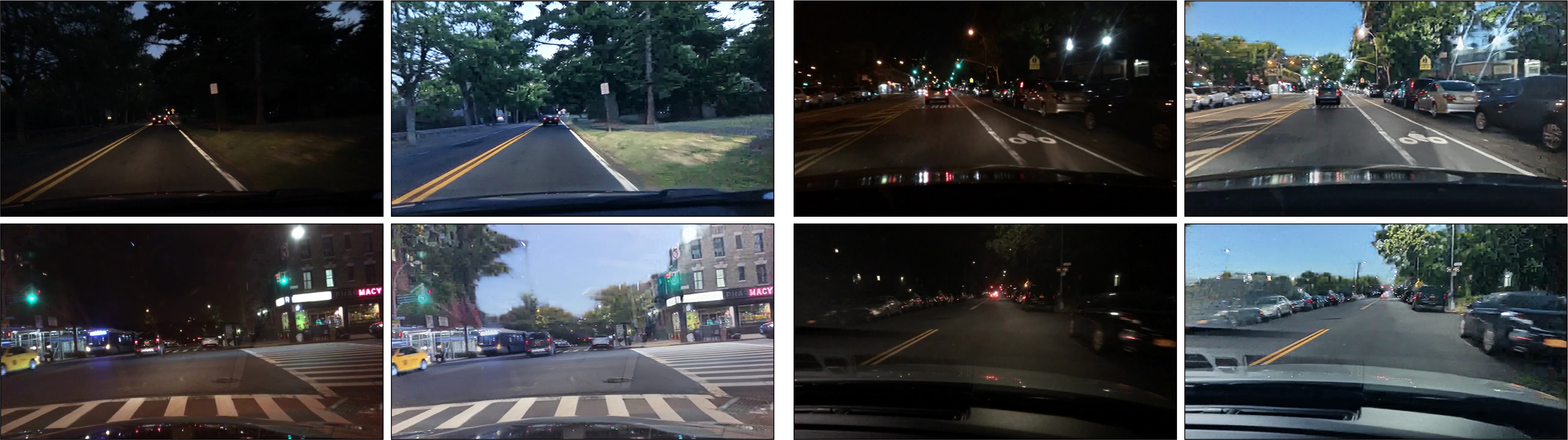
Night to Day
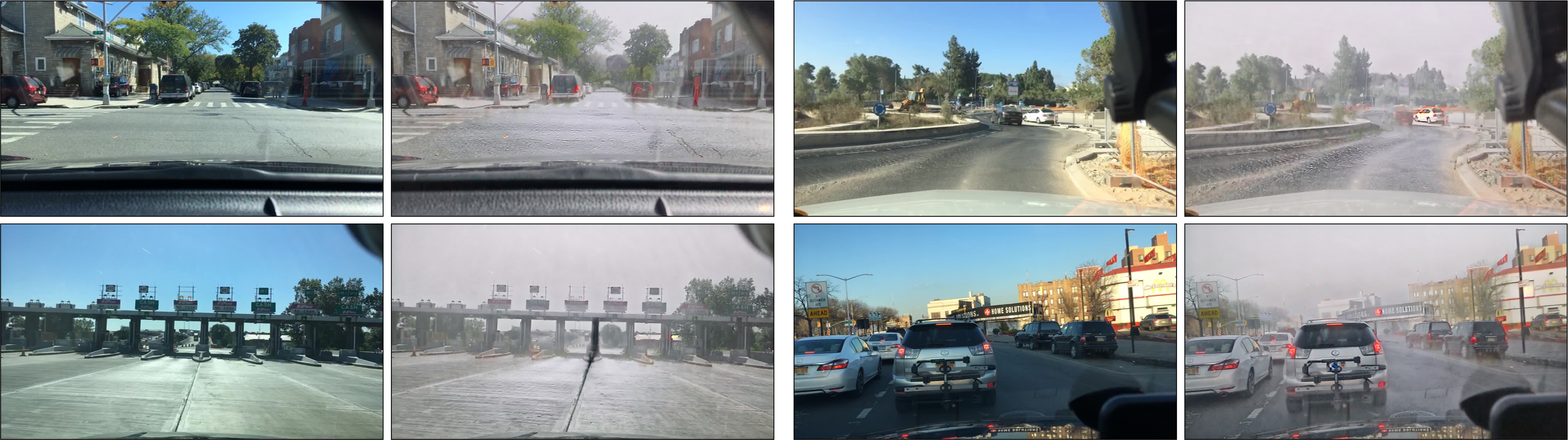
Clear to Rainy
Rainy to Clear
Method
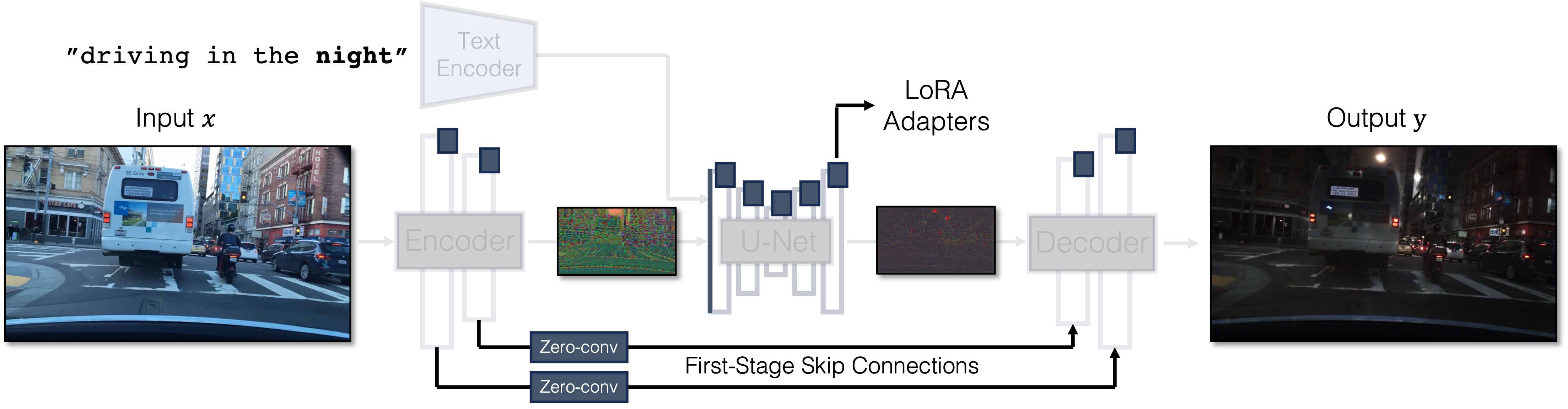
Our Generator Architecture: We tightly integrate three separate modules in the original latent diffusion models into a single end-to-end network with small trainable weights. This architecture allows us to translate the input image x to the output y, while retaining the input scene structure. We use LoRA adapters in each module, introduce skip connections and Zero-Convs between input and output, and retrain the first layer of the U-Net. Blue boxes indicate trainable layers. Semi-transparent layers are frozen. The same generator can be used for various GAN objectives.
Getting Started
Environment Setup
- We provide a conda env file that contains all the required dependencies.
conda env create -f environment.yaml - Following this, you can activate the conda environment with the command below.
conda activate img2img-turbo - Or use virtual environment:
python3 -m venv venv
source venv/bin/activate
pip install -r requirements.txt
Paired Image Translation (pix2pix-turbo)
-
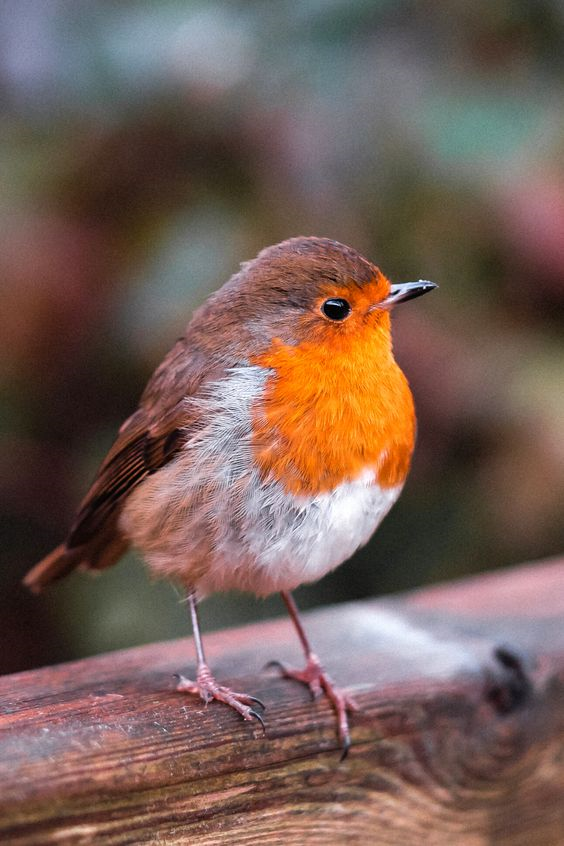
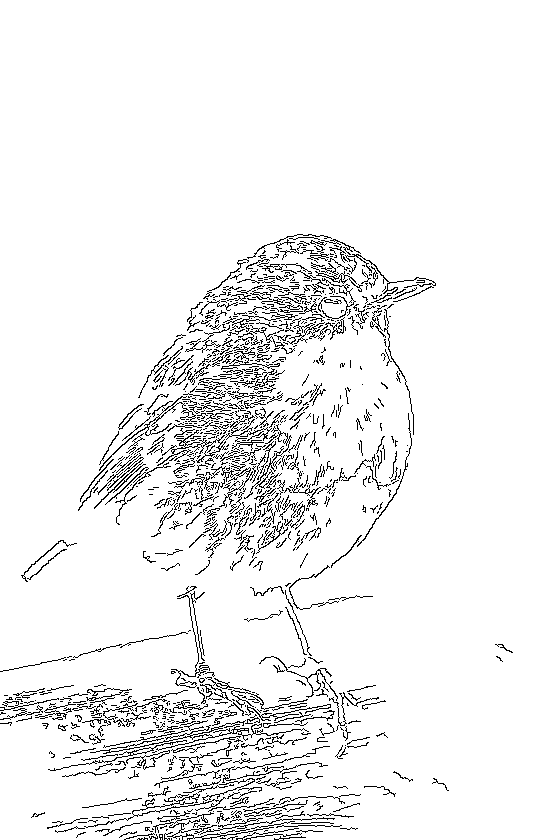
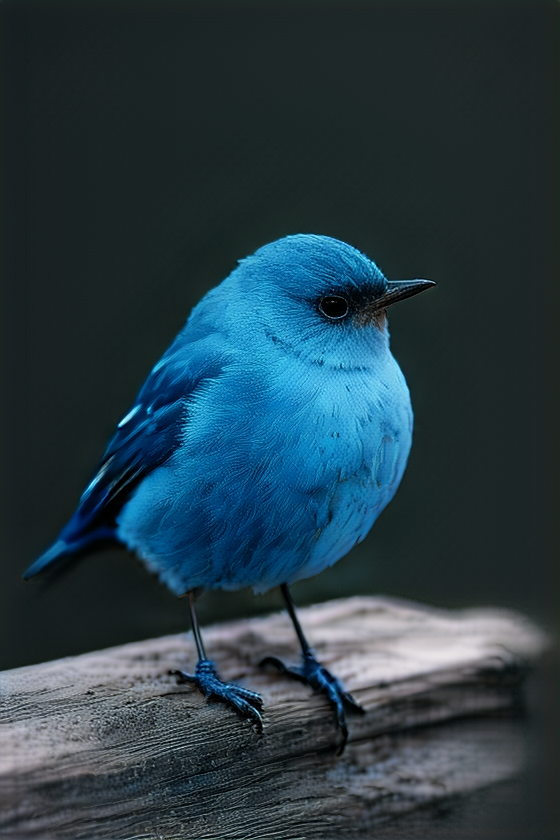
The following command takes an image file and a prompt as inputs, extracts the canny edges, and saves the results in the directory specified.
python src/inference_paired.py --model_name "edge_to_image" \
    --input_image "assets/examples/bird.png" \
    --prompt "a blue bird" \
    --output_dir "outputs"
Input Image Canny Edges Model Output
-
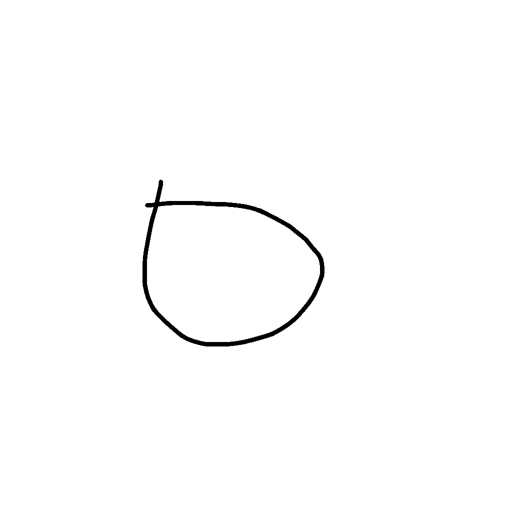
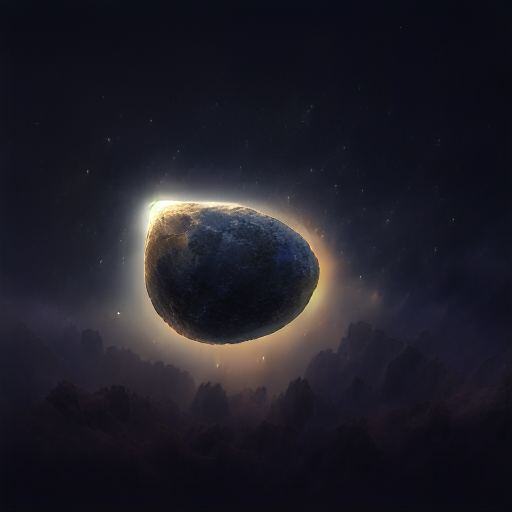
The following command takes a sketch and a prompt as inputs, and saves the results in the directory specified.
python src/inference_paired.py --model_name "sketch_to_image_stochastic" \
--input_image "assets/examples/sketch_input.png" --gamma 0.4 \
--prompt "ethereal fantasy concept art of an asteroid. magnificent, celestial, ethereal, painterly, epic, majestic, magical, fantasy art, cover art, dreamy" \
--output_dir "outputs"
Input Model Output
Unpaired Image Translation (CycleGAN-Turbo)
-
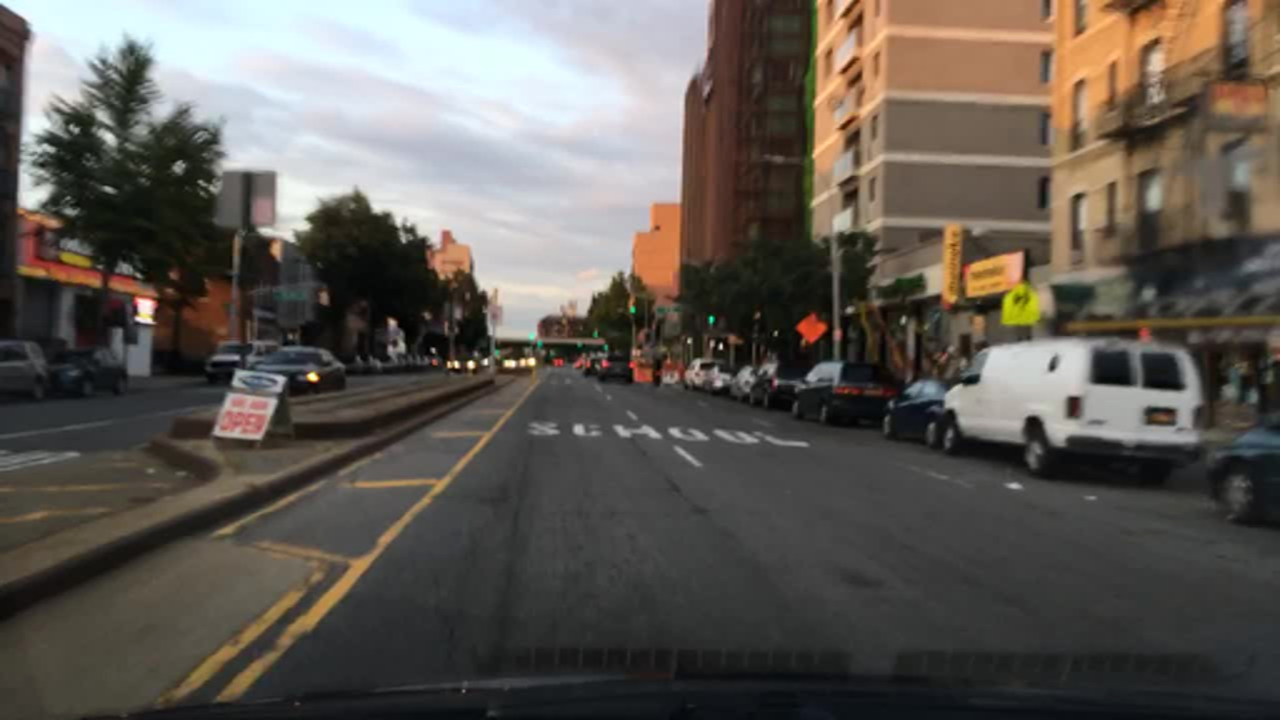
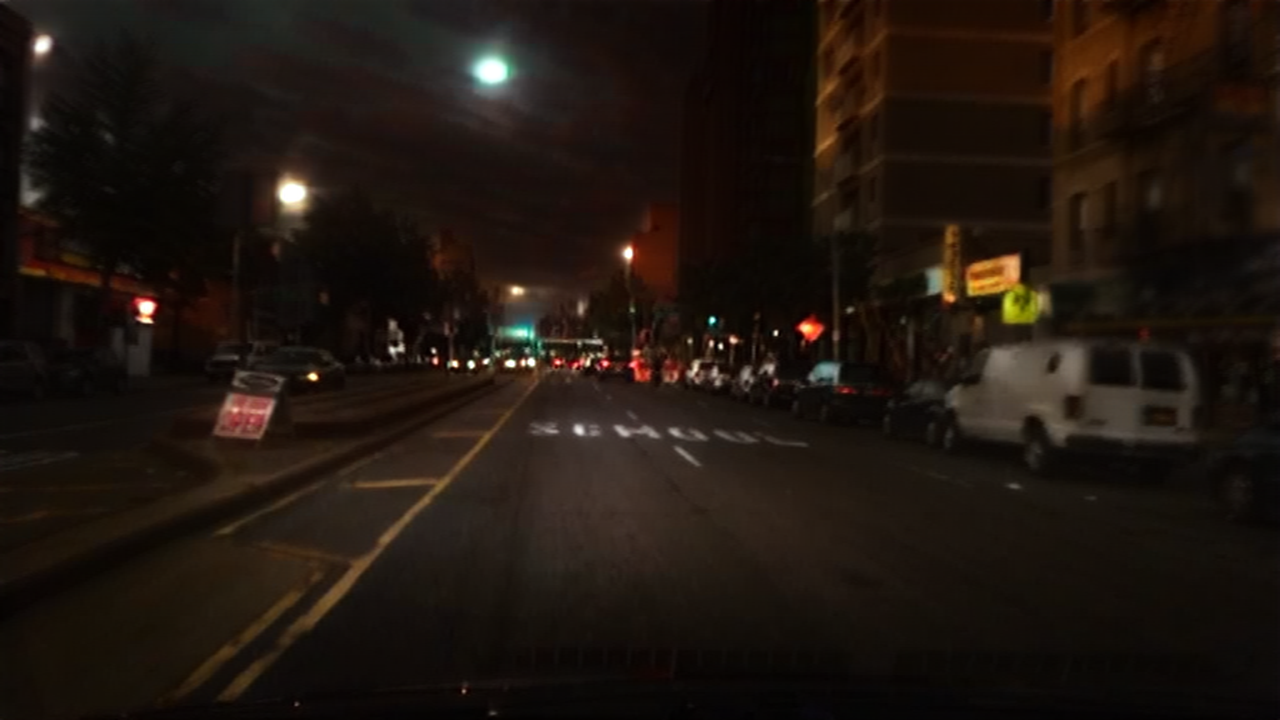
The following command takes a day image file as input, and saves the output night in the directory specified.
python src/inference_unpaired.py --model_name "day_to_night" \
    --input_image "assets/examples/day2night_input.png" --output_dir "outputs"
Input (day) Model Output (night) -
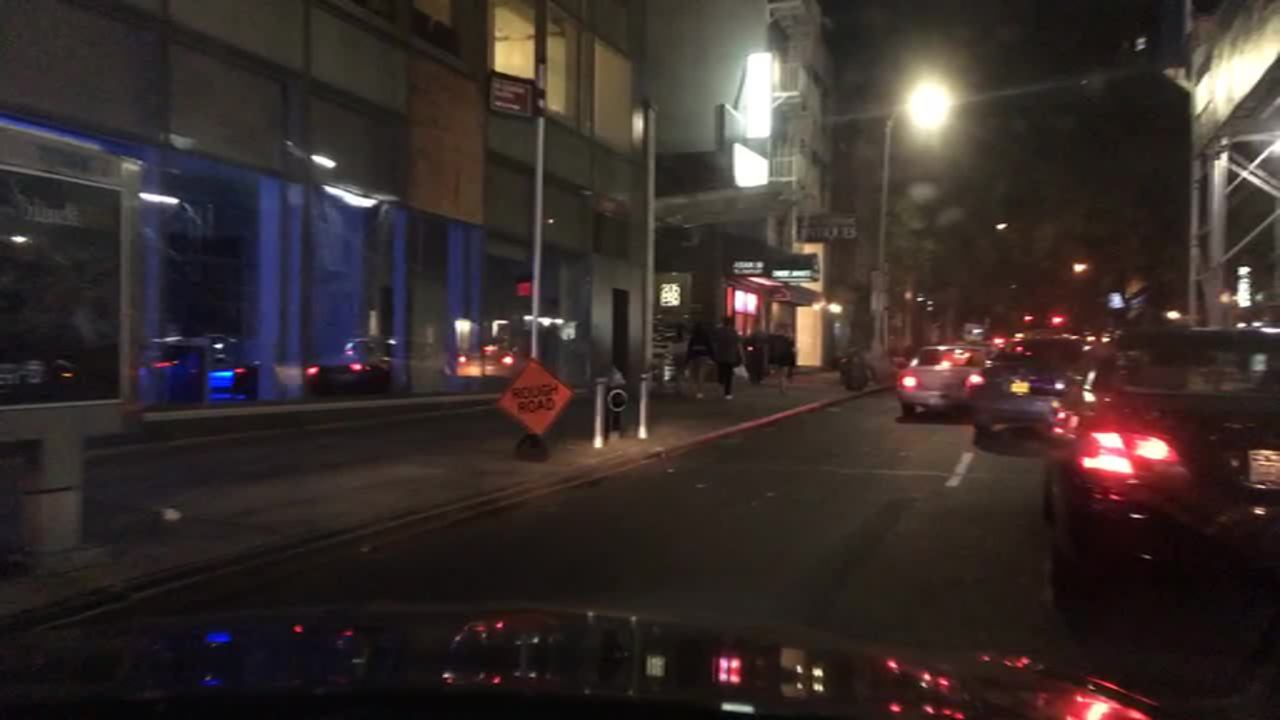
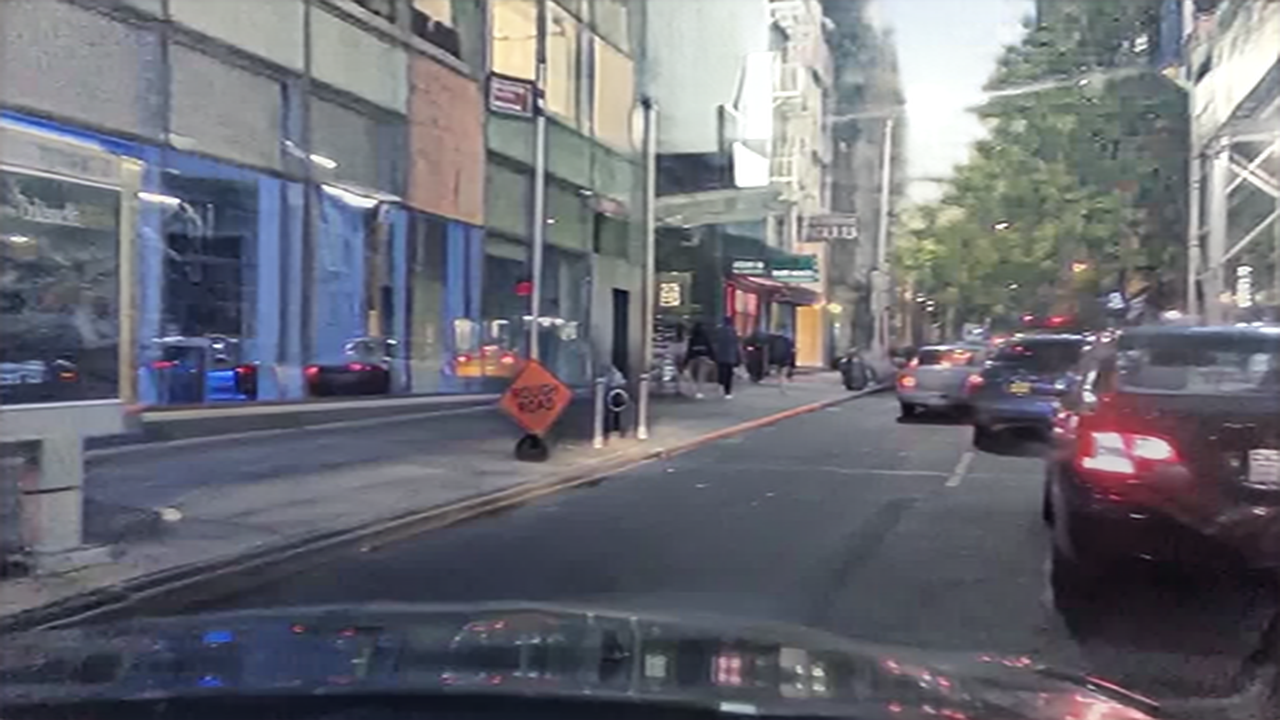
The following command takes a night image file as input, and saves the output day in the directory specified.
python src/inference_unpaired.py --model_name "night_to_day" \
    --input_image "assets/examples/night2day_input.png" --output_dir "outputs"
Input (night) Model Output (day) -
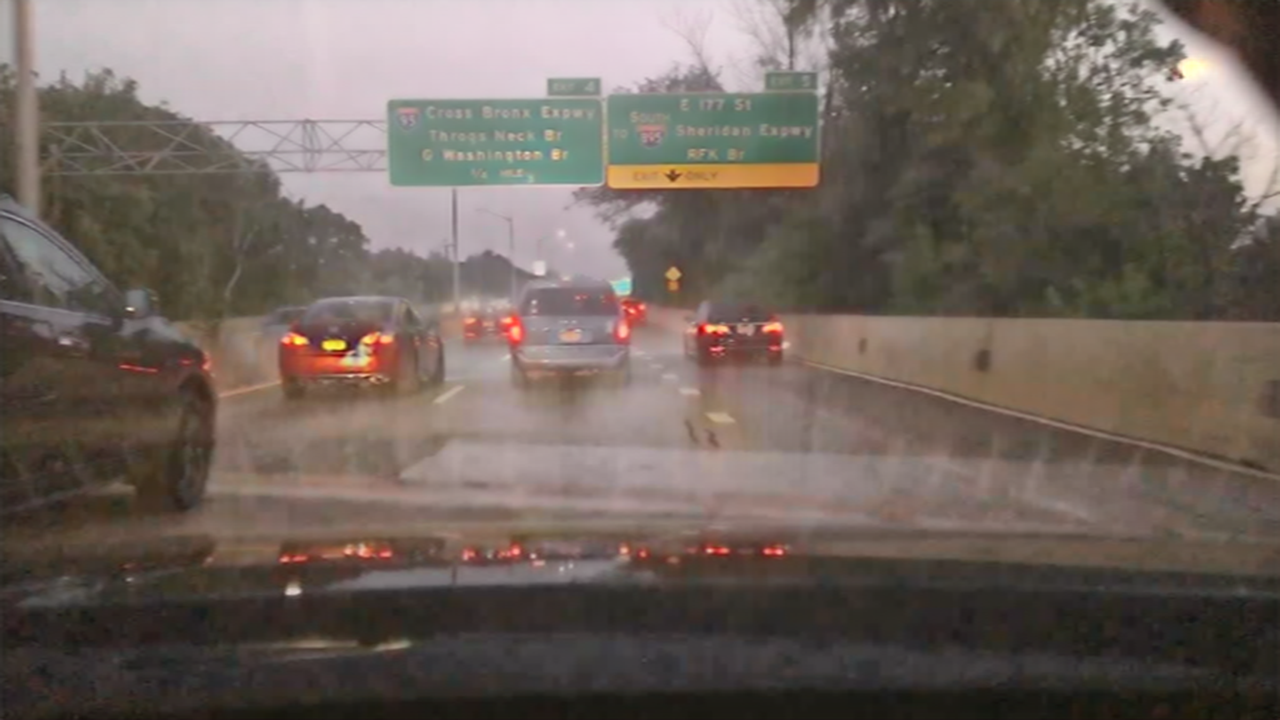
The following command takes a clear image file as input, and saves the output rainy in the directory specified.
python src/inference_unpaired.py --model_name "clear_to_rainy" \
    --input_image "assets/examples/clear2rainy_input.png" --output_dir "outputs"
Input (clear) Model Output (rainy) -
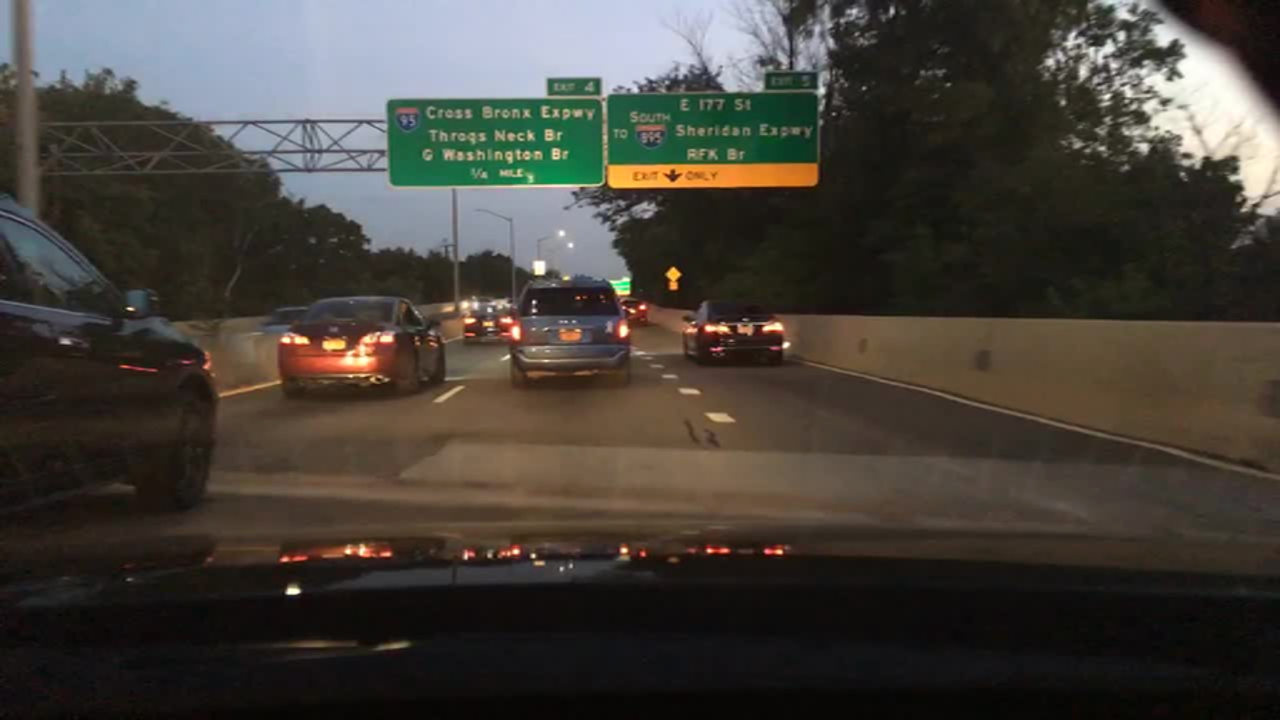
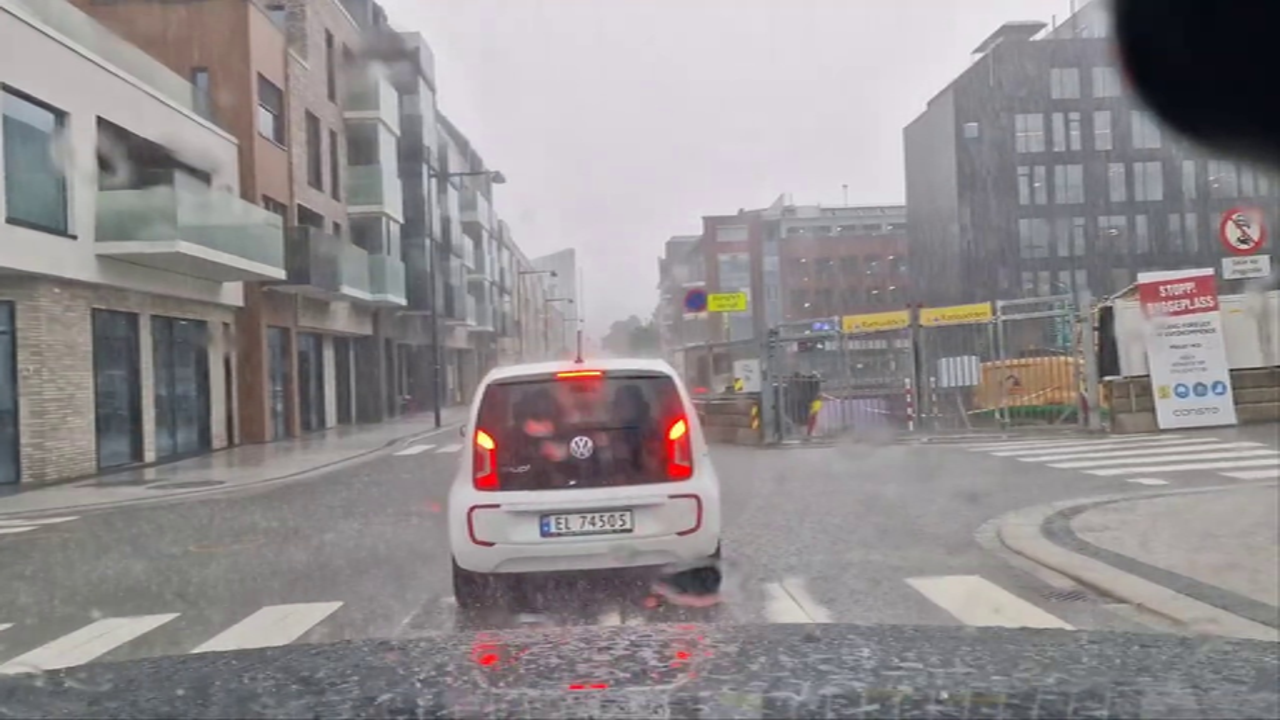
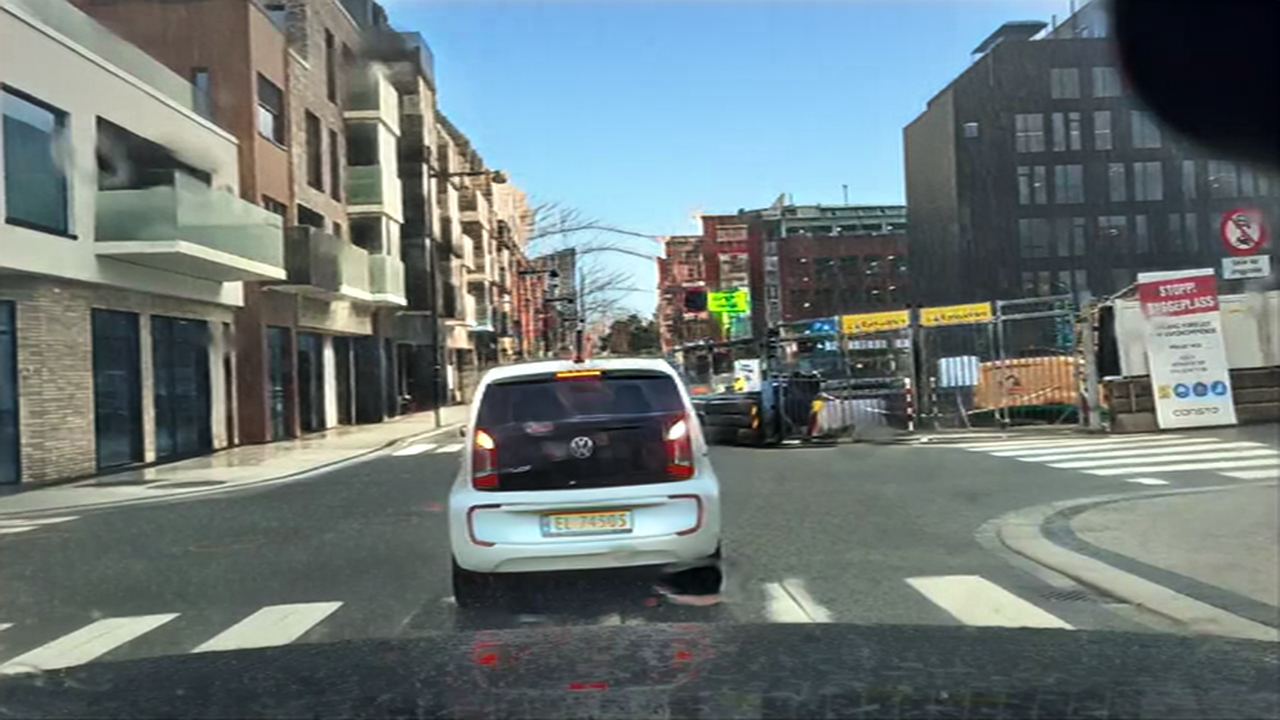
The following command takes a rainy image file as input, and saves the output clear in the directory specified.
python src/inference_unpaired.py --model_name "rainy_to_clear" \
    --input_image "assets/examples/rainy2clear_input.png" --output_dir "outputs"
Input (rainy) Model Output (clear)
Gradio Demo
- We provide a Gradio demo for the paired image translation tasks.
- The following command will launch the sketch to image locally using gradio.
gradio gradio_sketch2image.py - The following command will launch the canny edge to image gradio demo locally.
gradio gradio_canny2image.py
Training with your own data
- See the steps here for training a pix2pix-turbo model on your paired data.
- See the steps here for training a CycleGAN-Turbo model on your unpaired data.
Acknowledgment
Our work uses the Stable Diffusion-Turbo as the base model with the following LICENSE.
Release history Release notifications | RSS feed

Download files
Download the file for your platform. If you're not sure which to choose, learn more about installing packages.
Source Distribution
Built Distribution
Filter files by name, interpreter, ABI, and platform.
If you're not sure about the file name format, learn more about wheel file names.
Copy a direct link to the current filters
File details
Details for the file img2img_turbo-0.0.1.tar.gz.
File metadata
- Download URL: img2img_turbo-0.0.1.tar.gz
- Upload date:
- Size: 33.6 MB
- Tags: Source
- Uploaded using Trusted Publishing? No
- Uploaded via: twine/6.2.0 CPython/3.11.9
File hashes
| Algorithm | Hash digest | |
|---|---|---|
| SHA256 |
29092fe8b9f357e24c9087a1f8997d8b8680dbcd8f49b74297173c06aba7ec9c
|
|
| MD5 |
ac2c9e571205bb245bc550c1a8ed75dd
|
|
| BLAKE2b-256 |
fdf35eaa2477a4e320a5afcc2da63c149b154a53a32ad2eefe7063875ad6fa9e
|
File details
Details for the file img2img_turbo-0.0.1-py3-none-any.whl.
File metadata
- Download URL: img2img_turbo-0.0.1-py3-none-any.whl
- Upload date:
- Size: 38.5 kB
- Tags: Python 3
- Uploaded using Trusted Publishing? No
- Uploaded via: twine/6.2.0 CPython/3.11.9
File hashes
| Algorithm | Hash digest | |
|---|---|---|
| SHA256 |
f1e25ca11e8a608dbc7faa3bed6ef74f6cbd63d7b271539de14408d0a9a18d67
|
|
| MD5 |
715bf3ec33cea0ac9a92feb0ef8f0c5c
|
|
| BLAKE2b-256 |
57bcd41efcd85fb0fedba18508dd3fb8fcb1bfab7463ce218b55b09890cc8201
|






