
img2text
A lightweight module to generate colorful ascii art from images
To install img2text:
pip install img2text
How To Use
Let's use the python logo as reference:

To generate an ascii image
from img2text import img_to_ascii

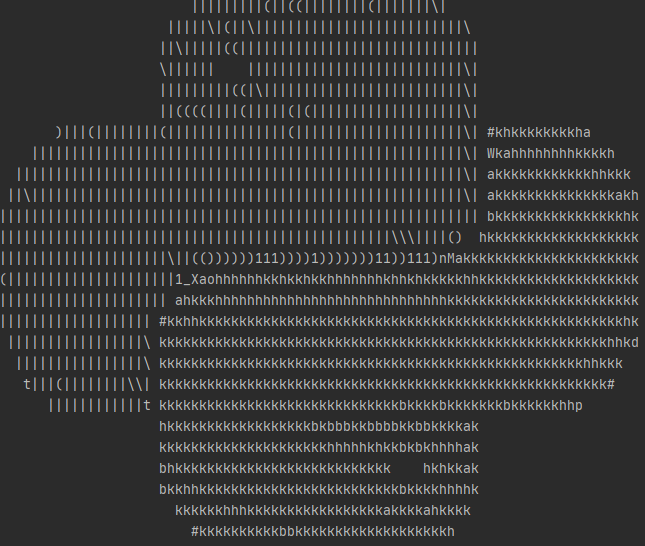
ascii_img = img_to_ascii('data/python.png', width=80)
print(ascii_img)
We obtain the following:
Adding Color
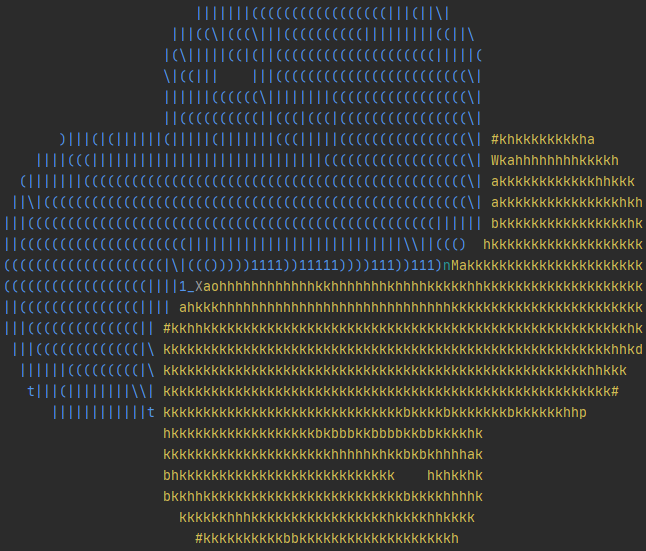
We can customize this further by adding color (to be shown in the console):
from img2text import img_to_ascii

ascii_img = img_to_ascii('data/python.png', width=80, colorful=True)
print(ascii_img)
We obtain the following:
Customizing Output
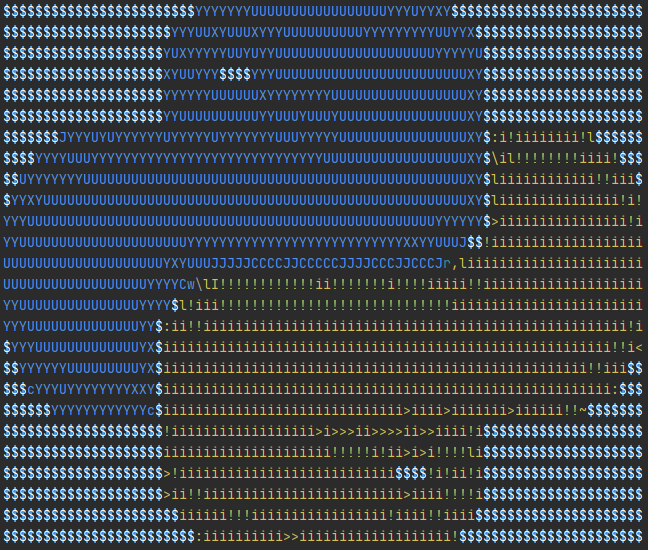
We can reverse the intensity of the image by setting reverse to True
from img2text import img_to_ascii

ascii_img = img_to_ascii('https://raw.githubusercontent.com/hmiladhia/img2text/master/data/python.png', width=80, colorful=True, reverse=True)
print(ascii_img)
We obtain the following:
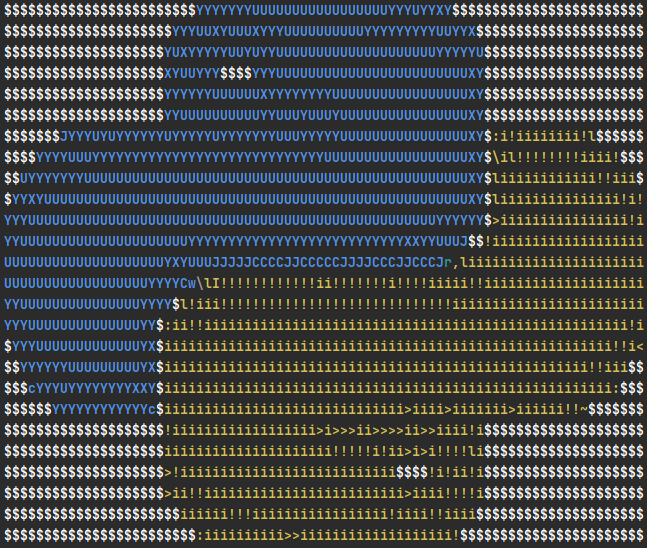
We can get a slightly brighter image by adding the bright option which sets the characters to bold:
from img2text import img_to_ascii

ascii_img = img_to_ascii('data/python.png', width=80, colorful=True, reverse=True, bright=True)
print(ascii_img)
We obtain the following:
You can also change the character set by providing a custom string of characters that increase in intensity:
from img2text import img_to_ascii

chars = r" ░▒▓█"

ascii_img = img_to_ascii('https://raw.githubusercontent.com/hmiladhia/img2text/master/data/python.png', width=80, colorful=True, bright=True, chars=chars)
print(ascii_img)
We obtain the following:

Exporting ASCII image to a file
It's also possible to export the result to a text file, so you can print its content using the cat command for example
To do this all you need to do is to write the content to a file:
from img2text import img_to_ascii

ascii_img = img_to_ascii('https://raw.githubusercontent.com/hmiladhia/img2text/master/data/python.png', width=80, colorful=True)

with open('logo.ascii', 'w') as f:
    f.write(ascii_img + '\n')
or using the CLI:
img2text -cw 80 -o logo.ascii data/python.png
Additional Options
- Customize the width and height by providing the number of columns/lines to use
- Customize the aspect ratio by providing
ar_coefcoefficient. The default value is set to 2.4 but depending on the console you are using it might be interesting to try out values from [2, 3] - You can add a Background Color by setting
bg_colorto one of the following values:- BLACK
- RED
- GREEN
- YELLOW
- BLUE
- MAGENTA
- CYAN
- WHITE
1 maintainer

Metadata
1 maintainer
Release files for img2text 0.1.1
For a detailed explanation of source distributions (sdists) and built distributions (wheels), please see the package formats documentation.
Built distribution (wheel)
| File | Interpreter | ABI | Platform | Reset |
|---|---|---|---|---|
| img2text-0.1.1-py3-none-any.whl | Python 3 | none | any | Details |
Release files / img2text-0.1.1-py3-none-any.whl
| Download URL | img2text-0.1.1-py3-none-any.whl |
|---|---|
| Size | 6.1 kB |
| Tags | Python 3 |
|
SHA-256 checksum How to use checksums |
38666670af83e02bf224eccc10510b9db22285b997fabc91a2070d3f93472b4d
|
|
BLAKE2b-256 checksum How to use checksums |
42a102cd8edf7ce32a4b434d2d140d3966ea122e27cc25bfe003a233c4089a19
|
| Upload date | |
|
Uploaded using Trusted Publishing? What is trusted publishing? |
No |
| Uploaded via |
twine/5.0.0 CPython/3.12.2
|














