
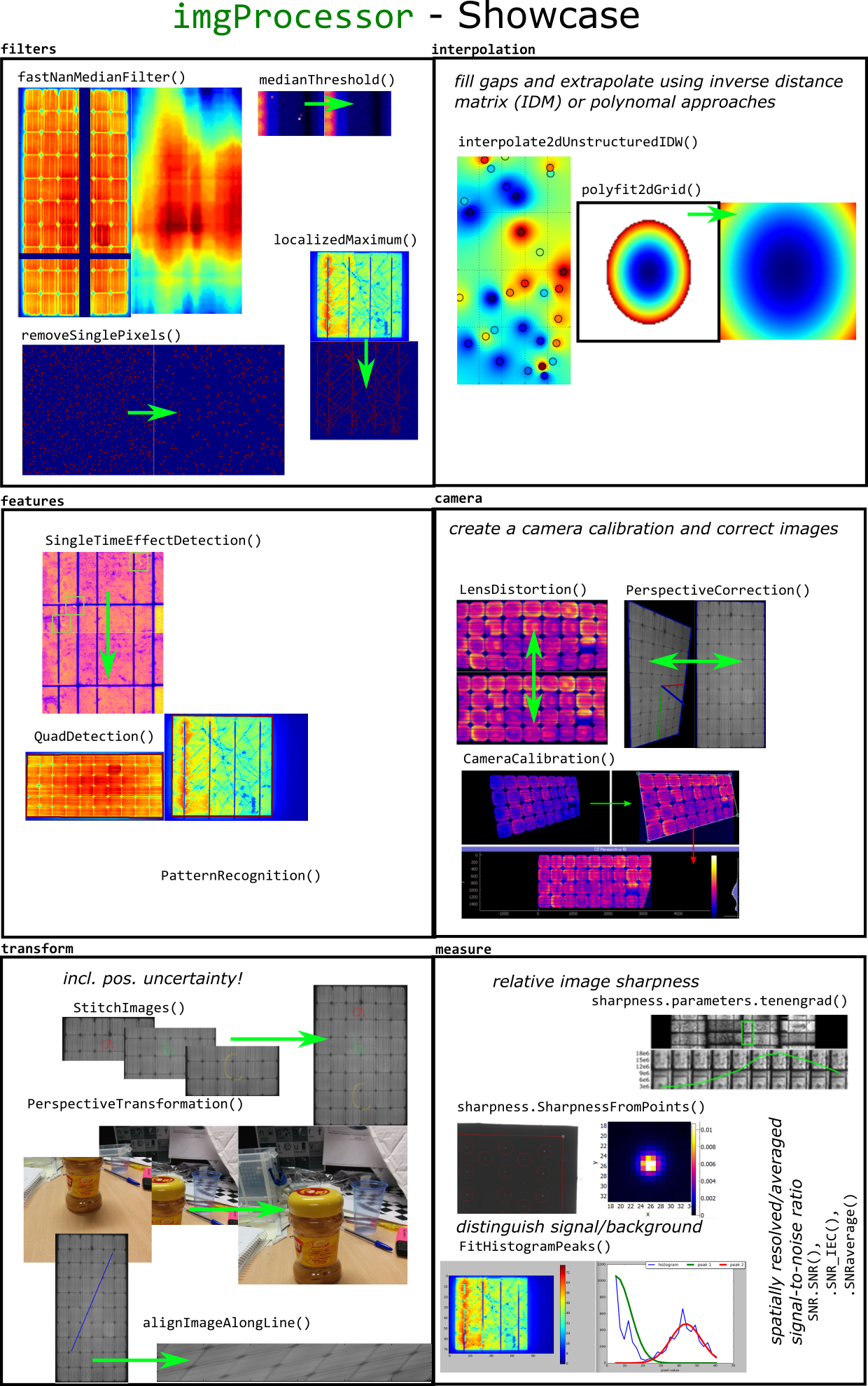
A collection of various image processing routines

Project description


Based on scikit-image,`numba <http://numba.pydata.org>`_ and OpenCV2.4
Browse the API Documentation
Fork the code on github
Installation
imgProcessor is listed in the Python Package Index. You can install it typing:
pip install imgProcessor
Tests
fancyWidgets uses mostly the ‘one class/function per file’ rule. Running each module as program, like:
python -m imgProcessor.camera.PerspectiveCorrection
will execute the test procedure of this module.
To run all tests type:
python -m imgProcessor.tests
v0.1, <24/04/2016> – Initial release.
Karl Bedrich 2014 -
Release history Release notifications | RSS feed


Download files
Download the file for your platform. If you're not sure which to choose, learn more about installing packages.
Source Distributions
Built Distribution
Filter files by name, interpreter, ABI, and platform.
If you're not sure about the file name format, learn more about wheel file names.
Copy a direct link to the current filters
File details
Details for the file imgProcessor-0.2.4-py2-none-any.whl.
File metadata
- Download URL: imgProcessor-0.2.4-py2-none-any.whl
- Upload date:
- Size: 2.3 MB
- Tags: Python 2
- Uploaded using Trusted Publishing? No
File hashes
| Algorithm | Hash digest | |
|---|---|---|
| SHA256 |
b8b3171f04c6098fe2c10354e164d4d697b010b41e91b8ce873f3d07b75f6e85
|
|
| MD5 |
9b46c0720ccba07b5a2c2b466261250f
|
|
| BLAKE2b-256 |
615354e3bad950618a20db993155f5ecf08c0acdf3d8866190d335f7882c78cc
|






