
imgtools_m8






Python image processing package for converting, downscaling, and optionally upscaling images using Pillow. DNN-based super-resolution upscaling (via OpenCV) is available as an optional extra.
Installation
# Core install (Pillow + Pydantic + NumPy only)
pip install imgtools_m8 --upgrade

# With DNN upscaling support (adds opencv-contrib-python)
pip install "imgtools_m8[dnn]" --upgrade

# With CLI color output (adds colorama)
pip install "imgtools_m8[cli]" --upgrade

# Everything at once
pip install "imgtools_m8[dnn,cli]" --upgrade

# From GitHub
pip install "git+https://github.com/mano8/imgtools_m8" --upgrade
Dependencies
| Package | Required | Notes |
|---|---|---|
Pillow>=12.2.0 |
yes | Core image I/O and format conversion |
pydantic>=2.13.4 |
yes | Config validation |
numpy>=2.4.6 |
yes | Array support |
opencv-contrib-python>=4.13.0.92 |
no | DNN upscaling only — pip install imgtools_m8[dnn] |
colorama>=0.4.6 |
no | Colored CLI output — pip install imgtools_m8[cli] |
Quick start
from imgtools_m8.image_process import ImageProcessing

obj = ImageProcessing(
    conf={
        "source_path": "./tests/sources_test/recien_llegado.jpg",
        "output_path": "./output",
        "output_options": [
            {
                "formats": [
                    {
                        "ext": "JPEG",
                        "quality": 80,
                        "progressive": True,
                        "optimize": True,
                    },
                    {"ext": "WEBP", "quality": 70},
                    {"ext": "PNG"},
                ]
            }
        ],
    }
)
obj.run()
Usage
ImageProcessing is the main class. It accepts a conf dict validated by ImageProcessingSchema.
Configuration structure
conf = {
    # Required
    "source_path": "/path/to/image.jpg",  # or a directory
    "output_path": "/path/to/output/",
    # Optional
    "include_subdirs": False,  # scan subdirectories when source is a dir
    "flatten_output": False,  # write all outputs flat (no subdir mirror)
    # At least one of output_options or global_options is required
    "output_options": [...],  # per-size output rules (see below)
    "global_options": {...},  # fallback formats/byte-limit for all options
}
output_options entries
Each entry in output_options may specify:
| Field | Type | Description |
|---|---|---|
image_size |
OutputSize |
Resize spec (see below) |
allow_upscale |
bool |
Allow upscaling when image is smaller than target |
max_byte_size |
int |
Hard byte ceiling per output file (binary-search on quality) |
formats |
list[FormatConfig] |
Output formats for this size |
image_size variants (mutually exclusive where noted)
| Field | Description |
|---|---|
fixed_width |
Resize to exact width, keep aspect ratio |
fixed_height |
Resize to exact height, keep aspect ratio |
fixed_width + fixed_height |
Fit within bounding box, keep aspect ratio |
fixed_size |
Constrain longest side to N pixels |
fixed_downscale |
Divide each dimension by factor (2–10) |
fixed_upscale |
Multiply each dimension by factor (2–10); uses DNN model when available |
Supported output formats
ext value |
Notes |
|---|---|
"JPEG" |
quality, optimize, progressive, subsampling |
"WEBP" |
quality, lossless, method |
"PNG" |
optimize, compression_level, interlace |
"GIF" |
optimize |
"AVIF" |
quality, lossless |
Example 1 — convert to multiple formats without resizing
from imgtools_m8.image_process import ImageProcessing

obj = ImageProcessing(
    conf={
        "source_path": "./tests/sources_test/recien_llegado.jpg",
        "output_path": "./output",
        "output_options": [
            {
                "formats": [
                    {
                        "ext": "JPEG",
                        "quality": 80,
                        "progressive": True,
                        "optimize": True,
                    },
                    {"ext": "WEBP", "quality": 70},
                    {"ext": "PNG"},
                ]
            }
        ],
    }
)
obj.run()
Example 2 — downscale to a fixed bounding box
The image is 340×216 px. With fixed_width=300, fixed_height=200, the wider constraint wins
(width ratio = 300/340 ≈ 88 %; height ratio = 200/216 ≈ 93 %), so the output is 300×190 px.
from imgtools_m8.image_process import ImageProcessing

obj = ImageProcessing(
    conf={
        "source_path": "./tests/sources_test/recien_llegado.jpg",
        "output_path": "./output",
        "output_options": [
            {
                "image_size": {"fixed_width": 300, "fixed_height": 200},
                "formats": [
                    {
                        "ext": "JPEG",
                        "quality": 80,
                        "progressive": True,
                        "optimize": True,
                    }
                ],
            }
        ],
    }
)
obj.run()
Example 3 — upscale then downscale (DNN model)
Requires pip install imgtools_m8[dnn]. The EDSR model (included) is used automatically.
from imgtools_m8.image_process import ImageProcessing

obj = ImageProcessing(
    conf={
        "source_path": "./tests/sources_test/recien_llegado.jpg",
        "output_path": "./output",
        "output_options": [
            {
                "image_size": {"fixed_width": 1200},
                "allow_upscale": True,
                "formats": [
                    {
                        "ext": "JPEG",
                        "quality": 80,
                        "progressive": True,
                        "optimize": True,
                    }
                ],
            }
        ],
    }
)
obj.run()
Example 4 — process a whole directory with subdirectory mirroring
from imgtools_m8.image_process import ImageProcessing

obj = ImageProcessing(
    conf={
        "source_path": "./tests/sources_test/",
        "output_path": "./output",
        "include_subdirs": True,
        "output_options": [
            {
                "image_size": {"fixed_size": 800},
                "max_byte_size": 200_000,
                "formats": [{"ext": "WEBP", "quality": 85}],
            }
        ],
    }
)
obj.run()
Example 5 — multiprocessing batch with resource monitoring
from imgtools_m8.multiprocess import MultiProcessImage

obj = MultiProcessImage(
    conf={
        "source_path": "./tests/sources_test/",
        "output_path": "./output",
        "include_subdirs": True,
        "output_options": [
            {
                "image_size": {"fixed_width": 800},
                "formats": [{"ext": "WEBP", "quality": 80}],
            }
        ],
    },
    max_cpu_percent=75,
    user_cpu_percent=50,
    batch_size=32,
)
obj.run_multiple()
CLI
After installation, an imgtools command is available:
# Convert to WEBP at 80% quality (default when no --format is given)
imgtools --source ./images --output ./out

# Resize to 1920 px wide and save as JPEG + WEBP
imgtools --source ./images --output ./out --width 1920 --format jpg:95 --format webp:80

# Process subdirectories in parallel with 4 workers
imgtools --source ./images --output ./out --subdirs --workers 4

# Load a full conf dict from a JSON file
imgtools --source ./images --output ./out --config ./my_conf.json

# Enable debug logging
imgtools --source ./images --output ./out --debug
Install [cli] to get colored log output:
pip install "imgtools_m8[cli]"
Run imgtools --help for the full argument reference. The --workers flag
switches from single-process (ImageProcessing) to multiprocess
(MultiProcessImage); the worker count is clamped to cpu_count - 1
to avoid saturating the system.
In-memory API
Process images without any file I/O using process_image:
from imgtools_m8 import process_image

with open("photo.jpg", "rb") as f:
    src_bytes = f.read()

results = process_image(
    src_bytes,
    [{"image_size": {"fixed_width": 200}, "formats": [{"ext": "WEBP", "quality": 80}]}],
)

for r in results:
    print(r.name, r.width, r.height, r.size_bytes)
    # write r.data to a file or upload directly
process_image returns a list[VariantResult]; each result carries name, data (raw bytes),
width, height, size_bytes, and format. No disk paths required.
Async / FastAPI usage
process_image is synchronous and CPU-bound (Pillow/OpenCV decode, resize, encode).
Calling it directly from an async def route blocks the event loop for the whole encode,
starving every other in-flight request. The async wrappers offload that work to a worker
thread so the loop stays responsive:
from imgtools_m8 import process_image_async, process_images_async


@app.post("/resize")
async def resize(file: UploadFile):
    src_bytes = await file.read()
    results = await process_image_async(
        src_bytes,
        [
            {
                "image_size": {"fixed_width": 200},
                "formats": [{"ext": "WEBP", "quality": 80}],
            }
        ],
    )
    return {"variants": [r.name for r in results]}


@app.post("/resize-batch")
async def resize_batch(files: list[UploadFile]):
    sources = [await f.read() for f in files]
    # one list[VariantResult] per source, order preserved
    batches = await process_images_async(
        sources,
        [{"image_size": {"fixed_width": 64}, "formats": [{"ext": "JPEG"}]}],
    )
    return {"count": len(batches)}
A few things worth knowing:
-
What async buys you: the image work is still CPU-bound.
await process_image_async(...)does not make encoding asynchronous — it runs the existing synchronous pipeline in a worker thread so it no longer blocks the event loop. The execution location changed, not the work. Because Pillow/OpenCV release the GIL during encode/decode/resize, this also gives real parallelism for concurrent requests. -
Thread-pool behavior: the work runs on the event loop's default thread pool, which has a bounded worker count managed by the loop.
process_images_async([...])schedules every source viaasyncio.gather, but the executor caps how many run at once — passing thousands of sources creates thousands of awaitables, not thousands of OS threads. -
Cancellation: cancelling the awaiting task does not stop image processing already running in a worker thread (standard
asyncio.to_threadbehavior). -
Heterogeneous options:
process_images_asyncapplies the sameoutput_optionsto every source. For per-image differing options, composeasyncio.gatheroverprocess_image_asyncdirectly:import asyncio batches = await asyncio.gather( process_image_async(img1, opts1), process_image_async(img2, opts2), )
-
Security boundary: these wrappers do not alter image validation, decoding, decompression-bomb protections, or upload-size controls. Input validation and request limits remain the caller's responsibility — see Pillow's
Image.MAX_IMAGE_PIXELSand your framework's upload-size caps.
DNN upscaling note
When opencv-contrib-python is not installed, fixed_upscale falls back to PIL bicubic scaling.
Install the [dnn] extra to enable DNN upscaling:
pip install "imgtools_m8[dnn]"
Models (DNN upscaling)
The EDSR .pb models are not bundled in the wheel (saves ~111 MB). After installing the
[dnn] extra, fetch them once with:
imgtools download-models
Models are SHA256-verified and stored in the platform cache directory. To use a custom location,
set IMGTOOLS_M8_MODELS_DIR to a directory that contains an opencv/ subdirectory with the
.pb files. If the models are absent when upscaling is attempted, a ModelNotFoundError is
raised with a reminder to run imgtools download-models.
Custom models in .pb format can be loaded by passing a model_conf dict to ImageProcessing:
obj = ImageProcessing(
    conf={...},
    model_conf={
        "path": "/path/to/model/directory",
        "model_name": "espcn",  # model prefix, e.g. espcn, edsr, lapsrn
        "scale": 4,  # fixed scale (omit for AUTO_SCALE)
    },
)
Docker (CUDA-accelerated DNN upscaling)
A Dockerfile is provided to build a CUDA-enabled image that compiles OpenCV
from source with GPU support, enabling hardware-accelerated DNN upscaling.
Requirements: Docker + NVIDIA Container Toolkit.
# Build with defaults (CUDA 13.3 / Ubuntu 24.04 / OpenCV 4.13)
docker build -t imgtools_m8 .

# Target a specific GPU compute capability (much faster compile)
docker build --build-arg CUDA_ARCH_BIN=8.9 -t imgtools_m8 .

# Run with GPU access
docker run --gpus all imgtools_m8 --help
Find your GPU's compute capability at developer.nvidia.com/cuda-gpus:
RTX 30xx → 8.6, RTX 40xx → 8.9, RTX 50xx → 10.0.
Build arguments (OPENCV_VERSION, CUDA_ARCH_BIN) are documented in .env.example.
A docker-compose.yml for multi-volume GPU batch processing is in docker_compose/imgtools_dev/.
Input/Output Example
Input Image
The source file is 340×216 px.
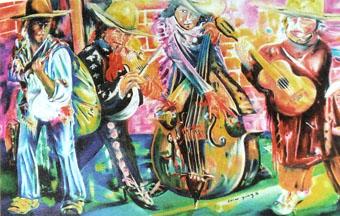
Recien llegado by @Cezar yañez
License
This project is licensed under the Apache 2 License — see the LICENSE file for details.
Authors
- Eli Serra
- Pre-trained DNN models by Xavier Weber
1 maintainer

Download files
Download the file for your platform. If you're not sure which to choose, learn more about installing packages.
Source Distribution
Built Distribution
Filter files by name, interpreter, ABI, and platform.
If you're not sure about the file name format, learn more about wheel file names.
Copy a direct link to the current filters
File details
Details for the file imgtools_m8-2.1.2.tar.gz.
File metadata
- Download URL: imgtools_m8-2.1.2.tar.gz
- Upload date:
- Size: 72.8 kB
- Tags: Source
- Uploaded using Trusted Publishing? No
- Uploaded via:
twine/7.0.0 CPython/3.13.14
File hashes
| Algorithm | Hash digest | |
|---|---|---|
| SHA256 |
6a38868a8acfe907157e3e9ee2ca9012302390d05fd2f817879a211630849091
|
|
| MD5 |
4b073796c2bd8c651aa8d96254187af7
|
|
| BLAKE2b-256 |
56a3bbe43d5d8edb7c8365d3c7e69b2dcd33a88adc52fb532021d7633201e889
|
File details
Details for the file imgtools_m8-2.1.2-py3-none-any.whl.
File metadata
- Download URL: imgtools_m8-2.1.2-py3-none-any.whl
- Upload date:
- Size: 58.0 kB
- Tags: Python 3
- Uploaded using Trusted Publishing? No
- Uploaded via:
twine/7.0.0 CPython/3.13.14
File hashes
| Algorithm | Hash digest | |
|---|---|---|
| SHA256 |
cb3d7167cd0afc437633a2d56bc422b3bed8ed51f717a21c2856ce577241fbc2
|
|
| MD5 |
d85e4c187f5f059f437ae34f4bc376fd
|
|
| BLAKE2b-256 |
866572741cd573a927826e8f59a9ebdfe357d0aafd3dc677a13808a8cc64c926
|














