
Runtime security for AI coding agents: policy enforcement, secret prevention, and supply-chain blocking.

Project description
Immunity Agent
Runtime security for AI coding agents. Policy enforcement, secret prevention,
supply chain blocking, and secret cleanup in one package.




Website · Warden · Supply Chain · Sweep & Cloak
The Problem
AI coding agents execute shell commands, read and write files, access credentials, and call external APIs. They do this autonomously, often across many steps, with limited checkpoints.
This creates risks that traditional security tooling isn't designed for:
- Prompt injection - malicious content in a file, issue, or web page can redirect the agent mid-task
- Unintended destructive actions - an agent misinterprets an instruction and runs something irreversible
- Secret exfiltration - an agent reads
.envor credential files as part of a debugging task and sends the content outbound - Privilege escalation - an agent modifies sudoers, CI pipelines, or file permissions to resolve a permission error
- Dependency manipulation - an agent installs or rewrites a package at the direction of injected input
Standard OS-level and endpoint security tools monitor the kernel and filesystem. By the time they see an action, the agent has already decided to take it. The gap is at the agent layer.
Capabilities

- 🛡️ Warden covers the policy engine, session logs, security audit, and CLI reference
- 📦 Supply Chain covers install-time enforcement, IOC matching, and risk scoring
- 🛜 Network Isolation covers egress allowlists, raw IP detection, and tunnel blocking
- 🔍 Skill Scanner covers MCP server and skill risk scanning across supported agents
- 🔐 Sweep and Cloak covers secret prevention at tool boundaries and cleanup for leaked secrets - see Using Cloak for the practical setup, best practices, and threat model
- 🐳 Docker and Containers covers container hardening, prerequisites, and known limitations
These capabilities map to the OWASP Top 10 for LLM Applications - covering prompt injection (LLM01), sensitive information disclosure (LLM02), supply chain (LLM03), improper output handling (LLM05), and excessive agency (LLM06).
Benchmarks
Measured overhead is 0.8 ms per tool call across 10,000 simulated agent sessions, below the 1 ms threshold for every task category tested.

See benchmark.md for the full methodology, per-category breakdown, and latency analysis.
Quick Start
Ensure PyYAML is installed (required for the policy engine), then clone and install:
pip3 install pyyaml                          # required dependency
git clone https://github.com/PrismorSec/prismor.git ~/.prismor
PRISMOR_MODE=enforce PRISMOR_CLOAK=1 bash ~/.prismor/scripts/init.sh .
This installs enforce-mode Warden hooks and the Cloak prevention layer. To register a secret, run warden cloak add stripe_key and enter the value when prompted. Reference it in tool calls as @@SECRET:stripe_key@@ and the hook handles the rest.
Prefer the interactive wizard? Drop the env vars:
bash ~/.prismor/scripts/init.sh .
Warden Modes
Warden runs in two modes, set via the --mode flag or the PRISMOR_MODE env var:
| Mode | Behavior |
|---|---|
observe (default) |
Logs all tool calls and findings. Never blocks. Safe for onboarding and auditing. |
enforce |
Blocks dangerous actions in real time before the agent executes them. |
Switch modes at any time by re-running the hook installer:
warden install-hooks --agent all --mode observe    # log only
warden install-hooks --agent all --mode enforce    # block dangerous actions
Self-Hosted Dashboard
Warden includes a built-in web dashboard that visualizes session data from your local workspace DBs. No cloud, no external services - everything runs on your machine.
python3 warden/cli.py serve            # http://127.0.0.1:7070
python3 warden/cli.py serve --port 8080   # custom port
Open the URL in your browser. The dashboard polls /api/stats every 30 seconds and displays:
- KPIs — active sessions, tool calls inspected, dangerous commands prevented (24h)
- Threats by category — donut chart across 6 threat classes
- Block rate — 30-day timeseries of intercepted vs passed events
- Agent breakdown — blocked commands per agent (Claude Code, Cursor, Codex, etc.)
- Tool call breakdown — event counts by tool type
- Top MCP & Skills — most active MCP servers and skills with block counts
- Threat patterns — recurring findings ranked by frequency
- Live event feed — latest events with verdict and severity
The server reads from all workspaces registered via warden install-hooks. If no workspaces are registered yet, it starts with empty data.

How It Works
flowchart TD
    IDE["Your IDE / Agent\n(Claude Code · Cursor · Windsurf)"]

    IDE -->|"PreToolUse / PostToolUse hooks"| Warden

    subgraph Warden["Warden — Runtime Monitor"]
        Policy["Policy Engine\n(YAML rules)"]
        Session["Session Store\n(SQLite / JSONL)"]
        Policy --> Session
    end

    Warden -->|"action permitted"| Allow["ALLOW\n+ log event"]
    Warden -->|"rule matched"| Block["BLOCK\n+ log finding"]

    IDE -->|"PreToolUse hook\n(inject @@SECRET@@)"| Cloak
    IDE -->|"PostToolUse hook\n(scrub output)"| Cloak

    subgraph Cloak["Cloak — Secret Prevention"]
        Store["Secrets Store\n(~/.prismor/secrets/)"]
        Cloak_Hook["Substitute at\nexecution time"]
        Store --> Cloak_Hook
    end

    Sweep["Sweep — Secret Cleanup\n(scan & redact AI tool caches)"]
    IDE -.->|"offline scan"| Sweep

    IDE -->|"immunity npm/pip/cargo..."| SC

    subgraph SC["Supply Chain — Install Enforcement"]
        Scorer["Risk Scorer\n(age · maintainers · scripts)"]
        IOC["IOC Database\n(known compromised packages)"]
        Feed["Advisory Feed\n(Warden / NVD)"]
        Scorer --> IOC
        Scorer --> Feed
    end

    SC -->|"score < 30"| PkgMgr["Package Manager\n(npm · pip · cargo · go...)"]
    SC -->|"score >= 60 or IOC match"| SCBlock["BLOCK\n+ log to Warden store"]
Supply Chain Enforcement
The immunity CLI wraps your package manager and evaluates every install against live threat intelligence before it runs. Unlike pnpm or other package managers, immunity is a security enforcement layer that scores packages on age, maintainer count, install scripts, and known IOCs, then blocks dangerous ones before they hit your disk. Ships with IOC coverage for the mini-shai-hulud attack (May 11 2026) and the AntV hijacked-maintainer attack (May 19 2026).
immunity npm install express                    # resolves cleanly, execs npm
immunity npm install @tanstack/react-router     # BLOCK — IOC match (score 100)
immunity pip install requests numpy             # resolves cleanly, execs pip
immunity pnpm add lodash
immunity uv add fastapi
immunity cargo add serde
Any command that isn't a recognised package install passes through transparently, so you can alias your package managers:
alias npm="python3 /path/to/immunity-agent/immunity npm"
alias pip="python3 /path/to/immunity-agent/immunity pip"
| What it checks | pnpm / npm | immunity |
|---|---|---|
| Install packages | ✅ | ✅ (passes through after checks) |
| Risk scoring (age, maintainer count, install scripts) | ❌ | ✅ |
| IOC database (known compromised packages and versions) | ❌ | ✅ |
| Advisory feed cross-check (Warden / NVD) | ❌ | ✅ |
| Install script content analysis | ❌ | ✅ |
| Hard block before install | ❌ | ✅ |
| Works across npm, pnpm, pip, uv, cargo, go | ❌ | ✅ |
Verdicts are additive: < 30 allow · 30–59 warn · ≥ 60 block. IOC matches force a block regardless of score. See docs/supply-chain.md for the full scoring table, ecosystem support, and how to add new IOCs.
Contributing
PRs are welcome. Guidelines:
- New detection rules go in
warden/default_policy.yaml, following the schema inwarden/policy_schema.json - Tests live in
tests/, so runpytestbefore opening a PR - Open an issue first if you're unsure where something fits
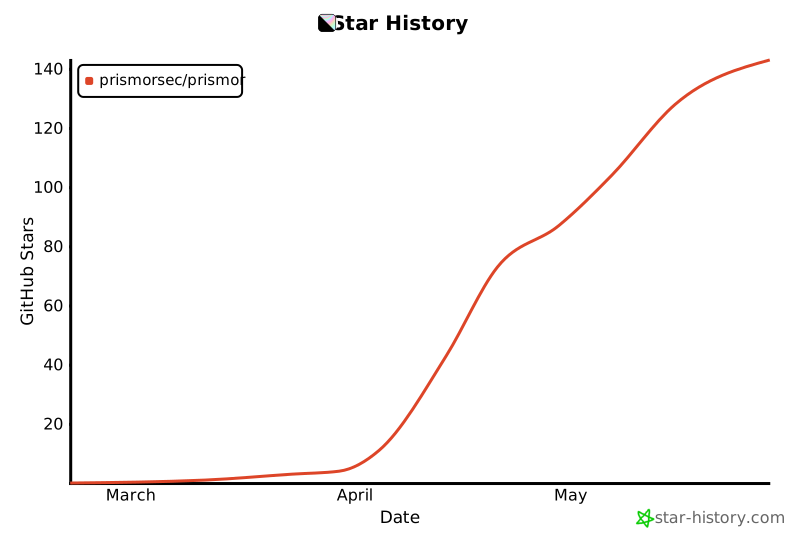
Star History


Download files
Download the file for your platform. If you're not sure which to choose, learn more about installing packages.
Source Distribution
Built Distribution
Filter files by name, interpreter, ABI, and platform.
If you're not sure about the file name format, learn more about wheel file names.
Copy a direct link to the current filters
File details
Details for the file immunity_agent-1.5.0.tar.gz.
File metadata
- Download URL: immunity_agent-1.5.0.tar.gz
- Upload date:
- Size: 212.7 kB
- Tags: Source
- Uploaded using Trusted Publishing? No
- Uploaded via: twine/6.2.0 CPython/3.12.8
File hashes
| Algorithm | Hash digest | |
|---|---|---|
| SHA256 |
52aa0063e2b2f967765b11dfb5e2350b89c5771979032cfe4770622ccb89d6fe
|
|
| MD5 |
5e675be87712e75ba658ec47abec54b8
|
|
| BLAKE2b-256 |
0d3670c9dc7a5b795c762d5bd0444ee41fa4fb6052172eae69378534463b5560
|
File details
Details for the file immunity_agent-1.5.0-py3-none-any.whl.
File metadata
- Download URL: immunity_agent-1.5.0-py3-none-any.whl
- Upload date:
- Size: 238.2 kB
- Tags: Python 3
- Uploaded using Trusted Publishing? No
- Uploaded via: twine/6.2.0 CPython/3.12.8
File hashes
| Algorithm | Hash digest | |
|---|---|---|
| SHA256 |
a8a1533fc06367314996a3047b7ed4b2f4f6c621fefa0a12e1edc4db5a2adf1d
|
|
| MD5 |
0fd7f4d932b75283160855d2edc3096e
|
|
| BLAKE2b-256 |
c449aee52bb1ee880598d95e7b371f749bdebbf9558b02983cdd591362205bb0
|






