
Draw a hex-tile map of India's states and UTs colored by your own data.

Project description
india-hexmap
Draw a hex-tile map of India's 36 states/UTs, colored by any data you give it. Hexagons are laid out so they share exact edges.
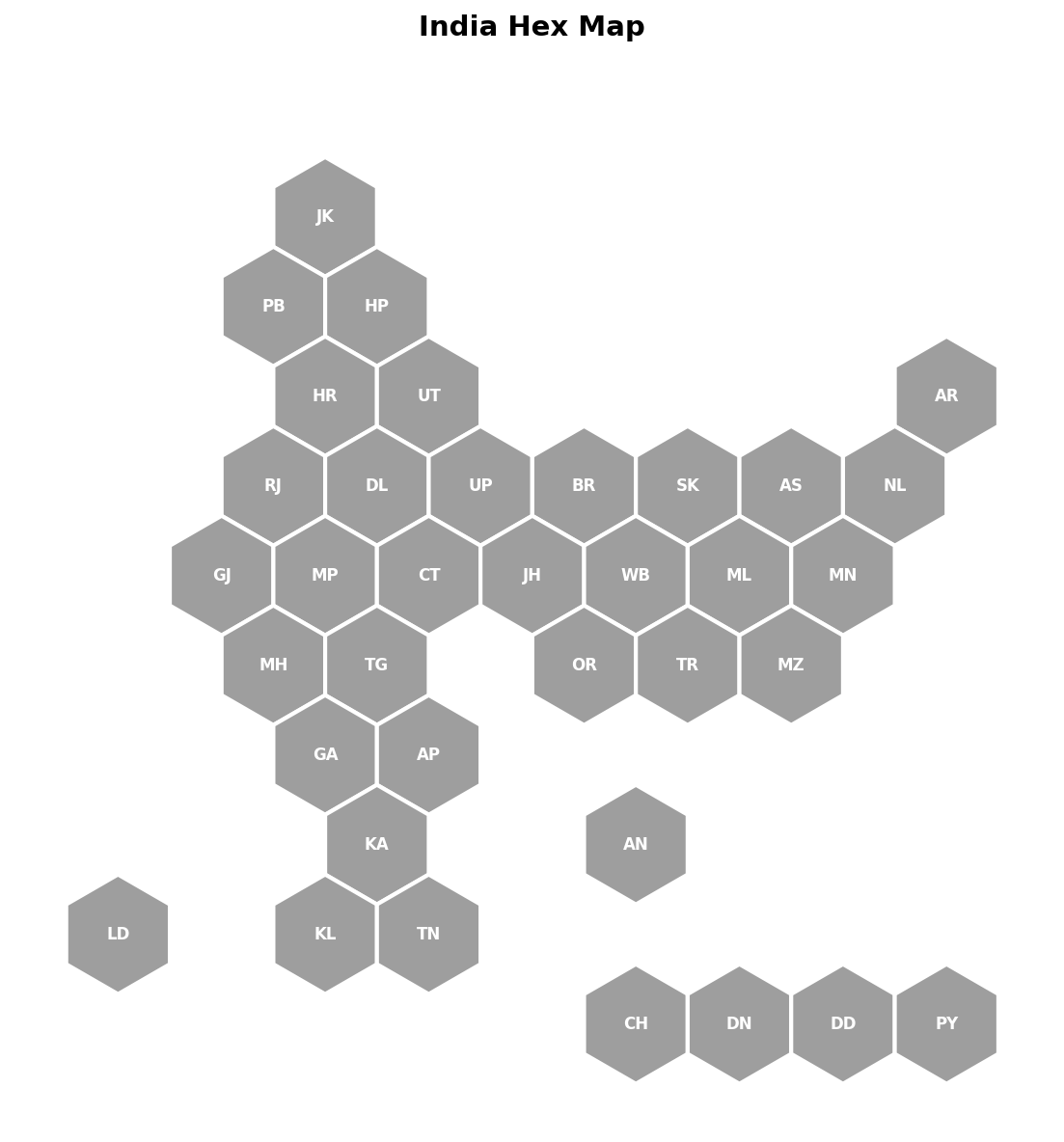
The map above with no data supplied — every hexagon just shows its code,
grey by default. Pass a data dict to plot_hexmap() to color them in.
Install
Locally, in editable mode (recommended while developing):
pip install -e .
Once published to PyPI:
pip install india-hexmap
Usage — as a library
import matplotlib.pyplot as plt
from india_hexmap import plot_hexmap

data = {
    "KL": 96.2, "MH": 84.8, "BR": 61.8, "UP": 67.7,
    # ... any subset of state codes; missing ones are drawn grey
}

fig, ax = plot_hexmap(data, cmap="YlGnBu", title="Literacy rate (%)",
                       colorbar_label="Literacy %")
plt.show()
fig.savefig("literacy.png", dpi=200)
Categorical data
results = {"UP": "Party A", "BR": "Party B", "MH": "Party A"}
fig, ax = plot_hexmap(results, categorical=True, title="2024 results")
State codes
Import POSITIONS (grid coordinates) or NAMES (full names) if you need
the full list of valid codes:
from india_hexmap import NAMES
print(NAMES)
All 36 valid codes:
| Code | State / UT | Code | State / UT |
|---|---|---|---|
| JK | Jammu & Kashmir | MH | Maharashtra |
| PB | Punjab | TG | Telangana |
| HP | Himachal Pradesh | OR | Odisha |
| HR | Haryana | TR | Tripura |
| UT | Uttarakhand | MZ | Mizoram |
| AR | Arunachal Pradesh | GA | Goa |
| RJ | Rajasthan | AP | Andhra Pradesh |
| DL | Delhi | KA | Karnataka |
| UP | Uttar Pradesh | AN | Andaman & Nicobar |
| BR | Bihar | LD | Lakshadweep |
| SK | Sikkim | KL | Kerala |
| AS | Assam | TN | Tamil Nadu |
| NL | Nagaland | CH | Chandigarh |
| GJ | Gujarat | DN | Dadra & Nagar Haveli |
| MP | Madhya Pradesh | DD | Daman & Diu |
| CT | Chhattisgarh | PY | Puducherry |
| JH | Jharkhand | ||
| WB | West Bengal | ||
| ML | Meghalaya | ||
| MN | Manipur |
Usage — from the command line
india-hexmap data.csv --out map.png --cmap viridis --title "My Map"
data.csv needs two columns: code,value
code,value
KL,96.2
MH,84.8
BR,61.8
Add --categorical if value holds category labels instead of numbers.
Publishing to PyPI (for you)
pip install build twine
python -m build
twine upload dist/*
You'll need a PyPI account and API token for the twine upload step.
Release history Release notifications | RSS feed

Download files
Download the file for your platform. If you're not sure which to choose, learn more about installing packages.
Source Distribution
Built Distribution
Filter files by name, interpreter, ABI, and platform.
If you're not sure about the file name format, learn more about wheel file names.
Copy a direct link to the current filters
File details
Details for the file india_hexmap-0.1.10.tar.gz.
File metadata
- Download URL: india_hexmap-0.1.10.tar.gz
- Upload date:
- Size: 6.1 kB
- Tags: Source
- Uploaded using Trusted Publishing? No
- Uploaded via: twine/6.2.0 CPython/3.11.9
File hashes
| Algorithm | Hash digest | |
|---|---|---|
| SHA256 |
244d6a1af79e7311ade2fb38389318f4bf563e72fbfac4ca8fc2271c1f8ffdf9
|
|
| MD5 |
b0721f15e7cd40d5f4e22ff7032adda3
|
|
| BLAKE2b-256 |
4bb7ad3f024d4563d75dff9ddff6e3f189670d2c0a0271fafdbf6f5d174464fa
|
File details
Details for the file india_hexmap-0.1.10-py3-none-any.whl.
File metadata
- Download URL: india_hexmap-0.1.10-py3-none-any.whl
- Upload date:
- Size: 6.9 kB
- Tags: Python 3
- Uploaded using Trusted Publishing? No
- Uploaded via: twine/6.2.0 CPython/3.11.9
File hashes
| Algorithm | Hash digest | |
|---|---|---|
| SHA256 |
8cac01ceea01b56bc02757fd44f1f14ef48f9550e9e80e98be032c4a81962383
|
|
| MD5 |
a2f18aed876f5d01986ff5289c26062d
|
|
| BLAKE2b-256 |
7eb43e265016166795f2a3cde5b5031cfe1437218b82933079a3cc6b0e552df1
|






