
Interactive Python CLI for scaffolding backend projects (Flask, Django, FastAPI, etc.)

Project description
🚀 init-app
Production-Ready Python Backend Bootstrapper
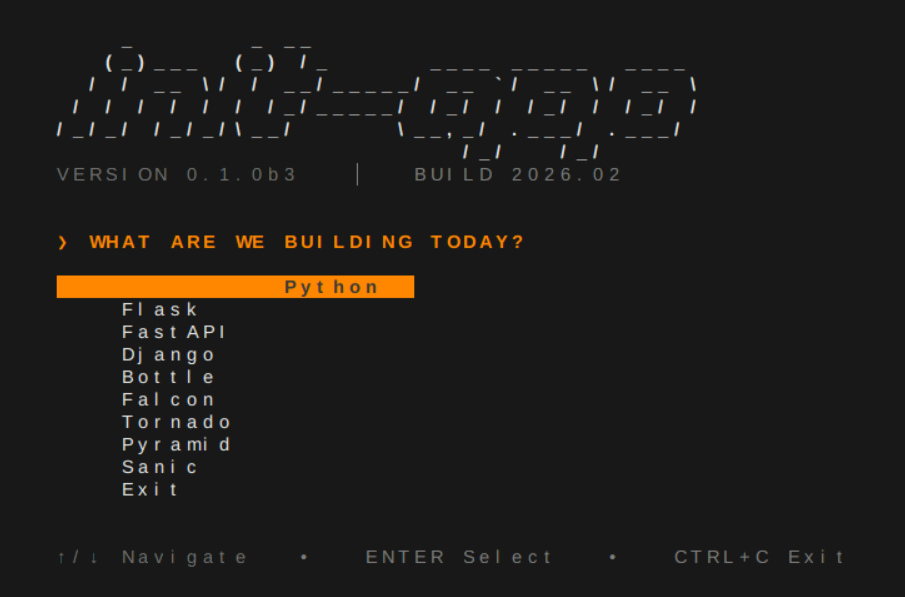

init-app is a professional CLI tool that scaffolds clean, structured, production-ready Python backend applications in seconds.
No boilerplate. No manual setup. Just clean architecture — instantly.
Supports:
- Django
- FastAPI
- Flask
- Falcon
- Tornado
- Sanic
- Pyramid
- Bottle
Installation
pip install init-app
Verify:
init-app --version
Interactive Mode
init-app
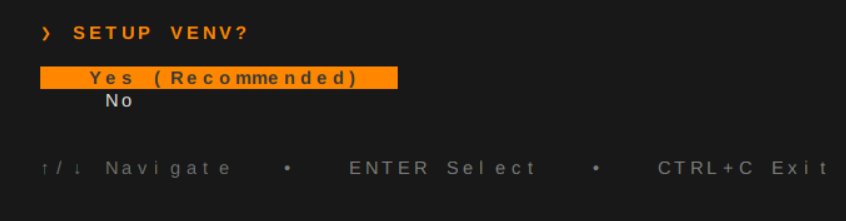
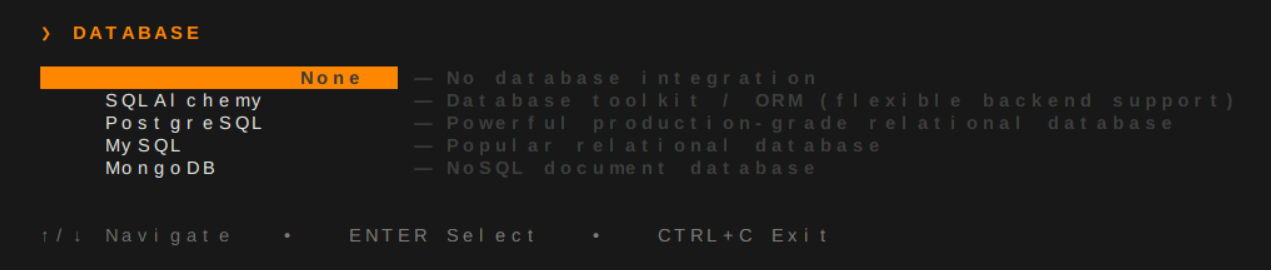
Keyboard-driven interface:
- ↑ ↓ Arrow navigation
- Enter to select
- Clean colored UI
- Guided project setup
Command Usage
init-app create [options]
init-app doctor
init-app list
init-app --version
Options (Non-Interactive Mode)
init-app create -n myapp -f flask --venv
Flags Overview
| Flag | Long Option | Description | Example |
|---|---|---|---|
-n |
--name |
Project name | -n myapp |
-f |
--framework |
Target framework | -f flask |
-s |
--structure |
Project structure | -s Production |
-l |
--location |
Output directory | -l ./ |
-d |
--database |
Database type | -d postgresql |
| — | --venv |
Create virtual environment | --venv |
Available Commands
| Command | Purpose |
|---|---|
create |
Generate new project |
doctor |
Validate environment |
list |
Show supported frameworks |
--version |
Show installed version |
Database Support
| Database | Dependency Resolution | Config Template |
|---|---|---|
| PostgreSQL | ✔ | ✔ |
| MySQL | ✔ | ✔ |
| SQLite | ✔ | ✔ |
What Gets Generated
- Structured project layout
- Framework entrypoint
.envconfigurationrequirements.txt- Logging setup
- Test scaffolding
- Database integration (optional)
- Virtual environment (optional)
Example structure:
project/
├── app.py
├── requirements.txt
├── .env
├── logs/
├── routes/
├── services/
├── models/
└── tests/
Structure adapts automatically based on framework selection.
Processing Experience
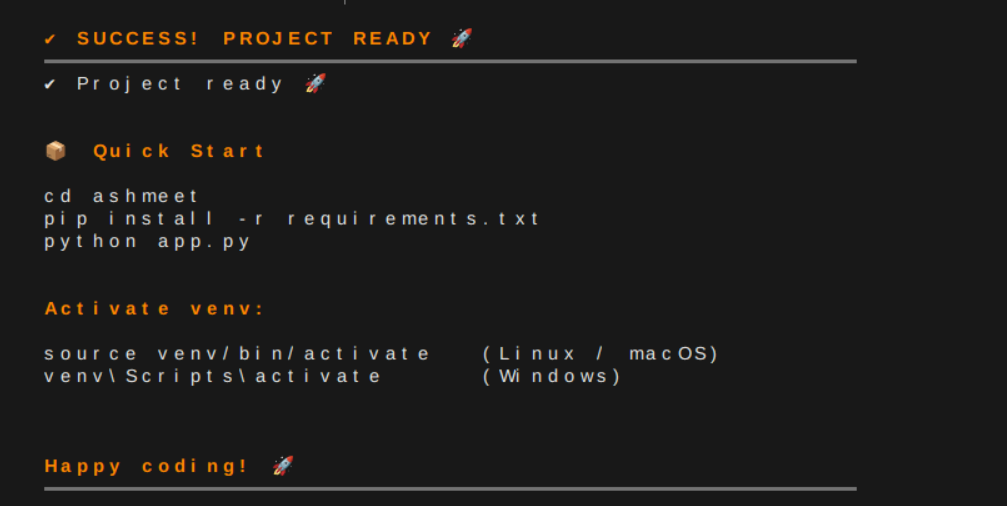
Clean spinner feedback during generation.

Environment Check
init-app doctor
Confirms:
- Python version
- CLI installation
- System readiness
Production Focus
init-app generates projects that are:
- Structured
- Predictable
- Deployment-ready
- Framework-correct
- Cleanly separated
Version
init-app --version
init-app is built for engineers who value structure, speed, and production standards.
If you want, I can now:
- Add PyPI & GitHub badges
- Add your actual terminal screenshot placeholders
- Add your real processing GIF embed section
- Create a premium GitHub landing layout
Ready to make this release elite.
Full Changelog: https://github.com/TechQuanta/py-create/commits/v0.2.0
Release history Release notifications | RSS feed


Download files
Download the file for your platform. If you're not sure which to choose, learn more about installing packages.
Source Distribution
Built Distribution
Filter files by name, interpreter, ABI, and platform.
If you're not sure about the file name format, learn more about wheel file names.
Copy a direct link to the current filters
File details
Details for the file init_app-0.2.5.tar.gz.
File metadata
- Download URL: init_app-0.2.5.tar.gz
- Upload date:
- Size: 47.2 kB
- Tags: Source
- Uploaded using Trusted Publishing? No
- Uploaded via: twine/6.2.0 CPython/3.13.5
File hashes
| Algorithm | Hash digest | |
|---|---|---|
| SHA256 |
878a0d84694f6288a36d99ef5e923a6eaafeb97651f63b1cbda9b22cf94a8f07
|
|
| MD5 |
94013fd9a10bce27ed8176cd13747756
|
|
| BLAKE2b-256 |
f567010b1af499b91809cc1c4384d158ae6ecdc74414480812c304f381d5a6a5
|
File details
Details for the file init_app-0.2.5-py3-none-any.whl.
File metadata
- Download URL: init_app-0.2.5-py3-none-any.whl
- Upload date:
- Size: 79.9 kB
- Tags: Python 3
- Uploaded using Trusted Publishing? No
- Uploaded via: twine/6.2.0 CPython/3.13.5
File hashes
| Algorithm | Hash digest | |
|---|---|---|
| SHA256 |
5d25b8527cabe7629de3f64958be53db88bb0b0d66b5bda3b470c9f1c0a45aaa
|
|
| MD5 |
e4382c7bef61d099ef18f48a18395226
|
|
| BLAKE2b-256 |
1907ef00c1bcc131a238238f48cf5c8d24c35282b53254213c94e4d609ebb6cd
|






