
InspectCode TUI


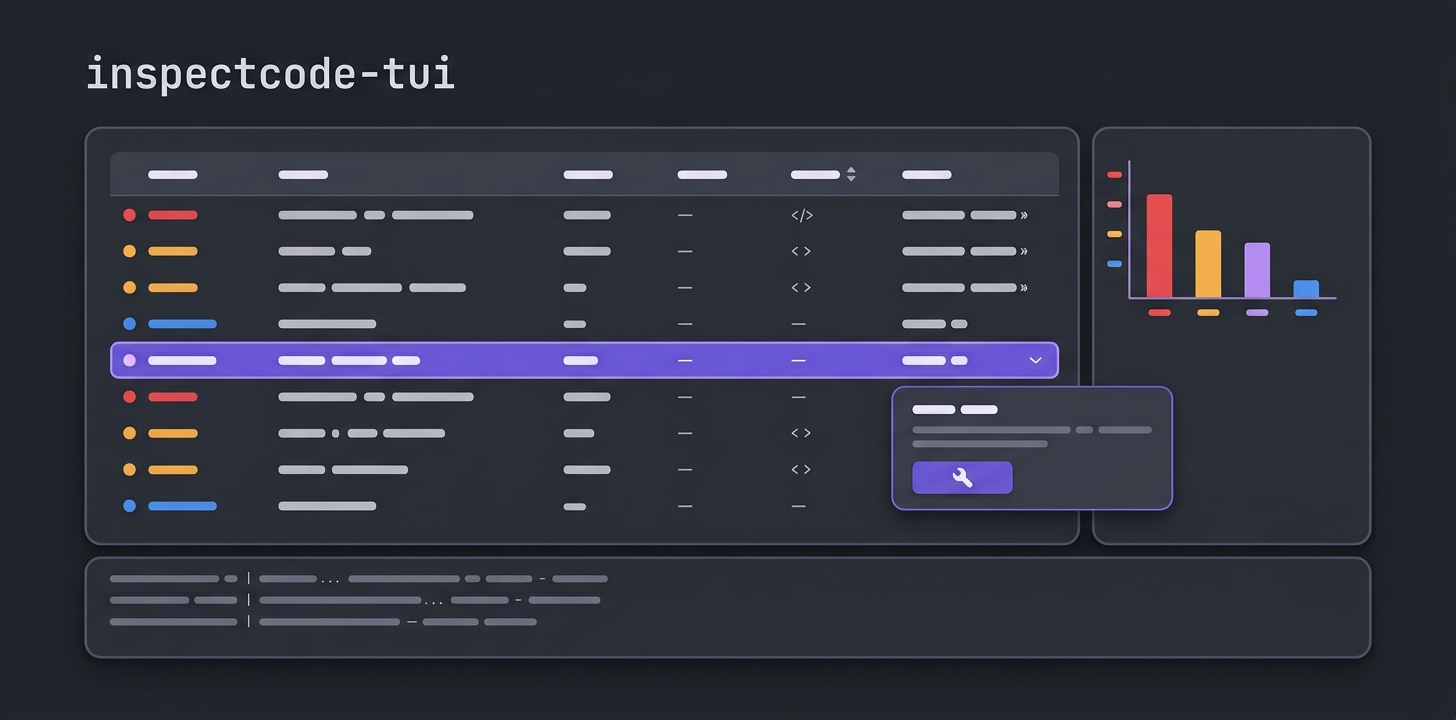







A terminal user interface for browsing and fixing C# and .NET issues with InspectCode by JetBrains.
 |
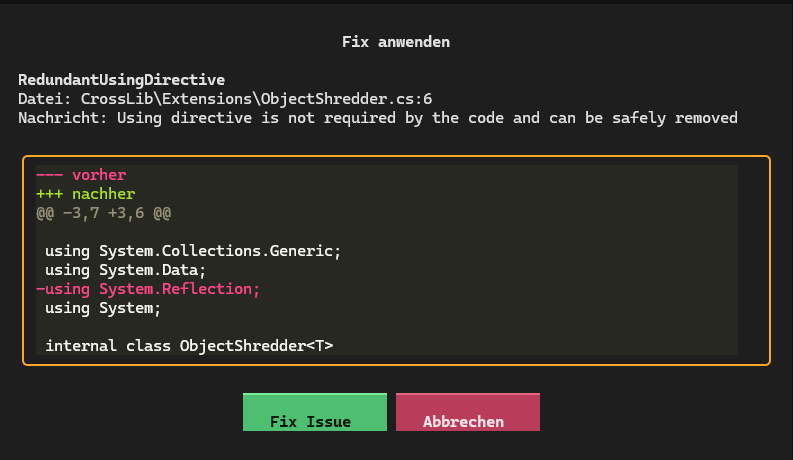 |
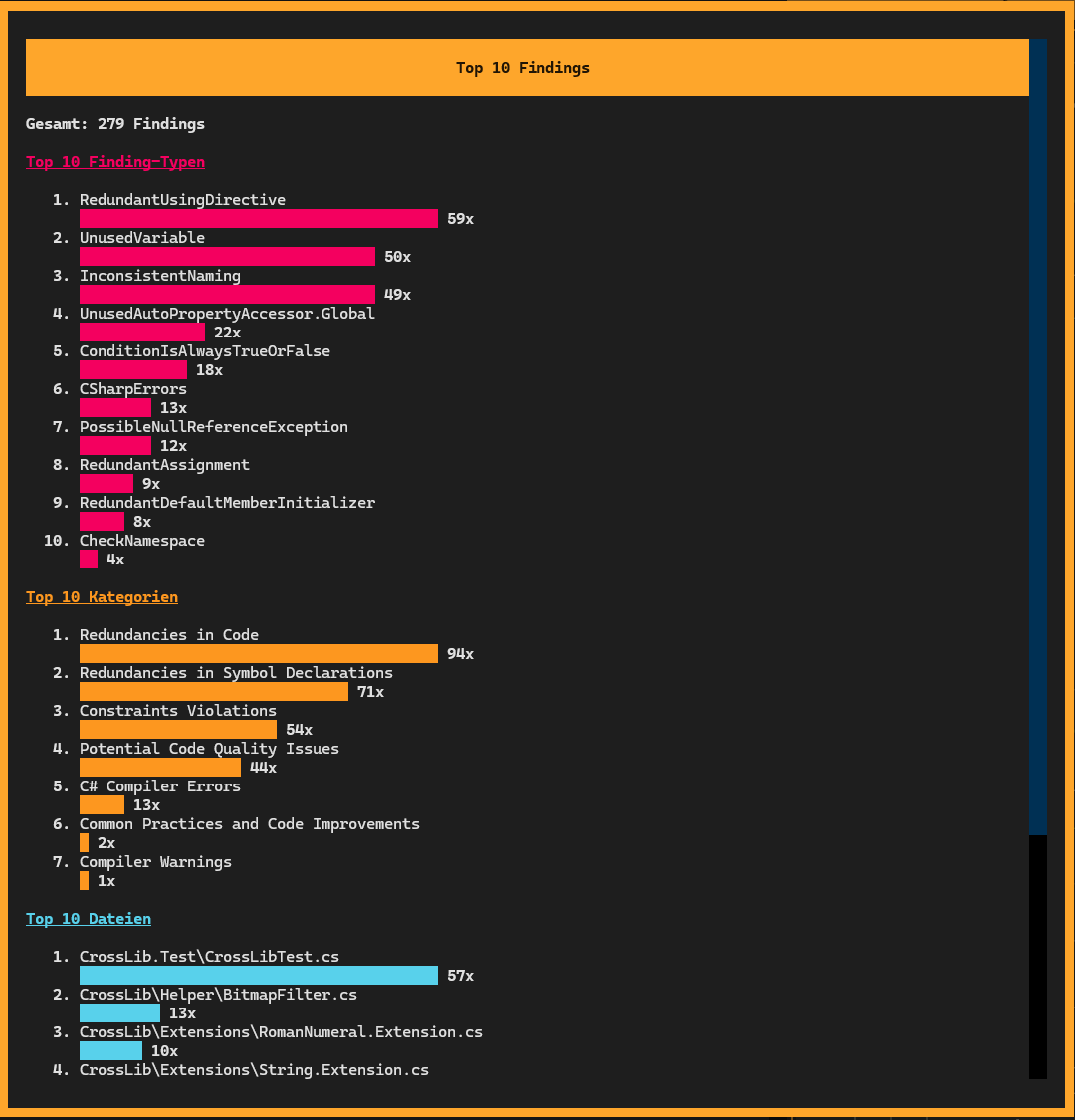
| Top 10 — finding types, categories, files | Auto-fix with diff preview |
 |
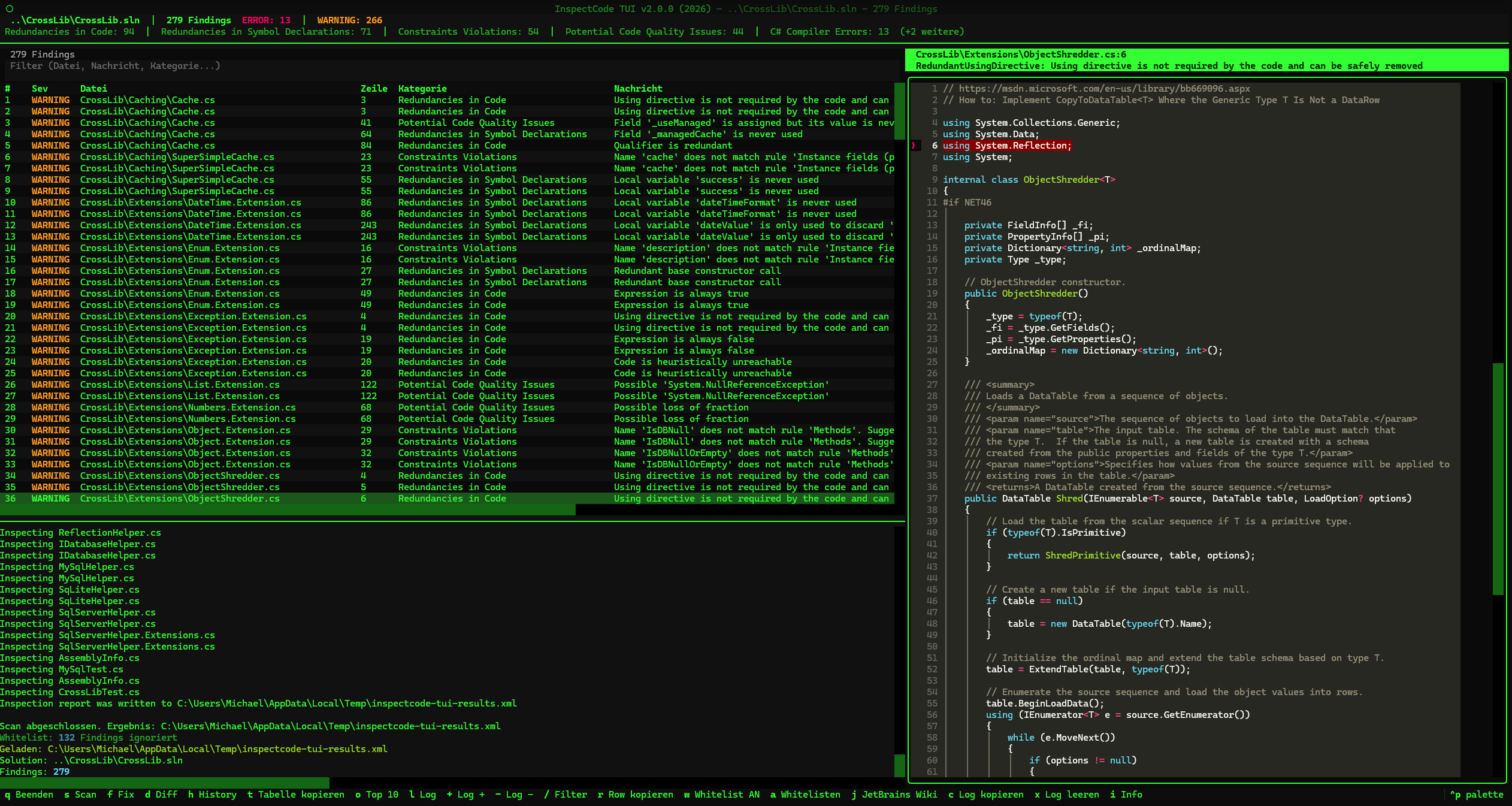 |
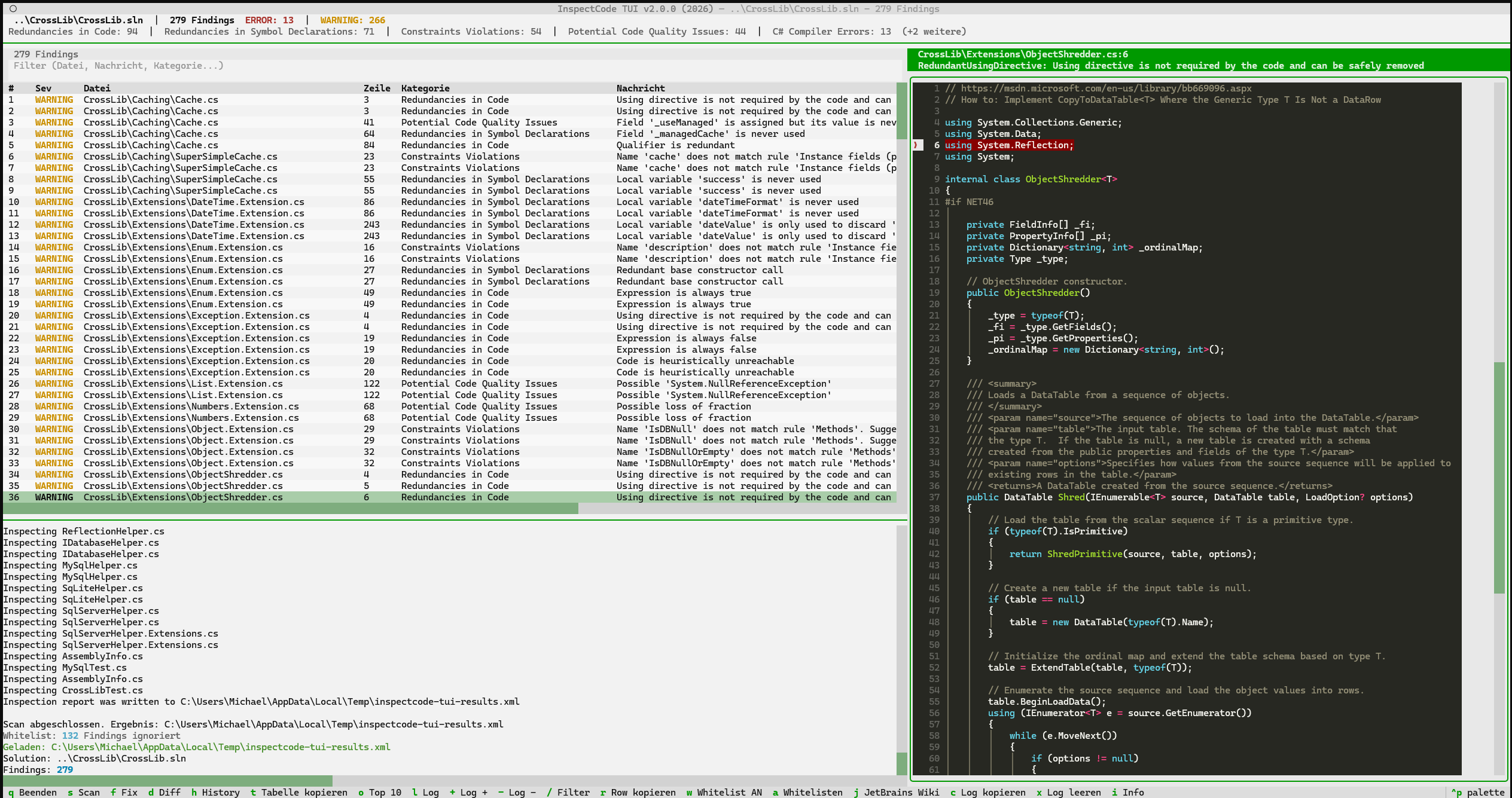
| Gemstone — monochrome GEM desktop | Classic Terminal — phosphor green |
Why InspectCode?
Linters like ESLint, StyleCop or dotnet format check style and syntax - things like naming conventions, missing braces, or unused imports. That's useful, but it's surface-level.
JetBrains InspectCode (the engine behind ReSharper) does deep static analysis of your .NET code. It understands your type system, control flow, and data flow to find bugs that no linter can catch:
- Null reference paths - "this variable can be null here, and you're not checking"
- Dead code detection - "this condition is always false, so this branch never executes"
- Possible InvalidOperationException - "this
.Valuecall on a nullable will throw at runtime" - Multiple enumeration - "you're iterating this
IEnumerabletwice, which may cause unexpected behavior or performance issues" - Virtual calls in constructors - "this overridable method call in a constructor will behave differently in derived classes"
These are runtime bugs waiting to happen that pass every linter, every compiler warning, and every code review. InspectCode finds them before your users do.
The problem: InspectCode produces a raw report (XML or SARIF/JSON) with hundreds of findings. That's where this tool comes in - it gives you an interactive terminal UI to browse, filter, inspect, and fix those findings one by one.
Features
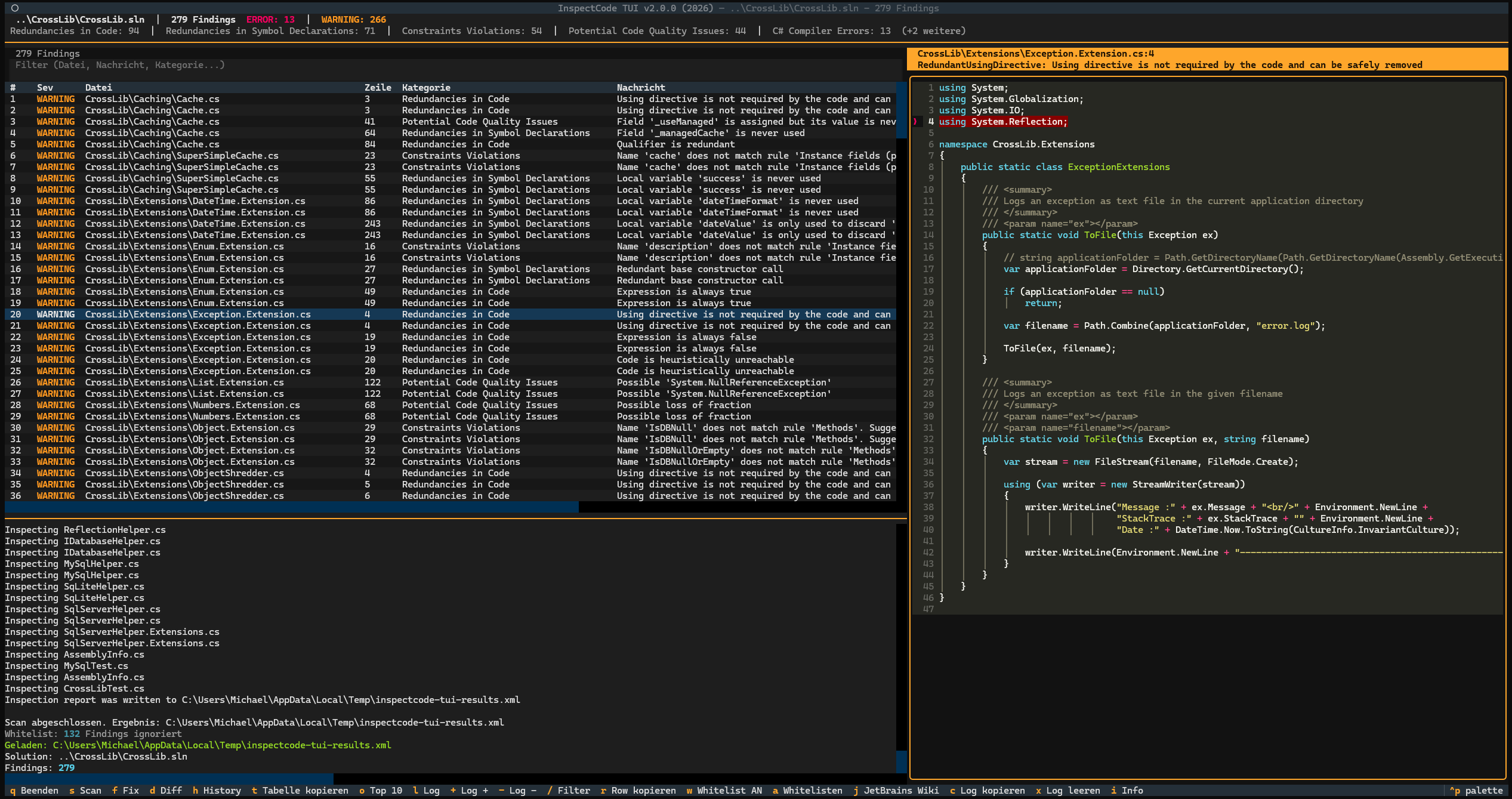
- Horizontal split layout - findings table on the left, source code with syntax highlighting on the right
- Browse findings in a filterable table with severity colors
- Source code view with automatic jump to the affected line
- Run
jb inspectcodedirectly from the TUI with live log and progress indicator - Git commit mode - only scan files changed since a commit (
--commit HEAD~1) - Auto-fix for 11 issue types with diff preview before applying
- History - remember and reuse recent scan parameters
- Top 10 chart - most frequent finding types, categories, and files at a glance
- 31 retro themes - via theme picker (Ctrl+P), see textual-themes
- Whitelist - ignore known issues via
whitelist.json, toggle on/off and add findings directly in the TUI - Persistent settings - theme, log height and visibility are saved
- Multilingual - German and English, switch with
--lang en - .sln and .csproj - both project types are supported
- XML and SARIF/JSON - both InspectCode output formats are auto-detected
Prerequisites
- Python 3.10+
- JetBrains CLI Tools (
jb inspectcode) - install via:dotnet tool install -g JetBrains.ReSharper.GlobalTools
Installation
One-Click Install (Standalone, no Python needed)
Windows (PowerShell):
irm https://raw.githubusercontent.com/michaelblaess/inspectcode-tui/main/install.ps1 | iex
Linux / macOS:
curl -fsSL https://raw.githubusercontent.com/michaelblaess/inspectcode-tui/main/install.sh | bash
From Source (Python 3.10+)
git clone https://github.com/michaelblaess/inspectcode-tui.git
cd inspectcode-tui
pip install -e .
Usage
# Run a live scan on a solution
inspectcode-tui "C:\path\to\MySolution.sln"

# Scan a single .csproj
inspectcode-tui "C:\path\to\MyProject.csproj"

# Scan a specific project within the solution
inspectcode-tui "MySolution.sln" --project="MyProject"

# Only scan files changed since last commit (Git mode)
inspectcode-tui "MySolution.sln" --commit HEAD~1

# Load an existing report file (no scan needed)
inspectcode-tui --xml="C:\Temp\inspectcode-results.xml"

# Filter by minimum severity
inspectcode-tui --xml="report.xml" --severity=ERROR

# Build before scanning (default: --no-build)
inspectcode-tui "MySolution.sln" --build

# English UI
inspectcode-tui "MySolution.sln" --lang en

# Start without arguments (history selection)
inspectcode-tui
Tip: Close Visual Studio before running a live scan to avoid file lock errors. The selected language is saved and automatically used on the next start.
Keyboard Shortcuts
| Key | Action |
|---|---|
s |
Start scan |
f |
Apply fix (only for fixable issues) |
d |
Diff preview (only for fixable issues) |
w |
Whitelist ON/OFF |
a |
Add finding to whitelist |
j |
Open JetBrains wiki page |
h |
History dialog |
o |
Top 10 chart |
r |
Copy current row |
t |
Copy entire table |
/ |
Focus filter |
Escape |
Clear filter |
l |
Toggle log |
+ / - |
Resize log |
c |
Copy log |
x |
Clear log |
i |
Info/About |
Ctrl+P |
Switch theme |
q |
Quit |
Fixable Issue Types
| Issue Type | Fix |
|---|---|
RedundantUsingDirective |
Remove the line |
UnusedVariable |
Remove the line |
RedundantAssignment |
Remove the line |
HeuristicUnreachableCode |
Remove the line |
EmptyConstructor |
Remove the constructor block |
RedundantBaseConstructorCall |
Remove : base() |
RedundantDefaultMemberInitializer |
Remove = 0 / = null / = false / = default |
PossibleIntendedRethrow |
Replace throw ex; with throw; |
RedundantBaseQualifier |
Remove base. prefix |
ConstantConditionalAccessQualifier |
Replace ?. with . |
StringIndexOfIsCultureSpecific.1 |
Add StringComparison.Ordinal |
More fix strategies can be added in src/inspectcode_tui/services/fixer.py.
How It Works
- InspectCode analyzes your .NET solution and writes a report (XML or SARIF/JSON)
- inspectcode-tui auto-detects the format and parses it into structured
Findingobjects - Findings are displayed in a DataTable with severity coloring and filtering
- Navigating the table automatically shows the source code with the affected line highlighted on the right
- For fixable issues, you can preview the diff and apply the fix with a single keypress
- Git is your safety net - all changes can be reverted anytime with
git checkout
Project Structure
src/inspectcode_tui/
├── __main__.py              # CLI entry point (argparse, --lang)
├── app.py                   # Main Textual app (horizontal split, keybindings)
├── app.tcss                 # Stylesheet
├── i18n.py                  # Internationalization (de/en)
├── locale/
│   ├── de.json              # German language pack
│   └── en.json              # English language pack
├── models/
│   ├── finding.py           # Finding dataclass
│   ├── report.py            # Report parser (XML + SARIF/JSON)
│   ├── settings.py          # Persistent settings (~/.inspectcode-tui/)
│   └── history.py           # Scan history (~/.inspectcode-tui/)
├── widgets/
│   ├── findings_table.py    # Filterable DataTable with severity colors
│   ├── code_view.py         # Scrollable syntax-highlighted code display
│   └── summary_panel.py     # Severity counters
├── screens/
│   ├── confirm_fix.py       # Modal: confirm fix with diff preview
│   ├── diff_view.py         # Modal: diff preview
│   ├── history.py           # Modal: scan history selection
│   ├── top_findings.py      # Modal: top 10 bar charts
│   └── about.py             # Modal: about dialog
└── services/
    ├── inspector.py         # jb inspectcode subprocess runner + git diff
    └── fixer.py             # Auto-fix logic (11 issue types)
Disclaimer
This project is an independent, unofficial tool and is not affiliated with, endorsed by, or sponsored by JetBrains s.r.o. in any way.
JetBrains, ReSharper, and InspectCode are trademarks or registered trademarks of JetBrains s.r.o.. All product names, logos, and brands are property of their respective owners.
This tool merely provides a terminal-based user interface for viewing and interacting with the output produced by JetBrains InspectCode. It does not include, bundle, or redistribute any JetBrains software. Users must install the JetBrains ReSharper Command Line Tools separately and comply with JetBrains' own licensing terms.
License
Apache License 2.0 - see LICENSE
1 maintainer

Metadata
1 maintainer
Release files for inspectcode-tui 2.4.2
For a detailed explanation of source distributions (sdists) and built distributions (wheels), please see the package formats documentation.
Source distribution (sdist)
| File | Size | Uploaded | |
|---|---|---|---|
| inspectcode_tui-2.4.2.tar.gz | 46.9 kB | Details |
Built distribution (wheel)
| File | Interpreter | ABI | Platform | Reset |
|---|---|---|---|---|
| inspectcode_tui-2.4.2-py3-none-any.whl | Python 3 | none | any | Details |
Total release size: 99.8 kB
Release files / inspectcode_tui-2.4.2.tar.gz
| Download URL | inspectcode_tui-2.4.2.tar.gz |
|---|---|
| Size | 46.9 kB |
| Tags | Source |
|
SHA-256 checksum How to use checksums |
91f3f5fb7e11a5208163ef95f4716e376da4d1672b9bc97af86b227cc587f62b
|
|
BLAKE2b-256 checksum How to use checksums |
198339e4ce1a05b539ab4a8196017727508c346979f4c56f45fda7d048a75b68
|
| Upload date | |
|
Uploaded using Trusted Publishing? What is trusted publishing? |
Yes |
| Uploaded via |
twine/7.0.0 CPython/3.13.14
|
Provenance
Provenance describes where a file came from. On PyPI, provenance is shared via attestations, which provide a verifiable record of the build or publishing details. View details, limitations and caveats.


PyPI Publish Attestation
PyPI verified that this artifact, at this checksum, originated from the publisher listed below.
Signed by GitHub Actions, verified by PyPI on Oct 5, 2026.
Transparency logRelease files / inspectcode_tui-2.4.2-py3-none-any.whl
| Download URL | inspectcode_tui-2.4.2-py3-none-any.whl |
|---|---|
| Size | 52.9 kB |
| Tags | Python 3 |
|
SHA-256 checksum How to use checksums |
b03b2308d46f4d672aad7f792171041c4978307ad2705dc9113eea03fc74372f
|
|
BLAKE2b-256 checksum How to use checksums |
77dc82c58e9aeb761d49a5e4e88e9c69695a9c8b389ac6d0ff6b1c25c1382b5b
|
| Upload date | |
|
Uploaded using Trusted Publishing? What is trusted publishing? |
Yes |
| Uploaded via |
twine/7.0.0 CPython/3.13.14
|
Provenance
Provenance describes where a file came from. On PyPI, provenance is shared via attestations, which provide a verifiable record of the build or publishing details. View details, limitations and caveats.
PyPI Publish Attestation
PyPI verified that this artifact, at this checksum, originated from the publisher listed below.
Signed by GitHub Actions, verified by PyPI on Oct 5, 2026.
Transparency log













