
Inspector Facet - Inspection utility for EIP2535 Diamond proxies

Project description
Inspector Facet

A tool that allows you to inspect deployed EIP-2535 Diamond proxy contracts from your command line.
Inspector Facet was inspired by Louper.dev (GitHub).
Inspector Facet uses side information about facet ABIs to match the selectors that a Diamond proxy is serving to human-understandable information about the facets and the functions.
We support side information obtained from:
Inspector Facet can build a complete audit log of all Diamond-related operations on an EIP2535 proxy
contract. Use this functionality with the --timeline argument.
Installation
Inspector Facet is written in Python 3 and is distributed using PyPI: https://pypi.org/project/inspector-facet/
To install Inspector Facet, run:
pip install inspector-facet
Usage
inspector-facet --help
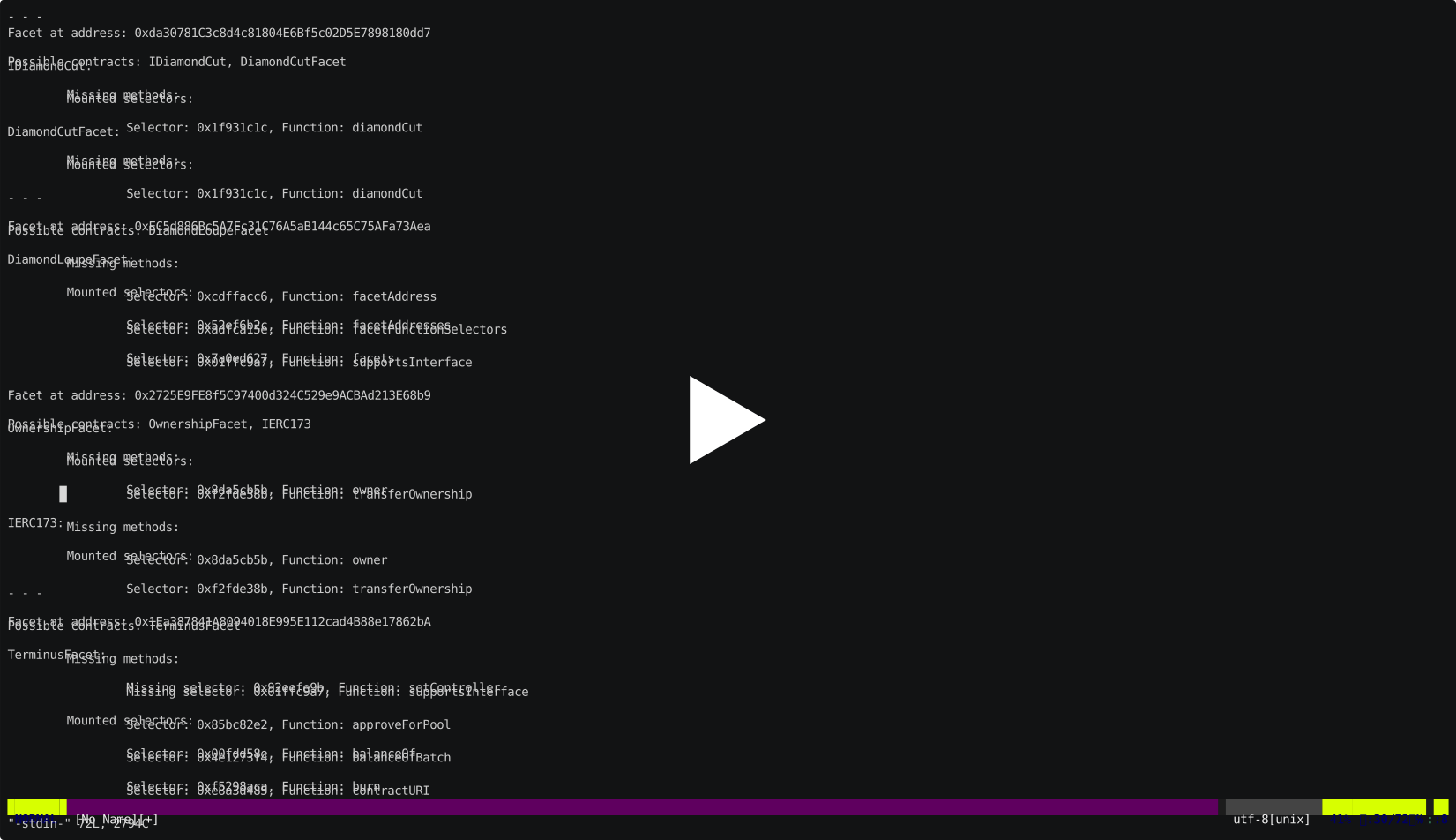
To use Inspector Facet:
With a brownie project
The following command produces human-readable output:
inspector-facet \
    --network <brownie network name for blockchain> \
    --address <address of diamond contract> \
    --project <path to brownie project (should contain build artifacts in build/contracts)> \
    --format human
The following command produces JSON output and can be used to inspect a Diamond contract programatically (e.g. as part of a CI/CD pipeline):
inspector-facet \
    --network <brownie network name for blockchain> \
    --address <address of diamond contract> \
    --project <path to brownie project (should contain build artifacts in build/contracts)> \
    --format json
To build an audit log of Diamond operations on an EIP2535 proxy contract
To build an audit log, you will need to crawl DiamondCut events from the blockchain. You can do this using moonworm.
First, you will need to install moonworm:
pip install moonworm
This should be done in a separate Python environment from inspector-facet because brownie pins its dependencies
and doesn't play nice with other libraries (GitHub issue).
Once moonworm is installed, you can find the deployment block for your contract:
moonworm find-deployment -w <JSON RPC URL for blockchain node> -c <contract address> -t 0.5
Save the output of this command as START_BLOCK.
Then crawl the DiamondCut event data:
moonworm watch \
  -i inspector_facet/abis/DiamondCutFacetABI.json \
  -w <JSON RPC URL for blockchain node> \
  -c <contract address> \
  --start $START_BLOCK \
  --end <current block number> \
  --only-events \
  -o <output filename> \
  --min-blocks-batch 1000 \
  --max-blocks-batch 1000000
If you are crawling data from a POA chain (like Polygon), add --poa to the command above.
Then, invoke inspector-facet as:
inspector-facet \
  --crawldata <output filename> \
  --project <path to brownie project (should contain build artifacts in build/contracts)> \
  --format human \
  --timeline
Connecting to a blockchain
Internally, Inspector Facet uses brownie to work with any
Ethereum-based blockchain. When you use inspector-facet, even with a hardhat project, inspector-facet
will still use brownie to interact with any blockchain.
Any inspector-facet command that calls out to a blockchain will take a -n/--network argument. The value
of this argument must be the name of a brownie network configured in your Python environment.
brownie is a dependency of inspector-facet and is automatically installed when you install inspector-facet.
To see a list of available brownie networks, activate the Python environment in which you installed
inspector-facet and run:
brownie networks list
The output will look like this (truncated for brevity):
$ brownie networks list

Brownie v1.17.2 - Python development framework for Ethereum

The following networks are declared:

Ethereum
  ├─Mainnet (Infura): mainnet
  ├─Ropsten (Infura): ropsten
  ├─Rinkeby (Infura): rinkeby
  ├─Goerli (Infura): goerli
  └─Kovan (Infura): kovan

Ethereum Classic
  ├─Mainnet: etc
  └─Kotti: kotti

Arbitrum
  └─Mainnet: arbitrum-main
...
To view the details for any particular network, use:
brownie networks modify $NETWORK
For example:
$ brownie networks modify mainnet

$ brownie networks modify mainnet
Brownie v1.17.2 - Python development framework for Ethereum

SUCCESS: Network 'Mainnet (Infura)' has been modified
  └─Mainnet (Infura)
    ├─id: mainnet
    ├─chainid: 1
    ├─explorer: https://api.etherscan.io/api
    ├─host: https://mainnet.infura.io/v3/$WEB3_INFURA_PROJECT_ID
    └─multicall2: 0x5BA1e12693Dc8F9c48aAD8770482f4739bEeD696
If you want to connect to this network, using Infura, all you have to do is set your WEB3_INFURA_PROJECT_ID
environment variable (get this information from your project dashboard on Infura) and set --network mainnet
when you invoke inspector-facet.
For networks which have publicly available nodes, it's even more straightforward:
$ brownie networks modify etc
Brownie v1.17.2 - Python development framework for Ethereum

SUCCESS: Network 'Mainnet' has been modified
  └─Mainnet
    ├─id: etc
    ├─chainid: 61
    ├─explorer: https://blockscout.com/etc/mainnet/api
    └─host: https://www.ethercluster.com/etc
You don't need any additional environment variables.
Adding a custom network
To add your own network, use the brownie networks add command.
The signature for this command is:
brownie networks add <label> <network-name> chainid=<chain ID for network> host=<JSON RPC endpoint> explorer=<API URL for blockchain explorer>
The <label> is purely for organizational purposes and can be set to whatever string you want.
For example, if you wanted to add the public Polygon RPC service as a network, you would do:
brownie networks add Polygon matic chainid=137 host=https://polygon-rpc.com explorer=https://api.polygonscan.com/api
Support
You can get help in any of the following ways:
- File an issue
- Ask for help on Moonstream Discord
Release history Release notifications | RSS feed


Download files
Download the file for your platform. If you're not sure which to choose, learn more about installing packages.
Source Distribution
Built Distribution
Filter files by name, interpreter, ABI, and platform.
If you're not sure about the file name format, learn more about wheel file names.
Copy a direct link to the current filters
File details
Details for the file inspector-facet-0.2.2.tar.gz.
File metadata
- Download URL: inspector-facet-0.2.2.tar.gz
- Upload date:
- Size: 20.7 kB
- Tags: Source
- Uploaded using Trusted Publishing? No
- Uploaded via: twine/4.0.0 CPython/3.9.12
File hashes
| Algorithm | Hash digest | |
|---|---|---|
| SHA256 |
43f96d2ddcbc562eebb5393c5f986d4a952a087afb4832ab9c5746f75ad44082
|
|
| MD5 |
32231d27d16819110fcd7df22c05a94e
|
|
| BLAKE2b-256 |
0f44bc4695107f6a20a0d782876db650c251a46f5e64cc3a6db96f5dbf004631
|
File details
Details for the file inspector_facet-0.2.2-py3-none-any.whl.
File metadata
- Download URL: inspector_facet-0.2.2-py3-none-any.whl
- Upload date:
- Size: 21.4 kB
- Tags: Python 3
- Uploaded using Trusted Publishing? No
- Uploaded via: twine/4.0.0 CPython/3.9.12
File hashes
| Algorithm | Hash digest | |
|---|---|---|
| SHA256 |
6ce0b7d0d0c714a0616c292bd364e9b159ba058ce48659d6e1f749b9d367766c
|
|
| MD5 |
71aa5dc21866ea9af9051bc58a78b3cb
|
|
| BLAKE2b-256 |
c12335e8be848b886140e34e347befc4df09421c3d834fd8c688d1e3115de197
|






