
installation-instruction
Library and CLI for generating installation instructions from json schema and jinja templates.





Installation
pipx
pipx install installation-instruction
pip
python -m pip install installation-instruction
installation-instruction
(Don't try at home.)
name: installation-instruction
type: object
properties:
  method:
    enum:
      - pipx
      - pip
----------------------------------
{% if method == "pip" %}
  python -m pip
{% else %}
  pipx
{% endif %}
  install installation-instruction
CLI Usage
Usage: ibi [OPTIONS] COMMAND [ARGS]...

  Library and CLI for generating installation instructions from json schema
  and jinja templates.

Options:
  --version   Show the version and exit.
  -h, --help  Show this message and exit.

Commands:
  install  Installs with config and parameters given.
  show     Shows installation instructions for your specified config file...
Options are dynamically created with the schema part of the config file.
Config
- The config is comprised of a single file
install.cfg. - The config has two parts delimited by
------(6 or more-). - Both parts should be developed in different files for language server support.
Schema
- The first section of the config is a json-schema.
- It can be written in JSON or to JSON capabilites restricted YAML.
- When creating a schema use the following schema draft version: https://json-schema.org/draft/2020-12/schema
titleare used for pretty print option names.descriptionis used for the options help message.- For adding a description and a pretty print name to enum values (for web-installation-instruction):
- Indent the schema with the key
schema. - Add
prettyanddescriptionkeys. - Create lists like
key: Pretty Key.
- Indent the schema with the key
titleanddescriptionfrom within the schema overwriteprettyanddescriptionoutside of the schema.- For the package to set the default os to the running system, name the property
__os__.
schema:
  name: installation-instruction
  type: object
  properties:
    method:
      enum:
        - pipx
        - pip
pretty:
  pipx: Pipx
  pip: Pip
description:
  pipx: Installs python packages into virtual environments.
  pip: Standard python package manager.
Template
- You can have as much whitespace and line breaks as you wish in and inbetween your commands.
- Commands must be seperated by
&&! (pip install installation-instruction && pip uninstall installation-instruction.) - If you wish to stop the render from within the template you can use the macro
raise. ({{ raise("no support!") }}.)
MISC
Please have a look at the examples.
Development installation
If you want to contribute to the development of installation_instruction, we recommend
the following editable installation from this repository:
python -m pip install --editable .[tests]
Having done so, the test suite can be run using pytest:
python -m pytest
Contributors
Acknowledgments
This repository was set up using the SSC Cookiecutter for Python Packages.
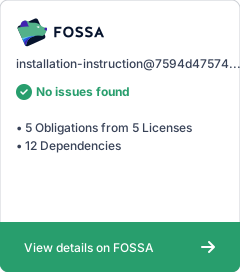
License Scan
1 maintainer

Metadata
1 maintainer
Release files for installation-instruction 0.4.0
For a detailed explanation of source distributions (sdists) and built distributions (wheels), please see the package formats documentation.
Source distribution (sdist)
| File | Size | Uploaded | |
|---|---|---|---|
| installation_instruction-0.4.0.tar.gz | 16.8 kB | Details |
Release files / installation_instruction-0.4.0.tar.gz
| Download URL | installation_instruction-0.4.0.tar.gz |
|---|---|
| Size | 16.8 kB |
| Tags | Source |
|
SHA-256 checksum How to use checksums |
010898185d5f811b53c2733ca8831d7d2b190aa92a9afecb1432dd885f9541bd
|
|
BLAKE2b-256 checksum How to use checksums |
eea297954f46e9af761279741e2aca4884a97460131d14b43ed6943d644f0923
|
| Upload date | |
|
Uploaded using Trusted Publishing? What is trusted publishing? |
Yes |
| Uploaded via |
twine/5.0.0 CPython/3.12.4
|














