
A Python module for automating interactions to mimic human behavior in standalone apps or browsers when using Selenium, Pyppeteer, or Playwright.

Project description
Intelium: Universal Automation Framework
🚀 Vision
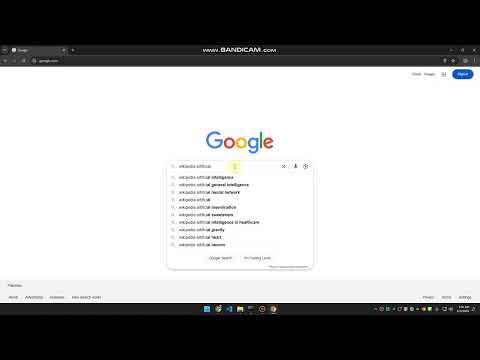
Intelium is not just another automation framework - it's a vision for a world where any digital interaction can be automated with human-like precision. Whether you're automating browser interactions, desktop applications, or complex workflows, Intelium provides a unified, intelligent approach to automation that feels natural and reliable.
✨ Key Features
🤖 Human-Like Interactions
- Natural mouse movements with randomized offsets
- Variable typing speeds with realistic timing
- Smooth scrolling with acceleration/deceleration
- Intelligent element detection with tolerance for visual variations
🌐 Universal Automation
- Browser Automation: Support for Selenium, Playwright, and more
- Desktop Automation: Native system interactions with OCR capabilities
- Cross-Platform: Works seamlessly across Windows, macOS, and Linux
- Extensible: Easy to add support for new automation targets
🎯 Smart Element Detection
- Template matching with scale and rotation tolerance
- OCR-powered text detection (optional)
- Confidence-based matching
- Duplicate detection and filtering
⚡ Performance & Reliability
- Asynchronous operation support
- Robust error handling
- Viewport-aware interactions
- Resource-efficient operation
🛠️ Quick Start
from intelium import DesktopAutomation, BrowserAutomation

# Desktop Automation
desktop = DesktopAutomation()
desktop.move_to({'x': 100, 'y': 100})
desktop.click_at({'x': 100, 'y': 100})

# Browser Automation
from selenium import webdriver
driver = webdriver.Chrome()
browser = BrowserAutomation(driver)
element = driver.find_element("id", "my-button")
browser.click_at(element)
🔧 Installation
pip install intelium
📚 Usage Examples
Desktop Automation
from intelium import DesktopAutomation

# Initialize with OCR support
automation = DesktopAutomation(ocr=True)

# Find elements by image
elements = automation.find_elements(
    image_path="button.png",
    min_confidence=0.8
)

# Find elements by text
text_elements = automation.find_text_elements(
    query="Click me",
    min_confidence=0.8
)

# Interact with elements
for element in elements:
    automation.move_to(element)
    automation.click_at(element)
    automation.type_at(element, "Hello, World!")
Browser Automation
from intelium import BrowserAutomation
from selenium import webdriver

driver = webdriver.Chrome()
automation = BrowserAutomation(driver)

# Navigate and interact
driver.get("https://example.com")
element = driver.find_element("id", "search")
automation.type_at(element, "Search query")
automation.click_at(element)
🎯 Use Cases
🤖 RPA (Robotic Process Automation)
- Automate repetitive desktop tasks
- Fill forms and process documents
- Extract data from various sources
- Integrate with existing workflows
🧪 Testing & QA
- Automated UI testing
- Cross-browser testing
- Visual regression testing
- Performance testing
📊 Data Collection
- Web scraping with human-like behavior
- Automated data entry
- Document processing
- Data extraction from various sources
🔄 Workflow Automation
- Business process automation
- Task scheduling and execution
- System integration
- Automated reporting
🔮 Future Vision
Intelium is constantly evolving to support:
- AI-powered element detection
- Natural language automation commands
- Cross-device automation
- Cloud-based automation orchestration
- Advanced pattern recognition
- Machine learning for interaction optimization
🤝 Contributing
We welcome contributions! Whether it's:
- Bug reports
- Feature requests
- Code contributions
- Documentation improvements
- Testing and feedback
📄 License
This project is dual-licensed under:
- MIT License - for general use and distribution
- Intelium Attribution License - requiring proper attribution
The MIT License allows you to use, modify, and distribute the software freely, while the Intelium Attribution License ensures proper credit is given to the original authors. See the LICENSE file for full details.
When using Intelium, you must include the following attribution in your project:
This project uses Intelium (https://github.com/Leadrive/intelium),
developed by Ali Shahmir Khan, based on the original work by Vladislav Zenkevich.
Made with ❤️ by Ali Shahmir Khan Original Author: Vladislav Zenkevich
Release history Release notifications | RSS feed

Download files
Download the file for your platform. If you're not sure which to choose, learn more about installing packages.
Source Distribution
Built Distribution
Filter files by name, interpreter, ABI, and platform.
If you're not sure about the file name format, learn more about wheel file names.
Copy a direct link to the current filters
File details
Details for the file intelium-0.1.tar.gz.
File metadata
- Download URL: intelium-0.1.tar.gz
- Upload date:
- Size: 11.4 kB
- Tags: Source
- Uploaded using Trusted Publishing? No
- Uploaded via: twine/6.1.0 CPython/3.12.1
File hashes
| Algorithm | Hash digest | |
|---|---|---|
| SHA256 |
9e71468047ba936d814164a0be62ad3ca6a7ee9d3d83d9f88caa55f2529cf02f
|
|
| MD5 |
c0125bc6cd5abcf9fa629b4ac46e248c
|
|
| BLAKE2b-256 |
36951fd99d933760c54eb855d327e79ada3a353e9d1ec1c05bbdf816b4d2fe0a
|
File details
Details for the file intelium-0.1-py3-none-any.whl.
File metadata
- Download URL: intelium-0.1-py3-none-any.whl
- Upload date:
- Size: 10.4 kB
- Tags: Python 3
- Uploaded using Trusted Publishing? No
- Uploaded via: twine/6.1.0 CPython/3.12.1
File hashes
| Algorithm | Hash digest | |
|---|---|---|
| SHA256 |
c6ba9515d72acccc98524b58ccf56fcc227c57a4cfdbb1a2ec84426379325a90
|
|
| MD5 |
1cdba9b220c69772c98bd74624da45d4
|
|
| BLAKE2b-256 |
a2834f1987896946934b1c92572898ce494f46b2920c695ee8c222ef3ab977c9
|






