
Puppeteer gets caught by anti-bots and captchas.
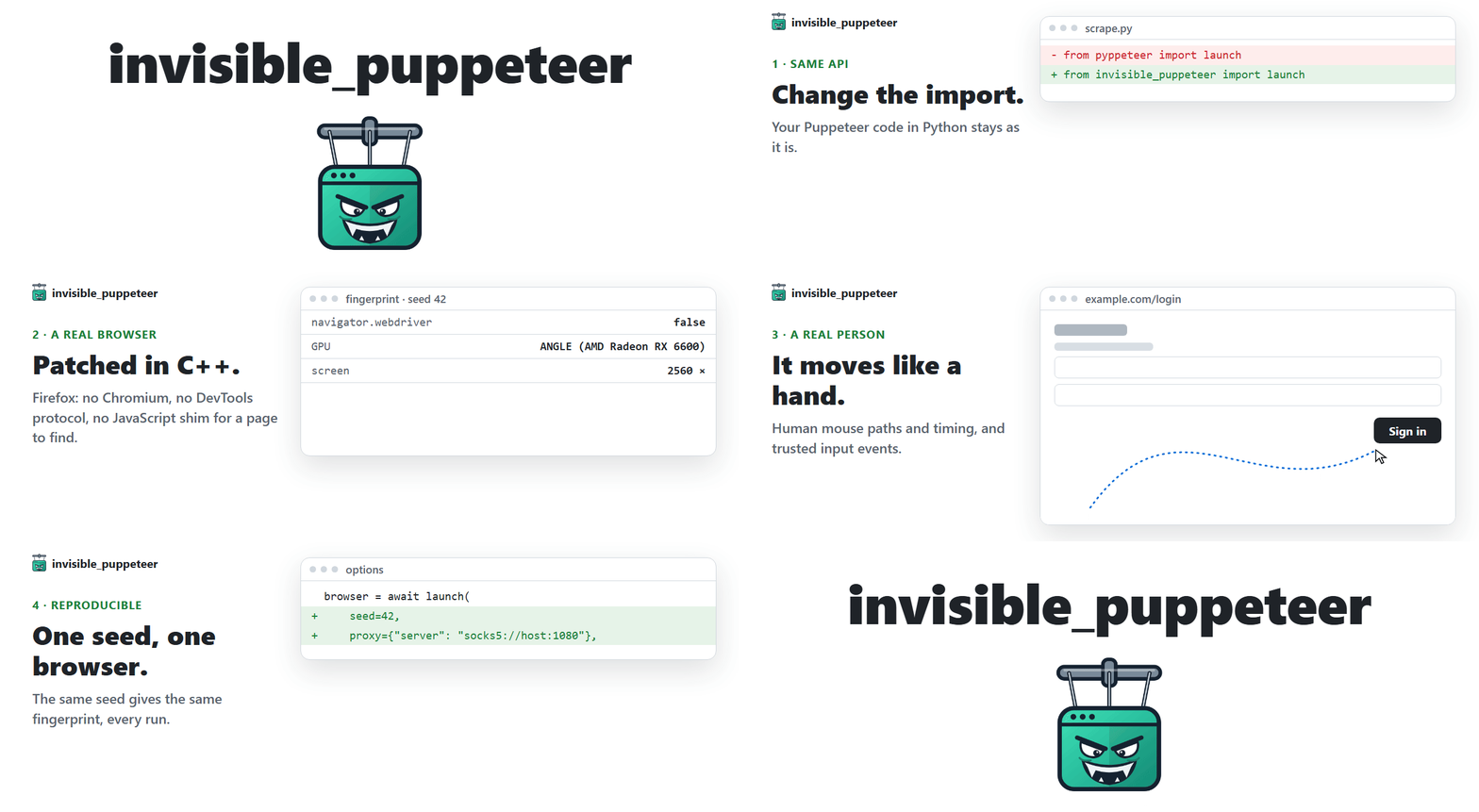
This one runs on an anti-detect Firefox with an undetected fingerprint, compatible with your existing Puppeteer code in Python.
How it works
Anti-bots ask two questions, and reCAPTCHA, hCaptcha and Cloudflare Turnstile score the answers. invisible_puppeteer answers yes to both.
1. Is this a real browser? Yes. It is Firefox, patched at the C++ source level.
- The browser fingerprint is set inside the engine, not injected into the page: navigator, screen, GPU/WebGL, canvas, fonts, audio, WebRTC, timezone, network. Headless or headed, the same values either way.
- No Chromium, no DevTools protocol and no JavaScript shim for a page to find.
2. Is a real person using it? Yes. The actions are humanized in the driver.
- Every click, hover and drag follows a natural mouse path with human timing, no teleporting cursor.
- Input goes through the browser's real input path, so the page sees trusted events.
Install
Windows, in PowerShell:
powershell -ExecutionPolicy ByPass -c "irm https://astral.sh/uv/install.ps1 | iex"
$env:Path = "$env:USERPROFILE\.local\bin;$env:Path"
uv init --python ">=3.11" my-project
cd my-project
uv add invisible-puppeteer
uv run invisible-puppeteer fetch
Linux:
curl -LsSf https://astral.sh/uv/install.sh | sh
source $HOME/.local/bin/env
uv init --python ">=3.11" my-project
cd my-project
uv add invisible-puppeteer
uv run invisible-puppeteer fetch
Supported platforms: Windows x86_64 / ARM64 (the x86_64 engine, under Windows' own emulation), Linux x86_64 / arm64.
Then save one of the examples below as main.py in my-project and run it with uv run main.py.
Usage
Puppeteer's API in Python, with no code changes. The same launch, Browser, Page and ElementHandle as pyppeteer, Puppeteer's Python port. If you already use it, switching is the import:
- from pyppeteer import launch
+ from invisible_puppeteer import launch
import asyncio
from invisible_puppeteer import launch

async def main():
    browser = await launch()
    page = await browser.newPage()
    await page.goto("https://example.com")
    await page.click("a")          # the mouse arcs to the link
    print("seed =", browser.seed)  # log it to replay the run
    await browser.close()

asyncio.run(main())
Every session gets a distinct fingerprint (GPU, audio, fonts, screen, ~200 fields). Do not install pyppeteer alongside it: this package already implements its API.
Options
browser = await launch(
    seed=42,                        # same seed, same fingerprint, every run
    proxy={"server": "socks5://host:1080", "username": "u", "password": "p"},
    timezone="America/New_York",    # default: derived from the proxy's exit IP
    pin={"screen.width": 2560, "screen.height": 1440},   # force fields, the rest stays seed-derived
    headless=True,                  # the default: hidden desktop, real rendering, same fingerprint as headed
    userDataDir="./profile",        # cookies and storage survive the run
)
Proxies can be socks5, socks4, http or https, and DNS goes through them too. The viewport defaults to the fingerprint's screen size instead of Puppeteer's 800x600. The fields you can pin are the same as in invisible_playwright: pinning.
CLI
invisible-puppeteer fetch      # download the engine if missing, check every cached one, print the path
invisible-puppeteer version    # wrapper, core and engine versions
Related projects
- invisible_playwright: the same engine with Playwright's API, and the guides on how detection works.
- invisible_selenium: the same engine with Selenium's API.
- invisible_playwright_mcp: the same engine for AI agents, over MCP.
- invisible_core: turns a seed into a fingerprint and the fingerprint into Firefox preferences. This package depends on an exact version of it.
- firefox_antidetect_patch: the C++ patches that build the browser.
Switching from another tool?
- pyppeteer: its own README says it is no longer maintained. What that means.
- puppeteer-extra-plugin-stealth: it patches the page from JavaScript, and its last substantive commit is from mid-2024. What that means.
Development
The setup and the test commands are in CONTRIBUTING.md.
License
MIT, see LICENSE. The Juggler client it drives the browser with lives in invisible-core, which carries two files taken from Playwright's driver under Apache-2.0. The patched Firefox binary is MPL-2.0, built from feder-cr/firefox_antidetect_patch.
Disclaimer
This project is for educational purposes only. It is provided as-is, with no warranties. I take no responsibility for how it is used. Use it at your own risk and in compliance with the laws of your jurisdiction.
Built by Federico Elia




1 maintainer

Metadata
1 maintainer
Release files for invisible-puppeteer 0.12.0
For a detailed explanation of source distributions (sdists) and built distributions (wheels), please see the package formats documentation.
Source distribution (sdist)
| File | Size | Uploaded | Provenance | |
|---|---|---|---|---|
| invisible_puppeteer-0.12.0.tar.gz | 92.4 kB | With provenance | Details |
Built distribution (wheel)
| File | Interpreter | ABI | Platform | Reset |
|---|---|---|---|---|
| invisible_puppeteer-0.12.0-py3-none-any.whl | Python 3 | none | any | Details |
Total release size: 157.9 kB
Release files / invisible_puppeteer-0.12.0.tar.gz
| Download URL | invisible_puppeteer-0.12.0.tar.gz |
|---|---|
| Size | 92.4 kB |
| Tags | Source |
|
SHA-256 checksum How to use checksums |
a43e8da11c0b8a041c7b064a246da3e225a25370c6cfe15ba92b5ddda3cce8ab
|
|
BLAKE2b-256 checksum How to use checksums |
e8a09096b30d0973504daefd8ef04d052beb59d50310c811592c5e962089819a
|
| Upload date | |
|
Uploaded using Trusted Publishing? What is trusted publishing? |
Yes |
| Uploaded via |
twine/7.0.0 CPython/3.13.16
|
Provenance
Provenance describes where a file came from. On PyPI, provenance is shared via attestations, which provide a verifiable record of the build or publishing details. View details, limitations and caveats.


PyPI Publish Attestation
PyPI verified that this artifact, at this checksum, originated from the publisher listed below.
Signed by GitHub Actions, verified by PyPI on Oct 21, 2026.
Transparency logRelease files / invisible_puppeteer-0.12.0-py3-none-any.whl
| Download URL | invisible_puppeteer-0.12.0-py3-none-any.whl |
|---|---|
| Size | 65.5 kB |
| Tags | Python 3 |
|
SHA-256 checksum How to use checksums |
7c6e21a14cfebe193d5c9368fdffd43367b133d450fc4a11ced182da07b20d9a
|
|
BLAKE2b-256 checksum How to use checksums |
22b10a3106bff94bcd9ae26ad85f81316b6507e92640c1ee22b776aa8754abea
|
| Upload date | |
|
Uploaded using Trusted Publishing? What is trusted publishing? |
Yes |
| Uploaded via |
twine/7.0.0 CPython/3.13.16
|
Provenance
Provenance describes where a file came from. On PyPI, provenance is shared via attestations, which provide a verifiable record of the build or publishing details. View details, limitations and caveats.
PyPI Publish Attestation
PyPI verified that this artifact, at this checksum, originated from the publisher listed below.
Signed by GitHub Actions, verified by PyPI on Oct 21, 2026.
Transparency logSecurity for invisible-puppeteer 0.12.0
Provenance
Provenance describes where a file came from. On PyPI, provenance is shared via attestations, which provide a verifiable record of the build or publishing details. View details, limitations and caveats.
Full provenance
All 2 files in this release have been uploaded with provenance metadata.
Attestation for invisible_puppeteer-0.12.0.tar.gz
PyPI Publish Attestation
PyPI verified that this artifact, at this checksum, originated from the publisher listed below.
Signed by GitHub Actions, verified by PyPI on Oct 21, 2026.
Transparency logA note on package security
PyPI is a repository for distributing packages, not a service for auditing them. While third-party security researchers and our staff do their best to detect and remove malicious packages, PyPI cannot guarantee the quality, security or suitability of any given package.
To learn more about protecting yourself from malicious actors, visit our package security documentation.














