
CLI tool for working with orphaned external models and the InvokeAI database

Project description
InvokeAI Models CLI


[!NOTE] This project feature set were driven by personal needs and not a sense to create a general-purpose tool. As such, the tool may not be suitable for all use cases. Please use it with caution and always back up your data before making any changes. It is not intended to replace the official Invoke AI web UI but provides additional functionality for managing orphaned models.
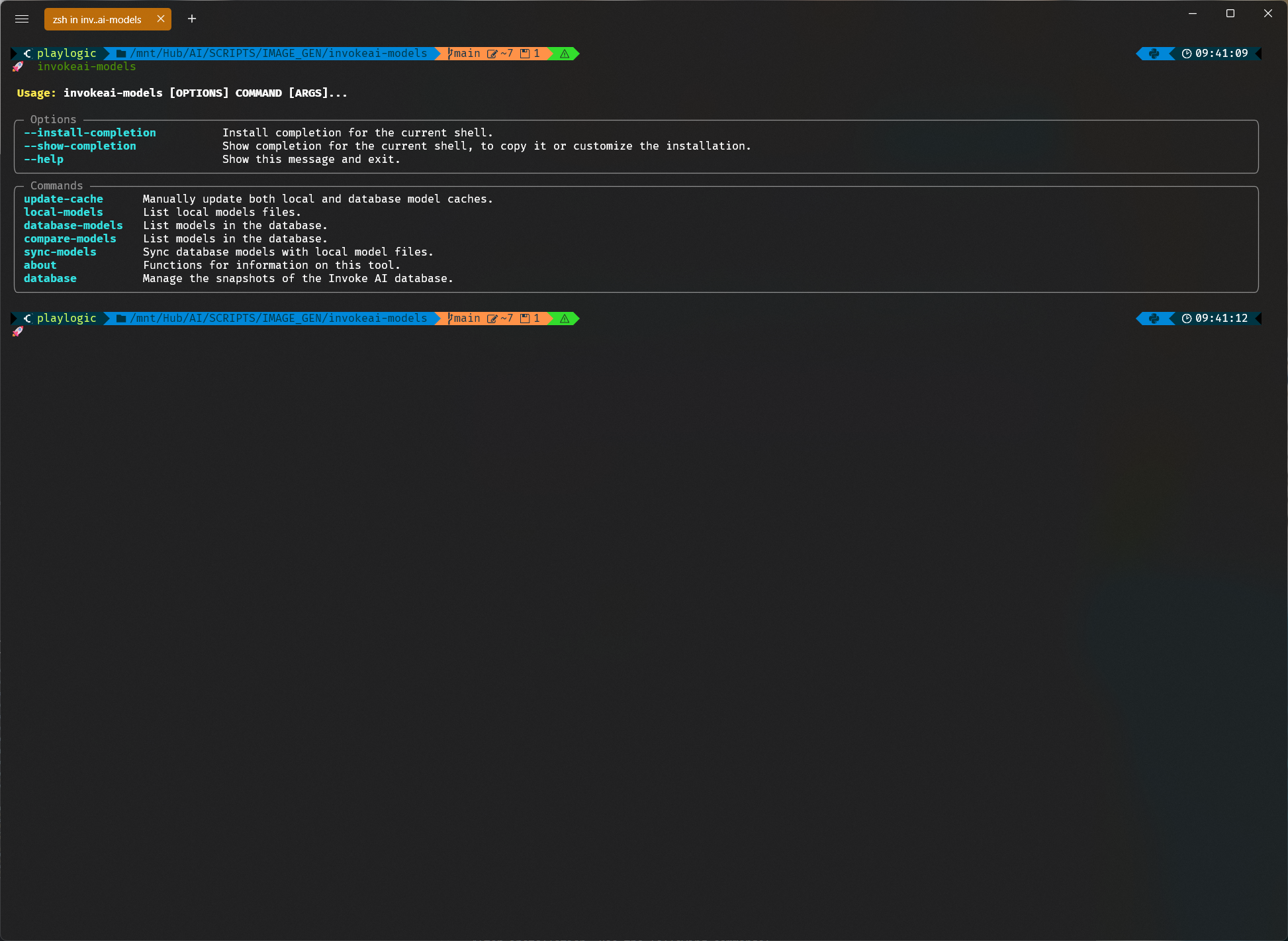
InvokeAI Models CLI is a simplified command-line tool for managing orphaned Invoke AI models left in the database after their external sources have been deleted. This tool allows you to list, compare, and delete models automatically or via an interactive selection menu.
Installation
Choose one of the following methods to install/run the tool:
Using pipx (Recommended)
pipx install invokeai-models-cli
Using pip
pip install .
Or, if you prefer a local installation with the ability to explore and modify the code:
pip install -e .
Make sure to create and activate a virtual environment before installing locally.
Usage
After installation, use the following commands:
invokeai-models [OPTIONS] COMMAND [ARGS]
Available Commands:
-
database
create-snapshot: Create a snapshot of the current database state.list-snapshots: List available snapshots.delete-snapshot: Delete a snapshot by ID.restore-snapshot: Restore a snapshot by ID.
-
local-models: Display local models information.
-
compare-models: Compare models based on specific criteria (e.g., model name, hash).
-
sync-models: Sync orphaned models with the current external sources or delete them if they no longer exist.
-
database-models: List and manage models in the Invoke AI database, including orphaned ones.
Examples
- Create a snapshot:
invokeai-models database create-snapshot - List snapshots:
invokeai-models database list-snapshots - Delete a snapshot:
invokeai-models database delete-snapshot - Restore a snapshot:
invokeai-models database restore-snapshot - Compare models:
invokeai-models compare-models


Download files
Download the file for your platform. If you're not sure which to choose, learn more about installing packages.
Source Distribution
Built Distribution
Filter files by name, interpreter, ABI, and platform.
If you're not sure about the file name format, learn more about wheel file names.
Copy a direct link to the current filters
File details
Details for the file invokeai_models_cli-1.3.1.tar.gz.
File metadata
- Download URL: invokeai_models_cli-1.3.1.tar.gz
- Upload date:
- Size: 1.4 MB
- Tags: Source
- Uploaded using Trusted Publishing? No
- Uploaded via: twine/5.1.1 CPython/3.11.9
File hashes
| Algorithm | Hash digest | |
|---|---|---|
| SHA256 |
45a13a136a136cc4dc2147596055ed2838f321a02683668d399a5ffda177d2c1
|
|
| MD5 |
8b935fdfd4cc39202fd6b1eef1708349
|
|
| BLAKE2b-256 |
de9eb09605f88f53f7fa23f898b13f1e13551d52b7968523266b57719c70201e
|
File details
Details for the file invokeai_models_cli-1.3.1-py3-none-any.whl.
File metadata
- Download URL: invokeai_models_cli-1.3.1-py3-none-any.whl
- Upload date:
- Size: 1.4 MB
- Tags: Python 3
- Uploaded using Trusted Publishing? No
- Uploaded via: twine/5.1.1 CPython/3.11.9
File hashes
| Algorithm | Hash digest | |
|---|---|---|
| SHA256 |
c26504689de65a7a7f09de34db72757850693b19bbce8f82a26d8e07801e6fab
|
|
| MD5 |
a7a83731e0bf95c15e047e301c8ec907
|
|
| BLAKE2b-256 |
0eb37740d9c905c539c96ebcb92eb27047f0d510049e3f7a6d873836bb970d71
|






