
iOpenPod
A desktop iPod manager for Windows, macOS, and Linux.





iOpenPod is a free, open-source desktop application for managing iPods without iTunes. It can browse and edit an iPod library, sync media from the PC, convert unsupported audio and video formats automatically, manage podcasts and playlists, write artwork and photos, and is built to preserve iPod-specific database behaviors.

Screenshots
| Sync Workflow | Library Editing | Device Tools |
|---|---|---|
 |
 |
 |
 |
 |
 |
 |
 |
 |
Download
Download the latest release for your platform. Native builds do not require a separate Python installation. PyPI installs are recommended over native builds while native packaging is still being hardened.
Latest Release Builds
Need step-by-step, platform-specific setup help? See the Install Help and Troubleshooting page.
Install from PyPI (Recommended)
iOpenPod is available as a Python package to download through pip, pipx, and uv tool.
| Method | Install | Run | Upgrade |
|---|---|---|---|
pip |
python -m pip install iopenpod |
iopenpod |
python -m pip install --upgrade iopenpod |
pipx |
pipx install iopenpod |
iopenpod |
pipx upgrade iopenpod |
uv tool |
uv tool install iopenpod |
iopenpod |
uv tool upgrade iopenpod |
Requires Python 3.11+.
After installing invoke in your shell with:
iopenpod
If iopenpod is not on your shell PATH yet, run pipx ensurepath for pipx installs or uv tool update-shell for uv tool installs.
Installs should be updated with the same tool used to install them.
Required tools: Install FFmpeg with
ffprobefor transcoding and media probing, and Chromaprint for acoustic fingerprinting during sync. Linux desktop dependencies: If iOpenPod fails with a Qtxcbplatform plugin error or crashes when pressing Ctrl, Alt, or Shift, install the XCB/XKeyboard runtime packages listed on the Install Help and Troubleshooting page. Linux iPod identification: On first use, iOpenPod may ask you to copy and run transparent host-side udev setup commands. This publishes only the Apple product serial and never grants the app raw-disk access. The setup uses a targeted udev refresh, so the iPod does not need to be disconnected.
How to Use
- Connect your iPod - Make sure it is mounted as a drive.
- Select the device - Choose the detected iPod in iOpenPod. If the device is detected incorrectly, please open an issue.
- Browse and edit - Manage tracks, playlists, podcasts, artwork, and metadata.
- Sync - Choose PC media folder(s), configure the sync, review the proposed changes, then apply.
Features
Format Conversion
iOpenPod transcodes unsupported audio and video formats to iPod-compatible output using FFmpeg. ffprobe is needed to detect incompatible formats. Converted files are optionally cached so repeat syncs do not need to re-encode unchanged media.
Podcasts
The built-in podcast manager can search, subscribe, download episodes, and sync them to an iPod.
Scrobbling
ListenBrainz and Last.FM scrobbling can submit play history during sync.
Media Types
Supports music, audiobooks, podcasts, videos, and photos.
Drag and Drop
Files can be copied directly to the iPod by dragging them into the app, without using the full PC-folder sync workflow.
Play Counts and Ratings
Play counts, ratings, and skip counts can be read from the iPod and synced back to the PC library metadata where supported.
Artwork
Embedded or folder artwork is extracted, resized, and written to the iPod artwork database.
Sync Review
Before writing changes, iOpenPod presents a review of planned additions, removals, metadata updates, and artwork changes.
Playlists and Smart Playlists
Standard playlists and rule-based smart playlists can be browsed and managed.
Backup and Rollback
iOpenPod saves a database snapshot before sync so earlier states can be restored if needed.
Settings
Settings are available for transcoding, sync behavior, external tools, device handling, and related workflows.
Supported iPods
iOpenPod supports most iPods. iPod Shuffle support is planned; iPod Touch support is not planned, but may be possible in the future.
| Device | Status | Notes |
|---|---|---|
| iPod "Classic" (all generations 1st-7th) | Supported | |
| iPod Mini (all generations 1st and 2nd) | Supported | |
| iPod Nano (all generations 1st-7th) | Supported | |
| iPod Shuffle | Planned | Shuffle uses a different DB Structure. ETA ~4 mo |
| iPod Touch | Not planned | Touch requires accessing the device through non file-system protocols |
For Contributing Developers
To run iOpenPod from source, clone the repository and use uv sync.
Prerequisites
- uv (Python package manager)
- FFmpeg with
ffprobe(for transcoding and media probing) - Chromaprint (for fingerprinting)
Setup
git clone https://github.com/TheRealSavi/iOpenPod.git
cd iOpenPod
uv sync
uv run iopenpod
uv sync installs dependencies into a local virtual environment.
Dev checks
All lint, format, typecheck, and test commands go through one entry point:
uv run python scripts/dev.py check    # full gate
uv run python scripts/dev.py lint     # ruff
uv run python scripts/dev.py fmt      # ruff format
uv run python scripts/dev.py types    # mypy
uv run python scripts/dev.py test     # pytest
See AGENTS.md for the full command reference (including architecture checks and agent conventions).
Full human guide: docs/DEV.md.
Project Layout
iOpenPod/
├── src/
│   └── iopenpod/                   # Single installed Python package
│       ├── __main__.py             # Console and python -m entry point
│       ├── application/            # Application orchestration and sessions
│       ├── gui/                    # PyQt6 presentation
│       ├── sync/                   # Planning, execution, and transcoding
│       ├── device/                 # iPod discovery and capabilities
│       ├── podcasts/               # Podcast subscriptions and downloads
│       ├── itunesdb_parser/        # Reads iTunesDB
│       ├── itunesdb_writer/        # Writes iTunesDB
│       ├── artworkdb_parser/       # Reads ArtworkDB
│       ├── artworkdb_writer/       # Writes ArtworkDB and .ithmb files
│       ├── sqlitedb_writer/        # SQLite DB for Nano 6G/7G
│       └── assets/                 # Installed fonts, icons, glyphs, and iPod images
├── tests/
├── scripts/
└── pyproject.toml
How Sync Works
The sync engine matches tracks between the PC library and iPod using acoustic fingerprints from Chromaprint. This allows the same recording to be matched across re-encodes, format changes, and metadata edits.
- Scan both the PC media folder and iPod's iTunesDB
- Compute or read cached fingerprints for each track
- Diff by fingerprint to classify: new, removed, changed, or matched
- Present the sync plan for review
- Copy/transcode files, update the database, sync artwork and play counts
- Rebuild the iTunesDB binary with the correct device-specific checksum
Contributing
Useful contributions include:
- Hardware testing on different iPod models
- macOS and Linux testing
- Bug reports with steps to reproduce and
iopenpod.log - Focused pull requests for documented issues
- Joining the discord to coordinate
To find logs in iOpenPod, open Settings > Storage, then click Open next to Log Location.
Please open an issue before starting major changes, or use the Discord server to discuss implementation details.
Related Projects
- libgpod — C library for iPod database access (the reference implementation this project learned from)
- gtkpod — GTK+ iPod manager
- Rockbox — Open-source firmware replacement for iPods
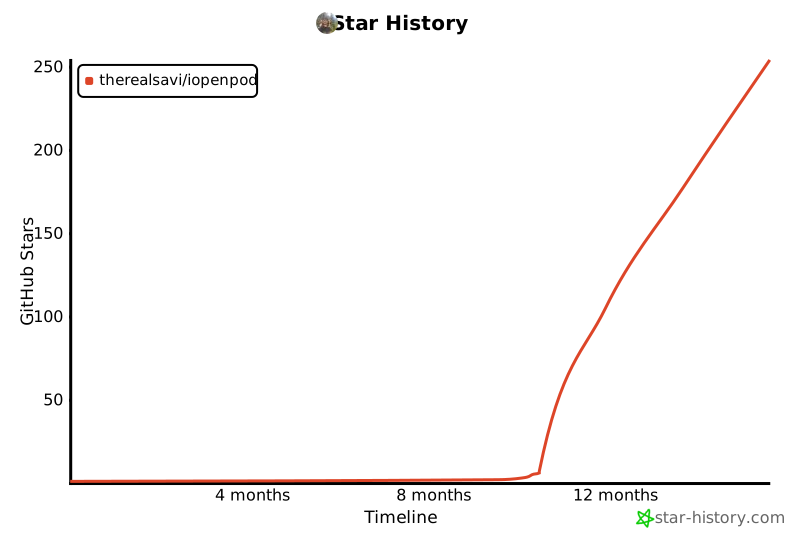
Star History
Support
iOpenPod is free and open source. Donations are optional and help support development.
License
MIT — see LICENSE.
1 maintainer

Download files
Download the file for your platform. If you're not sure which to choose, learn more about installing packages.
Source Distribution
Built Distribution
Filter files by name, interpreter, ABI, and platform.
If you're not sure about the file name format, learn more about wheel file names.
Copy a direct link to the current filters
File details
Details for the file iopenpod-1.67.1.tar.gz.
File metadata
- Download URL: iopenpod-1.67.1.tar.gz
- Upload date:
- Size: 24.5 MB
- Tags: Source
- Uploaded using Trusted Publishing? Yes
- Uploaded via:
twine/7.0.0 CPython/3.13.14
File hashes
| Algorithm | Hash digest | |
|---|---|---|
| SHA256 |
e136ec337994bfa500968e001bc7cf792f2e19242f814b74201c7f1c09ad8cdf
|
|
| MD5 |
a46286fd2e9929d4114690245c92d885
|
|
| BLAKE2b-256 |
46ea4db7bc27f11eebcda696e0369ffd9c33945c63f8b1497b952ed3f6089715
|
Provenance
The following attestation bundles were made for iopenpod-1.67.1.tar.gz:
Publisher:
release.yml on TheRealSavi/iOpenPod
-
Statement:
-
Statement type:
https://in-toto.io/Statement/v1 -
Predicate type:
https://docs.pypi.org/attestations/publish/v1 -
Subject name:
iopenpod-1.67.1.tar.gz -
Subject digest:
e136ec337994bfa500968e001bc7cf792f2e19242f814b74201c7f1c09ad8cdf - Sigstore transparency entry: 2330091005
- Sigstore integration time:
-
Permalink:
TheRealSavi/iOpenPod@0a1c2722ac9bf31234cf02f5dc8a850865d7d78d -
Branch / Tag:
refs/tags/v1.67.1 - Owner: https://github.com/TheRealSavi
-
Access:
public
-
Token Issuer:
https://token.actions.githubusercontent.com -
Runner Environment:
github-hosted -
Publication workflow:
release.yml@0a1c2722ac9bf31234cf02f5dc8a850865d7d78d -
Trigger Event:
push
-
Statement type:
File details
Details for the file iopenpod-1.67.1-py3-none-any.whl.
File metadata
- Download URL: iopenpod-1.67.1-py3-none-any.whl
- Upload date:
- Size: 19.1 MB
- Tags: Python 3
- Uploaded using Trusted Publishing? Yes
- Uploaded via:
twine/7.0.0 CPython/3.13.14
File hashes
| Algorithm | Hash digest | |
|---|---|---|
| SHA256 |
8a81a0992fcabaa931286458ab5ad0f5e4f74ebc6d4a3d5048ea43c0869ba11b
|
|
| MD5 |
833c3bbad086e29c676a09ec003c011e
|
|
| BLAKE2b-256 |
b83e541af29d900940aa9f9661d85575a5b0f2ae7b034e455308d177cc6f61ba
|
Provenance
The following attestation bundles were made for iopenpod-1.67.1-py3-none-any.whl:
Publisher:
release.yml on TheRealSavi/iOpenPod
-
Statement:
-
Statement type:
https://in-toto.io/Statement/v1 -
Predicate type:
https://docs.pypi.org/attestations/publish/v1 -
Subject name:
iopenpod-1.67.1-py3-none-any.whl -
Subject digest:
8a81a0992fcabaa931286458ab5ad0f5e4f74ebc6d4a3d5048ea43c0869ba11b - Sigstore transparency entry: 2330091143
- Sigstore integration time:
-
Permalink:
TheRealSavi/iOpenPod@0a1c2722ac9bf31234cf02f5dc8a850865d7d78d -
Branch / Tag:
refs/tags/v1.67.1 - Owner: https://github.com/TheRealSavi
-
Access:
public
-
Token Issuer:
https://token.actions.githubusercontent.com -
Runner Environment:
github-hosted -
Publication workflow:
release.yml@0a1c2722ac9bf31234cf02f5dc8a850865d7d78d -
Trigger Event:
push
-
Statement type:







