
iproute for Mac
Verified details
These details have been verified by PyPIProject links
GitHub Statistics
Maintainers

Project description


This is a macOS network wrapper to imitate GNU/Linux iproute2 suite, inspired by the iproute2mac project.
Working staff
Command ip:
objects |
implemented |
supported |
note |
|---|---|---|---|
address |
yes |
yes |
|
address |
yes |
yes |
|
addrlabel |
no |
? |
IPv6 protocol address label |
maddress |
no |
? |
|
route |
yes |
yes |
|
rule |
no |
? |
|
neighbor |
yes |
yes |
|
ntable |
no |
? |
|
ntbl |
no |
? |
|
link |
yes |
yes |
|
l2tp |
no |
? |
|
fou |
no |
? |
IP-IP tunnel over UDP? |
ila |
no |
? |
IPv6 Identifier Locator Addressing |
macsec |
no |
no |
|
tunnel |
no |
yes |
IP-IP only |
tuntap |
no |
? |
Tunnelblick third party tuntaposx? |
token |
no |
? |
May be related to non-numeric IPv6 mask? |
tcpmetrics |
no |
? |
|
monitor |
no |
no |
|
xfrm |
no |
no |
|
mroute |
no |
? |
|
mrule |
no |
? |
|
netns |
no |
no |
|
netconf |
no |
yes |
|
vrf |
no |
? |
|
sr |
no |
? |
IPv6 Segment Routing management |
nexthop |
no |
? |
|
mptcp |
no |
no |
Multipath TCP |
ioam |
no |
? |
IPv6 In-situ OAM (IOAM) |
help |
yes |
yes |
|
stats |
no |
? |
Command bridge:
objects |
implemented |
supported |
note |
|---|---|---|---|
link |
yes |
yes |
show only |
fdb |
yes |
yes |
show only |
Examples:
ip address [ list | show ]
ip address { add | change | replace | delete }
ip link [ list | show ]
ip link { add | set | change | delete }
ip route [ list | show ]
ip route { add | change | replace | delete }
ip route get
ip neigh [ list | show ]
ip neigh flush
bridge link [ list | show ]
bridge fdb [ list | show ]
Installation
Homebrew
The preferred method of installation is Homebrew.
In order to use this tap, you can install directly the package:
brew install signal-09/tap/iproute4macOr subscribe the tap repository and then install the package:
brew tap signal-09/tap
brew install iproute4mac
PyPI
Create a Virtual Environment and upgrade pip module:
python3 -m venv venv
source venv/bin/activate
python3 -m pip install -U pip
Then install iproute4mac:
python3 -m pip install iproute4macUsage
iproute4mac try to imitate as much as possible the look & feel of the GNU/Linux iproute2 suite, but macOS (Darwin) is a BSD derivative, and some aspects cannot be replicated at all.
ip address show: look at protocol addresses
Implemented syntax:
ip address [ show [ dev IFNAME ] [ master DEVICE | nomaster ] [ type TYPE ] [up] ]
TYPE := { bond | bond_slave | bridge | bridge_slave | feth5 | vlan }
Shows IPv4 and IPv6 addresses assigned to all network interfaces. The ‘show’ subcommand can be omitted:
ip address showSame as above except that only IPv6 addresses assigned to active network interfaces are shown:
ip -6 address show upShows IPv4 and IPv6 addresses assigned to network interface en0 in pretty printed JSON:
ip -j -p address show dev en0Shows IPv4 only addresses assigned to networks member of bridge0:
ip -4 address show master bridge0Shows IP addresses belonging to private C class network 192.168.0.0/24:
ip address show to 192.168.0.0/24Note:
qdisc (queuing discipline) is part of the Linux Traffic Control subsystem (TC) managed via the tc utility. Even if this information is not reported, similar results in traffic control and shaping can be achieved using dnctl and pfctl.
address lifetime for IPv6 addresses (-L flag of ifconfig) is not provided anymore in Sonoma (macOS 14); for IPv4, addresses valid and prederred lifetime, is supposed forever (0xffffffff = 4.294.967.295 = 32 bit).
sysctl net.inet6.ip6.temppltime specifies the “preferred lifetime” for privacy addresses, in seconds, and defaults to 86400 (one day).
sysctl net.inet6.ip6.tempvltime specifies the “valid lifetime” for privacy addresses, in second, and defaults to 604800 (one week).
veth can be replaced by feth in macOS
ip address add: add new protocol address
ip address change: change protocol address
ip address replace: change or add protocol address
Implemented syntax:
ip address {add|change|replace} IFADDR dev IFNAME [ LIFETIME ] [ CONFFLAG-LIST ]
Note:
{change|replace} option “really” change address properties (e.g. broadcast) while Linux simply ignore them.
ip address delete: delete protocol address
ip link show: display device attributes
Implemented syntax:
ip link show [ DEVICE ] [ up ] [ master DEVICE | nomaster ] [ type ETYPE ]
ETYPE := [ TYPE | bridge_slave | bond_slave ]
TYPE := [ bridge | bond ]
Shows the state of all network interfaces on the system:
ip link showShows the bridge devices:
ip link show type bridgeShows the vlan devices:
ip link show type vlanShows devices enslaved by bridge0:
ip link show master bridge0Note:
txqlen (the transmit queue length) is not configurable on specific interface; a system default value is managed via sysctl net.link.generic.system.sndq_maxlen (or net.link.generic.system.rcvq_maxlen).
ip link add: add virtual link
Implemented syntax:
ip link add [ link DEV ] [ name ] NAME [ address LLADDR ] [ mtu MTU ] type TYPE [ ARGS ]
Create a VLAN with TAG 100 linked to en1:
ip link add link en1 name vlan100 type vlan id 100Create a new bridge interface (auto numbering1):
ip link add type bridgeCreate a new bridge with a specified name:
ip link add bridge20 type bridgeCreate a new static bond (vs lacp) interface:
ip link add bond1 type bond mode active-backupNote:
macOS ifconfig print the created interface name to the standard output
ip link delete: delete virtual link
Implemented syntax:
ip link delete { DEVICE | dev DEVICE } type TYPE [ ARGS ]
Delete any kind of virtual interface:
ip link del vlan100ip link set (or change): change device attributes
Implemented syntax:
ip route show: list routes
Implemented syntax:
ip route [ show [ SELECTOR ] ]
SELECTOR := [ proto RTPROTO ] [ type TYPE ] [ scope SCOPE ]
TYPE := { unicast | broadcast | multicast | blackhole }
SCOPE := [ host | link | global ]
RTPROTO := [ kernel | static ]
List routes using a specific gateway:
ip route show via 192.168.0.1List IPv6 routes using a specific network interface:
ip -6 route show dev en1List routes for multicast:
ip route show type multicastList availabe routes to reach specific network:
ip route show to match 192.168.1.0/24List IPv4 and IPv6 routes2
ip route show table allNote:
iif is not honored (is treated like dev and oif).
Route tables are not implemented in macOS (Darwin), but “table all” will result in show IPv4 + IPv6 routes
ip route add: add new route
ip route delete: delete route
ip route change: change route
ip route replace: change or add new one
Implemented syntax:
ip route { add | delete | change | replace } ROUTE
ROUTE := [ TYPE ] PREFIX [ tos TOS ] [ proto RTPROTO ] [ scope SCOPE ]
TYPE := { unicast | broadcast | multicast | blackhole }
SCOPE := [ host | link | global ]
RTPROTO := [ kernel | boot | static ]
Add direct routing on a specific network interface:
ip route add 192.168.22.0/24 dev en1Change interface for a given route:
ip route change 192.168.22.0/24 dev en0Replace default gateway:
ip route replace default via 192.168.0.254Delete route:
ip route del 192.168.22.0/24ip route get: get a single route
Implemented syntax:
ip route get ADDRESS
Shows the route to reach Google DNS 8.8.8.8:
ip route get 8.8.8.8ip neigh show: list neighbour entries
Note:
NOARP and PERMANENT states are not catched
ip neigh flush: flush neighbour entries
Same syntax of ip neigh show
Contributing
Every contribute is welcome!
Fork the repository
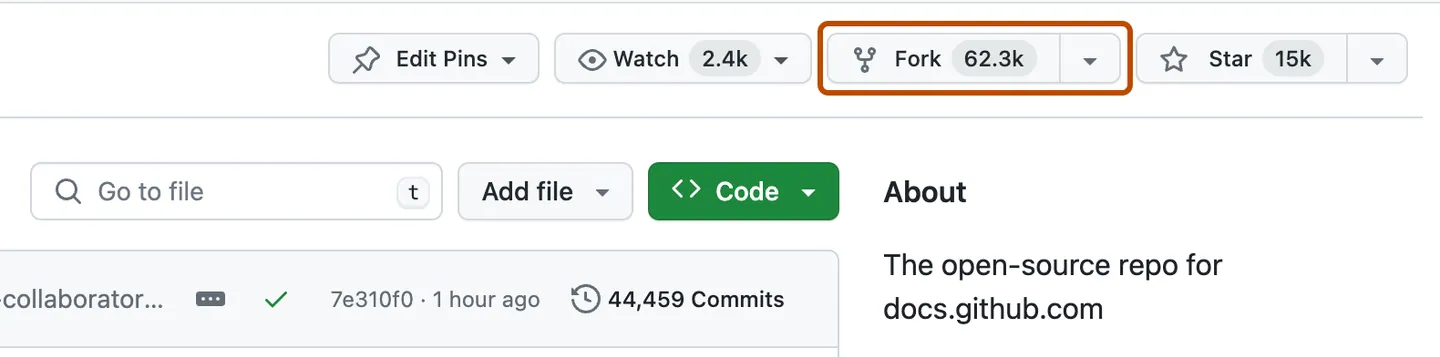
Fork button
Clone the fork
git clone https://github.com/YOUR-USERNAME/iproute4macCreate a branch
Before making changes to the project, you should create a new branch and check it out (see “GitHub flow”).
git branch BRANCH-NAME
git checkout BRANCH-NAME
Create a developer environment
python3 -m venv venv
source venv/bin/activate
Then install requiered packages:
python3 -m pip install -U pip
python3 -m pip install pre-commit pytest pytest-console-scripts
pre-commit install
Coding style
Ruff is used to enforce coding style. You can checkout the compliance with the following command:
pre-commit run --all-files [--show-diff-on-failure]Commit your work
Create as few commit as possible to make diff checking easier. In case of modification of already pushed commit, amend it if possible:
git add -A
git commit --amend
git push --force
In case of multiple and not organic commits, “Squash and merge” policy will be applied.
Project details
Verified details
These details have been verified by PyPIProject links
GitHub Statistics
Maintainers
Release history Release notifications | RSS feed


Download files
Download the file for your platform. If you're not sure which to choose, learn more about installing packages.
Source Distribution
Built Distribution
Filter files by name, interpreter, ABI, and platform.
If you're not sure about the file name format, learn more about wheel file names.
Copy a direct link to the current filters
File details
Details for the file iproute4mac-0.6.0.tar.gz.
File metadata
- Download URL: iproute4mac-0.6.0.tar.gz
- Upload date:
- Size: 105.0 kB
- Tags: Source
- Uploaded using Trusted Publishing? Yes
- Uploaded via: twine/6.1.0 CPython/3.13.7
File hashes
| Algorithm | Hash digest | |
|---|---|---|
| SHA256 |
80862f6f6cd7fd84c4a30edbbaa5a46b391c246d1f356932323c68ac88415bfa
|
|
| MD5 |
4b7ea9ff9366e2dd39e17abb013fea17
|
|
| BLAKE2b-256 |
83bbbd782e81d4a2677217bed1c0a1002590955334b7ae67c15656a068fc5087
|
Provenance
The following attestation bundles were made for iproute4mac-0.6.0.tar.gz:
Publisher:
python-package.yml on signal-09/iproute4mac
-
Statement:
-
Statement type:
https://in-toto.io/Statement/v1 -
Predicate type:
https://docs.pypi.org/attestations/publish/v1 -
Subject name:
iproute4mac-0.6.0.tar.gz -
Subject digest:
80862f6f6cd7fd84c4a30edbbaa5a46b391c246d1f356932323c68ac88415bfa - Sigstore transparency entry: 905453556
- Sigstore integration time:
-
Permalink:
signal-09/iproute4mac@63294641ce451c44b21fa2850a0838b7d81fb3bb -
Branch / Tag:
refs/tags/0.6.0 - Owner: https://github.com/signal-09
-
Access:
public
-
Token Issuer:
https://token.actions.githubusercontent.com -
Runner Environment:
github-hosted -
Publication workflow:
python-package.yml@63294641ce451c44b21fa2850a0838b7d81fb3bb -
Trigger Event:
push
-
Statement type:
File details
Details for the file iproute4mac-0.6.0-py3-none-any.whl.
File metadata
- Download URL: iproute4mac-0.6.0-py3-none-any.whl
- Upload date:
- Size: 109.3 kB
- Tags: Python 3
- Uploaded using Trusted Publishing? Yes
- Uploaded via: twine/6.1.0 CPython/3.13.7
File hashes
| Algorithm | Hash digest | |
|---|---|---|
| SHA256 |
0360b1a61715510c8e2778922beede1af16bb250ce72b0ecc6827f50095c096d
|
|
| MD5 |
61d60d3072279a566936bc698f99bb48
|
|
| BLAKE2b-256 |
58617d3932e14bddcc0d8d8777fb8cf2637e91936656eaad2c986f174dcc5a75
|
Provenance
The following attestation bundles were made for iproute4mac-0.6.0-py3-none-any.whl:
Publisher:
python-package.yml on signal-09/iproute4mac
-
Statement:
-
Statement type:
https://in-toto.io/Statement/v1 -
Predicate type:
https://docs.pypi.org/attestations/publish/v1 -
Subject name:
iproute4mac-0.6.0-py3-none-any.whl -
Subject digest:
0360b1a61715510c8e2778922beede1af16bb250ce72b0ecc6827f50095c096d - Sigstore transparency entry: 905453600
- Sigstore integration time:
-
Permalink:
signal-09/iproute4mac@63294641ce451c44b21fa2850a0838b7d81fb3bb -
Branch / Tag:
refs/tags/0.6.0 - Owner: https://github.com/signal-09
-
Access:
public
-
Token Issuer:
https://token.actions.githubusercontent.com -
Runner Environment:
github-hosted -
Publication workflow:
python-package.yml@63294641ce451c44b21fa2850a0838b7d81fb3bb -
Trigger Event:
push
-
Statement type:






