
IpServer










"IpServer" is a simple server that supports TCP, UDP, SSL, HTTP, and HTTPS protocols for various uses such as testing, debugging, or network investigation. It features also an interactive mode and forwarding capabilities. Additionally, you can customize its behavior using Python.
Installation
PyPI
$ pip install ipserver
or
$ pip3 install ipserver
$ ipserver --help
Conda
$ conda install conda-forge::ipserver
Requirements
pythonandpipcommand- Python 3.6 or later version.
Documentation site
https://deer-hunt.github.io/ipserver/
Features
- Simple TCP / UDP server.
- Support SSL connection. SSL server.
- HTTP / HTTPS server.
- IP restriction - Allow / Deny.
- Interactive sending.
- TCP Forwarding. Bypassing the data transmission is available.
- Display received data or sent data in various format(TEXT, BINARY, BASE64, HEX...).
- HTTP -> FILE: Viewing file and directory and uploading file.
- HTTP -> FORWARDING: Forwarding HTTP transmission. e.g. HTTP <-> HTTPS
- HTTP -> APP: Running python application. And running CGI via python.
- HTTP -> INFO: Show request headers from client.
- Support HTTP digest authentication.
- Logging / Debug log.
- Dump transmission data to file.
- Configure by JSON file.
- Customize by Python code. e.g. You can convert transmission data or develop original protocol server.
Running example
$ ipserver --mode=HTTP
Mode:             HTTP
Bind:             0.0.0.0
Port:             8000
HTTP opt:         FILE
Input:            TEXT
Output:           NONE
Output target:    RECEIVE
Timeout:          30.0
Max connections:   20
Dumpfile:         -

[Command help]
send:             Begin input to send. Send by a Line-break. The shortcut is `s`.
bulk:             Begin bulk input to send. Send by Ctrl-key. The shortcut is `b`.
"1,2,3,..":       Switch the connection.
current:          Show current connection.
latest:           Switch latest connection.
list:             List the connections.
close:            Close current connection.
refresh:          Refresh connections.
exit:             Exit.
help:             Show help.

:
[1] Accepted from 192.168.10.1:52322

[1] Closed from 192.168.10.1:52322

[2] Accepted from 192.168.10.1:52329

[2] Receive 600 bytes from 192.168.10.1:52329

[2] Send 421 bytes to 192.168.10.1:52329

[3] Accepted from 192.168.10.1:52330
Description of Mode
TCP Server
Simple server
$ ipserver --port=8002
$ ipserver --mode=TCP --bind=127.0.0.1
$ ipserver --timeout=120

$ ipserver --info
$ ipserver --debug
$ ipserver --port=8002 --log=app.log

$ ipserver --quiet
# TEST
# telnet localhost 8000
# telnet localhost 8002
SSL server
$ ipserver --port=8443 --mode=SSL
$ ipserver --port=8443 --mode=SSL --ssl_context=TLS1.1
$ ipserver --port=8443 --mode=SSL --ssl_keypath=/home/foo/sslkeys/
# TEST
$ openssl s_client -connect 192.168.1.100:8443
IP restriction
$ ipserver --restrict_allow=192.168.2.10
$ ipserver --restrict_allow="192.168.2.10;192.168.10.0/24"

$ ipserver --restrict_deny=192.168.10.101
$ ipserver --restrict_deny="192.168.10.101;192.168.50.0/24"
Dump file
$ ipserver --port=8002 --dumpfile=1
$ ipserver --port=8002 --dumpfile=logs
TCP Forwarding
- 80 Port Forwarding : HTTP
$ ipserver --forwarding=wikipedia.org --port=8001 # port: 80
$ ipserver --mode=SSL --forwarding=tcp://wikipedia.org:80 --port=8443
$ ipserver --forwarding=tcp://wikipedia.org:80 --timeout=-1
- 443 Port Forwarding : HTTPS
$ ipserver --forwarding=ssl://wikipedia.org:443 # Listen: 8000 port
$ ipserver --forwarding=wikipedia.org:443 --port=8443 --dumpfile=1
- 22 Port Forwarding : SSH
$ ipserver --forwarding=tcp://your-host:22 --timeout=-1 --port=8022
- 3306 Port Forwarding : MySQL
$ ipserver --forwarding=tcp://your-db-host:3306 --timeout=-1 --port=13306
Test
# TEST
$ openssl s_client -connect 192.168.1.100:8443

$ curl https://localhost/path -v
Please see the following about "HTTP Forwarding".
HTTP/HTTPS
View File and directory
$ ipserver --mode=HTTP
$ ipserver --mode=HTTP --http_opt=FILE
$ ipserver --mode=HTTP --http_opt=FILE --http_path="../"

$ ipserver --port=8443 --mode=HTTPS
$ ipserver --port=8443 --mode=HTTPS --http_path="../"

# Shortcut
$ ipserver --http_file=1
$ ipserver --http_file="../"
Enable file upload
$ ipserver --mode=HTTP --http_opt=FILE --enable_file_upload=1
$ ipserver --mode=HTTPS --http_path="../" --enable_file_upload=2

# Shortcut
$ ipserver --http_file_upload=1
$ ipserver --http_file_upload="../"
Application
$ ipserver --mode=HTTP --http_opt=APP
$ ipserver --mode=HTTPS --http_opt=APP --http_path="../"

# Shortcut
$ ipserver --http_app=1
$ ipserver --http_app="./app/"
Display info
$ ipserver --mode=HTTP --http_opt=INFO
HTTP Forwarding
$ ipserver --mode=HTTP --http_opt=FORWARDING --forwarding="https://www.reddit.com/"

# Shortcut
$ ipserver --http_forwarding="https://www.reddit.com/"
$ ipserver --mode=HTTPS --http_forwarding="https://www.wikipedia.org/"
HTTP/HTTPS test
You can test by web-browser or command.
# Commands
$ curl http://localhost/test.py

$ curl https://localhost:8443 -k -v
HTTP Digest authentication
$ ipserver --mode=HTTP --http_digest_auth="admin:123456"
$ ipserver --mode=HTTP --http_digest_auth="admin:d71fa85bc0ded05215b28dfd8ca14112" --http_file_upload=1

$ ipserver --port=8001 --http_app="./app/" --http_digest_auth=".htdigest"
$ ipserver --port=8443 --mode=HTTPS --http_app="./app/" --http_digest_auth=".htdigest"
Mixed options
You can investigate the detailed behavior of HTTP/HTTPS by mixed options.
HTTP file-upload + IP restriction
$ ipserver --http_file_upload="../" --restrict_allow="192.168.2.10;192.168.10.0/24"
HTTP application + Digest auth
$ ipserver --http_app="./app/" --http_digest_auth="admin:123456"
HTTPS + Output Send/Receive data
$ ipserver --mode=HTTPS --output_target=ALL --output=BINARY
HTTPS + Dumpfile
$ ipserver --mode=HTTPS --http_opt=INFO --dumpfile=1
Description of Interactive command
:help
[Command help]
send:         Begin input to send. Send by a Line-break. The shortcut is `s`.
bulk:         Begin bulk input to send. Send by Ctrl-key. The shortcut is `b`.
"1,2,3,..":   Switch the connection.
current:      Show current connection.
latest:       Switch latest connection.
list:         List the connections.
close:        Close current connection.
refresh:      Refresh connections.
exit:         Exit.
help:         Show help.
Examples
:s
[1] Switched automatically.
Please input data to send...

Hello world!

[1] Sent to 127.0.0.1:45528

--
:2
[2] Switched.

--
:list
[1] 192.168.10.1:54721
[2] 192.168.10.1:54722

--
:latest
[2] Switched automatically.

--
:current

[2] Switched automatically.
ID: 2
Client IP: 192.168.10.1
Client port: 54722

--
:close
[2] Switched automatically.
[2] The connection is closed.
Command options
ipserver have many options. Please read Command arguments(.md) reference.
usage: ipserver [-h] [--verbose {0,1,2,3}] [--debug] [--info]
                   [--log {string}] [--quiet] [--conf]
                   [--mode {TCP,UDP,SSL,HTTP,HTTPS}]
                   [--input {TEXT,BINARY,HEX,BASE64}]
                   [--output {NONE,TEXT,BINARY,HEX,BASE64}]
                   [--output_target {ALL,SEND,RECEIVE}] [--output_max]
                   [--dumpfile {string}] [--bind {string}] [--port {int}]
                   [--timeout {float}] [--max_connections {int}]
                   [--restrict_allow {string}] [--restrict_deny {string}]
                   [--ssl_context {SSLV3,TLS1.0,TLS1.1,TLS1.2,TLS1.3}]
                   [--ssl_keypath {string}] [--ssl_certfile {string}]
                   [--ssl_keyfile {string}] [--forwarding {string}]
                   [--http_opt {INTERACTIVE,FILE,PASS,APP,INFO,FORWARDING}]
                   [--http_path {string}] [--http_forwarding_convert_host]
                   [--http_digest_auth {string}] [--enable_file_upload {int}]
                   [--http_app {string}] [--http_file {string}]
                   [--http_file_upload {string}] [--http_forwarding {string}]
                   [--version]
Customize examples
IpServer is extensible program. There are some examples in here.
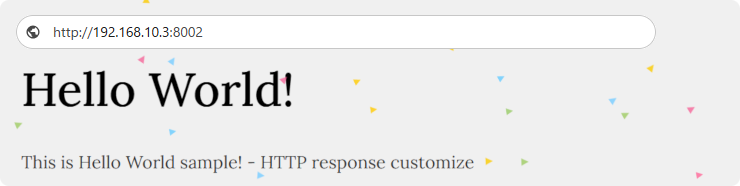
# HTTP customize response.
$ python3 http_response_customize.py --info

# HTTP forwarding, Change request header. Set random Accept-Language.
$ python3 http_forwarding_change_header.py --port=8000

# The forwarding protocol is SSL, however the listening protocol is not SSL.
$ python3 tcp_forwarding_ssl_protocol.py --port=8000

--
http://develop-server:8000/
Path summary
| Directory | Description |
|---|---|
.github |
GitHub Actions files |
docs |
Documentation files |
examples |
Customizing program examples |
examples/public-sample |
Sample public files |
ipserver |
Main package/Sources |
tests |
Test files |
Documents
The following documents exist in ipserver. You can read documents in Documentation site.
| Title | Path |
|---|---|
| Command arguments | command_arguments.md |
| Customizing and Examples | customize_examples.md |
| Development and Architecture | development_architecture.md |
| IpServer's Major Modules and Classes | github.io / Modules and Classes reference |
Debugging
In verbose mode, outputting internal data and behaviors in detail.
$ ipserver ***** --verbose=2    #INFO
$ ipserver ***** --verbose=3    #DEBUG

$ ipserver ***** --info     #INFO  This option is equivalent to "--verbose=2"

$ ipserver ***** --debug     #DEBUG  This option is equivalent to "--verbose=3"
Dependencies
Related OSS
1 maintainer

Metadata
1 maintainer
Release files for ipserver 1.0.1
For a detailed explanation of source distributions (sdists) and built distributions (wheels), please see the package formats documentation.
Source distribution (sdist)
| File | Size | Uploaded | |
|---|---|---|---|
| ipserver-1.0.1.tar.gz | 40.6 kB | Details |
Built distribution (wheel)
| File | Interpreter | ABI | Platform | Reset |
|---|---|---|---|---|
| ipserver-1.0.1-py3-none-any.whl | Python 3 | none | any | Details |
Total release size: 83.8 kB
Release files / ipserver-1.0.1.tar.gz
| Download URL | ipserver-1.0.1.tar.gz |
|---|---|
| Size | 40.6 kB |
| Tags | Source |
|
SHA-256 checksum How to use checksums |
d140c6f4e991f18822d733d36765391fe02b7f59774221082f69613fb49549ab
|
|
BLAKE2b-256 checksum How to use checksums |
681b3172a750e72d24bc99a1807242fb4767f2667ca97de8b7e9711736d8b0d6
|
| Upload date | |
|
Uploaded using Trusted Publishing? What is trusted publishing? |
No |
| Uploaded via |
twine/6.1.0 CPython/3.12.9
|
Release files / ipserver-1.0.1-py3-none-any.whl
| Download URL | ipserver-1.0.1-py3-none-any.whl |
|---|---|
| Size | 43.2 kB |
| Tags | Python 3 |
|
SHA-256 checksum How to use checksums |
142c1341304ac9619a564c0d73f2bbffd682e5552538c5a8420ffc7d72a06413
|
|
BLAKE2b-256 checksum How to use checksums |
b6dc6f56f73435e65bb7ce8cce684e813177f2085939c6f0ea0fa695f4a5dbfd
|
| Upload date | |
|
Uploaded using Trusted Publishing? What is trusted publishing? |
No |
| Uploaded via |
twine/6.1.0 CPython/3.12.9
|














