
ipyaladin

A bridge between Jupyter and Aladin Lite, enabling interactive sky visualization in IPython notebooks. With a couple of lines, you can display Aladin Lite, center it on the target of your choice, and overlay an Astropy table:

Examples
Some example notebooks can be found in the examples directory.
A subset of examples
| basic commands | importing tables | display MOCs |
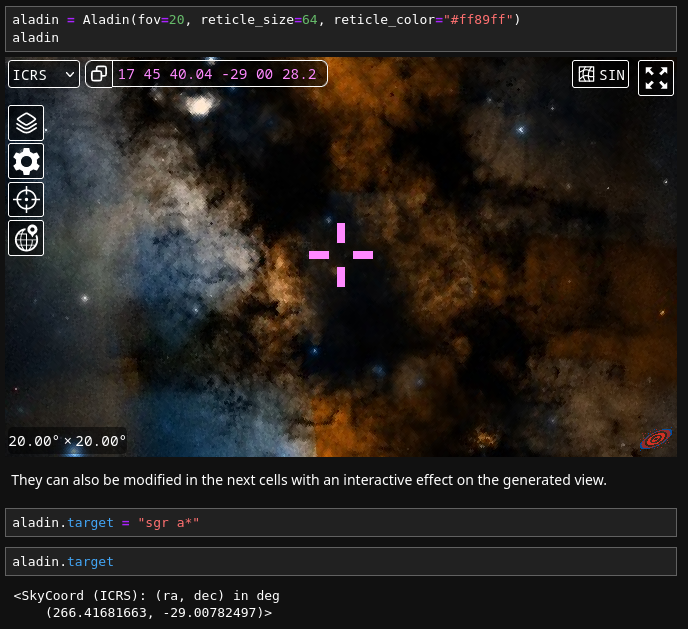 |
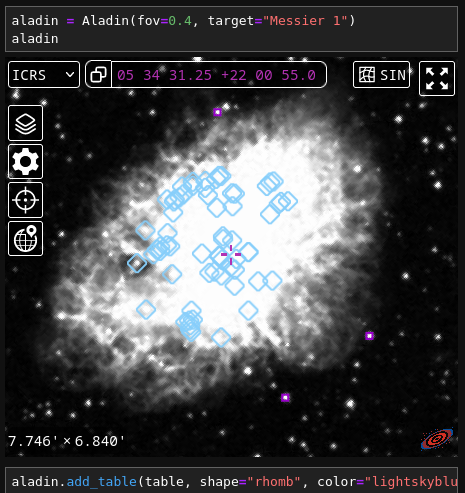 |
 |
| display sky regions | retrieve data from the widget | advanced app |
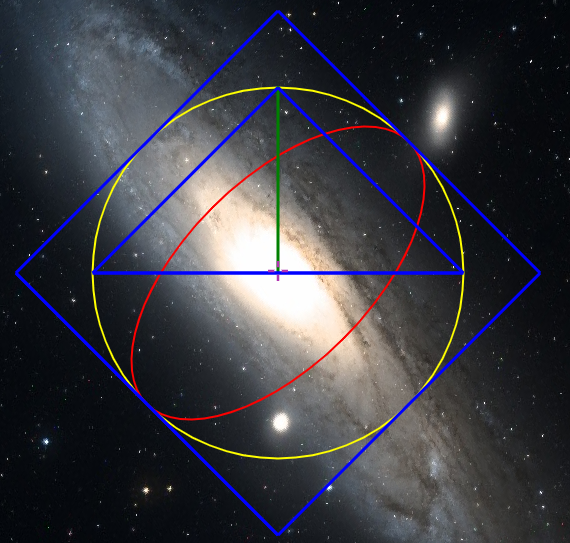 |
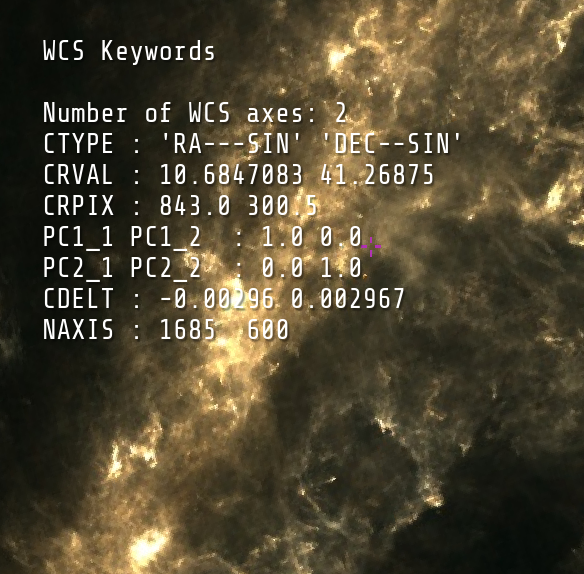 |
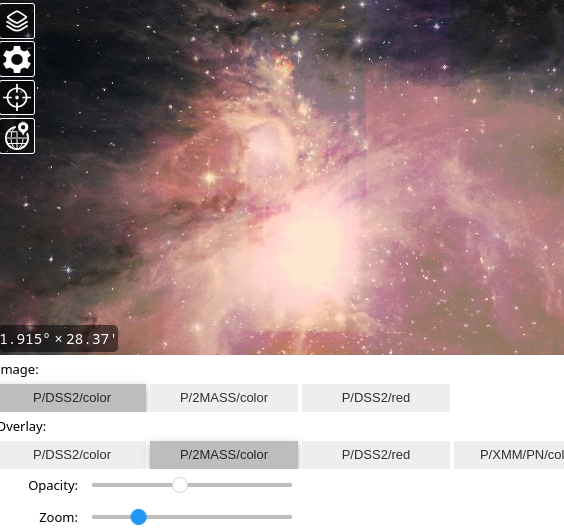 |

Installation
To install use pip or conda :
> pip install ipyaladin
You can already try to load ipyaladin in a notebook.
from ipyaladin import Aladin

aladin = Aladin()
aladin
Development installation
First, make sure you have installed jupyter in your python environnement: pip install jupyter.
For a development installation Node.js and Yarn version 1 are also required,
> git clone https://github.com/cds-astro/ipyaladin.git
> cd ipyaladin
> npm install
> npm run dev
And you are ready to develop! Any change done in the python, javascript, or css files should be directly reflected in the notebook editor of your choice (JupyterLab, VSCode,...)!
How does it work?
Ipyaladin brings Aladin Lite into notebooks thanks to Anywidget.
Correspondence table between ipyaladin versions and Aladin Lite versions:
| ipyaladin | Aladin-Lite |
|---|---|
| Unreleased | 3.9.3-beta |
| 0.8.2 | 3.9.3-beta |
| 0.8.1 | 3.9.2-beta |
| 0.8.0 | 3.9.0-beta |
| 0.7.0 | 3.7.3-beta |
| 0.6.0 | 3.6.5 |
| 0.5.2 | 3.5.1-beta |
| 0.5.1 | 3.5.1-beta |
| 0.5.0 | 3.5.1-beta |
| 0.4.0 | 3.4.4-beta |
| 0.3.0 | 3.3.3-dev |
Works with
Actively tested
These are tested for each release.
Not actively tested
We know that it works, but we don't track the bugs ourselves. Feel free to open an issue if something is not working anymore. You can also contribute to this list if you know of an other notebook environment where ipyaladin works.
Acknowledging ipyaladin
If you use ipyaladin for your work or research, we kindly ask you to cite it with the following acknowledgment:
This research made use of ipyaladin, developed by CDS, Strasbourg Astronomical Observatory, France (DOI: 10.26093/kpaw-kb74 ).
2020ASPC..522..117B - ipyaladin: Enabling Aladin Lite in Jupyter Notebooks (Boch T. et al.)
3 maintainers


Metadata
3 maintainers
Release files for ipyaladin 0.8.2
For a detailed explanation of source distributions (sdists) and built distributions (wheels), please see the package formats documentation.
Source distribution (sdist)
| File | Size | Uploaded | Provenance | Actions |
|---|---|---|---|---|
| ipyaladin-0.8.2.tar.gz | 30.9 kB | Without provenance | Details for ipyaladin-0.8.2.tar.gz |
Built distribution (wheel)
| File | Interpreter | ABI | Platform | Actions Reset |
|---|---|---|---|---|
| ipyaladin-0.8.2-py3-none-any.whl | Python 3 | none | any | Details for ipyaladin-0.8.2-py3-none-any.whl |
Total release size: 59.2 kB
Release files / ipyaladin-0.8.2.tar.gz
| Download URL | ipyaladin-0.8.2.tar.gz |
|---|---|
| Size | 30.9 kB |
| Tags | Source |
|
SHA-256 checksum How to use checksums |
ed85e7c08e1fdabf536263d0e7fa0f5c5c7a49c10f6f8f7e1795668d18af9b3b
|
|
BLAKE2b-256 checksum How to use checksums |
2bbe0dd52654272647bfef6c58ed89371a98dca53ff0a1b9343a1817efafcba5
|
| Upload date | |
|
Uploaded using Trusted Publishing? What is trusted publishing? |
No |
| Uploaded via |
twine/7.0.0 CPython/3.13.16
|
Release files / ipyaladin-0.8.2-py3-none-any.whl
| Download URL | ipyaladin-0.8.2-py3-none-any.whl |
|---|---|
| Size | 28.3 kB |
| Tags | Python 3 |
|
SHA-256 checksum How to use checksums |
ddc7b52d176676743fc5b91e6737b844914b5ce27c8f6262d31c40217412d6b2
|
|
BLAKE2b-256 checksum How to use checksums |
2e7707428a5db4473bff3a5563a351160858340401600b2698f449c3f63f33a6
|
| Upload date | |
|
Uploaded using Trusted Publishing? What is trusted publishing? |
No |
| Uploaded via |
twine/7.0.0 CPython/3.13.16
|
Security for ipyaladin 0.8.2
Provenance
Provenance describes where a file came from. On PyPI, provenance is shared via attestations, which provide a verifiable record of the build or publishing details. View details, limitations and caveats.
No provenance found
None of the files in this release were uploaded with provenance metadata.
A note on package security
PyPI is a repository for distributing packages, not a service for auditing them. While third-party security researchers and our staff do their best to detect and remove malicious packages, PyPI cannot guarantee the quality, security or suitability of any given package.
To learn more about protecting yourself from malicious actors, visit our package security documentation.














