
Easy form creation with ipywidgets in Jupyter
Verified details
These details have been verified by PyPIProject links
GitHub Statistics
Maintainers

Project description
IpyFormKit
IpyFormKit is a Python library for creating dynamic, interactive forms using ipywidgets in Jupyter notebooks. It simplifies the process of building forms for data entry, configuration, or experimentation with minimal code.
Features
- Dynamic Forms: Automatically generate forms from dictionaries with support for various input types (text, numbers, dropdowns, checkboxes, etc.).
- Custom Widgets: Includes specialized widgets like
FileAutocompletefor file selection andCollapsibleVBoxfor collapsible sections. - Validation and Logic: Add conditions to disable, hide, or validate fields dynamically based on user input.
- Masonry Layout: Organize multiple forms in a responsive masonry-style layout.
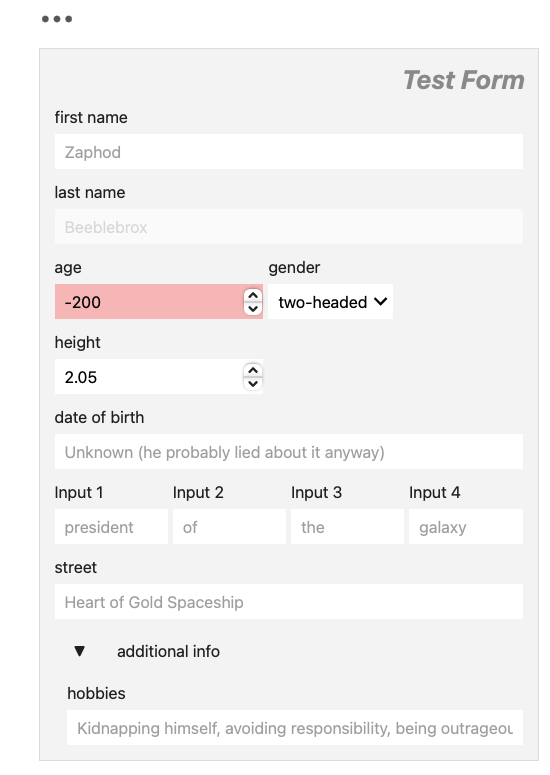
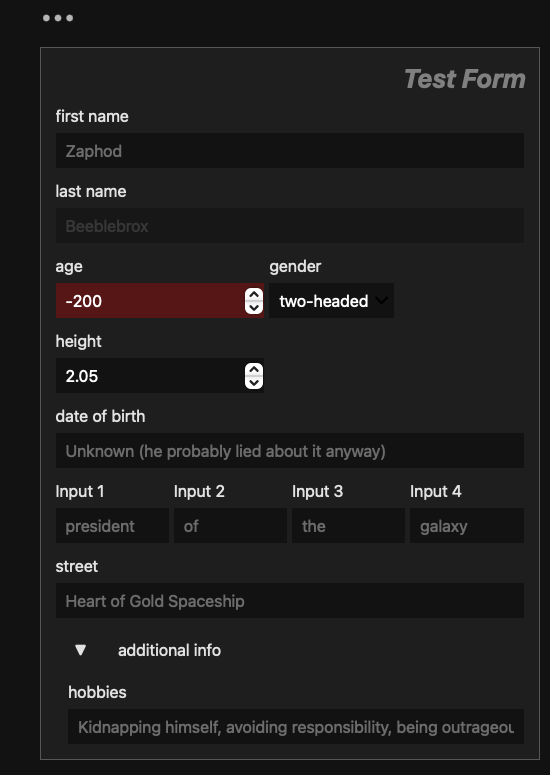
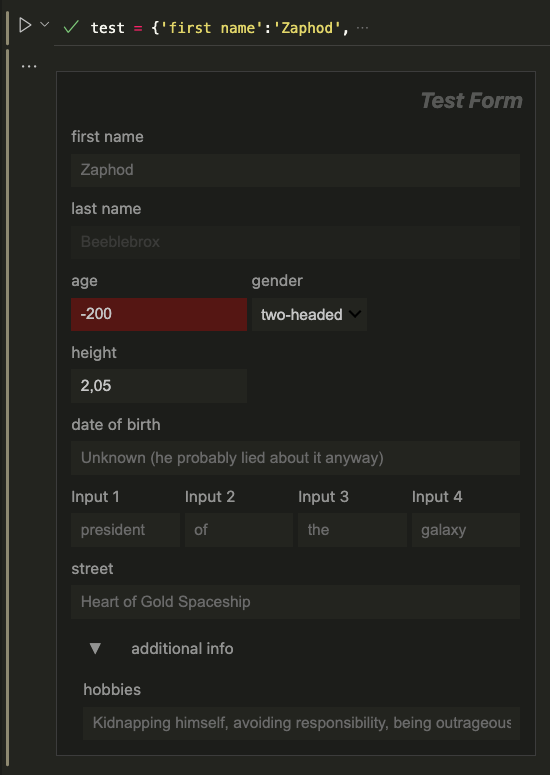
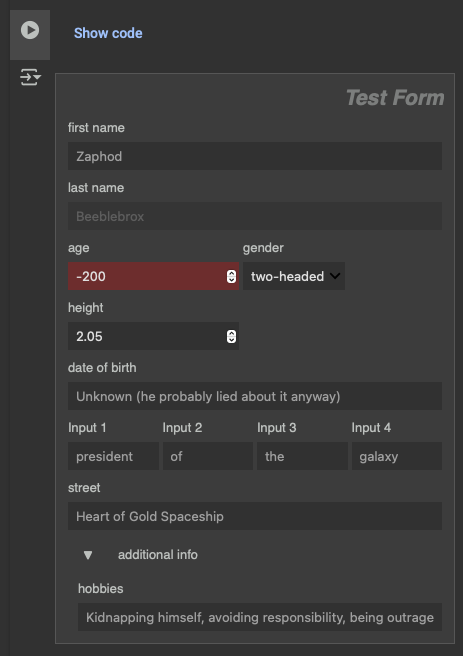
- Adaptive CSS Styling Seamless integration with Jupyter Notebook/Lab, Google Colab and VScode themes.
Installation
pip install ipyformkit
For use in Google Colab one currently needs to downgrade ipywidgets as widgets are not displayed otherwise.
pip install ipyformkit
pip install "ipywidgets>=7,<8"
Example Usage
import ipyformkit as ifk

test = {'first name':'Zaphod',
        'last name':'Beeblebrox',
        ('age', 'gender'):(-200, ('two-headed', 'male', 'female', 'non-binary')),
        'height':2.05,
        'date of birth':'Unknown (he probably lied about it anyway)',
        ('Input 1', 'Input 2', 'Input 3', 'Input 4'):('president', 'of', 'the', 'galaxy'),
        ('street', 'house'):('Heart of Gold Spaceship', 1),
        'additional info':{'hobbies':'Kidnapping himself, avoiding responsibility, being outrageous',}
       }


mandatory = ['last name', 'age']
disable = {'last name': lambda d: d['first name'] == '',}
hide = {'house': lambda d: d['street'] == '',}
check = {'age': lambda d: d['age'] > 0,}
tooltips = {'first name':'What your mother calls you when you are in trouble.'}

form = ifk.Form(test, title='Test Form', mandatory=mandatory, disable=disable, hide=hide, check=check, tooltips=tooltips, max_width=400)
form.display()
Text input is converted into placeholders instead of values by default. One can set multiple values at once by supplying a dictionary to the .set_values() method. The dictionary keys should match the field names in the form. The values can be any type supported by ipywidgets.
form.set_values({'first name': 'Arthur', 'last name': 'Dent', 'age': 42})
Retrieve values:
values = form.get_values() # returns unchecked values
out = form.check_and_return_values() # return checked values and highlights missing mandatory inputs
Documentation
ifk.Form() is a class that creates a form using ipyipywidgets. It can be displayed using its .display() method. It takes a dictionary as input and generates the corresponding ipywidgets. The class also supports various features such as validation, conditional display, and custom styling. The arguments mandatory, disable, hide and check expect dictionaries with the affected field name as a key and a function as a value. The function takes the current form inputs as a dictionary and returns a boolean value. The function should return True if the field should be disabled, hidden or checked, and False otherwise. The .get_values() method returns the current values of each input field without applying any validation. The .check_and_return_values() method will return the current values but validate that all checks are passed.
| Dictionary Value Type | Created Widget | Notes |
|---|---|---|
bool |
ipywidgets.Checkbox |
A checkbox with the dictionary key as its description. |
int |
ipywidgets.IntText |
A text box for integer input. |
float |
ipywidgets.FloatText |
A text box for float input with step size based on decimal places. |
str (contains os.sep) |
FileAutocomplete |
A custom widget for selecting files from the working directory. |
str (contains "password") |
ipywidgets.Password |
A password input field. |
str (ends with ...) |
ipywidgets.Textarea |
A multi-line text area with the placeholder text (excluding ...). |
str (other cases) |
ipywidgets.Text |
A single-line text input field with the string as a placeholder. |
tuple |
ipywidgets.Dropdown |
A dropdown menu with the tuple values as options. |
dictionary |
... |
A collapsible sub-form with the dictionary mapped according to this table. |
| Other types | ipywidgets.Label |
A label displaying "Unsupported type: <type_name>". |
Project details
Verified details
These details have been verified by PyPIProject links
GitHub Statistics
Maintainers
Release history Release notifications | RSS feed


Download files
Download the file for your platform. If you're not sure which to choose, learn more about installing packages.
Source Distribution
Built Distribution
Filter files by name, interpreter, ABI, and platform.
If you're not sure about the file name format, learn more about wheel file names.
Copy a direct link to the current filters
File details
Details for the file ipyformkit-0.2.6.tar.gz.
File metadata
- Download URL: ipyformkit-0.2.6.tar.gz
- Upload date:
- Size: 15.1 kB
- Tags: Source
- Uploaded using Trusted Publishing? Yes
- Uploaded via: twine/6.1.0 CPython/3.12.9
File hashes
| Algorithm | Hash digest | |
|---|---|---|
| SHA256 |
44b3172f4e613d626c2622f820b11b1e33c7a40ddee75f07ac0f440517ad60df
|
|
| MD5 |
29ccbfe68885c5b315516710050bcec3
|
|
| BLAKE2b-256 |
c851dd2255d2c6b7b96e2e52011f7284ce3c6d48d7aff3b53efb45714387d459
|
Provenance
The following attestation bundles were made for ipyformkit-0.2.6.tar.gz:
Publisher:
python-publish.yml on RMHoppe/IpyFormKit
-
Statement:
-
Statement type:
https://in-toto.io/Statement/v1 -
Predicate type:
https://docs.pypi.org/attestations/publish/v1 -
Subject name:
ipyformkit-0.2.6.tar.gz -
Subject digest:
44b3172f4e613d626c2622f820b11b1e33c7a40ddee75f07ac0f440517ad60df - Sigstore transparency entry: 276331741
- Sigstore integration time:
-
Permalink:
RMHoppe/IpyFormKit@5406d8f4c7a137e6af9f9d4dd5bb8f777fa39eb5 -
Branch / Tag:
refs/tags/v0.2.6 - Owner: https://github.com/RMHoppe
-
Access:
public
-
Token Issuer:
https://token.actions.githubusercontent.com -
Runner Environment:
github-hosted -
Publication workflow:
python-publish.yml@5406d8f4c7a137e6af9f9d4dd5bb8f777fa39eb5 -
Trigger Event:
release
-
Statement type:
File details
Details for the file ipyformkit-0.2.6-py3-none-any.whl.
File metadata
- Download URL: ipyformkit-0.2.6-py3-none-any.whl
- Upload date:
- Size: 14.1 kB
- Tags: Python 3
- Uploaded using Trusted Publishing? Yes
- Uploaded via: twine/6.1.0 CPython/3.12.9
File hashes
| Algorithm | Hash digest | |
|---|---|---|
| SHA256 |
c51d720686c0f469039e6638757c5f1a3653e5293ccddf4ac1ac66cc71bb73b1
|
|
| MD5 |
1a60aef97fff833d5aab3bf5ac52269f
|
|
| BLAKE2b-256 |
23dacfb31e4008629041e0bf9ea5d57adc5b6042e7c2883b4a7bc0f5a7ba15f7
|
Provenance
The following attestation bundles were made for ipyformkit-0.2.6-py3-none-any.whl:
Publisher:
python-publish.yml on RMHoppe/IpyFormKit
-
Statement:
-
Statement type:
https://in-toto.io/Statement/v1 -
Predicate type:
https://docs.pypi.org/attestations/publish/v1 -
Subject name:
ipyformkit-0.2.6-py3-none-any.whl -
Subject digest:
c51d720686c0f469039e6638757c5f1a3653e5293ccddf4ac1ac66cc71bb73b1 - Sigstore transparency entry: 276331755
- Sigstore integration time:
-
Permalink:
RMHoppe/IpyFormKit@5406d8f4c7a137e6af9f9d4dd5bb8f777fa39eb5 -
Branch / Tag:
refs/tags/v0.2.6 - Owner: https://github.com/RMHoppe
-
Access:
public
-
Token Issuer:
https://token.actions.githubusercontent.com -
Runner Environment:
github-hosted -
Publication workflow:
python-publish.yml@5406d8f4c7a137e6af9f9d4dd5bb8f777fa39eb5 -
Trigger Event:
release
-
Statement type:






