
ipysketch_lite 🎨



ipysketch_lite is a simple interactive sketching tool for Jupyter notebooks. After drawing a sketch you can use it directly in your Jupyter notebook. When changes are made to the sketch, the image data in Python is updated.
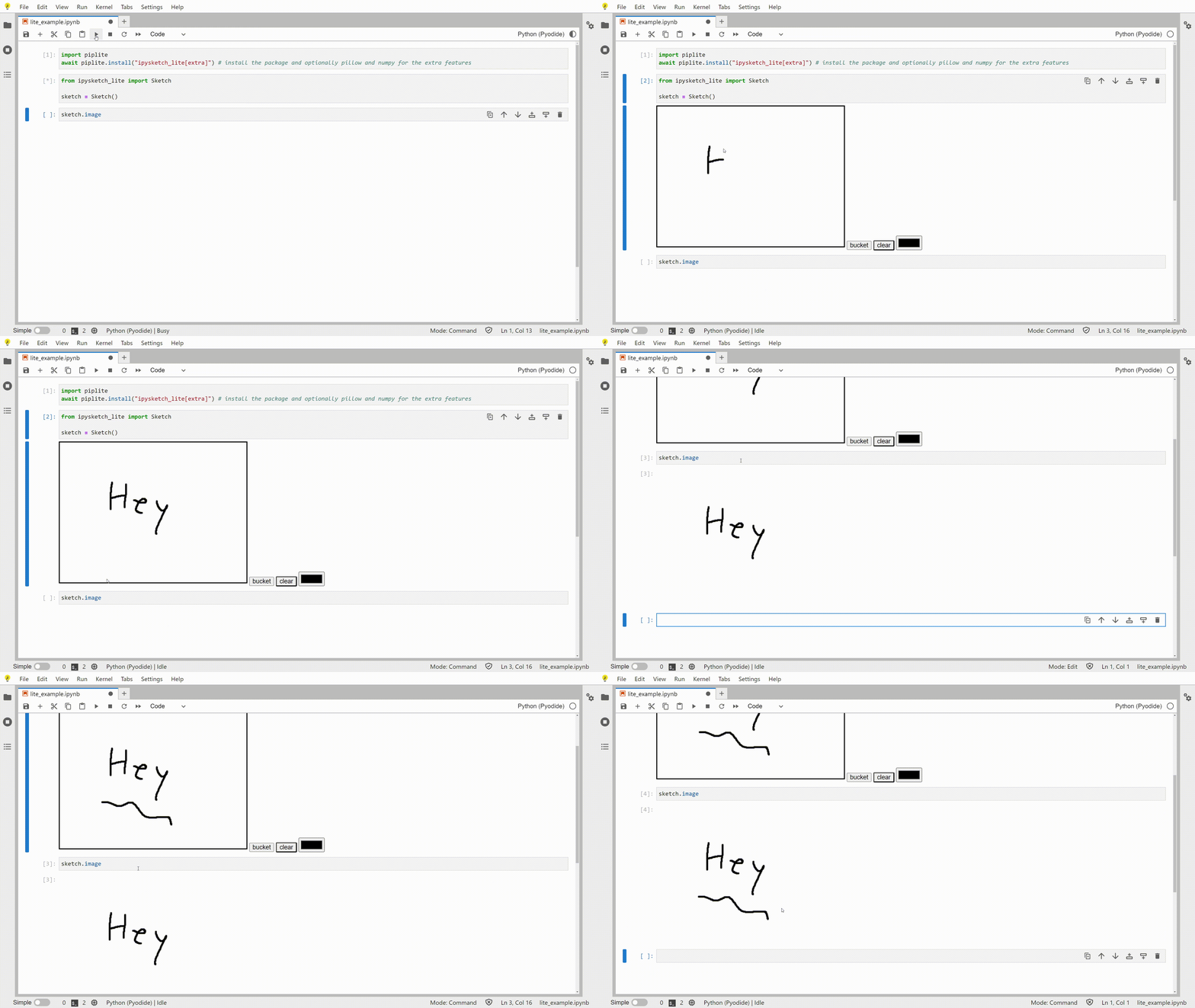
Try it out in JupyterLite:
Documentation 📖
You can view the documentation at: https://matthewandretaylor.github.io/ipysketch_lite
Install 🛠️
You can install using pip:
pip install ipysketch-lite
Or using piplite if you are using Jupyter lite
import piplite
await piplite.install("ipysketch_lite")
Quickstart 🚀
Start drawing a quick sketch in your notebook like this
from ipysketch_lite import Sketch

sketch = Sketch()
Then add a new cell to retrieve the sketch data in python
sketch.data # Sketch image data as a base64 encoded string
sketch.image # PIL Image of the sketch
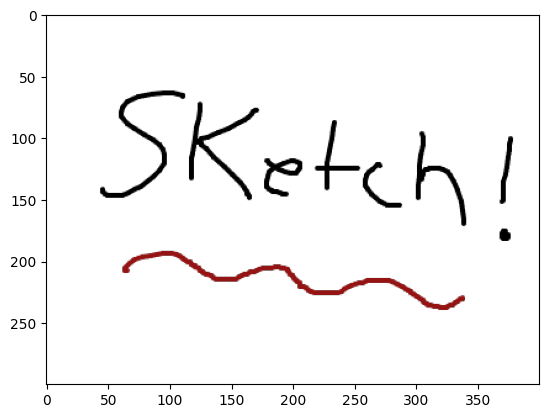
Sketch data gets updated in cells after the sketch is modified. This means you can edit your sketch and get the new updated outputs
Using your own drawing API 🖌️
You can extend ipysketch_lite to use your own JavaScript drawing library by subclassing Sketch and customizing the frontend template.
See the custom_sketch.ipynb notebook for an example.
1 maintainer

Release files for ipysketch-lite 0.5.2
For a detailed explanation of source distributions (sdists) and built distributions (wheels), please see the package formats documentation.
Source distribution (sdist)
| File | Size | Uploaded | |
|---|---|---|---|
| ipysketch_lite-0.5.2.tar.gz | 8.6 kB | Details |
Built distribution (wheel)
| File | Interpreter | ABI | Platform | Reset |
|---|---|---|---|---|
| ipysketch_lite-0.5.2-py3-none-any.whl | Python 3 | none | any | Details |
Total release size: 17.5 kB
Release files / ipysketch_lite-0.5.2.tar.gz
| Download URL | ipysketch_lite-0.5.2.tar.gz |
|---|---|
| Size | 8.6 kB |
| Tags | Source |
|
SHA-256 checksum How to use checksums |
61ca49aaeb947c9c2ed8fd1a5abe27c81058a4c5a62c7d15b37f5fef999d735a
|
|
BLAKE2b-256 checksum How to use checksums |
3fc92ce343777a6363149cc7b7faa1ebfaaf4f522f7f0c9dbdf7074733fdf9d4
|
| Upload date | |
|
Uploaded using Trusted Publishing? What is trusted publishing? |
Yes |
| Uploaded via |
twine/6.1.0 CPython/3.13.7
|
Provenance
Provenance describes where a file came from. On PyPI, provenance is shared via attestations, which provide a verifiable record of the build or publishing details. View details, limitations and caveats.


PyPI Publish Attestation
PyPI verified that this artifact, at this checksum, originated from the publisher listed below.
Signed by GitHub Actions, verified by PyPI on Dec 11, 2025.
Transparency logRelease files / ipysketch_lite-0.5.2-py3-none-any.whl
| Download URL | ipysketch_lite-0.5.2-py3-none-any.whl |
|---|---|
| Size | 8.9 kB |
| Tags | Python 3 |
|
SHA-256 checksum How to use checksums |
6dc69b9bc7e9082f4f740ad3cd17d23030338e320a7c466d23bea1a837c2cf30
|
|
BLAKE2b-256 checksum How to use checksums |
bfcfb3a8156582fe53d684d38d3e671406176ce50e5ad2eff4ec682049b2f7ea
|
| Upload date | |
|
Uploaded using Trusted Publishing? What is trusted publishing? |
Yes |
| Uploaded via |
twine/6.1.0 CPython/3.13.7
|
Provenance
Provenance describes where a file came from. On PyPI, provenance is shared via attestations, which provide a verifiable record of the build or publishing details. View details, limitations and caveats.
PyPI Publish Attestation
PyPI verified that this artifact, at this checksum, originated from the publisher listed below.
Signed by GitHub Actions, verified by PyPI on Dec 11, 2025.
Transparency log













