
ipytoolbox
A collection of IPython magic commands and other utilities.
Features
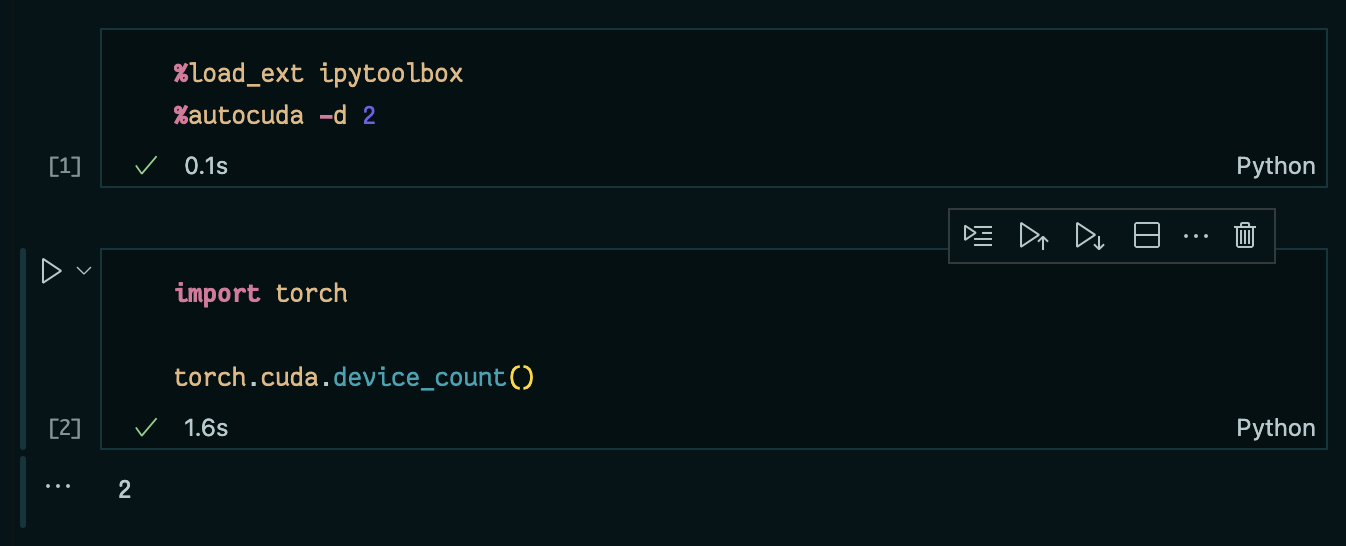
%autocuda
- A line magic to automatically select the local CUDA device(s) with the most free memory.
%%animate
- A cell magic to automatically capture
plt.plot(); plt.show()calls and display them as an animation once the cell has finished executing.
Install
First make sure Python is installed, then run:
pip install ipytoolbox
Then you can use it in IPython or Jupyter Notebooks by
%load_ext ipytoolbox
Develop
First clone the repo and set it as working directory. Then install the package in development mode (preferably within its own virtual environment):
pip install -e ".[tests]"
If you have direnv installed, you can run direnv allow to automatically create and activate a Python virtual environment when you enter the directory.
Test
pytest
Lint
pre-commit run --all-files
Or pre-commit install to run automatically on git commit.
Publish
gh release create
1 maintainer

Metadata
1 maintainer
Release files for ipytoolbox 0.3.0
For a detailed explanation of source distributions (sdists) and built distributions (wheels), please see the package formats documentation.
Source distribution (sdist)
| File | Size | Uploaded | |
|---|---|---|---|
| ipytoolbox-0.3.0.tar.gz | 154.6 kB | Details |
Built distribution (wheel)
| File | Interpreter | ABI | Platform | Reset |
|---|---|---|---|---|
| ipytoolbox-0.3.0-py3-none-any.whl | Python 3 | none | any | Details |
Total release size: 182.6 kB
Release files / ipytoolbox-0.3.0.tar.gz
| Download URL | ipytoolbox-0.3.0.tar.gz |
|---|---|
| Size | 154.6 kB |
| Tags | Source |
|
SHA-256 checksum How to use checksums |
7d40d181db2d25a48020ac5e1ba7a891b64eb7e19ef99e57c5140b3ba0b1fc63
|
|
BLAKE2b-256 checksum How to use checksums |
fe5276ffe30d3cda72360caa01ffcaf5a020e8dfc255025a195f77f7ec597a75
|
| Upload date | |
|
Uploaded using Trusted Publishing? What is trusted publishing? |
No |
| Uploaded via |
twine/5.0.0 CPython/3.12.3
|
Release files / ipytoolbox-0.3.0-py3-none-any.whl
| Download URL | ipytoolbox-0.3.0-py3-none-any.whl |
|---|---|
| Size | 28.0 kB |
| Tags | Python 3 |
|
SHA-256 checksum How to use checksums |
6937476049346304f5eabcc71c09535059b38e0ae5565b71f47f93677d8b180a
|
|
BLAKE2b-256 checksum How to use checksums |
2167dead883eb3ddbc9434b2d0de65d175a34d4510be9cf92646bdb9573010b7
|
| Upload date | |
|
Uploaded using Trusted Publishing? What is trusted publishing? |
No |
| Uploaded via |
twine/5.0.0 CPython/3.12.3
|














