
Build, present and share animated data stories in Jupyter Notebook and similar environments.

Project description
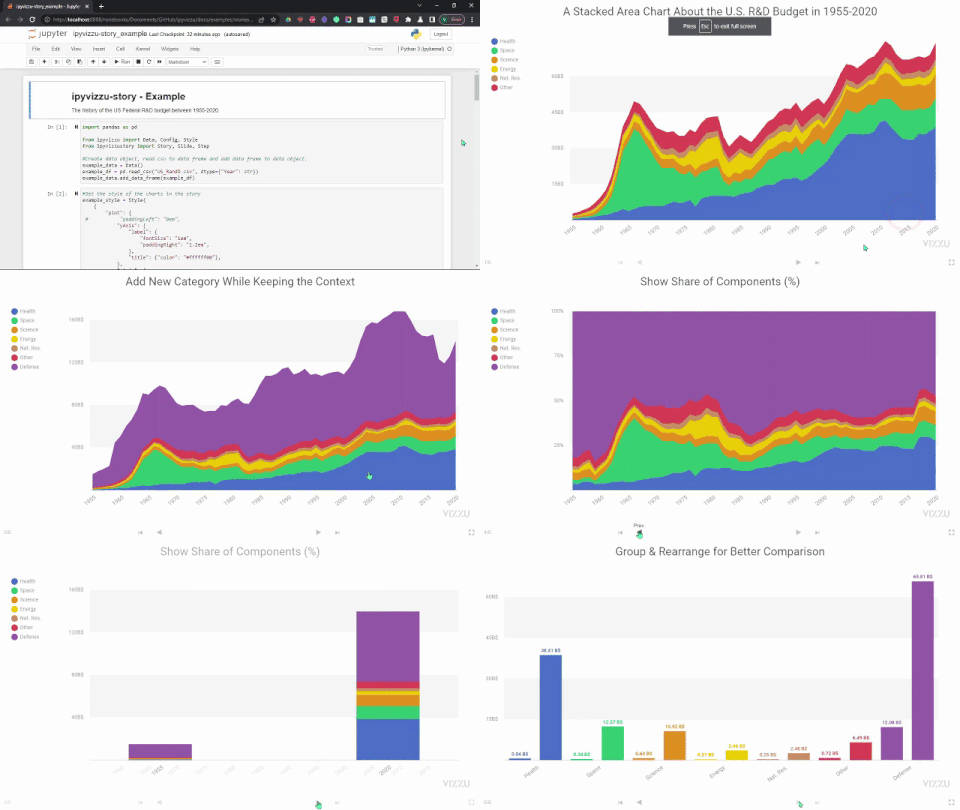
ipyvizzu-story - Build, present and share animated data stories in Jupyter Notebook and similar environments
Documentation · Examples · Code reference · Repository · Blog



ipyvizzu-story
About The Extension
ipyvizzu-story is an extension of the animated charting tool
ipyvizzu that enables users to create and
present interactive data presentations within the data science notebook of their
choice and to share them as an HTML file. The extension provides a widget that
contains the presentation and adds controls for navigating between slides -
predefined stages within the story being presented. Navigation also works with
keyboard shortcuts - arrow keys, PgUp, PgDn, Home, End - and you can
also use a clicker to switch between the slides.
Installation
pip install ipyvizzu-story
Visit Installation chapter for more options and details.
Usage
You can check and download the code behind the animation on the top of the page in our Example gallery.
You can create the story below with the following code snippet.
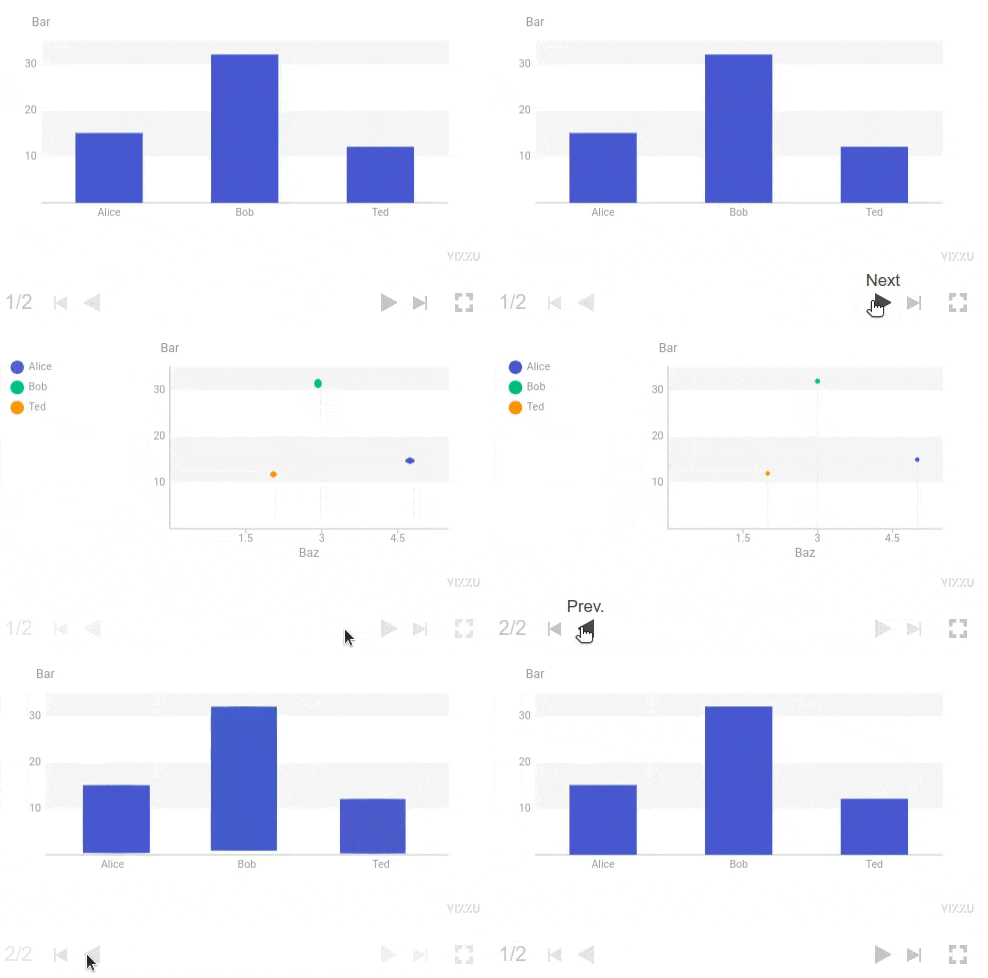
from ipyvizzu import Data, Config
from ipyvizzustory import Story, Slide, Step

data = Data()
data.add_series("Foo", ["Alice", "Bob", "Ted"])
data.add_series("Bar", [15, 32, 12])
data.add_series("Baz", [5, 3, 2])

story = Story(data=data)

slide1 = Slide(
    Step(
        Config({"x": "Foo", "y": "Bar"}),
    )
)
story.add_slide(slide1)

slide2 = Slide(
    Step(
        Config({"color": "Foo", "x": "Baz", "geometry": "circle"}),
    )
)
story.add_slide(slide2)

story.play()
Documentation
Visit our Documentation site for
more details and a step-by-step tutorial into ipyvizzu-story or check out our
Example gallery.
Environments
ipyvizzu-story can be used in a wide variety of environments, visit
Environments chapter
for more details.
- Notebooks
- App platforms
- BI tools
- IDEs
- Python
Contributing
We welcome contributions to the project, visit our Contributing guide for further info.
Contact
- Join our Slack if you have any questions or comments: vizzu-community.slack.com
- Drop us a line at hello@vizzuhq.com
- Follow us on Twitter: VizzuHQ
Usage Statistics
ipyvizzu-story collects aggregate usage statistics by default to follow the
progress and overall trends of our library. This feature is optional, and users
can choose to opt-out. However, we do not track, collect, or store any personal
data or personally identifiable information. Please note that even when this
feature is enabled, publishing anything made with ipyvizzu-story remains GDPR
compatible. For more details, please visit
Analytics chapter.
License
Copyright © 2022-2023 Vizzu Inc.
Released under the Apache 2.0 License.
Release history Release notifications | RSS feed


Download files
Download the file for your platform. If you're not sure which to choose, learn more about installing packages.
Source Distribution
Built Distribution
Filter files by name, interpreter, ABI, and platform.
If you're not sure about the file name format, learn more about wheel file names.
Copy a direct link to the current filters
File details
Details for the file ipyvizzu_story-0.10.0.tar.gz.
File metadata
- Download URL: ipyvizzu_story-0.10.0.tar.gz
- Upload date:
- Size: 23.4 kB
- Tags: Source
- Uploaded using Trusted Publishing? No
- Uploaded via: twine/4.0.2 CPython/3.10.12
File hashes
| Algorithm | Hash digest | |
|---|---|---|
| SHA256 |
d39de5b91a4abf3f7eed28312cdd3be299ce380f4dcc7def781de39ce348486b
|
|
| MD5 |
9699fe4529e72abac743e1e3ab0551cb
|
|
| BLAKE2b-256 |
913d4fa7141b0cdc407bc60d96096a9f298cb5dbe6a260fe9a4178490fe8e2fd
|
File details
Details for the file ipyvizzu_story-0.10.0-py3-none-any.whl.
File metadata
- Download URL: ipyvizzu_story-0.10.0-py3-none-any.whl
- Upload date:
- Size: 19.3 kB
- Tags: Python 3
- Uploaded using Trusted Publishing? No
- Uploaded via: twine/4.0.2 CPython/3.10.12
File hashes
| Algorithm | Hash digest | |
|---|---|---|
| SHA256 |
73f6b91a98554bd11bedc74b5e79a9cfd610b1f94b8955aa2f57c98a743cedeb
|
|
| MD5 |
8a550a0ba3d454d416f852327ed1d6a8
|
|
| BLAKE2b-256 |
aa23d088e0e18e235b85e4e25864db73035d307034c83dcccee25abeb00397b3
|






