
This project has been archived by its maintainers, and is no longer receiving any updates.
ipyvtk_simple


An ipywidget for vtkRenderWindow
This is an early prototype of creating a Jupyter interface to VTK. This toolkit
is a proof of concept and a more polished tool will be available as
ipyvtk in the future.
The code here was implemented from the work done by Andras Lasso under an MIT License (see the source).
The goal is to enable this widget to work with any server side
vtkRenderWindow
This render window could be from VTK Python,
ParaView, or PyVista.
Please note that vtk is not listed as a requirement for this package to
simplify its installation in virtual environments where VTK may be built from
source or bundled with ParaView and we do not want to install the wheels from
PyPI.
Run in Docker
To build and run in Docker:
docker build -t ipyvtk_simple .
docker run -p 8878:8878 ipyvtk_simple jupyter lab --port=8878 --no-browser --ip=0.0.0.0 --allow-root
and open the pyvista.ipynb notebook.
Additionally, this can be used with ParaView. An example is given in
paraview.ipynb which can be run via:
docker build -t ipyvtk_pv -f paraview.dockerfile .
docker run -p 8877:8877 ipyvtk_pv jupyter lab --port=8877 --no-browser --ip=0.0.0.0 --allow-root
and open the paraview.ipynb notebook.
Examples
You may have to build jupyter lab extensions for this to work in Lab. This is known to work well in Notebook.
PyVista
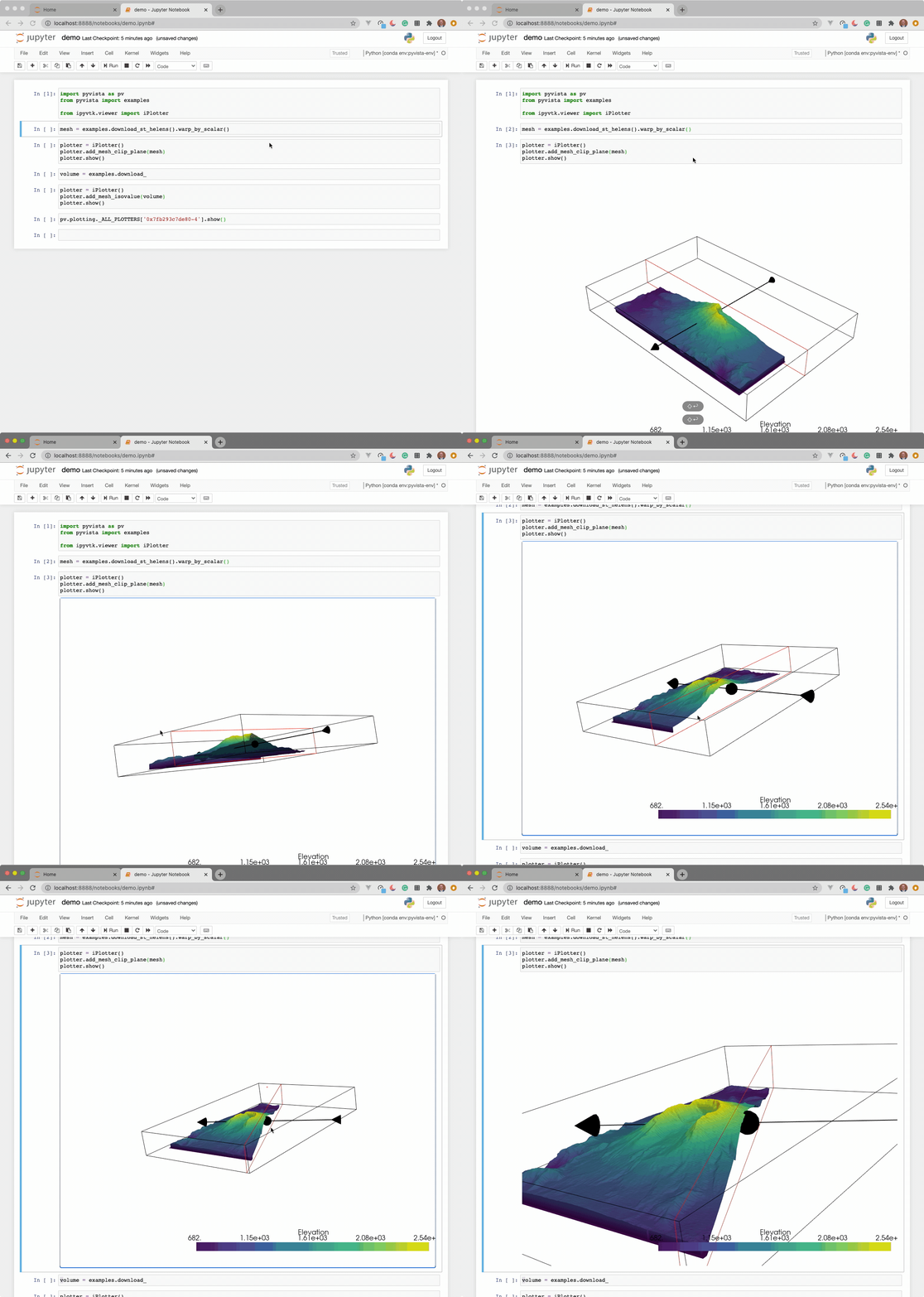
PyVista is working to implement this in a pull request.
See the pyvista.ipynb for a proof of concept.

Python VTK
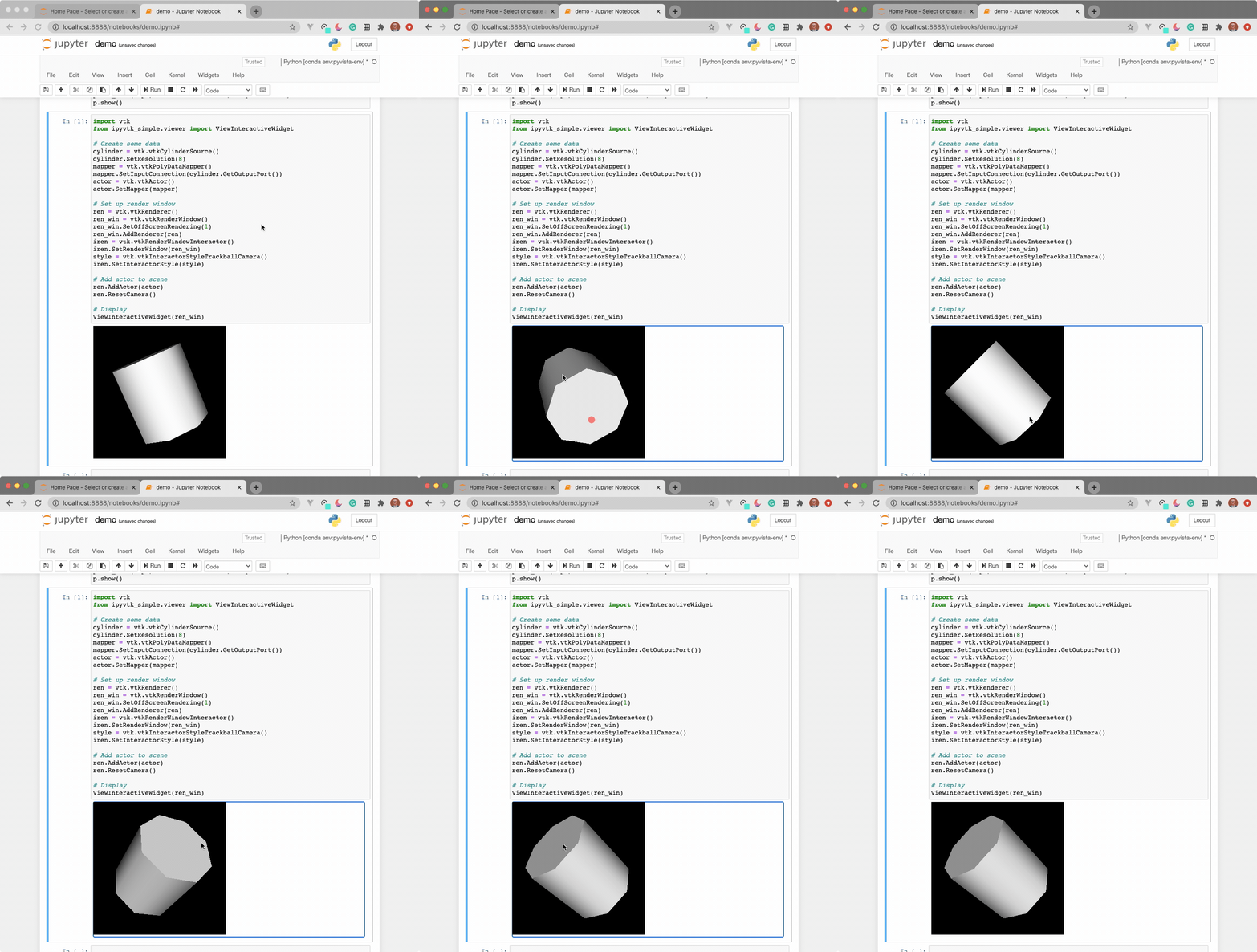
The widget here can be used with VTK. Here is a minimal example showing how
to pass any vtkRenderWindow to the ViewInteractiveWidget:
import vtk
from ipyvtk_simple.viewer import ViewInteractiveWidget

# Create some data
cylinder = vtk.vtkCylinderSource()
cylinder.SetResolution(8)
mapper = vtk.vtkPolyDataMapper()
mapper.SetInputConnection(cylinder.GetOutputPort())
actor = vtk.vtkActor()
actor.SetMapper(mapper)

# Set up render window
ren = vtk.vtkRenderer()
ren_win = vtk.vtkRenderWindow()
ren_win.SetOffScreenRendering(1)
ren_win.SetSize(600, 600)
ren_win.AddRenderer(ren)
iren = vtk.vtkRenderWindowInteractor()
iren.SetRenderWindow(ren_win)
style = vtk.vtkInteractorStyleTrackballCamera()
iren.SetInteractorStyle(style)

# Add actor to scene
ren.AddActor(actor)
ren.ResetCamera()

# Display
ViewInteractiveWidget(ren_win)
ParaView Python
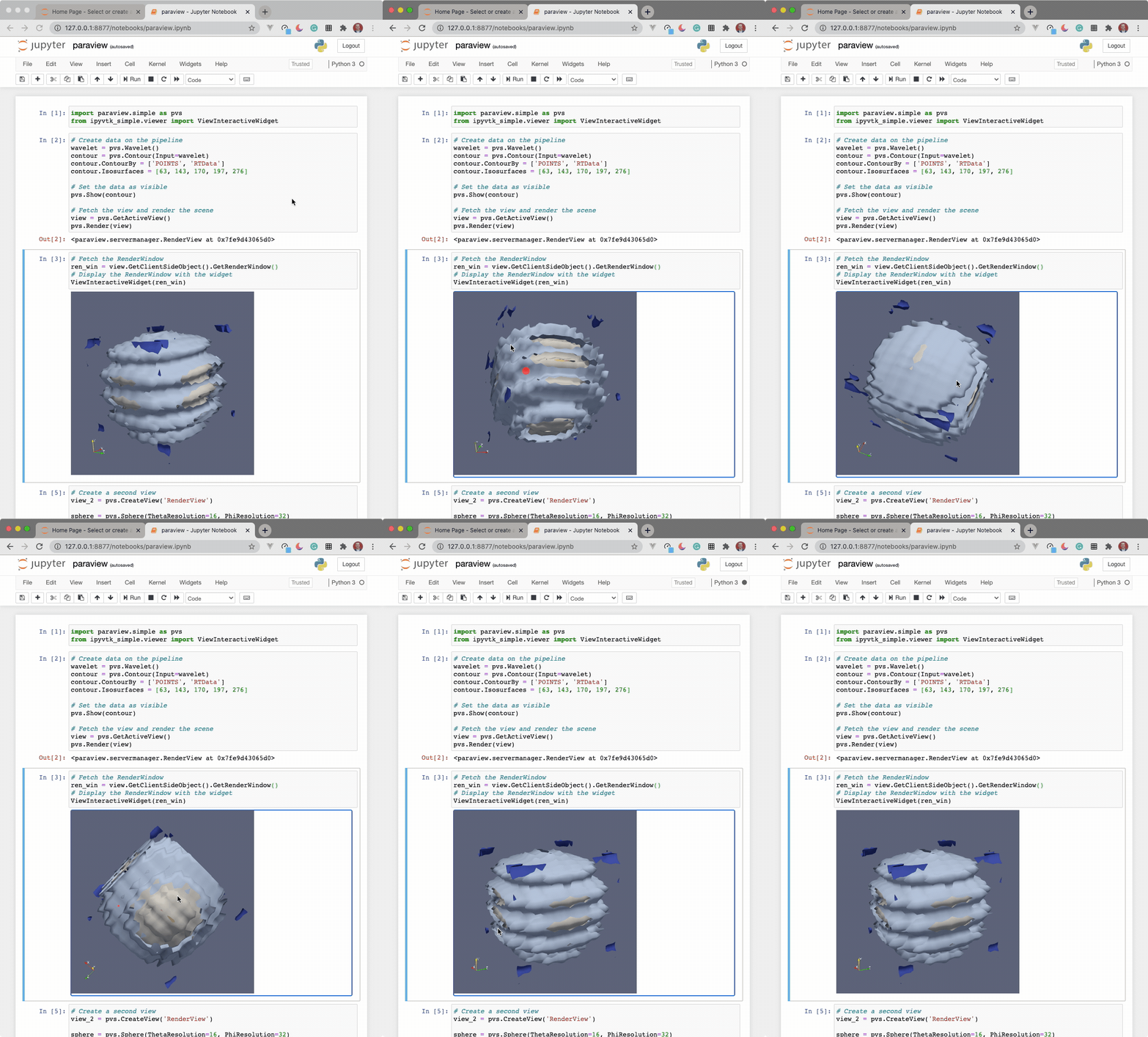
See instructions above for running ParaView in a Docker container.
import paraview.simple as pvs
from ipyvtk_simple.viewer import ViewInteractiveWidget

# Create data on the pipeline
wavelet = pvs.Wavelet()
contour = pvs.Contour(Input=wavelet)
contour.ContourBy = ['POINTS', 'RTData']
contour.Isosurfaces = [63, 143, 170, 197, 276]

# Set the data as visible
pvs.Show(contour)

# Fetch the view and render the scene
view = pvs.GetActiveView()
pvs.Render(view)

# Fetch the RenderWindow
ren_win = view.GetClientSideObject().GetRenderWindow()
# Display the RenderWindow with the widget
ViewInteractiveWidget(ren_win)
1 maintainer

Metadata
1 maintainer
Release files for ipyvtk-simple 0.1.4
For a detailed explanation of source distributions (sdists) and built distributions (wheels), please see the package formats documentation.
Source distribution (sdist)
| File | Size | Uploaded | Provenance | Actions |
|---|---|---|---|---|
| ipyvtk_simple-0.1.4.tar.gz | 9.7 kB | Without provenance | Details for ipyvtk_simple-0.1.4.tar.gz |
Built distribution (wheel)
| File | Interpreter | ABI | Platform | Actions Reset |
|---|---|---|---|---|
| ipyvtk_simple-0.1.4-py3-none-any.whl | Python 3 | none | any | Details for ipyvtk_simple-0.1.4-py3-none-any.whl |
Total release size: 19.0 kB
Release files / ipyvtk_simple-0.1.4.tar.gz
| Download URL | ipyvtk_simple-0.1.4.tar.gz |
|---|---|
| Size | 9.7 kB |
| Tags | Source |
|
SHA-256 checksum How to use checksums |
ffac12e9287affd7c31538ac7f2d2390c72342a73b31010735b275ca841ceaa5
|
|
BLAKE2b-256 checksum How to use checksums |
86f2cc932bf7db404f4bd9f14fbd4d03a043ed5cb72e9b968f4bf6a1e85d21e3
|
| Upload date | |
|
Uploaded using Trusted Publishing? What is trusted publishing? |
No |
| Uploaded via |
twine/3.3.0 pkginfo/1.6.1 requests/2.25.1 setuptools/49.2.1 requests-toolbelt/0.9.1 tqdm/4.56.0 CPython/3.9.1
|
Release files / ipyvtk_simple-0.1.4-py3-none-any.whl
| Download URL | ipyvtk_simple-0.1.4-py3-none-any.whl |
|---|---|
| Size | 9.3 kB |
| Tags | Python 3 |
|
SHA-256 checksum How to use checksums |
8c1b9590609f03bf620cbd0d1813aea4db9e5e3acde772e38a5c31e5d08cb2b1
|
|
BLAKE2b-256 checksum How to use checksums |
c5a324aad4995661606ca249a8509ce260e0319a66bda9b7ef9c4f9609a30900
|
| Upload date | |
|
Uploaded using Trusted Publishing? What is trusted publishing? |
No |
| Uploaded via |
twine/3.3.0 pkginfo/1.6.1 requests/2.25.1 setuptools/49.2.1 requests-toolbelt/0.9.1 tqdm/4.56.0 CPython/3.9.1
|
Security for ipyvtk-simple 0.1.4
Provenance
Provenance describes where a file came from. On PyPI, provenance is shared via attestations, which provide a verifiable record of the build or publishing details. View details, limitations and caveats.
No provenance found
None of the files in this release were uploaded with provenance metadata.
A note on package security
PyPI is a repository for distributing packages, not a service for auditing them. While third-party security researchers and our staff do their best to detect and remove malicious packages, PyPI cannot guarantee the quality, security or suitability of any given package.
To learn more about protecting yourself from malicious actors, visit our package security documentation.














