
Jupyter widgets based on vuetify UI components


Project description
ipyvuetify






Jupyter widgets based on vuetify UI components which implement Google's Material Design Spec with the Vue.js framework.
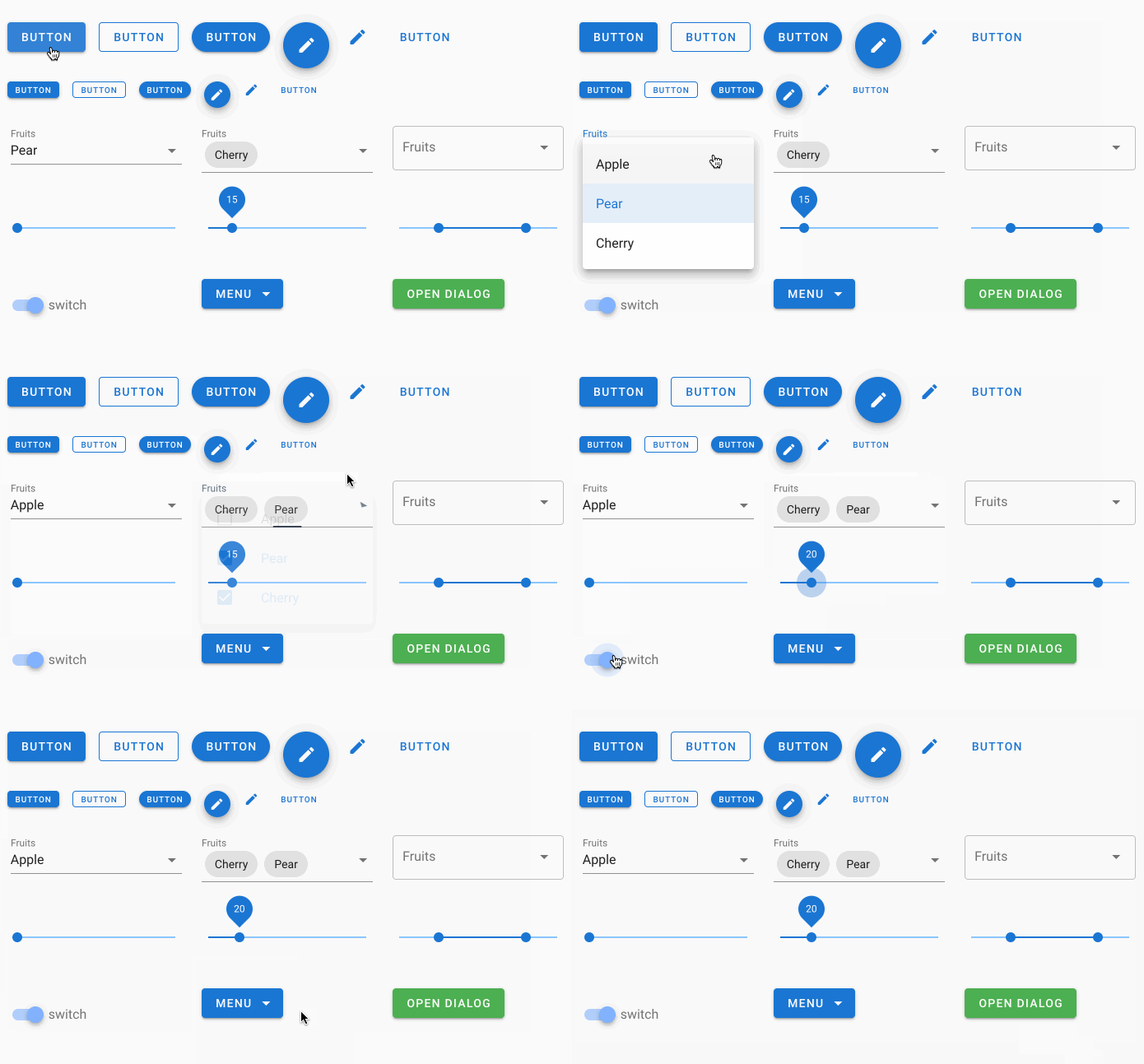
A small selection of widgets:
Installation
To install use pip:
$ pip install ipyvuetify

# for Jupyter Lab < 3
$ jupyter labextension install jupyter-vuetify
For a development installation (requires npm),
$ git clone https://github.com/mariobuikhuizen/ipyvuetify.git
$ cd ipyvuetify
$ pip install -e ".[dev]"
$ pre-commit install
$ jupyter nbextension install --py --symlink --sys-prefix ipyvuetify
$ jupyter nbextension enable --py --sys-prefix ipyvuetify
Documentation
To get started with using ipyvuetify, check out the full documentation
https://ipyvuetify.readthedocs.io/
Usage
For examples see the example notebook.
The Vuetify documentation can be used to find all available components and attributes (in the left side bar or use the search field). Ipyvuetify tries to stay close to the Vue.js and Vuetify template syntax, but there are some differences:
| Description | Vuetify | ipyvuetify |
|---|---|---|
| Component names are in CamelCase and the v- prefix is stripped | <v-list-tile .../> |
ListTile(...) |
| Child components and text are defined in the children traitlet | <v-btn>text <v-icon .../></v-btn> |
Btn(children=['text', Icon(...)]) |
| Flag attributes require a boolean value | <v-btn round ... |
Btn(round=True ... |
| Attributes are snake_case | <v-menu offset-y .. |
Menu(offset_y=True ... |
| The v_model attribute (value in ipywidgets) contains the value directly | <v-slider v-model="some_property" ... |
Slider(v_model=25... |
| Event listeners are defined with on_event | <v-btn @click='someMethod()' ... |
button.on_event('click', some_method) |
def some_method(widget, event, data): |
||
| Regular HTML tags can made with the Html class | <div>...</div> |
Html(tag='div', children=[...]) |
| The attributes class and style need to be suffixed with an underscore | <v-btn class="mr-3" style="..." > |
Btn(class_='mr-3', style_='...') |
Advanced usage
.sync
The .sync property modifier functionality can be achieved by using an event named:
update:[propertyNameInCamelCase].
Vuetify:
<v-navigation-drawer :mini-variant.sync=...
ipyvuetify:
drawer = v.NavigationDrawer(mini_variant=True, ...)

def update_mini(widget, event, data):
    drawer.mini_variant = data`

drawer.on_event('update:miniVariant', update_mini)
(scoped) slots
Vuetify:
<v-menu>
  <template slot:activator="{ on }">
    <v-btn v-on="on">...</v-btn>
  </template>
  <v-list>
    ...
  </v-list>
</v-menu>
ipyvuetify:
Menu(v_slots=[{
    'name': 'activator',
    'variable': 'x',
    'children': Btn(v_on='x.on', children=[...])
}], children=[
    List(...)
])
For non scoped slots 'scope': 'x' and v_on can be omitted.
Icons
Available icons:
- https://material.io/resources/icons/ (deprecated)
- https://pictogrammers.github.io/@mdi/font/4.5.95/ (since v1.2.0)
Alternate usage
For a more web development centric way of development and a closer match to the Vue/Vuetify api, VuetifyTemplate can be used. See the example or
Make a sub class of VuetifyTemplate, define your own traitlets and set a template string. The traitlets will be accessible from the template as if they were in a vue-model. Methods can be called by defining a method with a prefix vue_ e.g. def vue_button_click(self, data) and calling it from the template e.g. @click="button_click(e)".
Release history Release notifications | RSS feed


Download files
Download the file for your platform. If you're not sure which to choose, learn more about installing packages.
Source Distribution
Built Distribution
Filter files by name, interpreter, ABI, and platform.
If you're not sure about the file name format, learn more about wheel file names.
Copy a direct link to the current filters
File details
Details for the file ipyvuetify-3.0.0a4.tar.gz.
File metadata
- Download URL: ipyvuetify-3.0.0a4.tar.gz
- Upload date:
- Size: 7.8 MB
- Tags: Source
- Uploaded using Trusted Publishing? No
- Uploaded via: twine/6.1.0 CPython/3.8.18
File hashes
| Algorithm | Hash digest | |
|---|---|---|
| SHA256 |
c2dd0dca687fbe98889b95e3850bc6c0afdb5d26be8bab3602c7f1a2fdb94aa9
|
|
| MD5 |
2cde9e3dfdf8e247913d587848cdfaf7
|
|
| BLAKE2b-256 |
779df4b89f394b975301cd760932d69f2577f59713e9074a67445791d606c162
|
File details
Details for the file ipyvuetify-3.0.0a4-py2.py3-none-any.whl.
File metadata
- Download URL: ipyvuetify-3.0.0a4-py2.py3-none-any.whl
- Upload date:
- Size: 7.9 MB
- Tags: Python 2, Python 3
- Uploaded using Trusted Publishing? No
- Uploaded via: twine/6.1.0 CPython/3.8.18
File hashes
| Algorithm | Hash digest | |
|---|---|---|
| SHA256 |
8ed0776212850deffad80e069b0250a89da1064ee194feab030ae7f46b071ca2
|
|
| MD5 |
22df8956cc3030e19b45b0be166d8c3e
|
|
| BLAKE2b-256 |
ba67da09a28bbd86c03dd10416bcdd7750de170256bb82bfaf7a226c18c654b7
|






