
irwhois
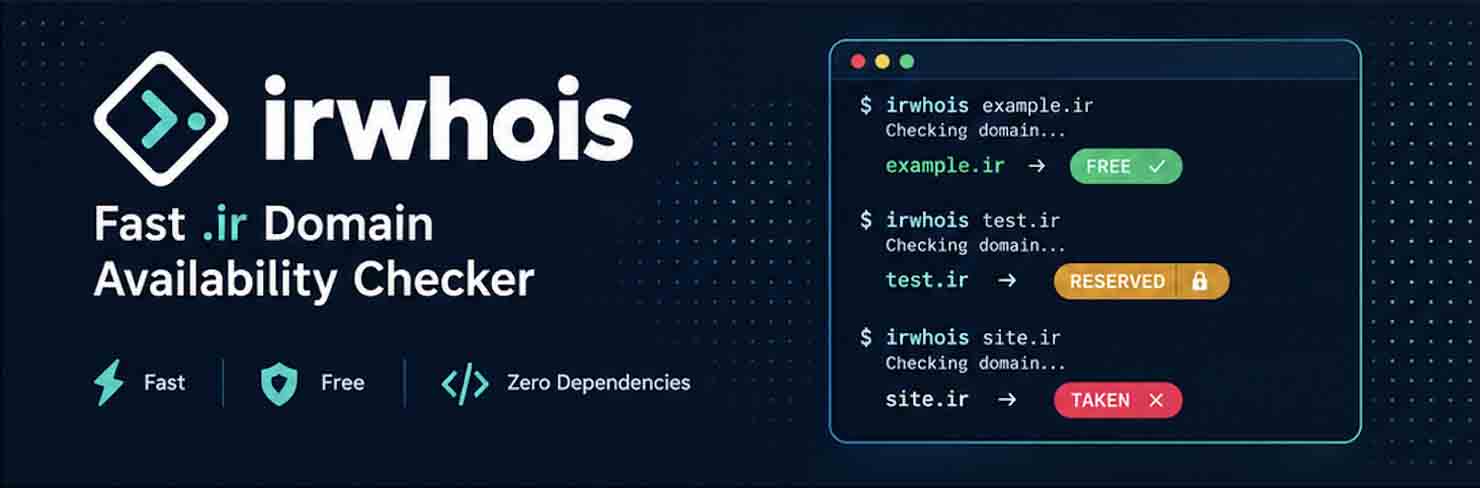
Check .ir domain availability with live queries to whois.nic.ir — single or batch, from the terminal or a web UI.
- ✅ Zero dependencies (Python 3.8+ standard library only)
- ✅ Accepts a bare domain, a site URL, or a whois link such as
https://whois.nic.ir/WHOIS?name=example.ir - ✅ Single + batch checks (txt/csv files, pipes, web UI)
- ✅ Persian (RTL) web UI with CSV export
- ✅ Robust detection: HTTP first, port-43 whois fallback,
Bad queryand minimum-length rules handled






Available · Batch · CSV export · CLI · Reserved detection · Persian web UI
Install
Requirements: Python 3.8 or newer, no other dependencies. Works on Linux, macOS and Windows.
Option 1 — from PyPI (recommended):
pip install irwhois
This installs two things:
- The
irwhoiscommand — available anywhere in your terminal (single/batch checks, interactive mode, web UI). - The
irwhoisPython library —from irwhois import check_domain, batch_checkin your own code.
Verify the installation:
irwhois --version        # prints e.g. irwhois 1.0.0
irwhois example.ir       # first live check
Upgrade to the newest release / uninstall:
pip install -U irwhois   # upgrade
pip uninstall irwhois    # remove
The project page with release history is at https://pypi.org/project/irwhois/
Option 2 — from source (developers):
git clone https://github.com/Omidsp79/nic-extract.git
cd nic-extract
pip install .
# then use the `irwhois` command from anywhere
Or run without installing, from the project root:
python -m irwhois example.ir
Usage
# Single domain (or link)
irwhois example.ir
irwhois "https://whois.nic.ir/WHOIS?name=example.ir"
irwhois google.ir myshop.ir --show-raw

# Batch from file
irwhois -f domains_sample.txt -o result.csv

# Pipe
cat domains_sample.txt | irwhois -o result.csv

# Interactive mode (Persian)
irwhois -i

# Web UI (Persian, RTL)
irwhois --web
# open http://127.0.0.1:8000
As a library:
from irwhois import check_domain, batch_check

print(check_domain("example.ir")["status"])   # taken | free | reserved | ...
print(batch_check(["a.ir", "b.ir"]))
How availability is detected
| Server answer | Status |
|---|---|
ERROR:101: no entries found |
free ✅ (available) |
Contains a domain: line |
taken ❌ (registered) |
Bad query / name shorter than 3 chars (e.g. fa.ir) |
reserved 🔒 (not registrable) |
Per official IRNIC domain rules, names must be 3–63 characters. Port-43 whois wrongly answers “no entries found” for 1–2 character names while the web page returns “Bad query”, so short names are reported as reserved instead of free.
Web UI & API
- Single check + batch check (textarea, txt/csv upload, search, status filter, CSV download, copy-free-domains)
- Internal API:
GET /api/check?domain=example.irPOST /api/batchwith body{"domains": ["a.ir", "b.ir"]}
Options
-w / --workers   parallel workers (default: 4)
--delay          delay between queries in seconds (default: 0.4)
--timeout        per-query timeout in seconds (default: 12)
--method         auto | socket | http (default: auto)
--show-raw       print raw whois text
-o / --output    save results to CSV
--version        print version
Tip: for heavy batch runs, lower the workers (e.g. 2–3) and raise the delay so your IP doesn't get rate-limited.
Project layout
irwhois/
  core.py    pure logic: normalize, validate, query, classify (no UI)
  cli.py     command-line + interactive interface
  web.py     web server + API (uses only core)
  web/       frontend: index.html / styles.css / app.js
Dependency rules: core depends on nothing UI-related, web depends only on core, and cli loads web lazily (only for --web).
راهنمای فارسی — استعلام دامنه ir و بررسی آزاد بودن دامنه
irwhois یک ابزار رایگان و متنباز برای استعلام دامنه ir و بررسی آزاد بودن دامنههای آیآر است. این برنامه مستقیماً به سامانه whois ایرنیک (whois.nic.ir) وصل میشود و در چند ثانیه مشخص میکند دامنه موردنظر شما آزاد و قابل ثبت است یا قبلاً ثبت و اشغال شده است.
ورودی میتواند دامنه (example.ir)، لینک سایت (https://myshop.ir) یا لینک whois (https://whois.nic.ir/WHOIS?name=myshop.ir) باشد؛ هم تکی و هم گروهی پشتیبانی میشود. برای استفاده راحت، irwhois --web را اجرا کنید و در مرورگر http://127.0.0.1:8000 را باز کنید.
نصب برنامه (قدمبهقدم)
پیشنیاز: پایتون ۳.۸ یا جدیدتر. برای بررسی نسخه پایتون:
python3 --version
روش اول — نصب با pip (پیشنهادی):
pip install irwhois
با این یک دستور، هم دستور irwhois در ترمینال فعال میشود و هم کتابخانه پایتون آن نصب میشود. برای اطمینان از نصب:
irwhois --version
irwhois example.ir
برای بهروزرسانی به نسخه جدید یا حذف برنامه:
pip install -U irwhois # بهروزرسانی
pip uninstall irwhois # حذف
روش دوم — اجرا بدون نصب (از سورس):
git clone https://github.com/Omidsp79/nic-extract.git
cd nic-extract
python -m irwhois example.ir
این ابزار چه کار میکند؟
- جستجوی دامنه آی آر: بررسی کنید نام دلخواه شما با پسوند
.irآزاد است یا نه - استعلام گروهی دامنه: لیستی از چندین دامنه را یکجا بررسی کنید (مثلاً برای انتخاب نام برند یا فروشگاه اینترنتی)
- تشخیص دامنه رزرو شده: نامهایی که طبق قوانین ایرنیک اصلاً قابل ثبت نیستند (مثل نامهای کمتر از ۳ حرف مانند
fa.ir) جداگانه مشخص میشوند - خروجی اکسلخور (CSV): نتیجه استعلام گروهی را ذخیره و در اکسل باز کنید
معنی وضعیتهای استعلام دامنه
| وضعیت | معنی |
|---|---|
| آزاد ✅ (قابل ثبت) | دامنه خالی است و میتوانید آن را در سایت ایرنیک ثبت کنید |
| اشغال ❌ (ثبت شده) | دامنه قبلاً توسط شخص دیگری ثبت شده و قابل خرید مستقیم نیست |
| رزرو/غیرقابل ثبت 🔒 | این نام طبق قوانین ایرنیک قابل ثبت نیست (مثلاً کمتر از ۳ حرف است یا در فهرست رزرو قرار دارد) |
سوالات متداول درباره استعلام دامنه ir
چطور بفهمم یک دامنه ir آزاد است؟
کافی است دستور irwhois نامدامنه.ir را اجرا کنید یا در رابط وب (irwhois --web) نام دامنه را وارد کنید تا وضعیت ثبت آن از whois ایرنیک استعلام شود.
آیا این ابزار جایگزین سایت ایرنیک است؟
خیر؛ irwhois فقط استعلام و بررسی آزاد بودن دامنه را انجام میدهد. ثبت نهایی دامنه باید در سایت رسمی ایرنیک (nic.ir) انجام شود.
چرا بعضی دامنهها «رزرو» اعلام میشوند؟
طبق قوانین ایرنیک، نام دامنه باید حداقل ۳ حرف باشد. نامهای کوتاهتر (مثل fa.ir) و برخی نامهای خاص قابل ثبت نیستند و این ابزار آنها را «رزرو/غیرقابل ثبت» نشان میدهد تا با «آزاد» اشتباه گرفته نشوند.
آیا میتوانم چند دامنه را همزمان بررسی کنم؟
بله؛ فایل متنی حاوی دامنهها را با irwhois -f domains.txt -o result.csv بررسی کنید یا در رابط وب، لیست دامنهها را بچسبانید و یکجا استعلام بگیرید.
اطلاعات از کجا میآید؟
مستقیم و زنده از سرور whois ایرنیک (whois.nic.ir)؛ هیچ واسطهای وجود ندارد و نتیجه دقیقاً همان چیزی است که ایرنیک اعلام میکند.
ابزار کاربردی مرتبط: لینکوین — بک لینک رایگان و ارزان شبکهای — سامانه هوشمند تبادل لینک برای سئو و رشد رتبه سایت در گوگل.
Useful links / سایتهای کاربردی
- Linkoin — لینکوین | بک لینک رایگان و ارزان شبکهای — smart backlink exchange network for SEO
License
MIT — see LICENSE.
1 maintainer

Metadata
1 maintainer
Release files for irwhois 1.0.1
For a detailed explanation of source distributions (sdists) and built distributions (wheels), please see the package formats documentation.
Source distribution (sdist)
| File | Size | Uploaded | |
|---|---|---|---|
| irwhois-1.0.1.tar.gz | 21.6 kB | Details |
Built distribution (wheel)
| File | Interpreter | ABI | Platform | Reset |
|---|---|---|---|---|
| irwhois-1.0.1-py3-none-any.whl | Python 3 | none | any | Details |
Total release size: 44.6 kB
Release files / irwhois-1.0.1.tar.gz
| Download URL | irwhois-1.0.1.tar.gz |
|---|---|
| Size | 21.6 kB |
| Tags | Source |
|
SHA-256 checksum How to use checksums |
f113ace9e44595828bea1567441dfcc02f0cc7f5a546a24bfa69029d58c7ba80
|
|
BLAKE2b-256 checksum How to use checksums |
67a6d6afd71fe8e98fb3e0a165a00fe07005c0c4c6f67db2ba9da29cef1f1316
|
| Upload date | |
|
Uploaded using Trusted Publishing? What is trusted publishing? |
No |
| Uploaded via |
twine/7.0.0 CPython/3.12.9
|
Release files / irwhois-1.0.1-py3-none-any.whl
| Download URL | irwhois-1.0.1-py3-none-any.whl |
|---|---|
| Size | 23.0 kB |
| Tags | Python 3 |
|
SHA-256 checksum How to use checksums |
3165a68062ca3184b186ada025250931d3b5e56e26d5d8fadd1fed00d1cc7894
|
|
BLAKE2b-256 checksum How to use checksums |
6de99819dc63563f4e1842e0800592aa892e7dd4692d9f5564ad5d34b43bc583
|
| Upload date | |
|
Uploaded using Trusted Publishing? What is trusted publishing? |
No |
| Uploaded via |
twine/7.0.0 CPython/3.12.9
|














