
iSubRip
iSubRip is a Python command-line tool for downloading subtitles from Apple TV movie URLs.







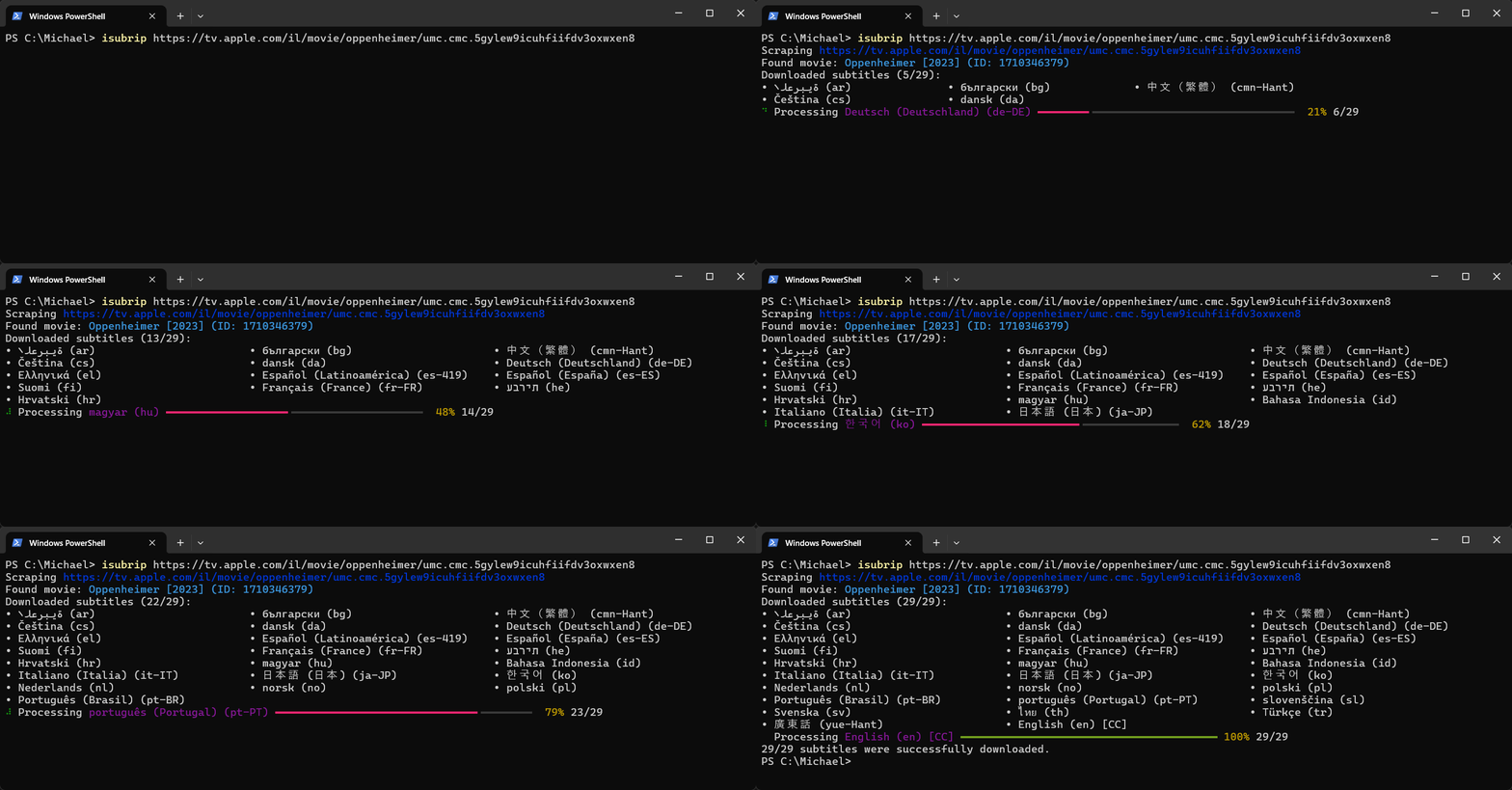
✨ Features
- Download publicly accessible subtitles from Apple TV and iTunes movie pages.
- Retrieve the expected streaming release date (if available) for unreleased movies.
- Utilize asynchronous downloading to speed up the download of chunked subtitles.
- Automatically convert subtitles to SubRip (SRT) format.
- Fix right-to-left (RTL) alignment in RTL language subtitles automatically.
- Configure settings such as download folder, preferred languages, and toggling features.
🚀 Quick Start
Installation
pip install isubrip
Usage
isubrip [--dsid DSID] <URL> [URL...]
No Apple account or DSID is normally required. See Apple DSID for the optional owned/rented-content fallback.
[!TIP] Run
isubrip --helpfor all command-line options.
🛠 Configuration
A TOML configuration file is optional.
iSubRip looks for the configuration file in the following location, based on your operating system:
- Windows:
%USERPROFILE%\.isubrip\config.toml - Linux / macOS:
$HOME/.isubrip/config.toml
Path Examples
- Windows:
C:\Users\Michael\.isubrip\config.toml - Linux:
/home/Michael/.isubrip/config.toml - macOS:
/Users/Michael/.isubrip/config.toml
Example Configuration
[downloads]
folder = "C:\\Subtitles\\AppleTV"
languages = ["en-US", "fr-FR", "he"]
zip = false

[subtitles]
convert-to-srt = true
fix-rtl = true

[subtitles.webvtt]
subrip-alignment-conversion = true
[!TIP] An example config with details and explanations for all available settings can be found here.
Apple DSID
iSubRip always attempts Apple movie manifests anonymously first. If those requests receive an HTTP 401, 403, or 404 response, iSubRip can retry with a configured DSID.
A DSID identifies the Apple account that owns or has rented the title and is never sent when an anonymous request succeeds.
Because Apple does not document this manifest API, a failed request does not prove that authentication is required.
A movie package may instead be unavailable, unreleased, or no longer present.
Finding your DSID
[!IMPORTANT] Support for locating or acquiring a DSID will not be provided. Please do not open issues requesting help with DSID acquisition.
Apple does not provide a documented way for third-party tools to look up a DSID. You can try the following steps to find your DSID:
- Sign in to Apple TV's Billing page using the Apple Account that owns or has rented the movie. If prompted to add a payment method, you can skip it; no billing changes are required.
- Open ph2.tv.apple.com/settings.
- Locate the
dsIdkey and copy its numeric value from the JSON response.
Configuring your DSID
Configure a DSID if you want iSubRip to retry failed anonymous requests for movies that the account owns or has rented.
If multiple methods are configured, --dsid overrides the ISUBRIP_DSID environment variable, which overrides config.toml.
The configuration file is recommended for regular use:
[scrapers.appletv]
dsid = "1234567890"
You can instead use an environment variable:
# Linux / macOS
export ISUBRIP_DSID="1234567890"

# Windows PowerShell
$env:ISUBRIP_DSID = "1234567890"
For a one-off run, you can use the command-line flag:
isubrip --dsid 1234567890 <URL>
[!WARNING] The DSID is a numeric Apple account identifier. It is not a password or authentication cookie, but it is persistent, tied to your account, and should not be shared publicly.
Command-line arguments may be saved in shell history or visible to other local processes. It is safer to configure the DSID using the environment variable or the configuration file.
DSID troubleshooting
- If the response from ph2.tv.apple.com/settings contains
"message": "Sign-In Required", make sure you authenticated on the Apple TV Billing page, even if you are already signed in on the main Apple TV website. - Confirm that the DSID belongs to the Apple account that owns the movie or has an active rental.
- An Apple HTTP 401, 403, or 404 can mean that the movie package is unavailable, the account is not entitled to the title, the rental expired, or Apple changed the manifest access flow.
📜 Logs
Log files are created for each run in the following paths, depending on your operating system:
Windows: %USERPROFILE%\.isubrip\logs
Linux / macOS: $HOME/.isubrip/logs
Log rotation (deletion of old files once a certain number of files is reached) can be configured in the configuration file using the general.log-rotation-size setting. The default value is 15.
For more details, see the example configuration.
📓 Changelog
The changelog for the latest, and all previous versions, can be found here.
👨🏽💻 Contributing
This project is open-source but currently lacks the infrastructure to fully support external contributions.
If you wish to contribute, please open an issue first to discuss your proposed changes to avoid working on something that might not be accepted.
🙏🏽 Support
If you find this project helpful, please consider supporting it by:
- 🌟 Starring the repository
- 💖 Sponsoring the project
📝 End User License Agreement
By using iSubRip, you agree to the following terms:
- Disclaimer of Affiliation: iSubRip is an independent, open-source project. It is not affiliated with, endorsed by, or in any way officially connected to Apple Inc., iTunes, or Apple TV.
- Educational Purpose: This tool is developed and provided for educational and research purposes only. It demonstrates techniques for accessing and processing subtitle data from HLS playlists for Apple TV / iTunes content the user is entitled to access.
- User Responsibility and Compliance: Any use of iSubRip is solely at the user's own risk and discretion. Users are responsible for ensuring that their use of the tool complies with all applicable laws, regulations, and terms of service of the content providers. This includes adhering to local, state, national, and international laws and regulations.
- Limitation of Liability: The developers of iSubRip shall not be held responsible for any legal consequences arising from the use of this tool. This includes, but is not limited to, claims of copyright infringement, intellectual property violations, or breaches of terms of service of content providers. Users assume all risks associated with acquiring and using subtitle data through this tool.
By using iSubRip, you acknowledge that you have read, understood, and agree to be bound by this agreement's terms and conditions.
⚖️ License
This project is licensed under the MIT License. For more details, see the LICENSE file.
1 maintainer

Release files for isubrip 2.7.2
For a detailed explanation of source distributions (sdists) and built distributions (wheels), please see the package formats documentation.
Source distribution (sdist)
| File | Size | Uploaded | |
|---|---|---|---|
| isubrip-2.7.2.tar.gz | 53.0 kB | Details |
Built distribution (wheel)
| File | Interpreter | ABI | Platform | Reset |
|---|---|---|---|---|
| isubrip-2.7.2-py3-none-any.whl | Python 3 | none | any | Details |
Total release size: 107.1 kB
Release files / isubrip-2.7.2.tar.gz
| Download URL | isubrip-2.7.2.tar.gz |
|---|---|
| Size | 53.0 kB |
| Tags | Source |
|
SHA-256 checksum How to use checksums |
6f622f3c11e97dfda700c8f85d95c1671443d87e1c9bd13404794e3e03c5fcbd
|
|
BLAKE2b-256 checksum How to use checksums |
771d62febc7ec9a4c8904040ad5e5e67c1e2e46b6bcfd2b977189295c902941d
|
| Upload date | |
|
Uploaded using Trusted Publishing? What is trusted publishing? |
No |
| Uploaded via |
uv/0.10.10 {"installer":{"name":"uv","version":"0.10.10","subcommand":["publish"]},"python":null,"implementation":{"name":null,"version":null},"distro":null,"system":{"name":null,"release":null},"cpu":null,"openssl_version":null,"setuptools_version":null,"rustc_version":null,"ci":null}
|
Release files / isubrip-2.7.2-py3-none-any.whl
| Download URL | isubrip-2.7.2-py3-none-any.whl |
|---|---|
| Size | 54.1 kB |
| Tags | Python 3 |
|
SHA-256 checksum How to use checksums |
5dfe404753273dce35214d4cdab30eb6e01ee52905268b6a6c58e290926c06b7
|
|
BLAKE2b-256 checksum How to use checksums |
7646506682ae8f7e8af4667fcca35354e7c4005df66f314a73822ce12ea845b0
|
| Upload date | |
|
Uploaded using Trusted Publishing? What is trusted publishing? |
No |
| Uploaded via |
uv/0.10.10 {"installer":{"name":"uv","version":"0.10.10","subcommand":["publish"]},"python":null,"implementation":{"name":null,"version":null},"distro":null,"system":{"name":null,"release":null},"cpu":null,"openssl_version":null,"setuptools_version":null,"rustc_version":null,"ci":null}
|














