
its-hub: A Python library for inference-time scaling



its_hub is a Python library for inference-time scaling of LLMs, focusing on mathematical reasoning tasks.
ITS Hub algorithms: Self-Consistency, Best-of-N, and Particle Filtering
📚 Documentation
For comprehensive documentation, including installation guides, tutorials, and API reference, visit:
https://ai-innovation.team/its_hub
Installation
its_hub provides a minimal core focused on algorithms, with optional language model implementations.
Core Installation (Algorithms Only)
For gateway integration - just algorithms and interfaces, minimal dependencies:
pip install its_hub
This includes:
- ✓ Self-Consistency and Best-of-N algorithms
- ✓ Abstract base classes (
AbstractLanguageModel,AbstractOutcomeRewardModel) - ✓ Only 2 dependencies:
numpy,typing-extensions
With Language Model Support
For standalone use - includes OpenAI-compatible language model implementation:
pip install its_hub[lm]
Adds: OpenAICompatibleLanguageModel, LLMJudge, StepGeneration (requires openai, aiohttp, backoff)
vLLM users: its_hub uses the
max_completion_tokensparameter (the OpenAI API standard), which requires vLLM >= 0.6.2. We recommend vLLM >= 0.14.0.
With Experimental Algorithms
For experimental features - includes beam search and particle filtering:
pip install its_hub[experimental]
Adds: Process reward models, beam search, particle filtering algorithms
Development Installation
git clone https://github.com/Red-Hat-AI-Innovation-Team/its_hub.git
cd its_hub
pip install -e ".[dev]"
# or using uv:
uv sync --extra dev
To use ITS as an external processor with Envoy:
make setup-envoy
For more information, refer to docs/ext-proc-gateway.md and docs/iaas-service.md.
Quick Start
Example 1: Gateway Integration (Core Installation)
Installation required: pip install its_hub (core only, minimal dependencies)
Gateway integration requires implementing two interfaces: AbstractLanguageModel for LM calls and AbstractOrchestrator for managing parallel execution with concurrency control and rate limiting.
import asyncio

from its_hub import AbstractLanguageModel, AbstractOrchestrator, SelfConsistency

# Step 1: Implement AbstractLanguageModel with your gateway's LM client
class MyGatewayLM(AbstractLanguageModel):
    def __init__(self, gateway_client):
        self.client = gateway_client

    async def agenerate_single(self, messages, stop=None, **kwargs):
        response = await self.client.generate(messages, stop=stop, **kwargs)
        return {"role": "assistant", "content": response}

# Step 2: Implement AbstractOrchestrator for concurrency control
# (or use the built-in LMOrchestrator from its_hub[lm])
class MyGatewayOrchestrator(AbstractOrchestrator):
    async def agenerate(self, lm, messages_lst, **kwargs):
        # Manage parallel calls with your gateway's rate limits
        ...

async def main():
    lm = MyGatewayLM(your_gateway_client)
    orchestrator = MyGatewayOrchestrator()
    algorithm = SelfConsistency(orchestrator=orchestrator)
    result = await algorithm.ainfer(lm, "What is 2+2?", budget=5)
    print(result)  # {"role": "assistant", "content": "4", ...}

asyncio.run(main())
The AbstractOrchestrator is the central coordination point — it controls how algorithms fan out parallel LM calls, enforces rate limits, and provides structured error handling. See Orchestration for details.
Example 2: Standalone Use with OpenAI-Compatible LM
Installation required: pip install its_hub[lm]
import asyncio

from its_hub import OpenAICompatibleLanguageModel, SelfConsistency

lm = OpenAICompatibleLanguageModel(
    endpoint="https://api.openai.com/v1",
    api_key="your-api-key",
    model_name="gpt-4o-mini",
)

algorithm = SelfConsistency()
result = algorithm.infer(lm, "What is the capital of France?", budget=3)
print(result)  # Most common answer from 3 generations

# Close lm for resource cleanup
asyncio.run(lm.close())
Example 3: Best-of-N with LLM Judge
Installation required: pip install its_hub[lm]
import asyncio

from its_hub import BestOfN, LLMJudge, OpenAICompatibleLanguageModel

lm = OpenAICompatibleLanguageModel(
    endpoint="https://api.openai.com/v1",
    api_key="your-api-key",
    model_name="gpt-4o-mini",
)

judge = LLMJudge(lm=lm, fallback_score=5.0)
algorithm = BestOfN(orm=judge)
result = algorithm.infer(lm, "Write a sorting function", budget=5)
print(result)  # Best response as judged by LLM

# Close lm for resource cleanup
asyncio.run(lm.close())
Key Features
- 🔬 Multiple Algorithms: Self-Consistency, Best-of-N, Beam Search (experimental), Particle Filtering (experimental)
- 🚀 Gateway Integration: Clean abstractions (
AbstractLanguageModel,AbstractOrchestrator) for easy integration with AI gateways - 🔄 Orchestration:
AbstractOrchestratorprovides structured concurrency, rate limiting, and error propagation for parallel LM calls — essential for production gateway deployments - 🧮 Math-Optimized: Built for mathematical reasoning tasks
- ⚡ Async-First:
ainfer()is the primary method;infer()is a sync wrapper. Concurrent generation with limits and error handling - 🎯 Minimal Core: Only 2 dependencies (numpy, typing-extensions) for core install
Coding Agent Plugin
its-hub is available as a plugin for two coding agents, bringing inference-time scaling directly into your coding workflow.
Claude Code
Via org marketplace (recommended — includes all Red Hat AI plugins):
/plugin marketplace add Red-Hat-AI-Innovation-Team/plugins
/plugin install its-hub@Red-Hat-AI-Innovation-Team/plugins
Via this repo directly:
/plugin marketplace add Red-Hat-AI-Innovation-Team/its_hub
/plugin install its-hub@Red-Hat-AI-Innovation-Team/its_hub
From a local clone:
git clone https://github.com/Red-Hat-AI-Innovation-Team/its_hub.git
/plugin marketplace add /path/to/its_hub
Codex CLI
codex plugin marketplace add Red-Hat-AI-Innovation-Team/plugins
Then install the plugin from the marketplace. See .codex-plugin/INSTALL.md for manual installation.
After Installing
Invoke the setup-guide skill to configure your model endpoint and algorithm.
| Skill | Description |
|---|---|
setup-guide |
Guided first-time configuration |
inference-scaling |
Run inference-time scaling on a single prompt |
batch-scaling |
Batch scaling from a JSONL/CSV/TXT file |
Demo
See the library in action with a walkthrough of inference-time scaling algorithms:
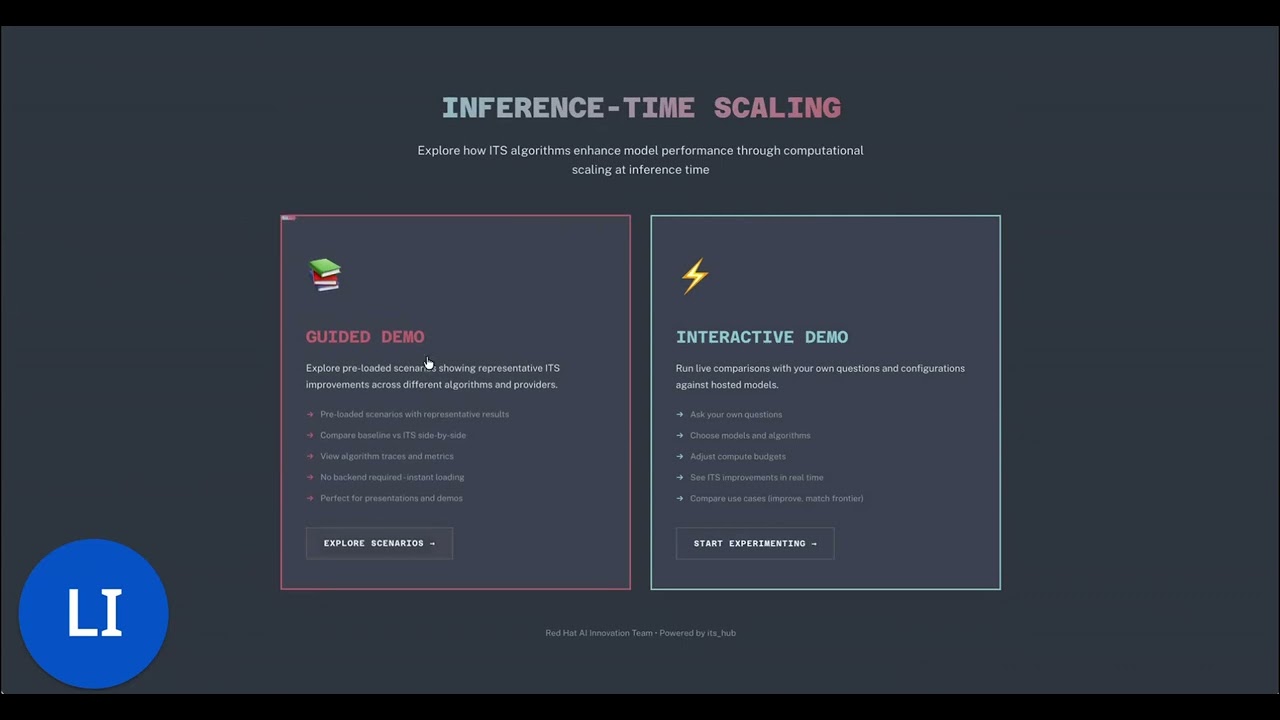
Try it in your browser: https://red.ht/its-hub-demo
To run the demo yourself, see the demo setup instructions.
For detailed documentation, visit: https://ai-innovation.team/its_hub
2 maintainers


Release files for its-hub 1.2.0
For a detailed explanation of source distributions (sdists) and built distributions (wheels), please see the package formats documentation.
Source distribution (sdist)
| File | Size | Uploaded | |
|---|---|---|---|
| its_hub-1.2.0.tar.gz | 2.2 MB | Details |
Built distribution (wheel)
| File | Interpreter | ABI | Platform | Reset |
|---|---|---|---|---|
| its_hub-1.2.0-py3-none-any.whl | Python 3 | none | any | Details |
Total release size: 2.4 MB
Release files / its_hub-1.2.0.tar.gz
| Download URL | its_hub-1.2.0.tar.gz |
|---|---|
| Size | 2.2 MB |
| Tags | Source |
|
SHA-256 checksum How to use checksums |
52f65fae7c9096c509176b3ff8710ead2c9da8d1cdb63d88df1dcdc51effee7b
|
|
BLAKE2b-256 checksum How to use checksums |
fff63e058270c5ddd9c40128130d441a378013e71d89c96e3588007ccc9f5240
|
| Upload date | |
|
Uploaded using Trusted Publishing? What is trusted publishing? |
Yes |
| Uploaded via |
twine/6.1.0 CPython/3.13.13
|
Provenance
Provenance describes where a file came from. On PyPI, provenance is shared via attestations, which provide a verifiable record of the build or publishing details. View details, limitations and caveats.


PyPI Publish Attestation
PyPI verified that this artifact, at this checksum, originated from the publisher listed below.
Signed by GitHub Actions, verified by PyPI on Aug 4, 2026.
Transparency logRelease files / its_hub-1.2.0-py3-none-any.whl
| Download URL | its_hub-1.2.0-py3-none-any.whl |
|---|---|
| Size | 231.5 kB |
| Tags | Python 3 |
|
SHA-256 checksum How to use checksums |
2e9dffc4b002eb2ac58956bf71d41b5ff4a529619d3002f42debb5ae0b1320c7
|
|
BLAKE2b-256 checksum How to use checksums |
cae07f2d28f3cfabc43b60965d9e83cb643ac7a9e4e6f0680b8ebaf11fdfe80f
|
| Upload date | |
|
Uploaded using Trusted Publishing? What is trusted publishing? |
Yes |
| Uploaded via |
twine/6.1.0 CPython/3.13.13
|
Provenance
Provenance describes where a file came from. On PyPI, provenance is shared via attestations, which provide a verifiable record of the build or publishing details. View details, limitations and caveats.
PyPI Publish Attestation
PyPI verified that this artifact, at this checksum, originated from the publisher listed below.
Signed by GitHub Actions, verified by PyPI on Aug 4, 2026.
Transparency log













