









IvoryOS: open-source orchestrator for self-driving labs
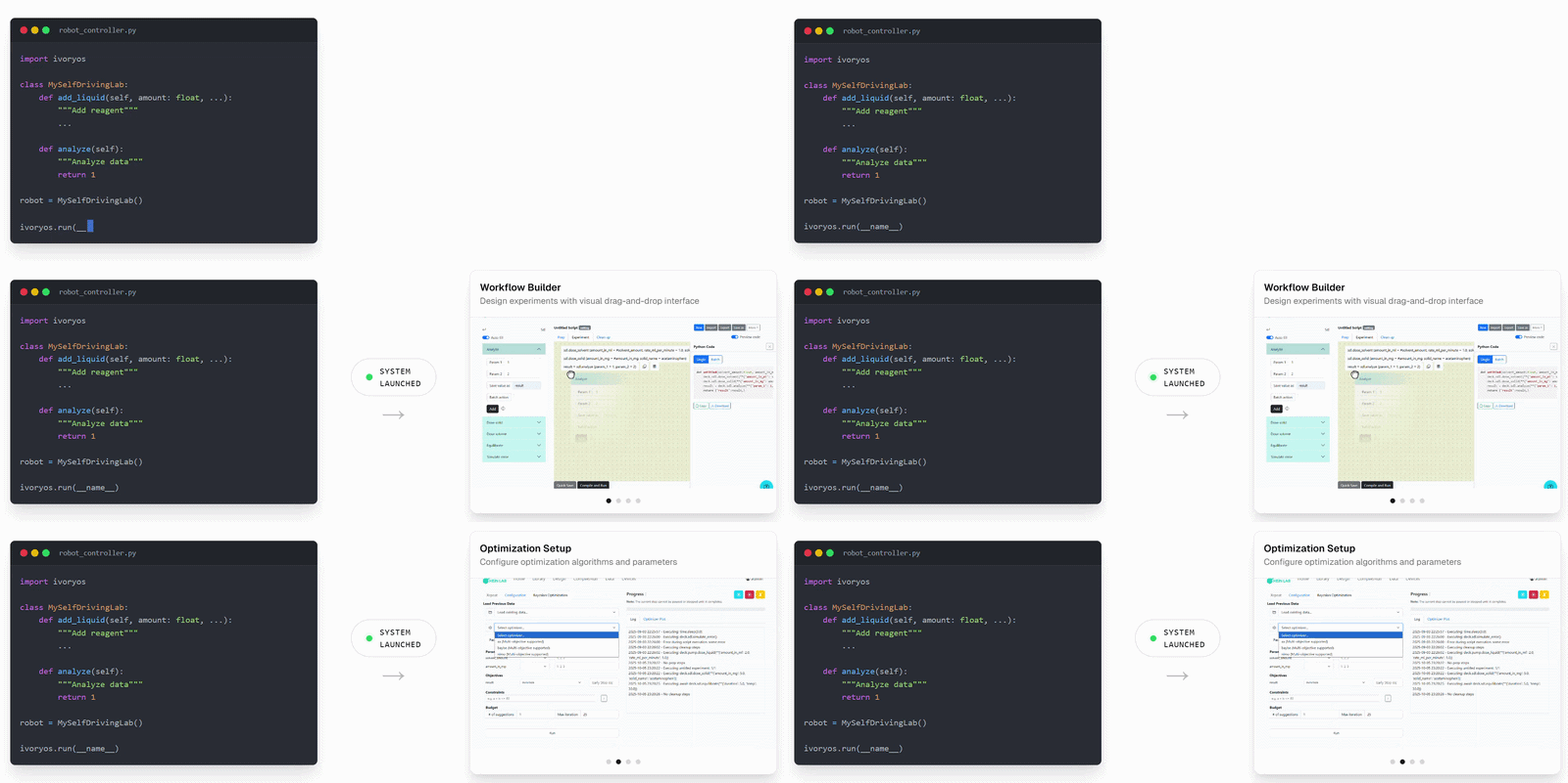
IvoryOS turns existing Python automation code into interactive controls, drag-and-drop workflows, and optimization-ready experiments.
Build for fast-changing R&D environments, and make Python-based lab automation accessible and scalable.
Join our community!
IvoryOS is an open-source project under active development. We welcome feedback, feature ideas, and contributions from anyone working on or interested in self-driving laboratories.
Join our Discord or Slack to ask questions, share use cases, and help shape IvoryOS.
Table of Contents
Installation
From PyPI:
pip install ivoryos
System Requirements
Platforms: Compatible with Linux, macOS, and Windows (developed/tested on Windows).
Python: Python ≥3.10
Dependency groups
- Core: Flask, Flask-Login, Flask-Session, Flask-SocketIO, Flask-SQLAlchemy, Flask-WTF, WTForms, SQLAlchemy-Utils, bcrypt, python-dotenv, pandas.
- Optimizers:
optimizer-ax,optimizer-baybe,optimizer-nimo, oroptimizersfor all supported optimizer adapters. - Database:
dbfor PostgreSQL support. - LLM design agent:
llmfor the optional in-app text-to-workflow feature. - Development:
devfor running the test suite.
Optional feature installs
pip install "ivoryos[optimizers]"       # all optimizer adapters
pip install "ivoryos[optimizer-ax]"     # Ax only
pip install "ivoryos[optimizer-baybe]"  # BayBE only
pip install "ivoryos[optimizer-nimo]"   # NIMO only
pip install "ivoryos[db]"               # PostgreSQL support
pip install "ivoryos[llm]"              # optional text-to-workflow design agent
From a local source checkout:
pip install -e ".[dev]"
pytest
32-bit Windows installation notes
Prefer 64-bit Python when possible. If you must deploy IvoryOS on 32-bit Windows, pip may not find pre-built 32-bit wheels for modern packages such as greenlet, pandas, or newer Flask-Session releases.
# 1. Use a Flask-Session release before the msgspec dependency.
pip install "Flask-Session<0.7"

# 2. Install a pandas wheel compatible with the local 32-bit Python environment.
pip install pandas --user --only-binary=:all:

# 3. Install greenlet from conda-forge if PyPI has no compatible wheel.
conda install -c conda-forge greenlet -y

# 4. Install IvoryOS.
pip install ivoryos
Quick start
In your script, where you initialize or import your robot:
my_robot = Robot()

import ivoryos

ivoryos.run(__name__)
Then run the script and visit http://localhost:8000 in your browser.
Use admin for both username and password, and start building workflows!
Features
Direct control:
direct function calling Instruments tab
Workflows
- Design Editor: drag/add function to canvas in Workflow tab, use
#parameter_namefor dynamic parameters, clickPrepare Runbutton to go to the execution configuration page - Execution Config: configure iteration methods and parameters in Execution tab.
- Design Library: manage workflow scripts in Library tab.
- Workflow Data: Execution records are in Data tab.
Logging
Add single or multiple loggers:
ivoryos.run(__name__, logger="logger name")
ivoryos.run(__name__, logger=["logger 1", "logger 2"])
Human-in-the-loop
Use pause in flow control to pause the workflow and send a notification with custom message handler(s).
When run into pause, it will pause, send a message, and wait for human's response. Example of a Slack bot:
def slack_bot(msg: str = "Hi"):
    """
    a function that can be used as a notification handler function("msg")
    :param msg: message to send
    """
    from slack_sdk import WebClient

    slack_token = "your slack token"
    client = WebClient(token=slack_token)

    my_user_id = "your user id"  # replace with your actual Slack user ID

    client.chat_postMessage(channel=my_user_id, text=msg)

import ivoryos
ivoryos.run(__name__, notification_handler=slack_bot)
Use Input in flow control to get human input during workflow execution. Example:
click to see the data folder structure
ivoryos_data/:config_csv/: Batch configurationcsvpseudo_deck/: Offline deck.pklresults/: Execution resultsscripts/: Compiled workflows Python scriptsdefault.log: Application logsivoryos.db: Local database
Demo
Online demo at demo.ivoryos.ai. Local version in abstract_sdl.py
Roadmap
Check out our Work Items for upcoming features and improvements.
- Support dataclass input
- Introspection version control
- Check config file compatibility
Contributing
We welcome all contributions — from core improvements to new drivers, plugins, and real-world use cases.
See CONTRIBUTING.md for details.
Citing
Click to see citations
If you find this project useful, please consider citing the following manuscript:
Zhang, W., Hao, L., Lai, V. et al. IvoryOS: an interoperable web interface for orchestrating Python-based self-driving laboratories. Nat Commun 16, 5182 (2025).
@article{zhang_et_al_2025,
  author       = {Wenyu Zhang and Lucy Hao and Veronica Lai and Ryan Corkery and Jacob Jessiman and Jiayu Zhang and Junliang Liu and Yusuke Sato and Maria Politi and Matthew E. Reish and Rebekah Greenwood and Noah Depner and Jiyoon Min and Rama El-khawaldeh and Paloma Prieto and Ekaterina Trushina and Jason E. Hein},
  title        = {{IvoryOS}: an interoperable web interface for orchestrating {Python-based} self-driving laboratories},
  journal      = {Nature Communications},
  year         = {2025},
  volume       = {16},
  number       = {1},
  pages        = {5182},
  doi          = {10.1038/s41467-025-60514-w},
  url          = {https://doi.org/10.1038/s41467-025-60514-w}
}
For an additional perspective related to the development of the tool, please see:
Zhang, W., Hein, J. Behind IvoryOS: Empowering Scientists to Harness Self-Driving Labs for Accelerated Discovery. Springer Nature Research Communities (2025).
@misc{zhang_hein_2025,
  author       = {Wenyu Zhang and Jason Hein},
  title        = {Behind {IvoryOS}: Empowering Scientists to Harness Self-Driving Labs for Accelerated Discovery},
  howpublished = {Springer Nature Research Communities},
  year         = {2025},
  month        = {Jun},
  day          = {18},
  url          = {https://communities.springernature.com/posts/behind-ivoryos-empowering-scientists-to-harness-self-driving-labs-for-accelerated-discovery}
}
Acknowledgements
Authors acknowledge Telescope Innovations Corp., UBC Hein Lab, and Acceleration Consortium members for their valuable suggestions and contributions.
1 maintainer

Download files
Download the file for your platform. If you're not sure which to choose, learn more about installing packages.
Source Distribution
Built Distribution
Filter files by name, interpreter, ABI, and platform.
If you're not sure about the file name format, learn more about wheel file names.
Copy a direct link to the current filters
File details
Details for the file ivoryos-1.6.9.tar.gz.
File metadata
- Download URL: ivoryos-1.6.9.tar.gz
- Upload date:
- Size: 466.6 kB
- Tags: Source
- Uploaded using Trusted Publishing? No
- Uploaded via:
twine/7.0.0 CPython/3.10.20
File hashes
| Algorithm | Hash digest | |
|---|---|---|
| SHA256 |
309a3da1587ecd7182e0df5a10a23e69b1c4bc42bf963baf4c6bf427d3cb6ccb
|
|
| MD5 |
2007d42c9b4b818920b6cf3bd53d80d8
|
|
| BLAKE2b-256 |
0dba86305f5aa626429908415aa8c7c8c01630fcd69a5ff50ff597399e6871ac
|
File details
Details for the file ivoryos-1.6.9-py3-none-any.whl.
File metadata
- Download URL: ivoryos-1.6.9-py3-none-any.whl
- Upload date:
- Size: 512.3 kB
- Tags: Python 3
- Uploaded using Trusted Publishing? No
- Uploaded via:
twine/7.0.0 CPython/3.10.20
File hashes
| Algorithm | Hash digest | |
|---|---|---|
| SHA256 |
bdac1bab2b1a0eee7f7f02ad709b0defd53fb9073615993111dfb1bb08cd2c3d
|
|
| MD5 |
c27074bb228f1172d066e9c35e046bce
|
|
| BLAKE2b-256 |
2ae7e631754447515b8b48007ad62bbd36e567a6e94ca7dab3f6b71bf4dee409
|







