
Just Another Ledger - project to track personal financial records

Project description
JAL
Just Another Ledger is a project for personal finance tracking.

It was designed to keep records of personal incomes/spendings and investments with up-to-date information about account's balances and portfolio value.
Main features
- multiple accounts with different currencies (base currency is russian rouble but might be changed in future versions)
- 5 types of transactions:
- Generic income/spending operations that may be splitted into several categories
- Transfers of money between different accounts and currencies
- Buy/Sell operation for securities (future plan is to support merges and splits)
- Dividends for stocks (Bond coupons may be recorded the same way)
- Corporate actions for stocks (Split, Symbol change, Merger, Spin-Off, Stock dividend)
- basic reports:
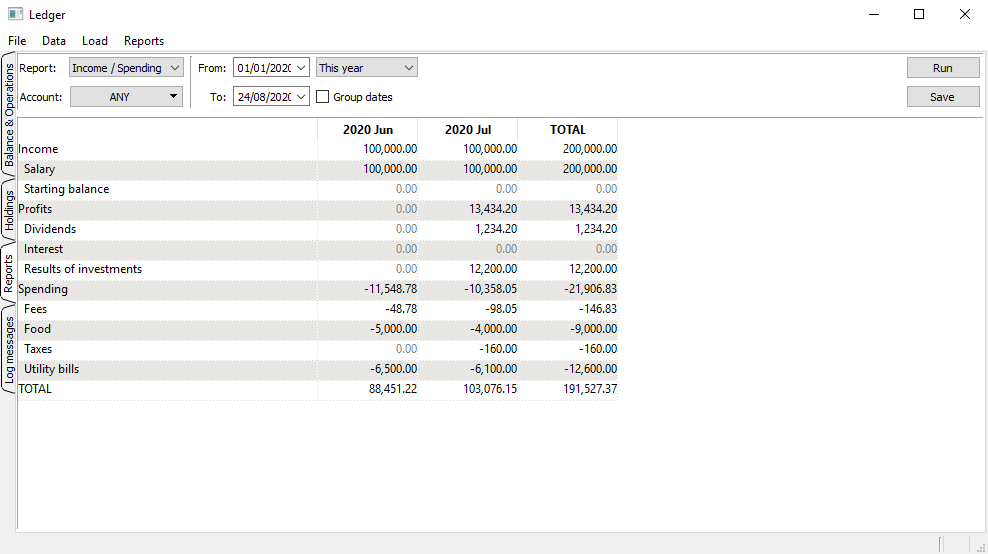
- monthly incomes/spendings splitted by category
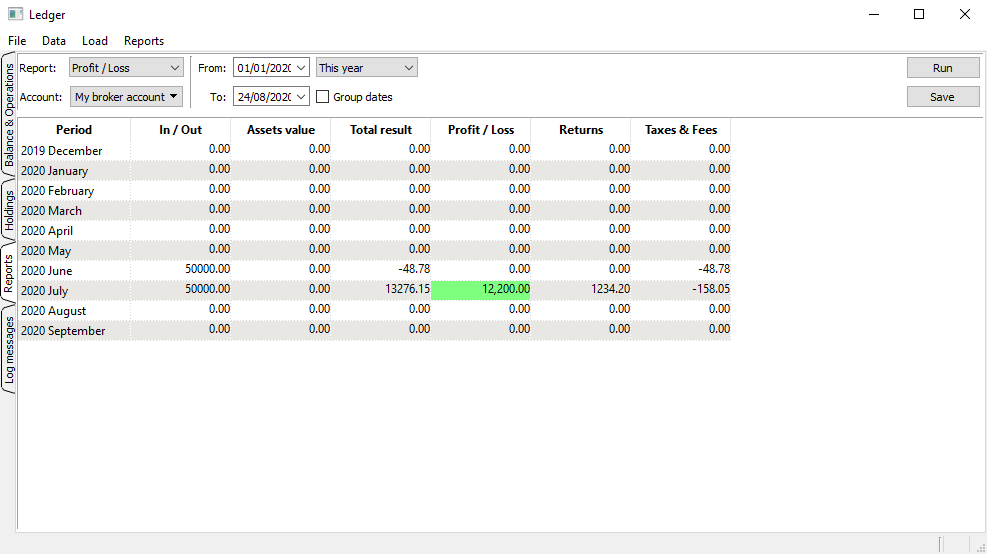
- profit/loss report for investments accounts
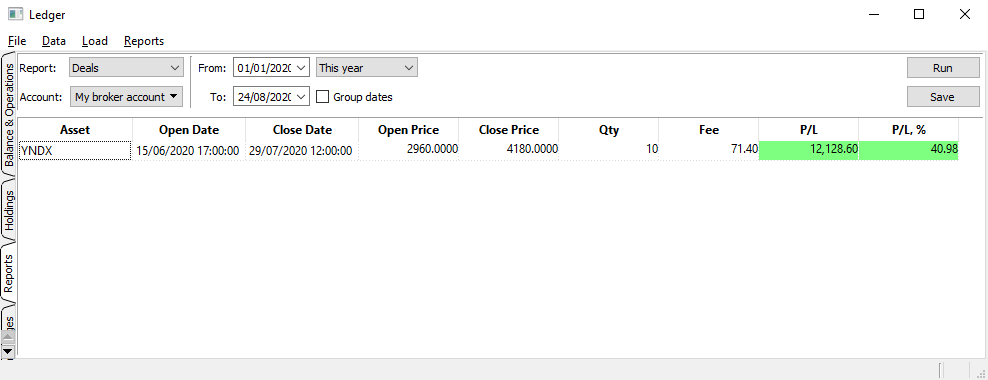
- closed deals report
- stock quotes updates for US (Yahoo), EU (Euronext) and RU (MOEX) exchanges traded stocks
- securities transactions import from Quik HTML-reports for russian brokers (KIT-Finance, Uralsib Broker) and from Interactive Brokers flex-queries
- tax report preparation for foreign investments according to Russian Tax Law
- experimental download russian electronic slips from russian tax authority:
- QR code may be scanned from camera, clipboard image or image file on disk
- Authorization via login/password to FNS personal account or ESIA/Gosuslugi (no passwords are stored in the progam, only SessionId is stored - you may check in source code)
Installation
jal was created to be portable and cross-platform. Thus you have several ways to install and run the program:
- You may get file archive from the GitHub repository, unpack it into suitable directory on your PC and use
run.pyto start application. In order to succeed this way you need to have Python 3.8.1 and satisfy all dependencies listed below in Dependencies section. - You may use installation package with
pip install jalcommand. It will take care about dependencies automatically and will installjalentry point* to run the program. Alternatively you may usepython -m jal.jalif you can't run application withjalentry point. - You may mix two methods together - download source files from github and then use
setup.pyfor preferred way of installation.
Database will be initialized automatically with minimal required set of data and you will be able to start use the program.
* - entry point location is platform dependable. Eg. on Linux it might be in ~/.local/run, on Windows - Scripts directory of your python installation.
Update to newer version
You may get message "Database schema version is outdated. Please execute update script." after upgrade to newer version.
In this case you need to use script update_db_schema.py from updates folder. Example of usage in Linux:
./update_db_schema.py ../ledger.sqlite
This will apply required changes to your database file (as usual it's a good idea to backup your ledger.sqlite before any activity)
Dependencies
jal depends on:
- Qt for Python (PySide2) >=5.15 - GUI library (versions below 5.15 may cause problems with
uicat least) - pandas - different data operations
- lxml - html/xml-files import
- requests - stock quotes update from the internet; electronic slip download
- xlsxwriter - reports export into XLS format
- pyzbar 1 - electronic slip QR-code recognition
- Pillow 1 - work with images
- tensorflow 2 - automatic category recognition
1 - optional dependencies (electronic slip import will be disabled)
2 - dependecy for experimental functionality (automatic category recognition will be disabled)
Screenshots
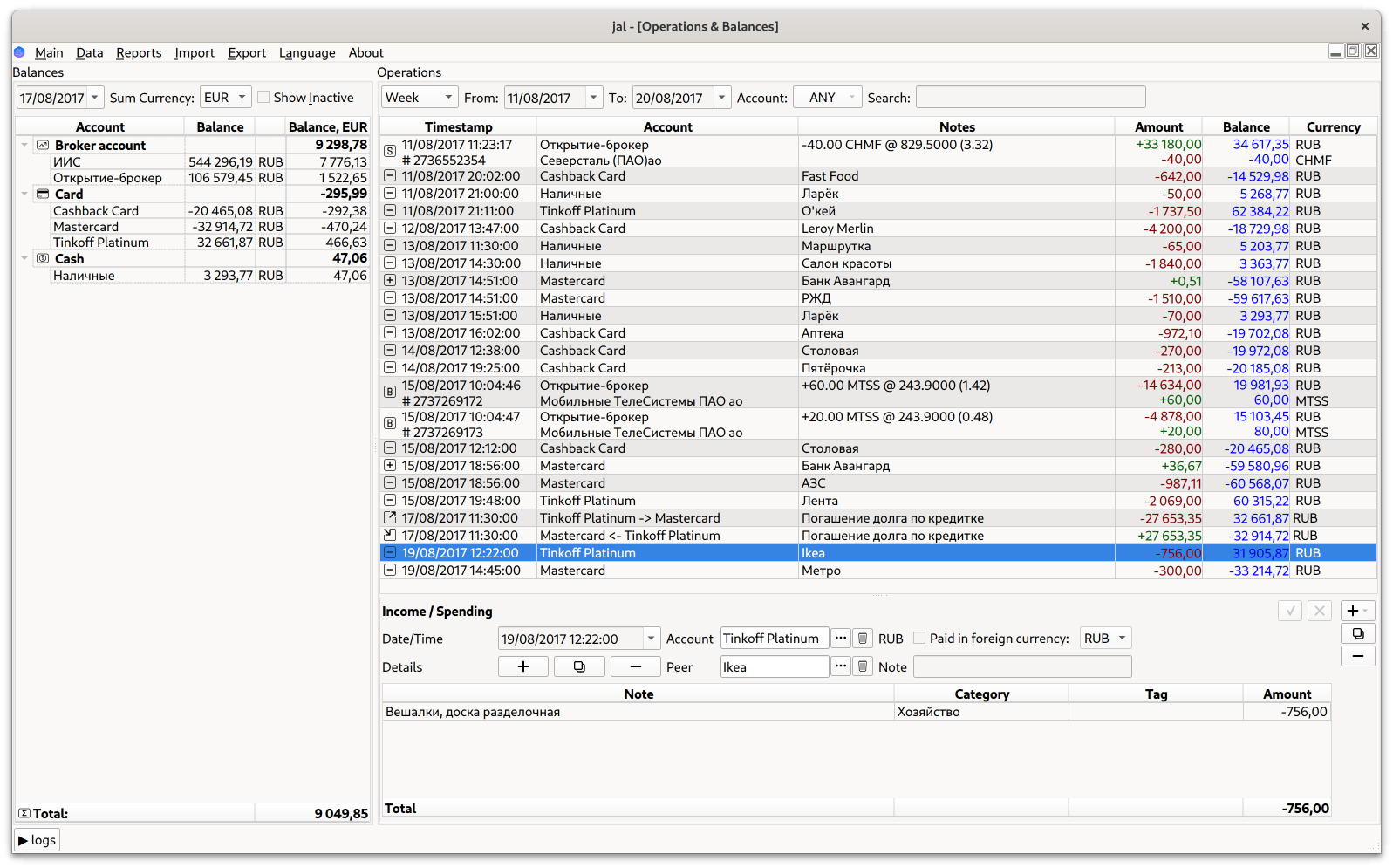
Qt have a better look on Linux out of the box. Here is main program window:
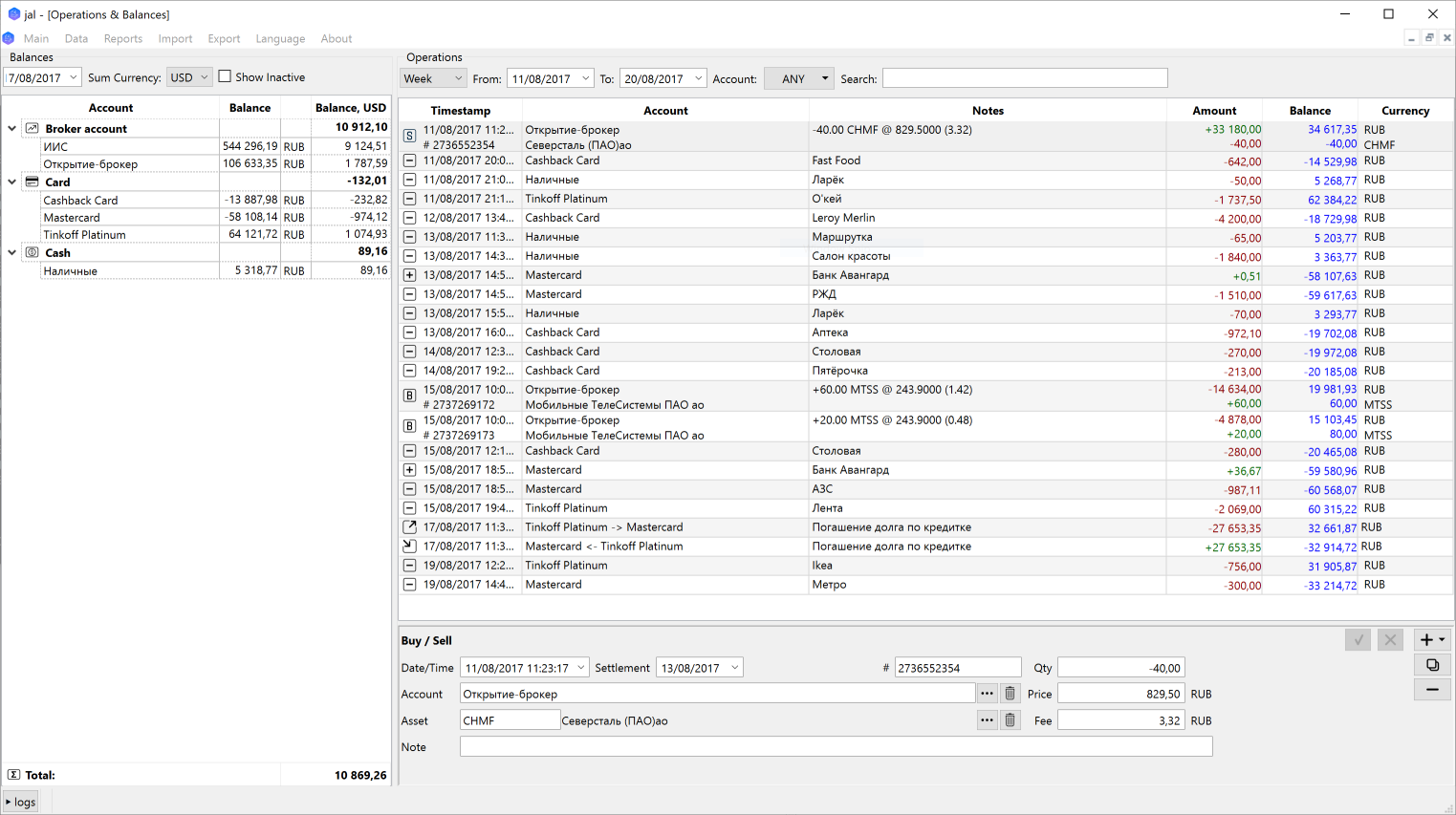
The same window on Windows - the same functions with a bit different look:
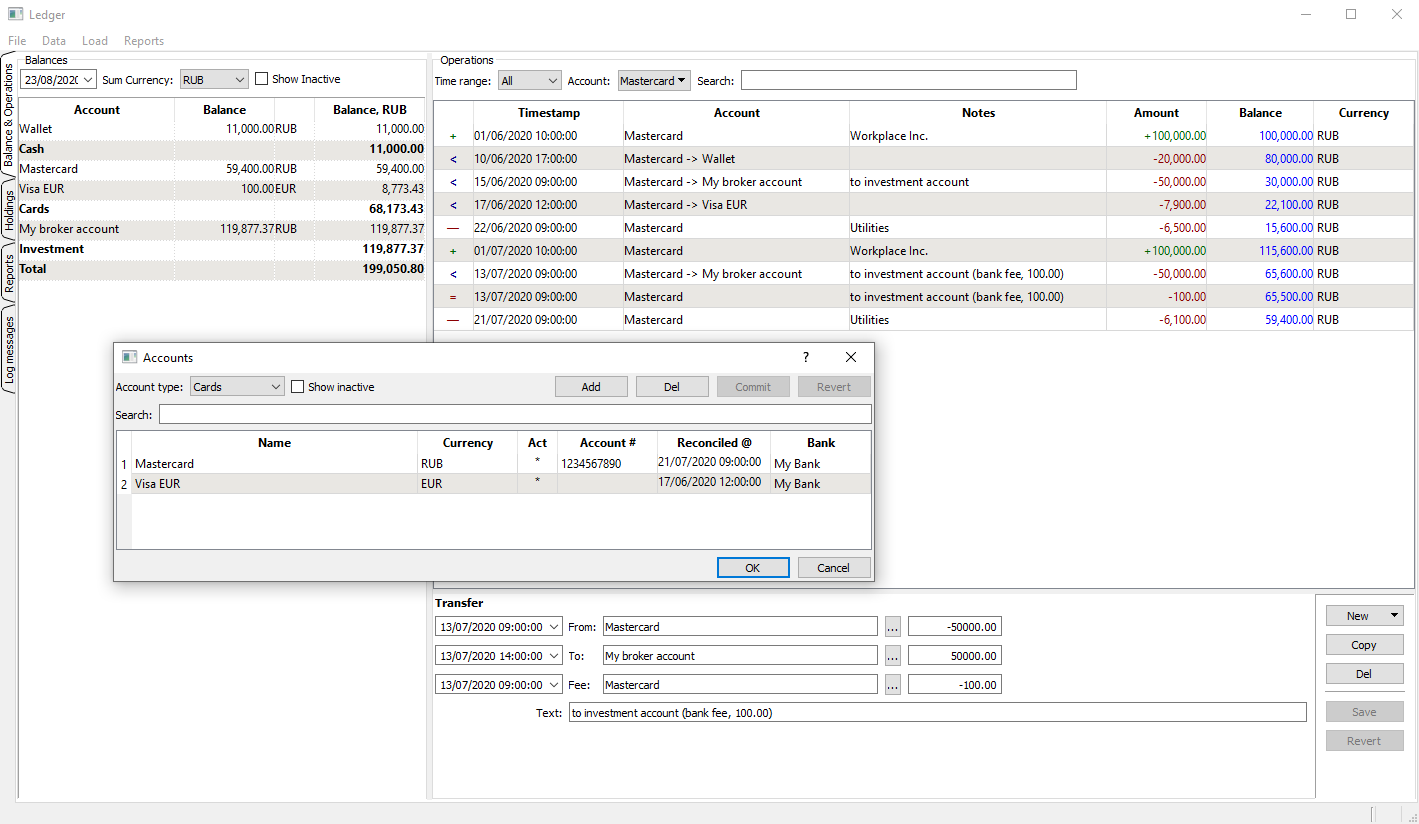
Accounts are be arranged in groups (Cash, Cards, Investments, etc), each account holds one currency.
Below is a view of main window where one account is chosen ('Mastercard') and account select/edit window is opened on top:
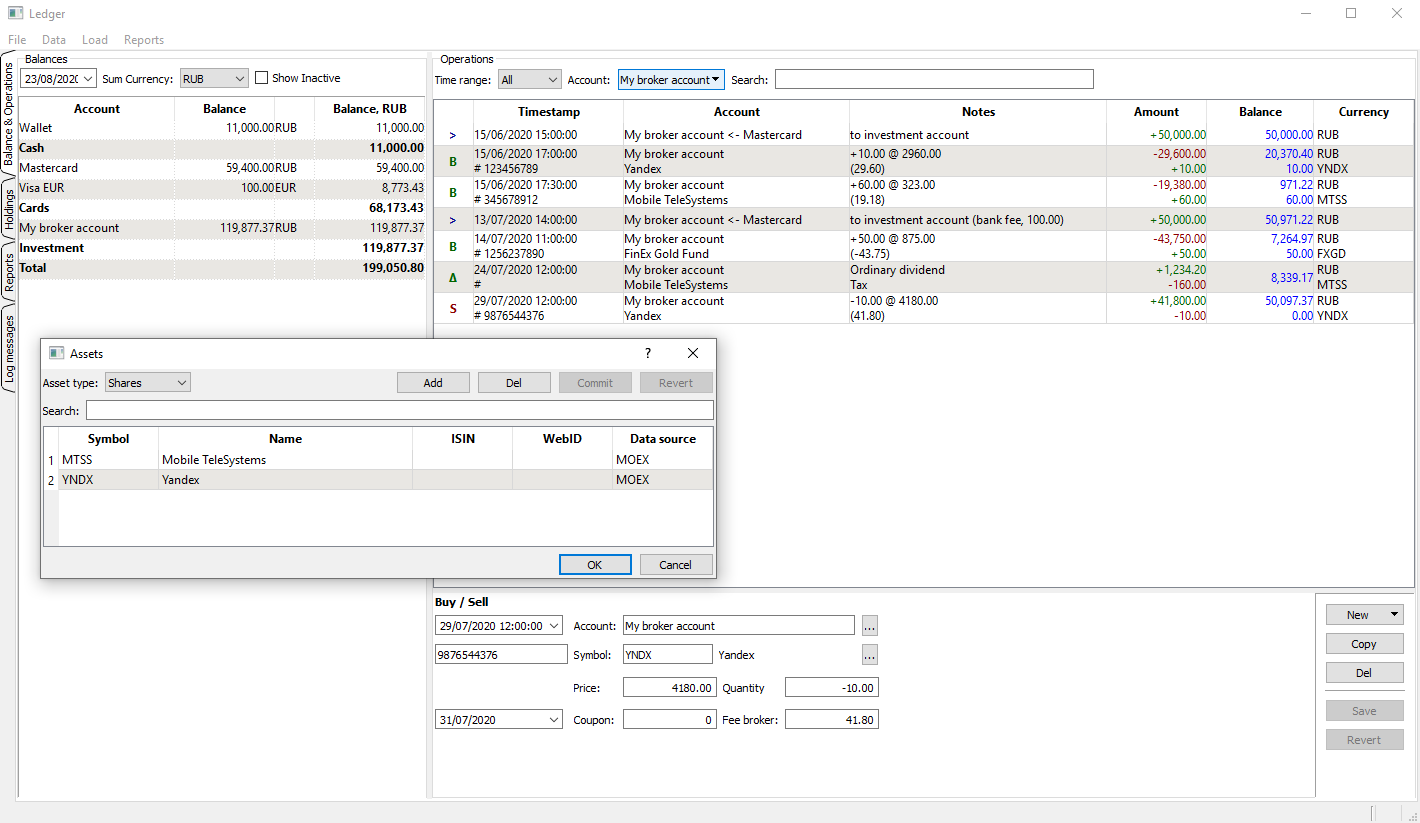
Example of investment account view with Buy, Sell and Dividend operations recorded (there is an asset select/edit window on top):
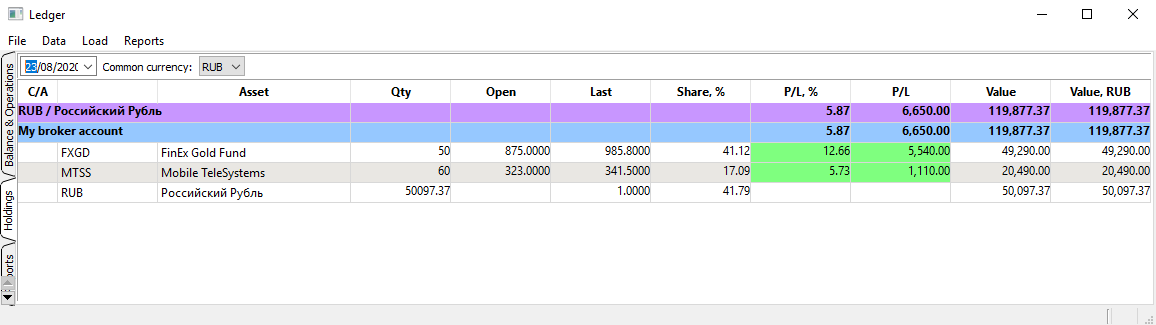
'Holdings' tab contains portfolio overview (You display account and portfolio balances for any date).
Holdings are grouped by currencies and then by accounts.
Examples of reports are below:
Monthly incomes/spendings (categories hierarchy is supported with sub-totals calculation)

Release history Release notifications | RSS feed


Download files
Download the file for your platform. If you're not sure which to choose, learn more about installing packages.
Source Distribution
File details
Details for the file jal-2020.12.2.tar.gz.
File metadata
- Download URL: jal-2020.12.2.tar.gz
- Upload date:
- Size: 116.5 kB
- Tags: Source
- Uploaded using Trusted Publishing? No
- Uploaded via: twine/3.3.0 pkginfo/1.6.1 requests/2.25.1 setuptools/51.1.0 requests-toolbelt/0.9.1 tqdm/4.55.0 CPython/3.9.1
File hashes
| Algorithm | Hash digest | |
|---|---|---|
| SHA256 |
5526476e198760cbc6e7f5224e6b591abb9b088d292f05377a2f9715da6ef2c8
|
|
| MD5 |
b32f40c1f576219f6fff856171a4af78
|
|
| BLAKE2b-256 |
390a063af010109a107f69081e2e1f63d61fbed2b58dee429150baa133380295
|






